Cathryn Lee

Live Home 3D from BeLightsoft makes it easy to preview interior and architectural designs before making changes. Users can switch between 2D and 3D modes, create floor plans in 2D and instantly view the results in real-time 3D. The software includes a built-in library of over 2,000 furniture items and materials, allowing flexible layout and style adjustments. For more advanced projects, it offers tools for landscaping, terrain editing, roof customization, and elevation viewing.
Live Home 3D Discount Promo Code (100% Working)

Live Home 3D Standard for Mac
17% Off coupon code, regular price $59.99, discounted price $49.99

Live Home 3D Pro for Mac
33% Off coupon code, regular price $149.99, discounted price $99.99
Key Features and Screenshots
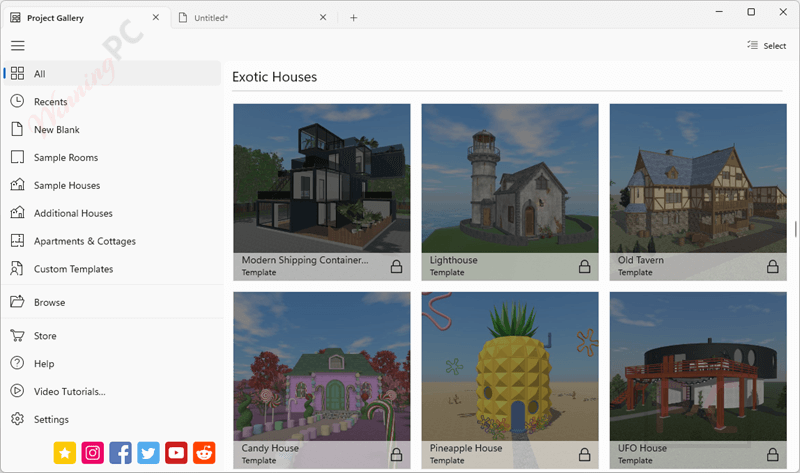
- Cross-Platform Support: Available on macOS, Windows, iOS/iPadOS, Vision, and Android.
- 2D Floor Planning: Draw detailed floor plans with precision tools.
- Real-Time 3D View: Instantly switch to 3D view to visualize your space as you build.
- Ultra HD video Walkthroughs: Explore your design from a first-person perspective.
- Furniture & Material Items: Built-in library with over 2,400 objects and over 2,100 materials for more functional and beautiful designs.
- Material Editor: Apply and customize materials, textures, and colors.
- Unlimited Stories: Design multi-story buildings without restrictions.
- Custom Roof Assistant: Easily create and customize complex roof structures.
- Object Transformation: Move, rotate, scale, and align objects with precision.
- Terrain Editing: Create realistic landscapes with slopes, hills, and custom terrain.
- Import 3D Models: Supports importing from Trimble 3D Warehouse and other formats (3DS, OBJ, FBX, etc.) directly into your project.
- Measurement Tools: Accurate dimensioning for rooms, walls, furniture, and spaces.
- Lighting Control: Adjust light color, intensity, and direction for a realistic ambiance.
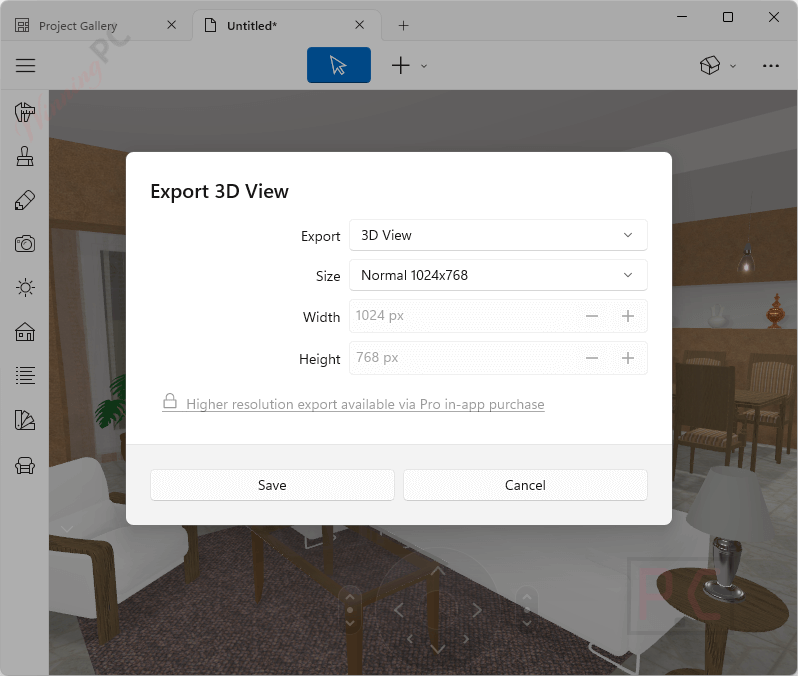
- Image Export: Save snapshots in JPEG, PNG, TIFF, or BMP formats.
- 3D Model Export: Export to FBX, OBJ, COLLADA, VRML 2.0, or X3D formats.
How to Use (Step-by-Step Guide)
Step 1. Install and Launch the App
Launch the app and select “New Project” to start.
Step 2. Create Your Floor Plan in 2D
Click and drag to place rooms or walls, and adjust measurements by dragging edges or entering values manually. Switch to 2D Plan View. Use tools like Room, Wall, or Floor to draw the layout.
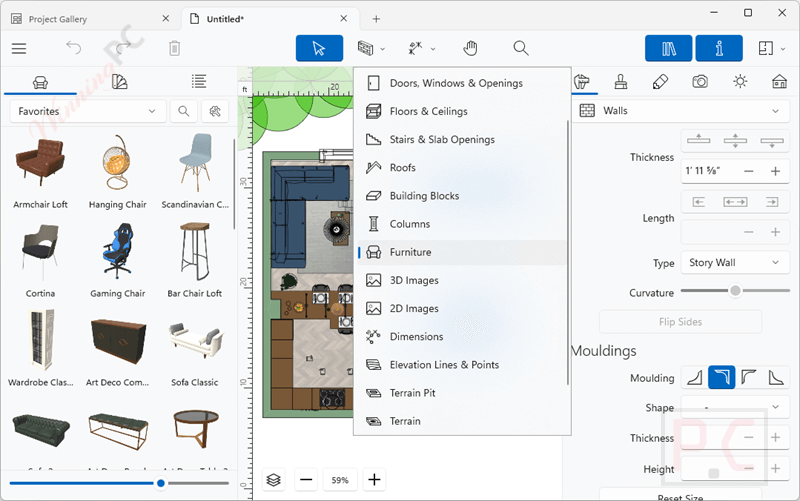
Step 3: Add and Arrange Furniture
Go to the Library panel and browse categories like Furniture, Doors, Windows, and Appliances. Drag and drop items into your layout. Resize, rotate, or move items to get the placement just right.
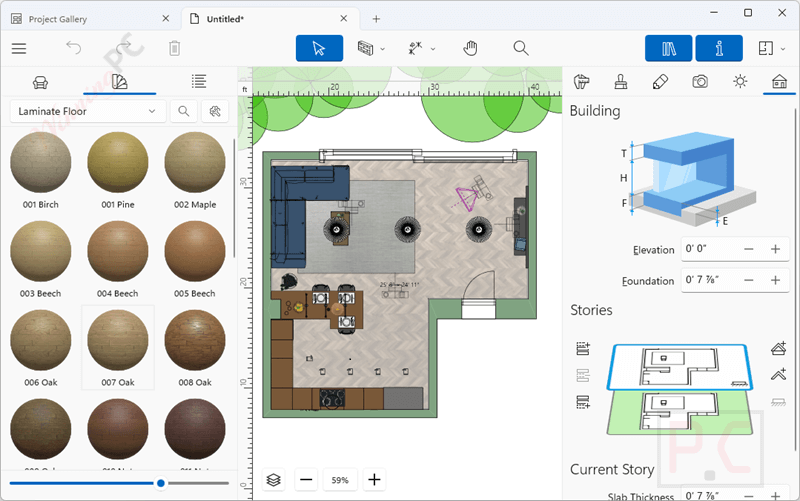
Step 4: Customize Materials and Colors
Click on an object (like a wall or chair), then open the Inspector to change its material or color. Use the Material Library or import your own textures for a personal touch.
Step 5: Switch to 3D View
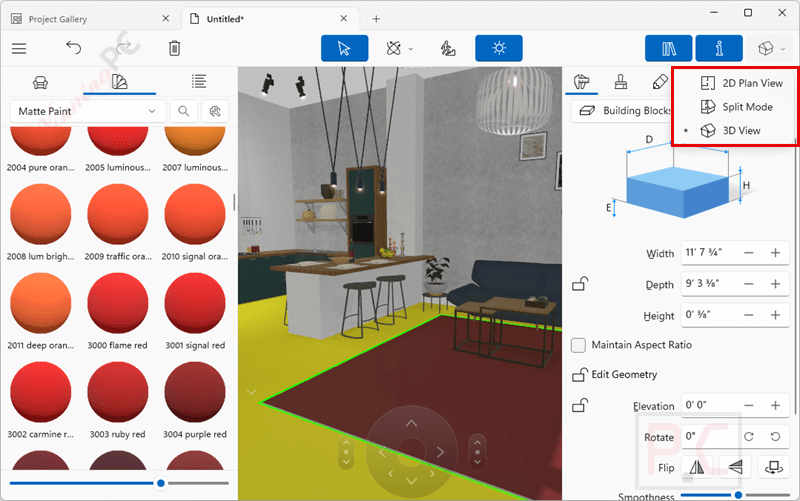
Click the 3D button to see your space in real time. Walk around your design using the Walkthrough tool or fly above using the Orbit tool.
Step 6: Edit Landscape and Roof
Use the Terrain Editing tool to raise or lower the ground, add slopes, or create gardens. Select the Roof tool to build and customize roof shapes for multi-story homes.
Step 7: Use AR or Export Your Design
On mobile, activate AR View to place your design in the real world. Export your work as: 2D floor plans (JPEG, PNG), 3D images or video walkthroughs, 360° panoramas, 3D model files (OBJ, FBX, etc.)
Frequently Asked Questions
What is Live Home 3D used for?
It’s a home and interior design app that lets you draw floor plans, furnish rooms, and visualize your ideas in 3D or even AR, no architectural background needed.
Can I design multi-story buildings with Live Home 3D?
Absolutely. You can create multi-level homes, add split-level floors, and customize everything from the basement to the roof.
Is there an AR mode for Live Home 3D?
Yes! On iOS and Android, you can view your projects in Augmented Reality to see how they look in real-world settings.
Can I edit terrain or landscape features?
Yes! You can adjust terrain, create slopes, and even design outdoor landscapes and gardens.
Will Live Home 3D run on low-end computers or devices?
It can, but rendering high-quality exports and video walkthroughs may be slower on older or low-spec devices.
Can I get a discount when buying Live Home 3D?
Yes! WinningPC offers a special coupon that gives you 33% off. Don’t miss that deal if you’re planning to buy.
Why Choose WinningPC
- Why Trust? We are committed to providing 100% valid and verified coupon codes, so you can always shop with confidence.
- Found an Invalid Coupon or a Better Deal? If you encounter an invalid code or a better offer, please let us know. Our team updates all discount information regularly to ensure accuracy.
- Official Authorization: We only share authentic discounts from trusted software developers.
- No Fake Discounts: Unlike some sites, we never use misleading deals. The final price you see is the true discounted price.
- Secure Purchases: All transactions are processed on the official vendor’s website, ensuring authenticity and data protection.
- Extra Support: If you face order or vendor issues, contact us. We’ll liaise with the vendor to help resolve your problem quickly.
Technical Details
| Language Support | English, Français, Italian, Spanish, Swedish, and more… |
| Money Back Guarantee | 30-Day |
| Operating System | Windows 10 or later macOS 10.15 or higher iPadOS or iOS 13 and higher visionOS 1.2 or higher Android 10+, RAM 4GB+, 2GB+ of available storage space |
| Shipping | Register code will be sent to your email in minutes |
| Subscription | Lifetime |
| Support Services | Tickets |