
 Cathryn Lee

Macxvideo AI is an all-in-one media powerhouse designed for macOS that integrates a deep learning framework to seamlessly enhance, convert, compress, and edit video and image files. By leveraging specialized AI models and full GPU acceleration, it tackles heavy computing tasks like 4K/8K upscaling, noise reduction, and format conversion with cinema-grade fidelity and remarkable speed.
Macxvideo AI
Macxvideo AI combines powerful AI image/video enhancement with 20+ pro-grade tools—enhance clarity and detail, remove blur and noise, upscale AI art to 4K/8K, convert, compress, record, and edit video—all powered by full GPU acceleration.
- Product
- Macxvideo AI v3.0
- Product website
- www.macxdvd.com
- License
- Lifetime
- Platform
- macOS 10.15 or later
- Installer
- macxvideo-ai-gv.dmg
- Support
- No free tech support
- Updates
- No free updates to future versions
- Updated
- 2026-05-06
Continue on macxdvd.com
The publisher handles registration and license delivery on its official website.
This giveaway ended on .
The free license is no longer available.
Macxvideo AI Plans & Coupon Code (100% Working)
Macxvideo AI
3 plans · best save 67%

1-Year Plan / 3 Macs ★ Best Deal
Billed yearly | Free updates & full access for 1 year
📄 Licensing & Support Details
- License options: 1-Year Plan, Lifetime Plan, and Family Plan
- Device support: Up to 5 Macs depending on the plan
- GPU acceleration included
- macOS 10.15 Catalina or later supported
- AI-powered enhancement and media toolkit included in all plans
📝 How to apply
- Click the “Copy” button in the coupon section above to grab this deal.
- The code will be copied automatically, and you’ll be taken to the checkout page to enjoy the discount.

How to get the MacxVideo AI license key for Free?
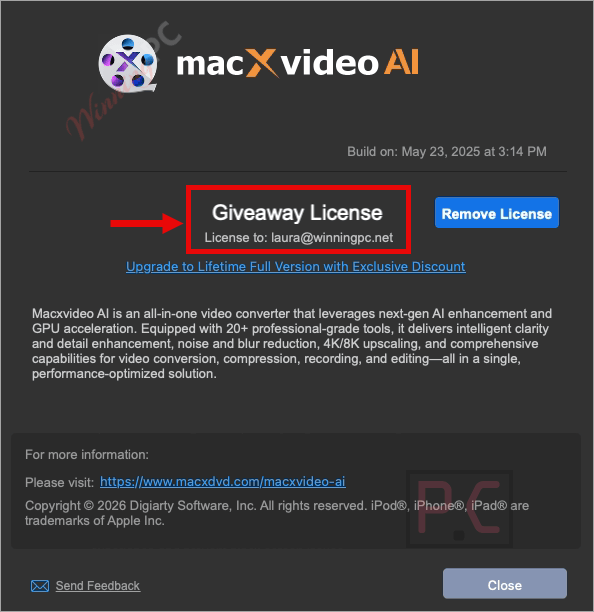
Please input your valid email address on the Macxvideo AI giveaway page, then click on the “Get Code” button. Check your mailbox to get your license code for free.

Download and install the software on your computer. Please copy and paste the license code above to activate the software with full functions.

Enjoy it for a lifetime for free!
In-Depth Review & Features

Key Features
- Deep-Trained AI Engine: Utilizes generative, discriminative, and restoration models for precise deblurring, denoising, and texture recovery.
- Video Stabilization: Minimizes wobbles and shakes from drone, smartphone, or action camera footage with customizable cropping and speed modes.
- AI Frame Interpolation: Converts low frame rate videos (24/30fps) into fluid 60/120fps or up to 480fps for flawless slow-motion effects.
- Face & Image Restoration: Upscales digital art or old photos to 10K resolution while intelligently reconstructing damaged facial details.
- Monochrome Colorization: Predicts and injects accurate, lifelike colors into historical or black-and-white photographs.
- Vocal & Noise Suppression: Extracts pure vocals for remixes and completely erases background nuisances like static, wind, or hums from audio tracks.
- Extensive Format Conversion: Supports over 370 input and 420 output formats, allowing you to batch convert media for any Apple device without syncing errors.
- High-Speed Processing: Achieves up to 47X faster processing through optimized hardware acceleration while keeping CPU usage remarkably low.
- Built-In Video Editor: Instantly cut, crop, merge, rotate, fix fisheye distortion, or add soft/hardcoded subtitles and watermarks.
- Lossless Compression: Shrinks massive 4K/8K files by up to 90% to save storage space without degrading visual quality.
- 4K Screen Recording: Captures high-quality 60fps footage from full screens, webcams, or picture-in-picture modes for tutorials and gaming.
Pros & Cons
More Macxvideo AI screenshots!
Video Enhancer AI

Image Enhancer AI

Frequently asked questions
Where can I track down active promo codes or deals for Macxvideo AI?
If you are hunting for the latest promos or discounts for Macxvideo AI, WinningPC is your primary destination. We constantly collaborate with the developers to list the most reliable offers, alongside any direct sales hosted on their official channels.
What is the most substantial savings I can score on this software right now?
Currently, the most massive drop available is a 67% OFF deal on both the 1-Year and Lifetime plans. You can grab this specific discount directly through the promotional links hosted right here on WinningPC.
Do I need a high-end graphics card to run the AI features smoothly?
While the software utilizes GPU acceleration to boost processing by up to 47 times, there are no extra hardware requirements beyond standard Apple specifications for M-series chips or Intel Core i5 and higher.
Can this tool help me restore old physical family photographs?
Yes, it includes an AI Face Restoration module specifically designed to revitalize old and damaged photos. It intelligently revives facial details and removes scratches, restoring them to vibrant, high-resolution quality.
Does it support batch processing for file conversion?
Absolutely. You can batch convert large video files, audio tracks, and entire folders to process multiple 4K, 8K, or 3D videos simultaneously with minimal CPU strain.
What kind of audio manipulation tools are included?
It features a Vocal Remover for extracting clean acapellas and an AI Audio Suppression tool that completely eradicates background distractions like wind, keyboard clicks, or static from your recordings.
Will my video lose visual quality if I compress it?
No, the software utilizes a specialized compression engine capable of reducing large 4K and 8K file sizes by up to 90% while maintaining the original visual fidelity for smooth playback.
Can I convert heavy iPhone footage to play on older devices?
Yes, the platform effortlessly downscales and transcodes modern HEVC or 4K MOV clips from iPhones into highly compatible formats like standard MP4 for seamless sharing.
Is there a built-in tool for creating screen tutorials?
Yes, it includes a versatile screen recorder that captures ultra-clear 4K 60fps video from your screen, webcam, or a picture-in-picture setup.
System Requirements & Details
| Feature | Specifications |
|---|---|
| Language Support | English, Français, Italian, Spanish, Swedish, and more… |
| Operating System | macOS 10.15 Catalina or later. |
| Processor | Apple M1/M2/M3/M4 series chip, or Intel® Core i5 (6th Gen) or higher. |
| RAM & Storage | 4GB or above RAM; 8GB or above Hard Disk Space. |
| Supported Input | Video (AV1, H.265/HEVC, MKV, MP4, etc.), Image (PNG, JPG, RAW, etc.), Audio (MP3, AAC, FLAC, etc.), 1000+ Online Sites. |
| Supported Output | 4K/HD Video (AV1, HEVC, ProRes), General (MP4, MKV, MOV), Web Sharing (YouTube, Facebook), Audio & Image. |






Whilst I don’t have a mac to test this on you can be certain that this steals the Mac FFMPEG binaries and misrepresents them as their own work by not giving proper attribution to the thousands of contributors to the open source but licensed FFMPEG.ORG project like the windows version does.
Tested using 7zip to examine the .dmg contents the ffmpeg executable distributed in this illegal program has the following settings and license:
“–enable-gpl –enable-version3 –enable-nonfree
This version of %s has nonfree parts compiled in.
Therefore it is not legally redistributable.”
Even without the “–enable-nonfree” compile time switch which this developer built the binaries with it would still have been an illegal program as they GPLv3 license prohibits distribution in a non-GPLv3 compliant product which this being a closed source proprietary licensed “program” distribution.