On this page
MyClaw Coupons & Pricing

MyClaw - LITE (Yearly)
Personal AI assistant, 24/7 | Auto-updates, zero maintenance
MyClaw - ULTRA (Yearly)
Everything in Lite | Priority support | High-performance guaranteed resources
How to Use the MyClaw-Brand Coupon Code
- Click the WinningPC deal link above. The discount applies automatically at checkout.
- Choose your plan: Lite for personal use, Pro if you run it daily or need priority support, Max or Ultra for heavy workloads.
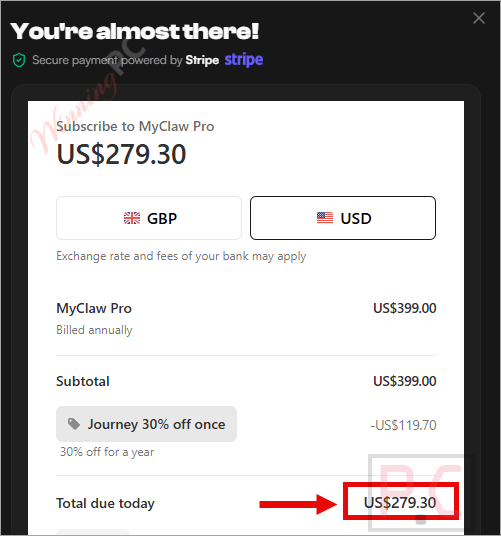
- Sign up with your email and complete checkout on MyClaw’s site. Billing is handled by Stripe; your card details never touch WinningPC’s servers.
- Your private MyClaw instance is provisioned in about 30 seconds. Pick OpenClaw, Hermes Agent, Claude Code, or another supported agent to deploy.
- Connect your preferred AI model API keys (Claude, GPT, Gemini, DeepSeek, Kimi, and 200+ more) and start giving it tasks from Telegram, WhatsApp, Slack, or a browser tab.
Is this MyClaw deal safe to use?
No crack or keygen
You’re buying a real managed subscription. MyClaw provisions a dedicated cloud instance on your behalf; nothing is patched or repackaged.
Official authorized source
The WinningPC discount is a direct arrangement with MyClaw. Payment goes through MyClaw’s own Stripe-powered checkout.
Secure HTTPS checkout
Stripe handles billing. Your card details never touch WinningPC’s servers.
7-day money-back
The instance subscription is refundable within 7 days of purchase. AI token usage and third-party model costs billed separately are not included in the refund.
Hands-on with MyClaw: what you actually get
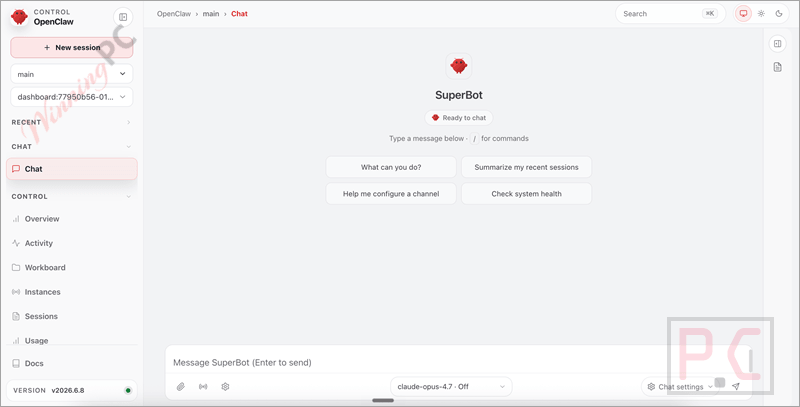
The pitch is simple and honest: running OpenClaw on your own laptop means it stops when the lid closes, can’t handle scheduled overnight tasks, and needs you to SSH in and patch things when something breaks. MyClaw eliminates all of that. Your agent runs in an isolated container on cloud infrastructure, gets updated automatically, and stays reachable from whatever channel you already use – Telegram, WhatsApp, Slack, a browser, or email. And you’re not locked to one AI model; the platform lets you bring API keys for Claude, ChatGPT, Gemini, DeepSeek, or any of 200+ compatible providers and swap between them per task.
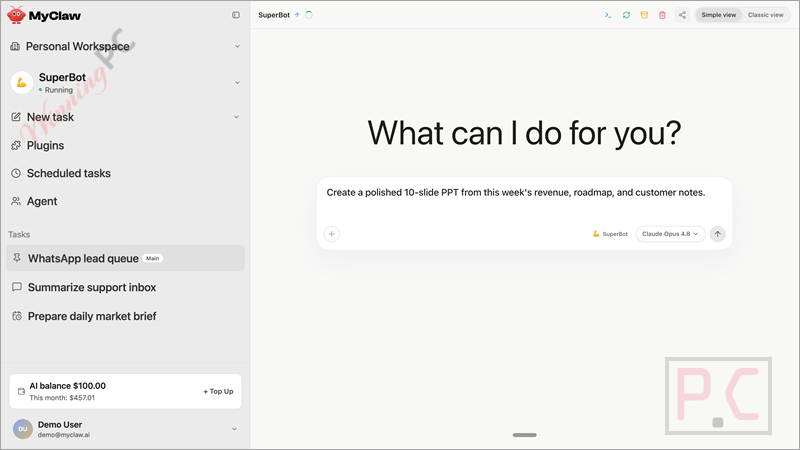
The honest catch is the token costs. The subscription buys you the infrastructure, not the AI. Every call to Claude or GPT is billed separately by that provider on top of your MyClaw plan. For light personal automation that’s usually fine, but if you’re running hourly briefs, browser scraping, and multi-step research workflows in parallel, the token bill can climb quickly.
Key features
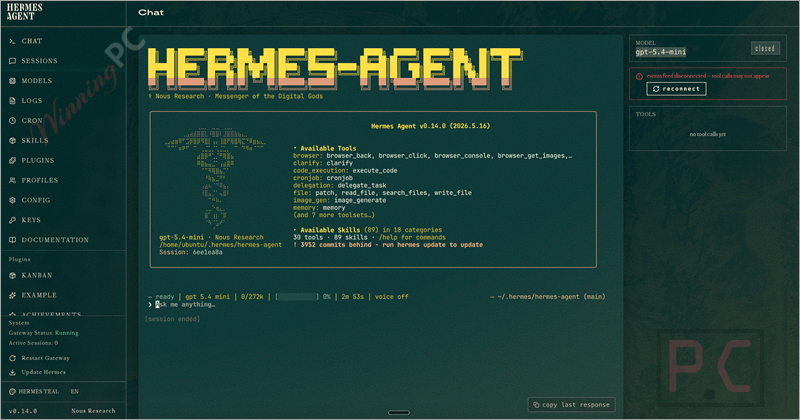
- One-click agent deploy: OpenClaw, Hermes Agent, Claude Code, and Codex spin up in about 30 seconds with zero server configuration.
- Always-on, 24/7 uptime: Scheduled reports, inbox triage, price monitors, and recurring ops keep running without your machine being on.
- Isolated private instance: Each subscription is a dedicated container. MyClaw can’t read your conversations and doesn’t use your data to train any model.
- 200+ AI model support: Bring your own API keys; use the right model for each task – Claude for reasoning, GPT for coding, DeepSeek for cost control.
- Skills Hub: Community-built skills let you extend your agent with Gmail/Calendar access, Slack, GitHub, browser automation, PDF editing, stock analysis, and more.
- Messaging command center: Control your agent from Telegram, WhatsApp, Slack, Discord, or email – wherever you already work.
What we think
Screenshots
Comparing the MyClaw plans
| Plan | WinningPC Price | vCPU | RAM | Storage | Traffic/mo | Priority Support | Best For |
|---|---|---|---|---|---|---|---|
| Lite | $139.3/yr | 2 cores | 4 GB | 40 GB SSD | 3 TB | — | Personal automation, light use |
| Pro | $279.3/yr | 4 cores | 8 GB | 80 GB SSD | 5 TB | ✓ | Daily power users, small teams |
| Max | $559.3/yr | 8 cores | 16 GB | 160 GB SSD | 10 TB | ✓ | Heavy workloads, dev pipelines |
| Ultra | $1119.3/yr | 16–64 cores | 32–128 GB | 320–1,280 GB SSD | 20 TB | ✓ | Enterprise, high-performance |
All plans: always-on uptime, auto-updates, daily backups, isolated private container, custom skills and integrations.
AI token costs are separate from all plans.
MyClaw vs Running OpenClaw Yourself
| Option | Cost | Setup Time | 24/7 Uptime | Maintenance | Best For |
|---|---|---|---|---|---|
| Local install | Free (your own hardware & electricity) | 4–6 hours | ❌ No – computer must stay powered on | Low | Testing and occasional use |
| Self-hosted VPS | From ~$5/month + AI API costs | 30–60 minutes | ✅ Yes | High (Linux, Docker, backups, SSL, security) | Technical users who want full infrastructure control |
| MyClaw managed | From $139.3/year | ~30 seconds | ✅ Guaranteed | None (auto-updates, backups, infrastructure managed) | Anyone who wants an always-on AI agent with zero server management |
The free/local option is worth naming honestly: if you just want to experiment with OpenClaw and don’t mind your laptop staying on, local install costs nothing. MyClaw makes sense when “always-on” and “no maintenance” are worth paying for.
Frequently Asked Questions
What’s the lowest price for MyClaw right now?
The lowest price through WinningPC is $139.3/yr for the Lite plan (normally $348/yr), with the discount applied automatically at checkout. No code needed.
Does the subscription include AI model costs?
No. The MyClaw subscription covers infrastructure only — the server, uptime, updates, and backups. Every API call to Claude, GPT, Gemini, DeepSeek, or any other model is billed separately by that provider. Budget for token costs on top of your plan, especially if you run frequent or long-running automated tasks.
What AI agents can I run on MyClaw?
OpenClaw and Hermes Agent are the primary supported agents, with Claude Code and Codex also available. You pick one at deploy time. All agents let you bring your own API keys for 200+ compatible AI models.
Does MyClaw work if I’m on Windows?
MyClaw works on Windows, macOS, Linux, and any other operating system with a modern web browser, because the agent runs entirely in the cloud. Self-hosting OpenClaw is optional and supports native Windows through the Windows Hub or PowerShell installer.
Does the subscription auto-renew?
Yes, MyClaw subscriptions may renew automatically per their terms. You can cancel anytime from your account settings. The 7-day money-back applies to the initial purchase period.
What you need to run MyClaw
| User device | Any – access via web browser, Telegram, WhatsApp, Slack, Discord, or email |
| Agent runtime OS (self-hosted) | Linux, macOS, WSL2, Android (Termux) – for local OpenClaw install only; not required for MyClaw managed |
| Internet connection | Required |
| AI model API keys | Required (not included) – Claude, GPT, Gemini, DeepSeek, Kimi, MiniMax, and 200+ compatible providers |
| Supported input formats | Not applicable – SaaS platform (no file format conversion) |
| Supported output formats | Not applicable – SaaS platform (outputs depend on the agent and connected skills) |
| Minimum plan resources | Lite: 2 vCPU, 4 GB RAM, 40 GB SSD · Pro: 4 vCPU, 8 GB RAM, 80 GB SSD |
| Other | Isolated container per subscription; data encrypted in transit and at rest; no account sharing |