Offline Password Manager keeps its vault on the phone with no account and no sync, and it’s $0 on Google Play until 6:59 AM on September 2, normally $0.99 (US store). Google’s Data safety panel reports nothing collected. Price checked Aug 27 by Chris.
On this page
Get Offline Password Manager free on Google Play →
Check the price reads $0.00 before you tap Install. It goes through as a purchase, so it stays in your Google account library for good. How app giveaways work
Something not working? Leave a comment and we’ll help.
The Offline Password Manager listing, line by line
Price & specs
| App | Offline Password Manager |
| Developer | Neelam Govind Bhanushali |
| Store | Google Play |
| Regular price | $0.99 (US Play Store) |
| Price now | $0.00 (100% off) |
| Offer ends | September 2, 2026, 6:59 AM (as the listing displays it) |
| Rating | 4.3 stars from 284 reviews |
| Installs | 10,000+ |
| Last updated | November 7, 2025 |
Offline Password Manager leaves out more than it puts in
Review & features
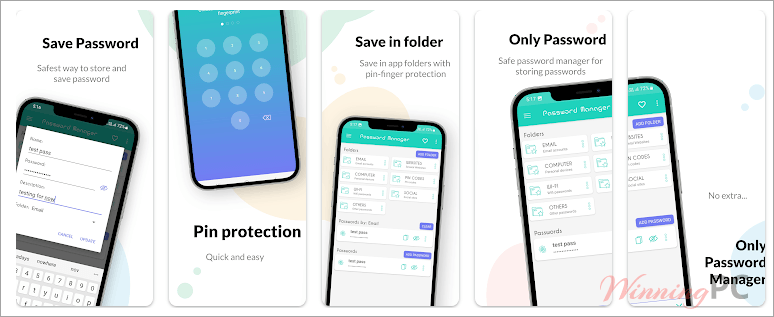
What it does well is stay out of the way: entries go under a category you name, the vault lives in local storage, and nothing asks you to create an account. The gaps are unusually well advertised, because the developer lists most of them on the store page himself — no autofill, no keyboard integration, no cloud storage, no password generator, no password health check.
Key features
- Everything stays in local storage on the phone, so no server holds a copy of your vault
- Works with the phone fully offline, airplane mode included
- Entries filed under categories you create yourself
- The app carries its own password on open, separate from your screen lock
- A share option for handing a single entry to someone else
Right for a short list, wrong for a real vault
Verdict