WinningPC
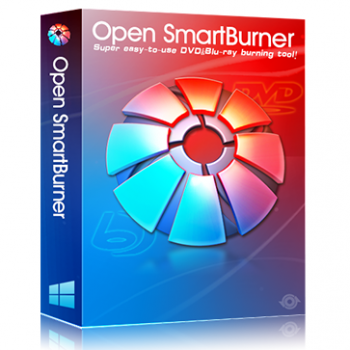
Open SmartWriter is an advanced new DVD/Blu-ray burning tool created by OpenCloner Inc. It can burn data files (doc,.txt,.jpg,.ppt, etc.) and audio files to a DVD/Blu-ray disc in addition to video files. Open SmartWriter may also be thought of as a video converter because it will first convert DVD/Blu-ray movie files to other formats before burning them on a DVD/Blu-ray disc for viewing on a standalone player.
Furthermore, you may select to keep the data/video file on the hard drive as an ISO file so that it can be readily recorded at any time. The user-friendly interface clearly displays the various recording modes, making it simple to record the DVD/Blu-ray disc player.
Open SmartWriter Coupon Code Oct 2026 (100% Working)
Open SmartWriter
20% Off coupon code, regular price $29.99, discounted price $23.99
You may also like

Open DVD Ripper & SmartWriter Suite
44% Off coupon code, regular price $69.98, discounted price $39.20
Key Features & Screenshots
- Open SmartWriter is a DVD/Blu-ray burning software that will help you complete your burning projects. It will allow you to burn a blank DVD/Blu-ray disc with a variety of data files (.Doc,.txt,.jpg,.ppt, etc.).
- You just select one of four unique recording modes: burning data files to a DVD data disc, burning data files to a Blu-ray data disc, making a Blu-ray video disc from video files, and making a DVD video disc from video files.
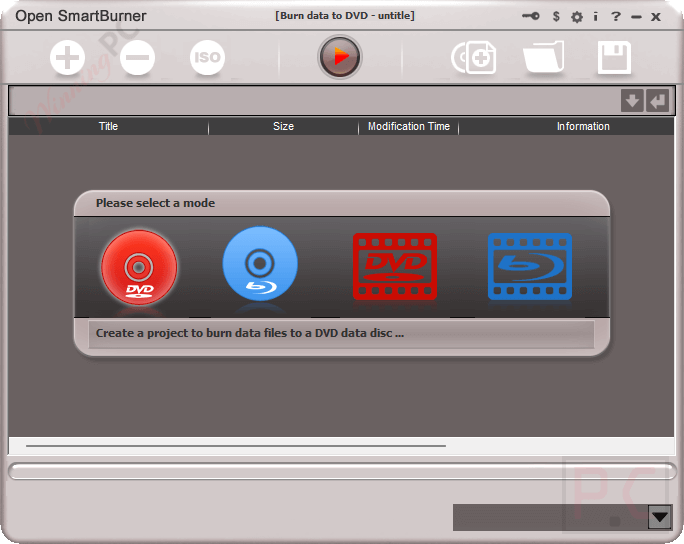
- This software allows you to use the physical disc; hence, you can burn data files, software, music, videos, etc., to DVDs. To burn files to disc, drag and drop files and folders to the field in the main window, click on the “Burn” button, then choose “Burn to blank DVD disc” to save your data files.
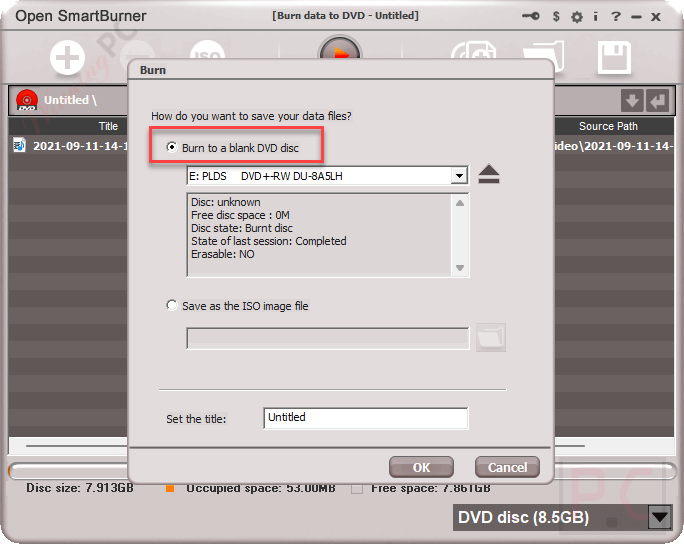
- Open SmartWriter will also allow you to burn video files in many formats, such as AVI, MP4, FLV, MPG, MKV, and MOV, on a DVD/Blu-ray disc for playback on a standalone player. Aside from that, this tool also helps you save data/video files to your hard drive as ISO files so that you may burn them later.
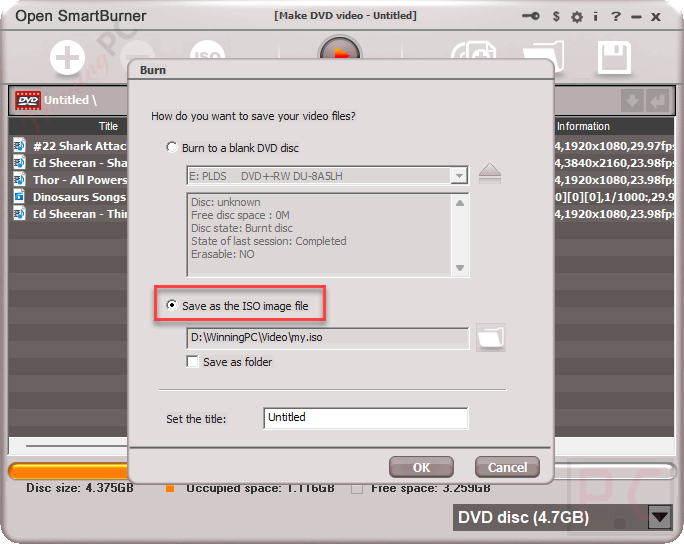
- The next strong point of Open SmartWriter is the ability to make DVD/Blu-ray video discs from video files with super fast speed and supports 720p and 1080p output for making Blu-ray video format.
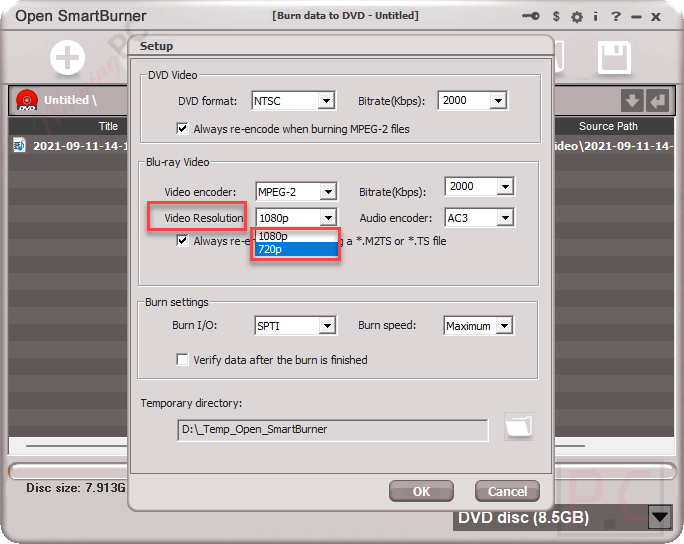
- Burning the existing ISO file on the hard disk to a DVD or Blu-ray disk means assembling the content of the ISO file onto DVD/Blu-ray, and Open SmartWriter also can help your hand do this work. Just choose the ISO file from the local disk after that, this tool will burn the ISO image file to DVD+/-R for play.
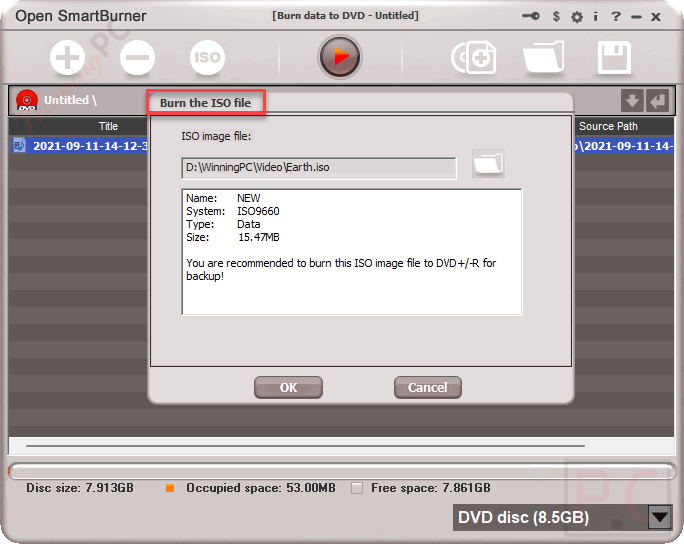
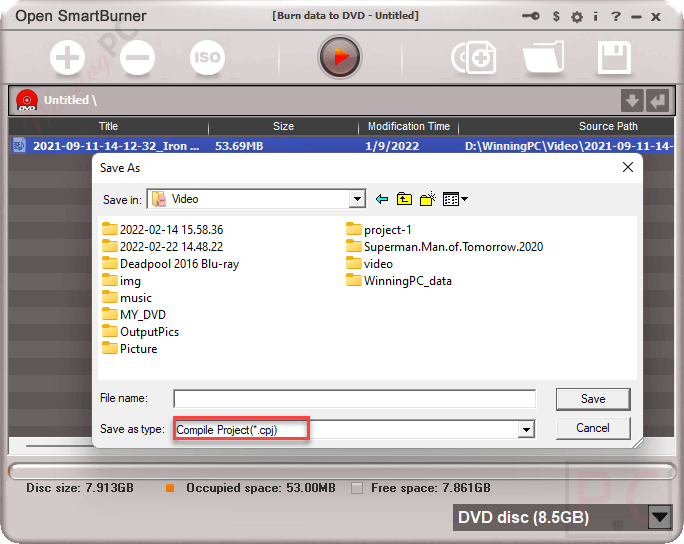
- In addition, it also supports single-layer DVDs, dual-layer DVDs, single-layer Blu-ray discs, and dual-layer Blu-ray discs, as well as supports making PAL DVDs or NTSC DVDs from video files. You even are allowed to save the project on the hard disk as a .cpj file for later burn.
Technical Details
| Language Support | English, Français, Italian, Spanish, Swedish, and more… |
| Money Back Guarantee | 30-Day |
| Operating System | Windows Vista, Windows 7, Windows 8/8.1, Windows 10/11 |
| Shipping | The registration code will be sent to your email in minutes |
| Subscription | Lifetime |
| Support Services | Email, Live Chat, Tickets |