Cathryn Lee

The Redmine Finance Plugin helps you manage your finances and accounts simply in one place without relying on spreadsheets. With this plugin, multiple accounts and currencies are supported to help you track incomes and expenses by category and plan future payments on a built-in calendar without affecting balances early. The Redmine Finance Plugin also allows you to link transactions to invoices, track specific expense types, and handle approvals in bulk. The Pro version of the plugin includes advanced features such as custom fields, import/export, attachments, and full financial planning tools.
Redmine Finance Plugin Coupon Oct 2026

You may also like

RedmineUP full stack bundle
RedmineUP complete plugin pack contains all PRO versions of plugins: Agile, Helpdesk, CRM, MailChimp, Invoices, Finance, Products, Checklists, People, Questions, Zenedit, Reporter
Key Features and Screenshots
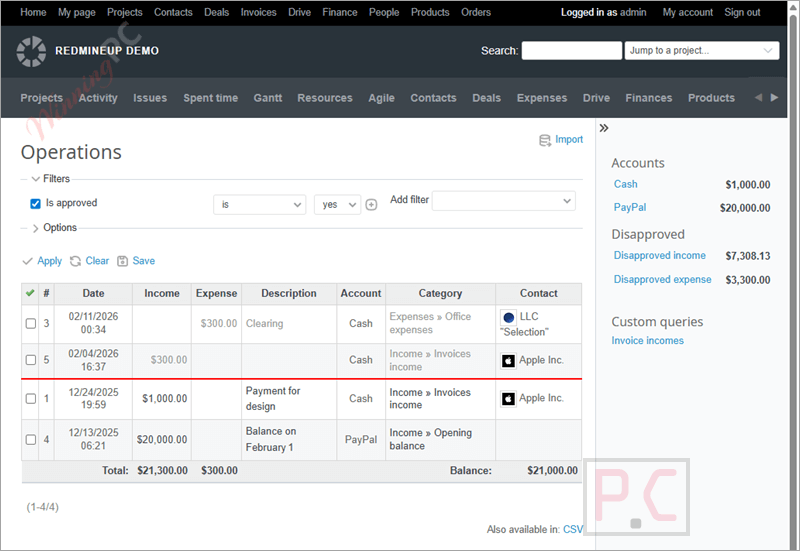
- Multiple account management: Manage any number of financial accounts from a single place without relying on spreadsheets.
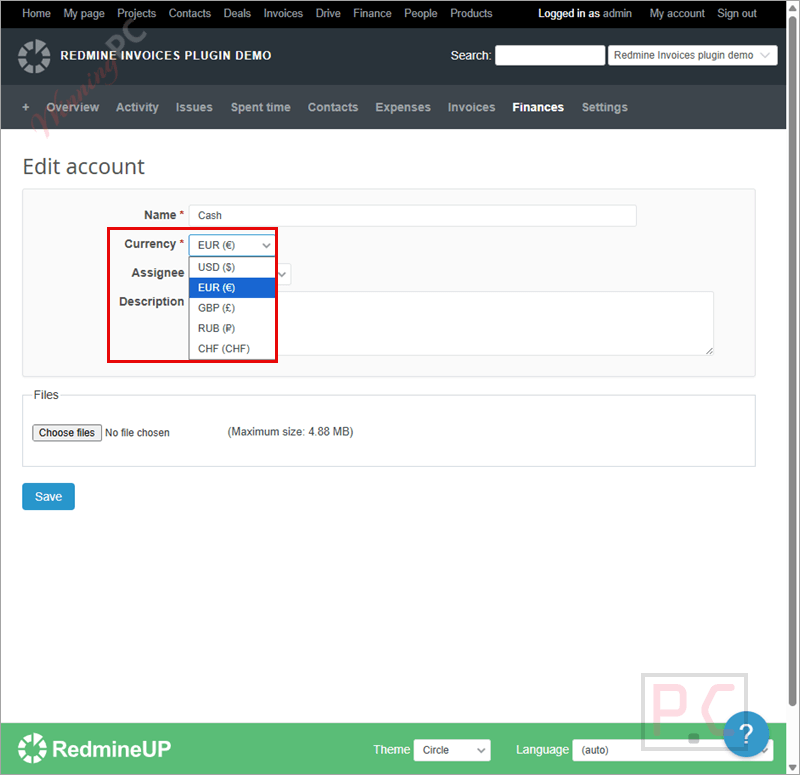
- Multi-currency support: Handle transactions in different currencies to work smoothly with international clients.
- Payments calendar: Schedule future payments to ensure nothing is missed or paid late.
- Organize finances with categories: Organize payments as individual operations or grouped categories for clearer tracking.
- Income and expense tracking: View all income and expenses in one place and easily monitor assigned accounts.
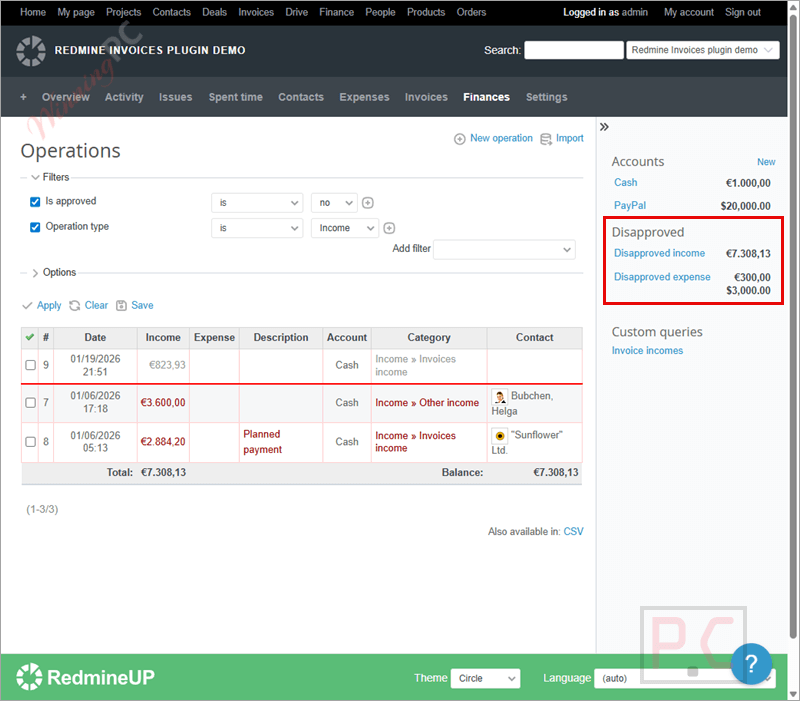
- Approval and disapproval control: Approve or reject financial operations directly to keep spending under control.
- Transaction categorization: Assign each income or expense to a specific stream or category for better clarity.
- Relations between operations: Link related transactions together to track connected costs, such as business trips.
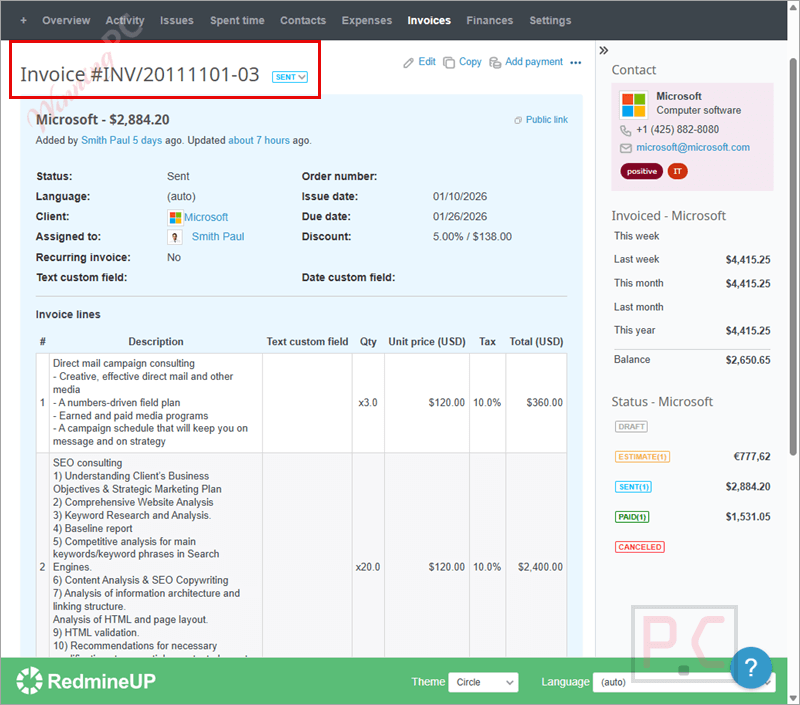
- Invoice and transaction linking: Connect invoices with related operations to see exactly how payments are tied together.
- Payment type tracking: Track specific payment types, such as cash, to understand where money is being spent.
- Finance planning calendar: Plan future finances without changing account balances until the scheduled date.
- Bulk approval actions: Edit multiple income or expense entries at once to speed up approval work.
- Custom fields for accounts and operations (Pro): Add extra fields to store the exact financial details you need.
- Import and export tools (Pro): Import or export accounts and operations for easier data handling.
- Advanced finance calendar (Pro): Plan both income and expenses clearly using an extended financial calendar.
- Attach files to accounts and operations (Pro): Attach files to accounts and operations to keep related documents in one place.
How to Use
Step 1. Install the plugin and enable it in Redmine.
Step 2. Create accounts to represent your company’s funds.
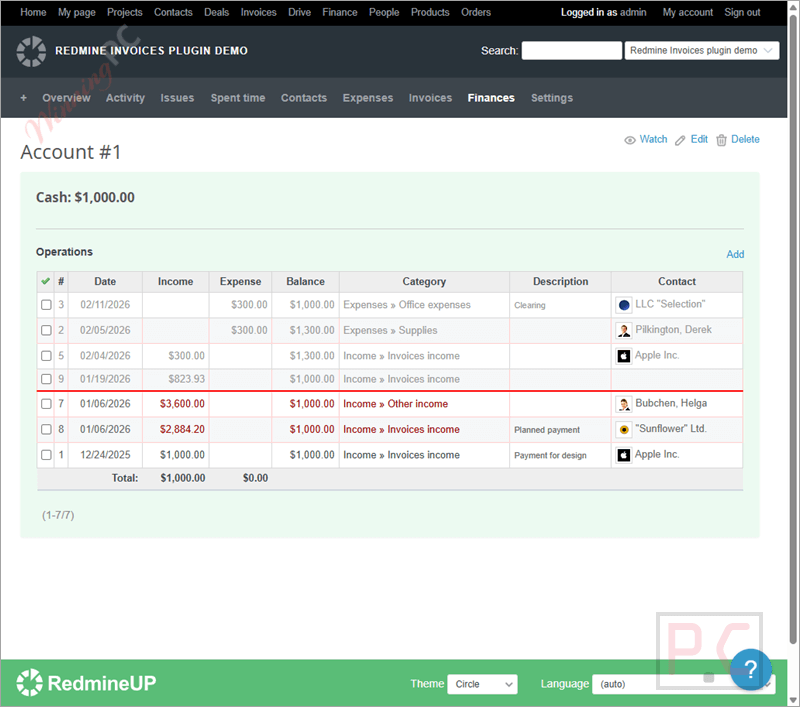
Step 3. Set currencies for each account if needed.
Step 4. Add categories to organize incomes and expenses.

Step 5. Record transactions for income and spending.
Step 6. Plan payments using the finance calendar.
Step 7. Link related operations or invoices for clearer tracking.
Step 8. Approve or reject entries, including bulk actions.
Frequently asked questions
Can I manage more than one financial account?
Yes, you can create and manage multiple accounts from a single dashboard.
Can I categorize incomes and expenses?
Yes, every income or expense can be assigned to categories or streams for better organization.
Can I link transactions together?
Yes, you can set relationships between operations to track related expenses more easily.
Does it support invoice tracking?
Yes, invoices can be linked to financial operations for clearer payment tracking.
Will planned payments change my account balance right away?
No, balances remain unchanged until the planned payment date arrives.
Is there a discount available for the Redmine Finance Plugin?
Yes! WinningPC provides a coupon code GA**REM to help you get 15% off when purchasing the plugin.
Why Choose WinningPC
- Why Trust? We are committed to providing 100% valid and verified coupon codes, so you can always shop with confidence.
- Found an Invalid Coupon or a Better Deal? If you encounter an invalid code or a better offer, please let us know. Our team updates all discount information regularly to ensure accuracy.
- Official Authorization: We only share authentic discounts from trusted software developers.
- No Fake Discounts: Unlike some sites, we never use misleading deals. The final price you see is the true discounted price.
- Secure Purchases: All transactions are processed on the official vendor’s website, ensuring authenticity and data protection.
- Extra Support: If you face order or vendor issues, contact us. We’ll liaise with the vendor to help resolve your problem quickly.
Technical Details
| Language Support | English, Français, Italian, Spanish, Swedish, and more… |
| Money Back Guarantee | 30-Day |
| Operating System | Linux, OS X, Windows |
| Shipping | Register code will be sent to your email in minutes |
| Subscription | 1-Year |
| Support Services | Email, Forums |