Cathryn Lee

The Redmine People Plugin is an HR and personnel management plugin to help you view and manage all users inside Redmine with detailed profiles. It has the functions that can help you add avatars, show contact details, birthdays, notes, files and related issues, all in one place. You also can use it to group users into teams, subteams, and departments, then use tags and filters to find exactly the people you need quickly.
The Redmine People Plugin provides permission rules, making it easier to handle HR tasks without admin involvement. It also includes friendly interface features with avatars, birthday reminders, team notifications, and a shared calendar for holidays, days off, and important work events.
Redmine People Plugin Discount Codes

RedmineUP full stack bundle
RedmineUP complete plugin pack contains all PRO versions of plugins: Agile, Helpdesk, CRM, MailChimp, Invoices, Finance, Products, Checklists, People, Questions, Zenedit, Reporter
Key Features and Screenshots
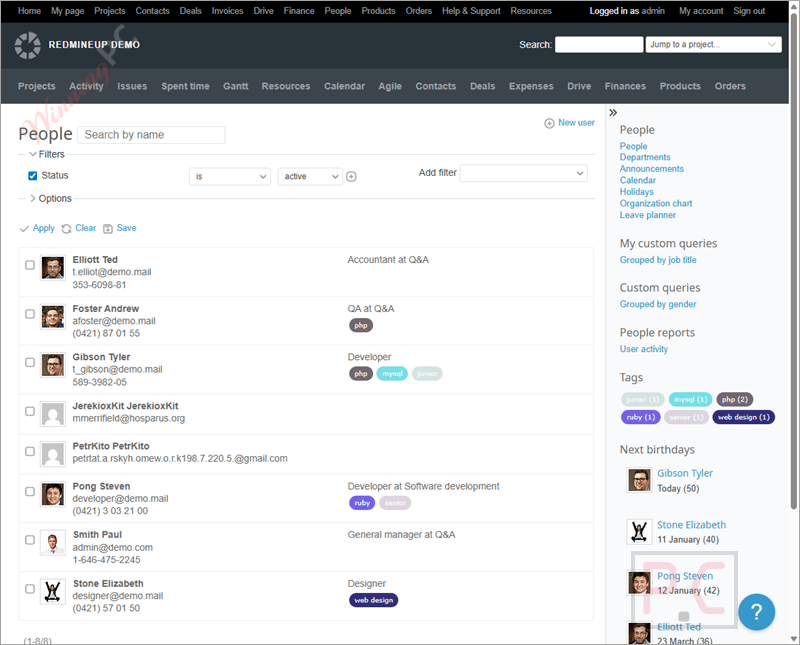
- View and manage all users: Get a clear overview of everyone in your Redmine system and manage user records from one place.
- Detailed user profiles: See full personal data for each user, including avatars, contact info, birthdays, notes, files, and related issues.
- Native Redmine integration: Extended user profiles appear automatically for all users after installation.
- Tags and filters: Find people faster by using tags and filters to sort and manage human resources.
- Teams and departments: Organize users into teams, subteams, and departments for clearer structure.
- Flexible permission rules: Assign permissions to individuals, groups, or departments without constant admin involvement.
- Improved user interface: Enhances the default Users module with local avatars and birthday reminders, with the option to hide age.
- Team and company notifications: Show pop-ups, reminders, or warnings to selected users, groups, or everyone, with support for recurring rules.
- Shared calendar for schedules: Track holidays, days off, and important work events that still count as working days.
How to Use
Step 1. Install the plugin
Upload the Redmine People Plugin to your Redmine plugins folder and complete the installation.
Step 2. Open the People section
Log in to Redmine and access the People module to view all users in one place.
Step 3. Review user profiles
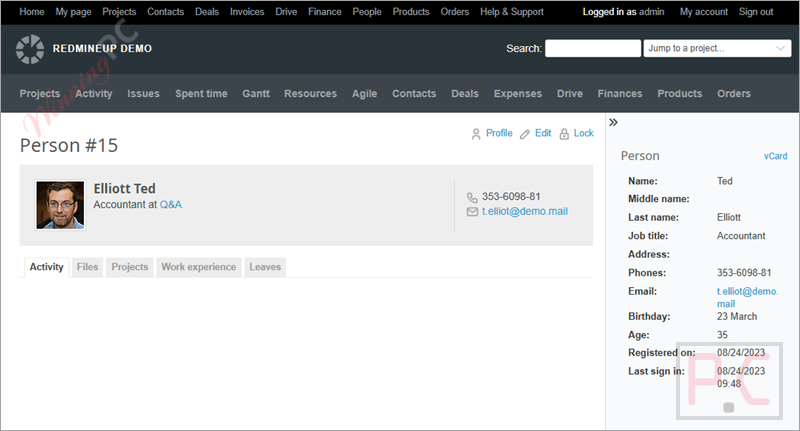
Click any user to see their profile details, including avatar, contact info, birthday, notes, files, and related issues.
Step 4. Create teams and departments
Group users into teams, subteams, or departments to organize your workforce.
Step 5. Set permission rules
Assign permissions to individual users, user groups, or departments as needed.
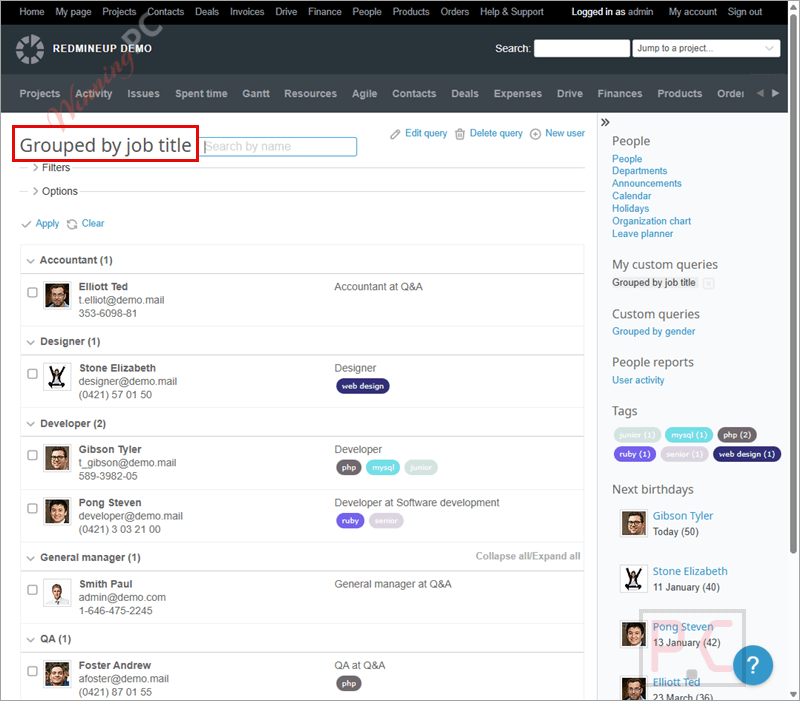
Step 6. Use tags and filters
Apply tags and filters to quickly find specific people or groups.
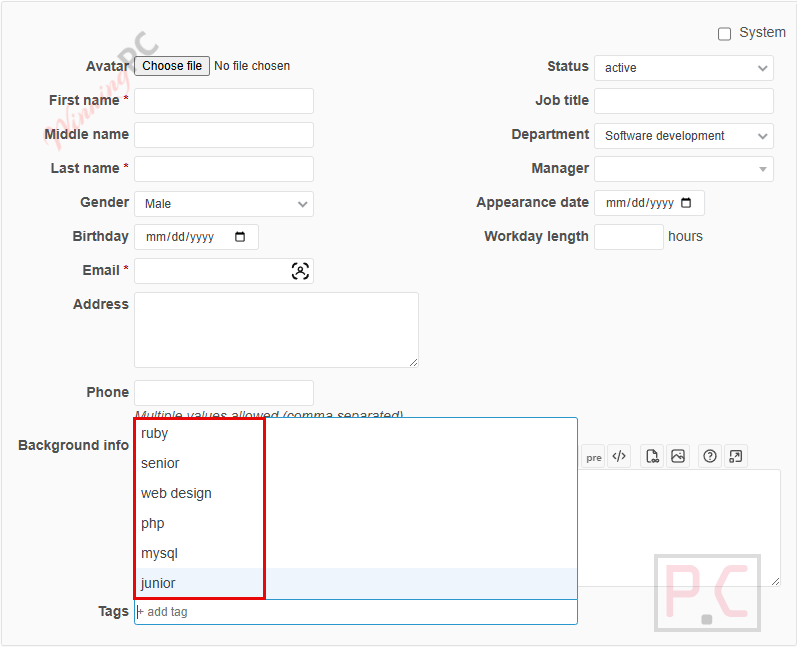
Step 7. Enable notifications
Set pop-up alerts or reminders for users, teams, or the whole company.
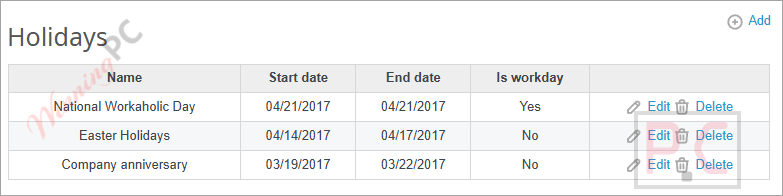
Step 8. Manage the calendar
Add holidays, days off, and important working events to keep schedules clear.
Frequently asked questions
Can I group users into teams or departments?
Yes. You can create teams, subteams, and departments to keep your organization structured.
What kind of user information can be stored?
Profiles can include avatars, contact details, birthdays, notes, files, and related issues.
Does Redmine People Plugin support permission management?
Yes. You can assign permissions to individual users, user groups, or entire departments.
Are recurring reminders supported?
Yes. Notification rules can be set to repeat, such as reminders for regular reports.
Can I hide sensitive details like age?
Yes. Birthday reminders include an option to hide the user’s age.
Is there a discount available for the Redmine People Plugin?
Yes. WinningPC provides the coupon code GA**REM, which gives you 15% off the Redmine People Plugin.
Why Choose WinningPC
- Why Trust? We are committed to providing 100% valid and verified coupon codes, so you can always shop with confidence.
- Found an Invalid Coupon or a Better Deal? If you encounter an invalid code or a better offer, please let us know. Our team updates all discount information regularly to ensure accuracy.
- Official Authorization: We only share authentic discounts from trusted software developers.
- No Fake Discounts: Unlike some sites, we never use misleading deals. The final price you see is the true discounted price.
- Secure Purchases: All transactions are processed on the official vendor’s website, ensuring authenticity and data protection.
- Extra Support: If you face order or vendor issues, contact us. We’ll liaise with the vendor to help resolve your problem quickly.
Technical Details
| Language Support | English, Français, Italian, Spanish, Swedish, and more… |
| Money Back Guarantee | 30-Day |
| Operating System | Linux, OS X, Windows |
| Shipping | Register code will be sent to your email in minutes |
| Subscription | 1-Year |
| Support Services | Email, Forums |