
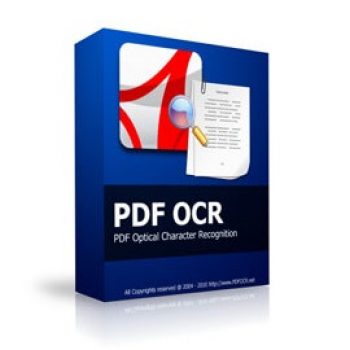
PDF OCR helps you to convert scanned PDF paper books and documents into editable electronic text files fast and easily. PDF OCR has a build-in text editor which allows you to edit ocr result text without MS Word.
Reezaa PDF OCR Coupon Code Nov 2026 (100% Working)


PDF Toolkit Special Offer
PDF Toolkit Promo (PDF Compressor Pro + PDF Combine + PDF Page Delete + PDF OCR + JPG To PDF Converter + PDF Rotator + Win PDF Editor + Batch Word to PDF). 79% Off coupon code: regular price $239.60, discounted price $49.95
PDF Converters Pack Special Offer
PDF Converters Pack (PDF To Word + PDF To Excel + PDF To JPG + Batch Word to PDF + PDF Fixer PRO + PDF Mixer PRO + PDF Password Remover + PDF OCR). 79% Off coupon code: regular price $239.60, discounted price $49.95
Reezaa PDF OCR Free License Key
- Product name: PDF OCR 4.8
- Website: https://www.pdfocr.net/
- License type: lifetime
- Platform: Windows
- Giveaway link: n/a
- License code – last updated: Nov 23, 2022
Click here...
- License code: V5QT0179ZSXB4P7
Installer: PDF OCR_4.8.exe
- License code: V5QT0179ZSXB4P7
How to get the license key?
Download the giveaway installer and PDF OCR license key by the above download link.
Install the software on your computer and launch it, for the first time let’s choose as the image below to register it:

From the menu bar choose “About\Register PDF OCR”. Enter the PDF OCR license key in the text file and press OK:

Enjoy it for free!

Main Features
- Convert Scanned PDF To Text
- Support All Page Size
- Convert Scanned Images To PDF Document
- Build-in Text Editor
- 3 PDF OCR Modes
Technical Details
| Language Support | English, Français, Italian, Spanish, Swedish, and more… |
| Money Back Guarantee | 30-Day |
| Operating System | Windows |
| Shipping | Instant Delivery by Email |
| Subscription | Lifetime |
| Support Services |




Thanks for the help , the program has corrected itself after awhile … now it works fine ,
God bless
Pros: It works just fine and does what it supposed to do straight forward
Cons: The app needs sometime to settle the activation code by itself , if you see the code does not activate , just try it again and again till the app accept it
dear admin
the code does not activate the software permanently as when I enter the code , it says it is registered but when I restart the program , a ” Unregistered ” notice still appears at the top of the program ! Please update the Key.
I have checked it again and it worked perfectly. Please try again:
1. You should uninstall the current installation on your computer
2. Download the giveaway installer on our website and activate it again.
What is the decompress key for mega ?
Please check it again.
We didn’t set a password for the zip file.
Key is not working? saying Invalid key … help Admin
You have to follow my instruction to activate it.
Please recheck my post.