Chris Bruner
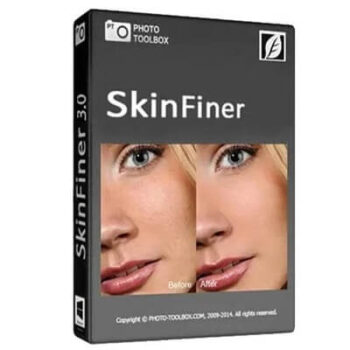
SkinFiner, a product by Photo Toolbox, is a powerful and fast portrait skin retouching software that offers a wide range of tools to streamline and enhance the skin editing process. This photo editing application allows you to remove blemishes and smooth skin effortlessly, making it an ideal choice for both professional photographers and enthusiasts. Its Auto-Skin-Mask feature intelligently detects and analyzes facial areas in need of retouching with just a few clicks. You can easily eliminate imperfections such as blemishes, pores, and uneven tones while preserving the skin’s natural texture.
SkinFiner also includes effective colour correction tools that automatically recognize and correct redness and yellow areas on the skin, allowing for quick adjustments using simple slider controls. With a dedicated under-eye slider, you can brighten and smooth the area beneath the eyes, significantly reducing the appearance of dark circles and puffiness, all while maintaining a natural look.
The software works both as a standalone application and as a plugin for Adobe Photoshop and Lightroom, offering flexibility to suit your workflow. For those managing large volumes of images, SkinFiner supports batch processing, enabling simultaneous retouching of multiple photos and significantly boosting productivity. Additionally, its full-time 16/32-bit per channel processing ensures precise and high-quality colour adjustments for professional-level results.
Top Skin Retouching Software Coupon Codes Oct 2026

AMS PhotoWorks Ultimate - Lifetime license
75% discount code: regular price $114, discounted price $28.50

Tenorshare PixPretty
58% coupon code: regular price $49.99, discounted price $20.99

Aperty - Perpetual Plan
13% off coupon code: regular price $299.0, discounted price $259.0

SoftOrbits SoftSkin Photo Makeup (Lifetime)
53% off coupon code: regular price $89.99, discounted price $41.99

ON1 Portrait AI - Full Version
57% off coupon code: regular price $69.99, discounted price $29.99

Everimaging Beautune
20% Off coupon code: regular price $29.99, discounted price $23.99
Key Features and Screenshots

- Automatic Skin Texture Smoothing: SkinFiner automatically detects and corrects skin tone issues and smoothes skin while preserving essential skin textures. Auto-Skin-Mask features simplify the process by automatically identifying skin areas, which can be manually fine-tuned.
- Even Skin Tone: It instantly detects red or yellow patches on the skin, enabling fast skin tone correction with straightforward slider controls to provide an equal skin tone.
- Natural Eye Bags Reduction: This tool allows you to brighten and flatten the under-eye area of faces with the “Reduce Eye Bags” slider. With its help, you can diminish the appearance of dark circles and puffiness for a more refreshed look without compromising the natural look of the portrait.
- Skin Tone Enhancing: It provides comprehensive adjustments to improve skin tone, change skin colour, and fine-tune lighting with shadows and highlights, giving portraits a healthier and more radiant appearance.
- Fits Your Workflow: The software can be used as a standalone application or as a plugin for popular photo editing software like Adobe Photoshop and Lightroom. This flexibility ensures that it can fit seamlessly into various workflows.
- Full-time 16-Bit Processing: With its 16-bit per channel colour depth, this tool ensures all colour adjustments while maintaining important image details.
- Colour Management: Fully colour-managed, SkinFiner ensures accurate colour representation across different colour spaces and allows conversion to any specified colour profile.
- Batch Processing: For efficiency, SkinFiner supports batch processing capabilities, enabling you to retouch multiple photos simultaneously. This feature is particularly useful for professional photographers who need to edit large volumes of images quickly.


Frequently asked questions
How does SkinFiner detect skin areas in photos?
It features automatic skin area detection through its Auto-Skin-Mask function, which intelligently identifies skin regions in an image. Users can also manually refine the selection for greater accuracy.
What tools does SkinFiner offer for skin tone adjustment?
This tool provides sliders to correct skin redness and yellowing, adjust skin brightness and contrast, and fine-tune lighting with shadows and highlights, resulting in a more balanced and natural skin tone.
How does SkinFiner handle color management?
It is fully colour-managed, ensuring that colors are displayed accurately according to the color space used in your workflow.
What is the purpose of the “Reduce Eye Bags” feature in this tool?
The “Reduce Eye Bags” slider brightens and flattens the under-eye area of detected faces, diminishing the appearance of dark circles and puffiness for a more refreshed look.
How does SkinFiner ensure the preservation of natural skin texture?
SkinFiner’s intelligent smoothing algorithms remove imperfections while preserving the natural skin texture, resulting in realistic and professional-looking portraits.
How can I get a discount on SkinFiner?
You can use the coupon code WINN***PC10 provided by WinningPC to get a 10% discount on the software.
Technical Details
| Language Support | English, Français, Italian, Spanish, Swedish, and more… |
| Money Back Guarantee | 30-Day |
| Operating System | Windows 10+ (64-bit only) macOS 12(Monterey)+ (64-bit x86/ARM) |
| Shipping | Register code will be sent to your email in minutes |
| Subscription | Lifetime |
| Support Services |