
On this page
SoftOrbits Turbo PC Optimizer Giveaway
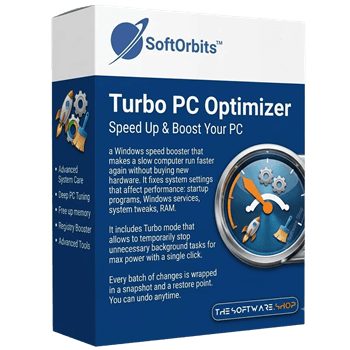
SoftOrbits Turbo PC Optimizer
PC Optimizer - Speed Up & Boost Your PC
- Product
- SoftOrbits Turbo PC Optimizer
- Product website
- softorbits.net
- License
- Lifetime
- Platform
- Windows 11/10/8.1/8/7
- Usage
- Non-commercial only
- Updates
- No future upgrades
- Support
- No support
- Updated
- 2026-08-05
Continue on softorbits.com
Share to reveal the official giveaway page, then register there to receive your license.
The limited-time giveaway!
The free license is no longer available.
Claiming the key, step by step
- Click the giveaway download link on this page to launch the SoftOrbits Turbo PC Optimizer installer.
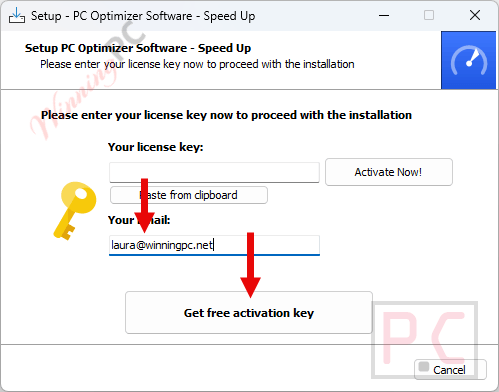
- During the installation process, enter your email address and click Get free registration key.
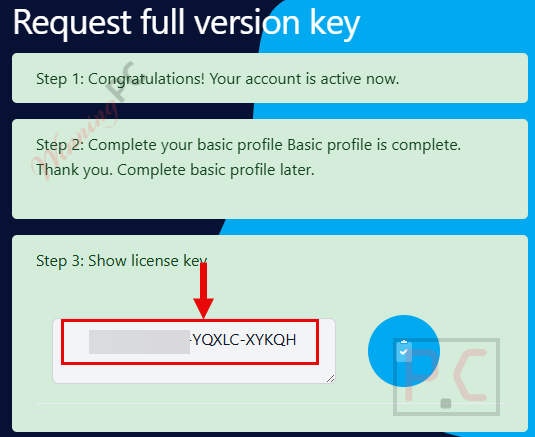
- You’ll be redirected to the SoftOrbits giveaway page – fill in your basic profile details to unlock your free license.
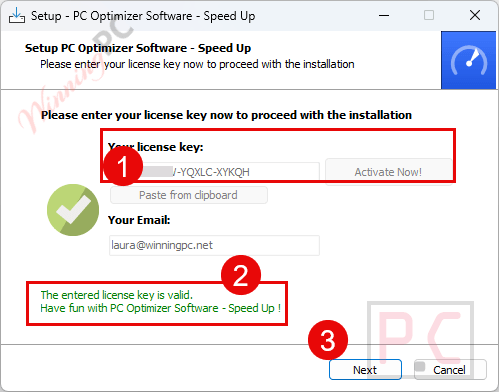
- Copy the license code shown on the giveaway page. Return to the Turbo PC Optimizer installation wizard, paste the key into the field provided, and press Activate Now!
- Done. The full feature set is now active at no cost.
Top PC Optimization Software Coupon Codes
PC Game Booster Pro
2 plans · best save 85%

Smart Game Booster
2 plans · best save 87%
Smart Game Booster VIP 1 Year/3 Devices
1 Year subscription | Available on 3 computers
Smart Game Booster SVIP - Family ★ Best Deal
1 year subscription for 3 devices
Is this SoftOrbits giveaway safe and legit?
No crack or keygen
You’re installing SoftOrbits’ official build and activating it with a genuine publisher-issued key. Nothing is patched, repackaged, or bundled with third-party software.
Official publisher giveaway
The free key comes directly through SoftOrbits’ own giveaway system – not a reseller, not a grey-market key site.
Secure download
The installer comes from SoftOrbits’ official server, and WinningPC verifies the download before listing it.
Paid version refund
If you decide to buy the full version instead, it carries a 14-day money-back guarantee with no questions asked.
What SoftOrbits Turbo PC Optimizer actually does
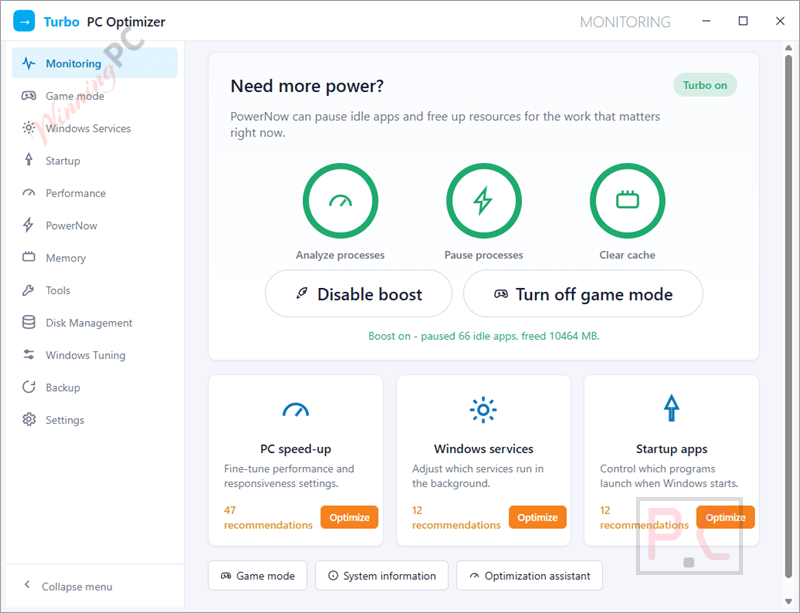
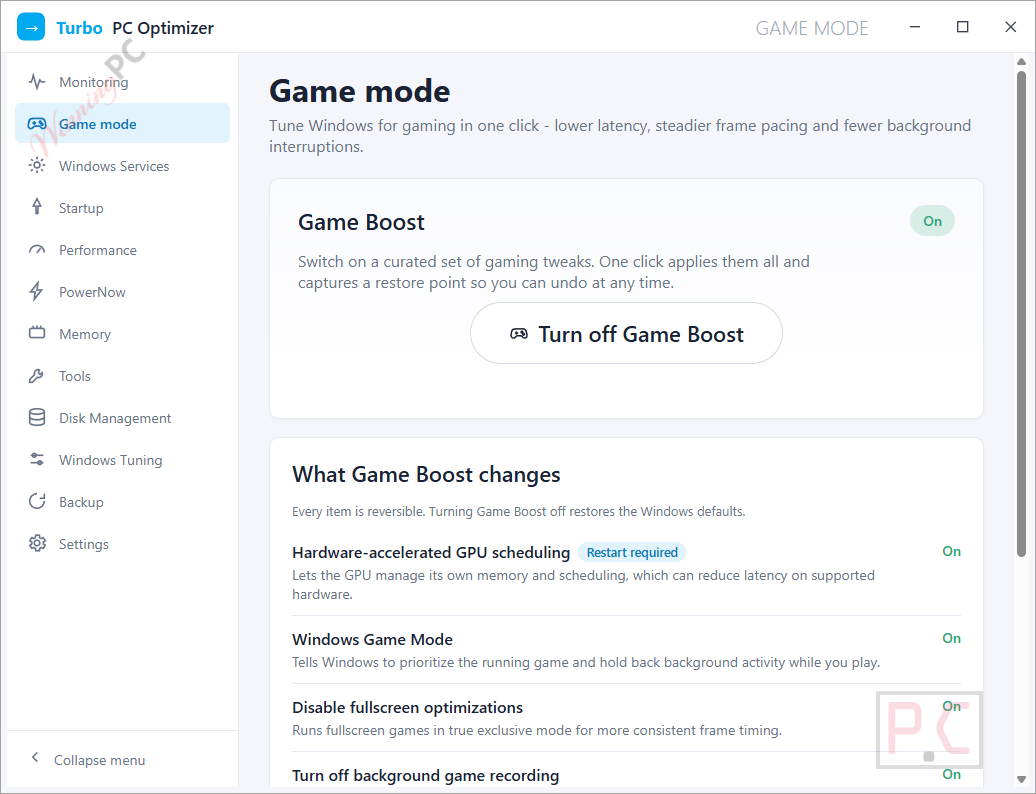
SoftOrbits Turbo PC Optimizer is more than a registry cleaner dressed up with a dashboard. Its real value is in what it scans: services, startup entries across standard locations and Task Scheduler, and RAM usage – not just the junk files most cleaners go after. The Gaming Mode is a genuine standout. It enables Hardware-Accelerated GPU Scheduling, hands the running game GPU priority, disables Fullscreen Optimizations, and clears Game Bar overhead. You gain frames from the same hardware you already have, and the before/after is measurable. Every tweak – including the risky ones – is wrapped in a snapshot system. Genuinely risky changes (disabling UAC, for example) are flagged and excluded from the automatic preset; you have to turn them on manually. The tool also doesn’t load on Windows startup by default, which is something most optimization suites quietly fail at.
Key features
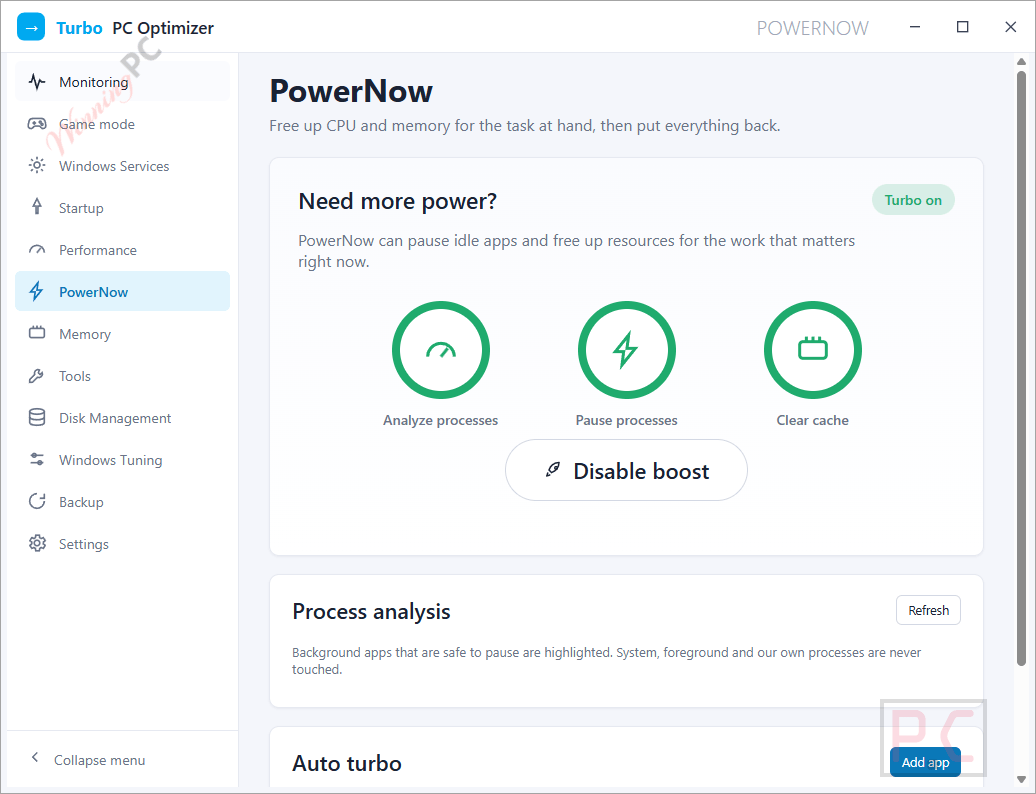
- One-click Turbo and Gaming modes: suspends background processes and frees RAM before a heavy task or gaming session; one more click restores everything.
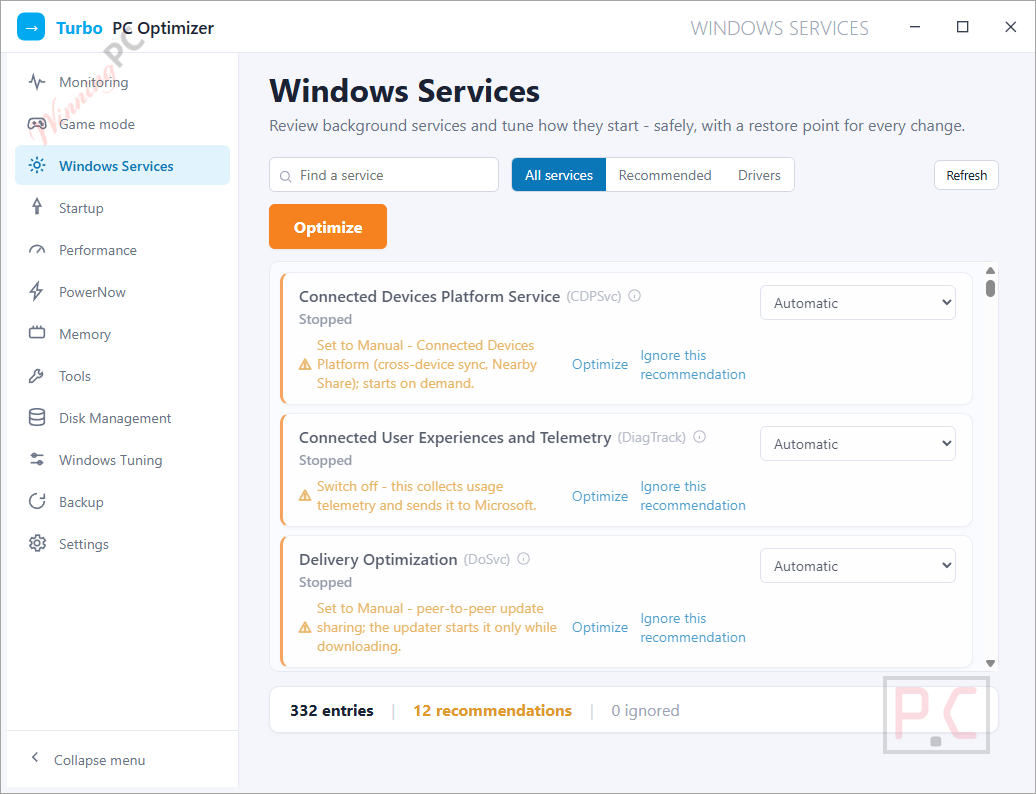
- Services and startup manager: scans all startup locations including Task Scheduler; marks safe-to-disable items with plain-language explanations so you stop guessing.
- Snapshot and revert: takes a state backup before any change; undo a single tweak or the full batch in one click.
- RAM optimizer: unloads idle processes; most effective on 8 GB machines running AI agents or memory-hungry multi-app setups.
- Disk space analyzer: reads the NTFS MFT instead of walking folders, so folder sizes appear in seconds; shows a sortable browser with a donut chart.
- Registry and privacy tweaks: covers Explorer and system-app speed settings; lets you disable DiagTrack telemetry and Windows Recall; nothing applies without your explicit sign-off.
What we think
Screenshots
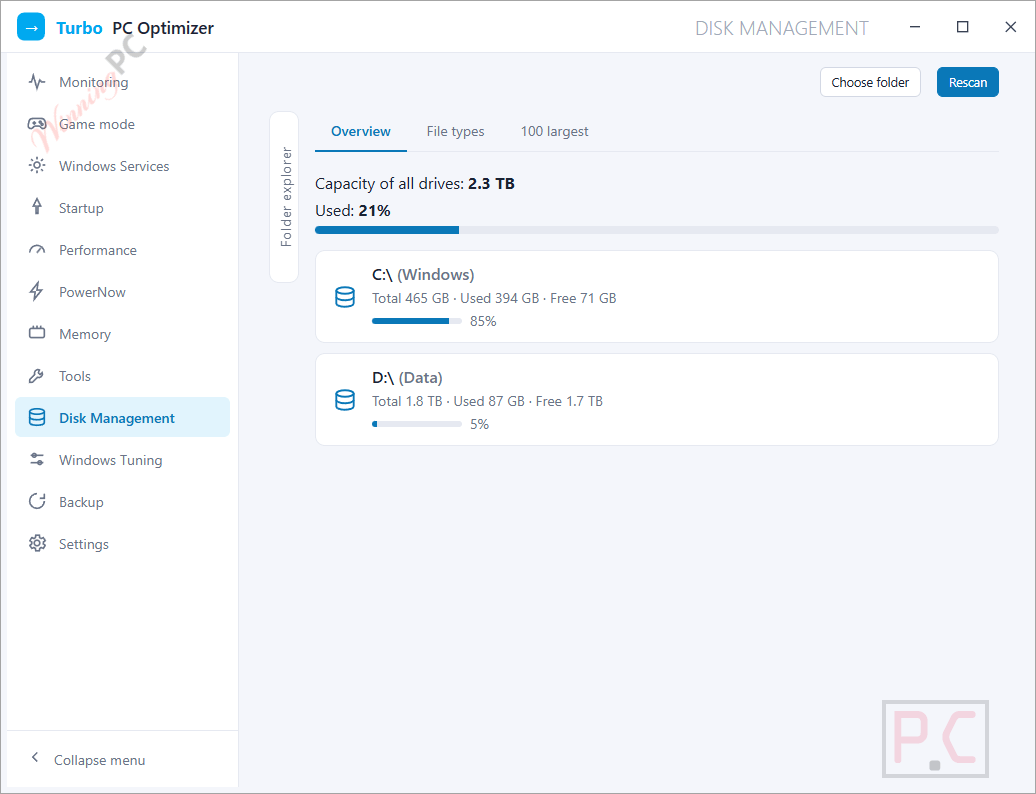
SoftOrbits Turbo PC Optimizer vs the alternatives
| Tool | Price | Gaming/Turbo Mode | Snapshot Revert | Free Option | Best for |
|---|---|---|---|---|---|
| SoftOrbits Turbo PC Optimizer | $39.99 (Lite) | ✅ Gaming Mode | ✅ Yes | ✅ Giveaway | Home users who want one-click PC optimization and gaming performance improvements |
| PC Game Booster | $4.74/year | ✅ Game Mode | ❌ No | ✅ Free Edition | Gamers looking to maximize FPS and reduce background resource usage |
| Smart Game Booster VIP | $12.74/year | ✅ Game Boost | ❌ No | ✅ Free Edition | Gamers who want one-click game optimization and FPS improvements |
Frequently Asked Questions
Does PC optimization software actually make a difference?
SoftOrbits Turbo PC Optimizer depends on what the software touches. Deleting temp files rarely speeds anything up. Stopping unused services, trimming the startup list, and freeing RAM tied to idle apps do – because they release the resources your active programs were waiting on. Turbo PC Optimizer focuses on those levers, and the results show up in measurable boot and app-launch times.
Is the giveaway license really lifetime – what does that mean in practice?
The key does not expire. You keep using V1.x forever. What you give up compared to the paid version: future upgrades and technical support. If SoftOrbits ships V2.0, your free key won’t cover it.
How is this different from just using Task Manager?
Task Manager shows you what’s running; it doesn’t tell you what’s safe to stop or let you undo the change. Turbo PC Optimizer identifies services that are safe to disable, explains each one in plain language, and takes a snapshot first. SoftOrbits Turbo PC Optimizer also covers startup locations Task Manager misses entirely – Task Scheduler entries, for one.
System Requirements & Details
| Operating system | Windows 11 / 10 / 8.1 / 8 / 7 (32-bit and 64-bit) |
| Processor | Intel i3, AMD Ryzen 5 or higher |
| RAM | 4 GB or more |
| Graphics | NVIDIA GeForce 8-series or later · Intel HD Graphics 2000 · Quadro FX 4800 / FX 5600 · AMD Radeon R600 / Mobility Radeon HD 4330 / Mobility FirePro or higher (up-to-date drivers required) |
| Display | 1280 × 768 minimum, 32-bit color |
| Disk space | 1 GB free |
| Internet connection | Not required after installation (fully offline capable) |




i have not the license key from the tickcoupon.I have tried too many times ,does not working.
I haven’t tried it yet, so no comments.
So why have you given it 5 stars if you have not tried it and know nothing about softorbits installation process? it’s garbage!