SpeechPulse is a speech-to-text and transcription tool for Windows and macOS. It converts spoken words into text in applications, transcribes audio files, translates speech, and creates subtitles. It supports offline speech recognition, multiple languages, and speaker diarization to identify different speakers in recordings. SpeechPulse also includes AI-based text improvement features for refining transcriptions.
In-Depth Review & Features
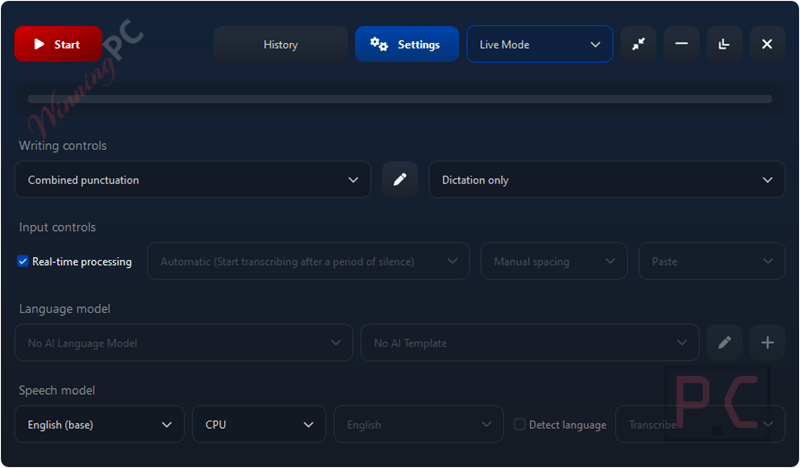
Core Features
- Types directly into text editors, web browsers, and office apps without needing third-party integrations.
- Push-to-talk mode uses customizable hotkeys so you can easily pause while dictating.
- Built-in AI templates automatically correct grammar, format emails, and summarize your dictated text.
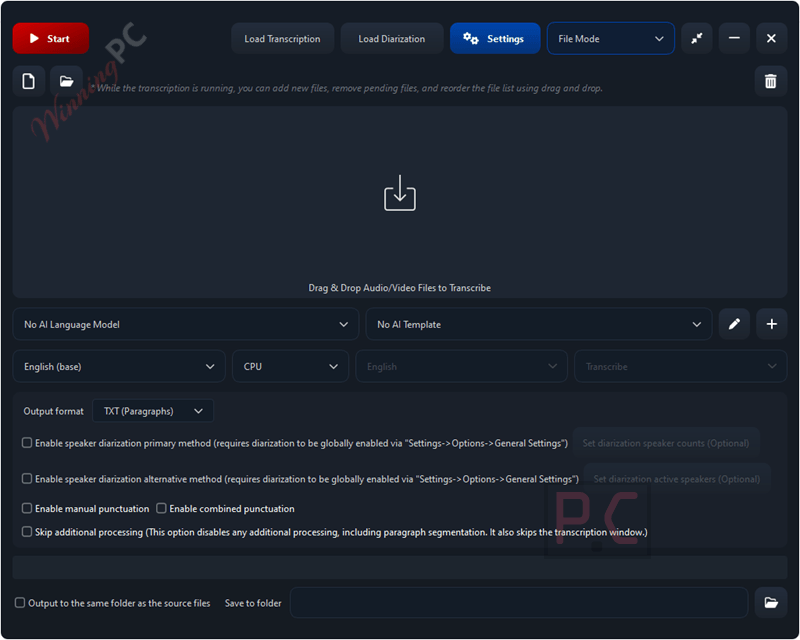
- File mode features automatic speaker diarization to separate different voices in recorded audio files.
- Manual punctuation mode lets you dictate exact punctuation marks out loud for precise control.
- Custom prompts allow you to dictate the desired output style, formatting, and capitalization for automatic punctuation.
Pros & Cons
More SpeechPulse screenshots:
File Mode
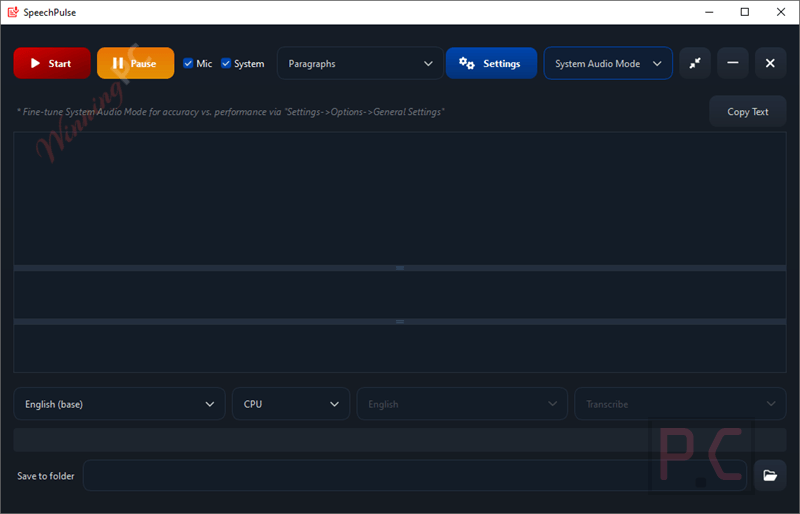
System Audio Mode
Frequently Asked Questions
Are there any working promo codes for SpeechPulse right now?
Yes! You can find verified, up-to-date discounts for this software right here on WinningPC, alongside direct offers from the developer.
What is the biggest savings I can get on SpeechPulse today?
Currently, the best deal available on WinningPC gives you a 32% discount on the Windows/macOS bundle, bringing the price down to $135.15. We also have a 15% off deal for single-OS licenses, dropping the price to $84.15.
Why does the software sometimes type random phrases when I am not talking?
This is called a text hallucination, which happens when the AI tries to transcribe faint background noises. Switching to a headset microphone or turning on the push-to-talk mode can stop this from happening.
Can I use SpeechPulse to transcribe a recorded interview?
Yes. You can use the file mode to transcribe existing audio files, and it includes a speaker diarization feature to identify and separate different speakers.
Why is the dictation taking longer than usual to process?
Long transcription times usually occur if the speech signal degrades. This happens if your microphone is too far away, the input volume is too low, or heavy background noise is forcing the AI to attempt the transcription multiple times.
How do I stop my text editor’s autocorrect from messing up my live dictation?
Automatic spelling and grammar tools can conflict with SpeechPulse’s real-time processing mode. You should disable any autocorrect features in your target application before you start dictating.
Does the software automatically capitalize the beginning of sentences?
Yes, it capitalizes the first character automatically if the previous character was a sentence-ending mark (like a period or question mark), a whitespace, or if your cursor is at the beginning of a new line.
What type of microphone gets the best accuracy?
While any USB or PC microphone will work, a headset microphone is highly recommended because it isolates your voice and blocks out faraway room noise.
System Requirements & Details
| Feature | Specifications |
|---|---|
| Language Support | 99 languages (including English, French, Spanish, Italian, German, Japanese, Chinese, Russian) |
| Operating System | Windows 10 64-bit (version 1809+), Windows 11; macOS 13+ (Apple silicon Mac only) |
| Processor | CPU supported; NVIDIA GPU highly recommended for medium/large models |
| Graphics | NVIDIA GPU recommended for medium/large models; 4 GB VRAM minimum for Multi (large) model |
| RAM & Storage | Min 4 GB NVIDIA GPU VRAM required for large model (System RAM/Storage not specified) |
| Supported Input | Microphone input, audio files (MP3, WAV, M4A, FLAC, OGG, WEBM) |
| Supported Output | Text transcription, translated text, SRT subtitles, VTT subtitles |