Chris Bruner
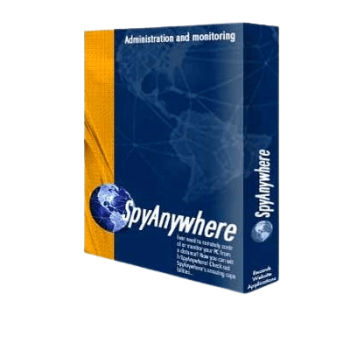
After using SpyAgent for a while, I wanted a way to check my logs when I wasn’t at home. That’s when I tried SpyAnywhere Cloud, the companion service that lets me view all SpyAgent activity from any browser. I can watch live keystrokes, see the desktop in real time, track alerts, and manage settings without touching the monitored PC. Everything works quietly in the background. For someone who wants remote monitoring without any complicated setup, this tool makes things easy.
SpyAnywhere Cloud Discount Promo Code (100% Working)
You may also like
SpyAgent + SpyAnywhere Cloud Suite - 1 PC
10% Off coupon code, regular price $99.95, discounted price $89.95
SpyAgent + SpyAnywhere Cloud Suite - 3 PCs
10% Off coupon code, regular price $149.95, discounted price $134.95
Key Features & Screenshots

- Real-time Monitoring
– Live Keystroke Viewing: See what the user types as they type it.
– Real-time Desktop & Webcam View: Watch the computer screen and webcam from any browser.
– Real-time Activity Viewing: See apps, websites, searches, and actions without delay. - Remote Log Access
– View all SpyAgent logs remotely (keystrokes, apps, websites, searches, screenshots, clipboard, chats, emails).
– Track usage sessions, active/idle time, and full event timelines.
– Check file actions (opened, copied, renamed, deleted).
– Review internet connections and location history on a map. - Control & Management Tools
– Fully manage SpyAgent settings from your web account.
– Start or stop monitoring remotely.
– Remotely uninstall SpyAgent from any PC.
– Clear, archive, or download logs anytime.
– Perform remote desktop control: close windows, stop apps, manage files, lock the PC. - Overview Panels & Reports
– Activity Overview: Daily graphs of apps, websites, usage time, and more.
– Visual Overview: A tiled gallery showing the latest screenshots for all monitored computers.
– Graphical Top-10 Reports. - Real-time Alerts
– Watch for specific keywords in websites, apps, and keystrokes.
– Receive instant email alerts if something unwanted happens.
– Alert logs stored in your account for review. - SpyAgent Integration
– Works directly with SpyAgent and stays fully invisible.
– Sends logs to the cloud automatically in the background.
– No visible traces for users on the monitored PC.
More screenshots


Frequently Asked Questions
Do I need SpyAgent to use SpyAnywhere Cloud?
Yes. SpyAnywhere Cloud is a companion service to SpyAgent. You install SpyAgent on the monitored PC, and SpyAnywhere lets you view the data remotely.
Can I watch the screen in real time?
Yes. You can view the desktop and webcam instantly from any browser.
Does SpyAnywhere Cloud run silently?
It stays hidden and works quietly in the background. There are no pop-ups or desktop icons.
Can I monitor multiple computers?
Yes, as long as each computer is running SpyAgent and connected to the same SpyAnywhere account.
Does it work through firewalls or routers?
Yes. Logs are sent through the cloud, so you don’t need to configure ports or networks.
How fast are the updates?
Logs update in real time. Keystrokes, screenshots, and activities appear instantly.
Can I remove SpyAgent remotely?
Yes. SpyAnywhere allows full remote uninstall.
Can I block or close a program remotely?
Yes. You can close apps, windows, or the browser and take control of the desktop.
Can I see passwords typed on the monitored PC?
Yes. Keystroke logs include typed passwords.
Does WinningPC offer a discount promo code?
Yes. WinningPC provides the best discount code available for SpyAnywhere Cloud to help you save money on your purchase.
Why Choose WinningPC
- Why Trust? We are committed to providing 100% valid and verified coupon codes, so you can always shop with confidence.
- Found an Invalid Coupon or a Better Deal? If you encounter an invalid code or a better offer, please let us know. Our team updates all discount information regularly to ensure accuracy.
- Official Authorization: We only share authentic discounts from trusted software developers.
- No Fake Discounts: Unlike some sites, we never use misleading deals. The final price you see is the true discounted price.
- Secure Purchases: All transactions are processed on the official vendor’s website, ensuring authenticity and data protection.
- Extra Support: If you face order or vendor issues, contact us. We’ll liaise with the vendor to help resolve your problem quickly.
Technical Details
| Language Support | English and more |
| Money Back Guarantee | 30-Day |
| Operating System | Windows NT4, 200x, XP, Vista, 7, 8, 8.1, 10, or 11. 32 and 64-bit supported |
| Shipping | Instantly receive the latest Full Version download link and license code |
| Subscription | 1-Year |
| Support Services | Email, Tickets, Phone |