Laura Marano
SysTools Access Recovery is a database recovery tool built to restore lost or damaged data from corrupt Microsoft Access files, including MDB and ACCDB formats.
SysTools Access Recovery - Personal License
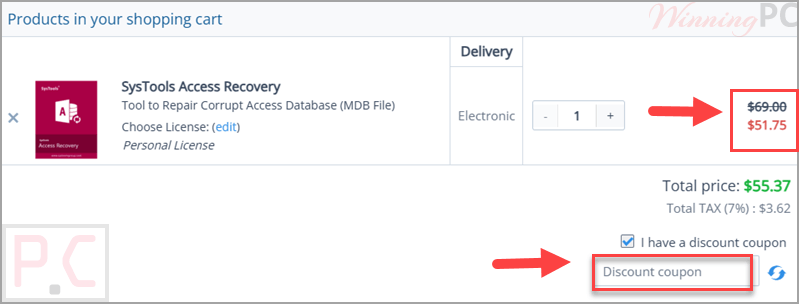
25% off coupon code: regular price $69.0, discounted price $51.57
SysTools Access Recovery - Business License
25% off: regular price $189.0, discounted price $141.75
SysTools Access Recovery - Enterprise License
25% off: regular price $599.0, discounted price $449.25
📄 Licensing & Support Details
- 30-Day Money Back Guarantee
- Instant License Delivery
- 24/7 Technical Support
- Secure Checkout
📝 How to apply
- Click the activation link above for your preferred plan, and you’ll be redirected to the official SysTools checkout page.
- Check the ‘Order Summary’ to see that your discount code has been automatically applied and the price updated.
What is SysTools Access Recovery?
SysTools Access Recovery is designed for users who need to restore data from corrupted or damaged Microsoft Access database files. It supports both .mdb and .accdb files and can recover important database objects such as tables, queries, forms, indexes, macros, modules, and relational database items.
In-Depth Review & Features
- MDB and ACCDB recovery: restores data from corrupt, damaged, and legacy Microsoft Access database files.
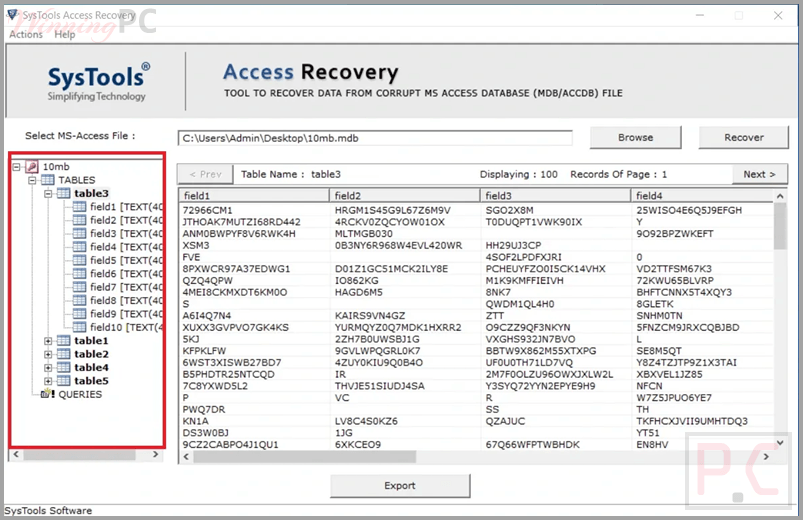
- Object-level recovery: recovers tables, queries, forms, indexes, macros, modules, and relational database components.
- Deleted records export: helps save only the recovered or deleted records locally.
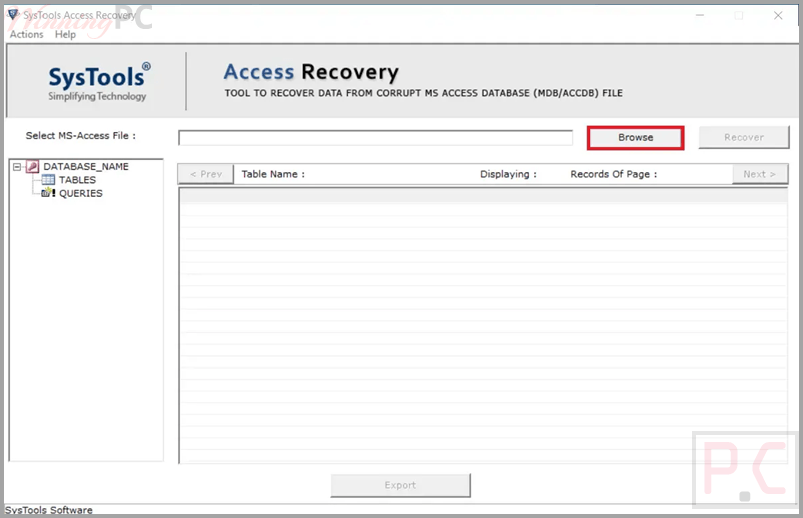
- Preview mode: lets users preview tables and attributes before exporting.
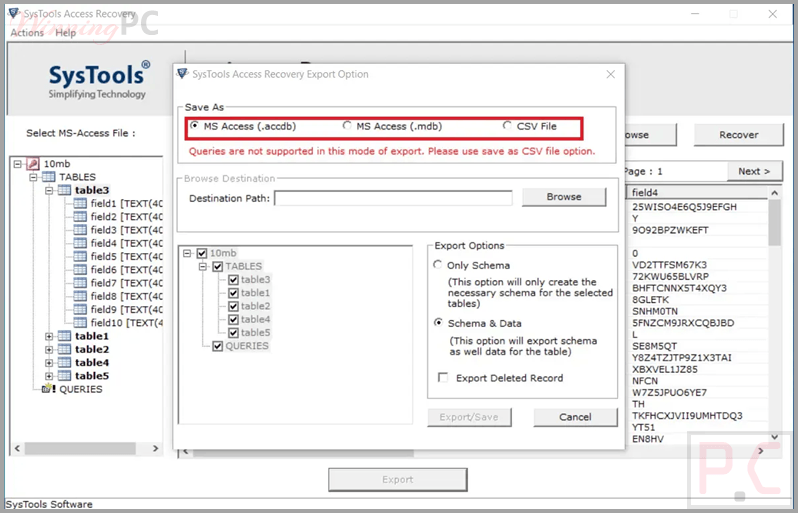
- Export options: saves recovered output in ACCDB, MDB, and CSV formats.
- Schema options: allows saving with schema only or schema and data.
- Unicode support: recovers multilingual database content with Unicode characters.
- Version compatibility: supports Access 2000 through Access 2024.
- Windows support: works on Windows 10 (64-bit) and Windows 11 (64-bit).
- Large file support: supports recovery of databases of any size.
Pros & Cons
More screenshots
Frequently Asked Questions
Where can I find the latest SysTools Access Recovery coupon code?
WinningPC offers 25% off Personal, Business, and Enterprise licenses.
Can it recover records from a corrupt Access database?
Yes, the software can scan corrupt MDB and ACCDB files and recover records.
Does it support Access 2019 and newer versions?
Yes, it supports Access 2019, 2021, and 2024, along with older versions.
Can it recover linked tables?
Yes, the tool supports recovery of corrupt linked tables.
Is Microsoft Access required to save the recovered database?
No, the software can run and perform recovery without requiring MS Access installation.
Does it support multilingual databases?
Yes, it supports multilingual content including databases created in languages such as German and Spanish.
Can I recover deleted records?
Yes, the Export Deleted Records feature allows recovery and export of deleted database items.
What does the free version allow?
The trial version allows a full preview, but export is limited to 25 records per table.
Does it support large database files?
Yes, according to the provided details, there is no size limitation.
Is rescanning required after moving from trial to full version?
Yes, the file needs to be rescanned in the full version.
Technical Specifications
| Hard Disk Space | 100 MB free space |
| RAM | Minimum 4 GB. |
| Processor | Intel® Core™ 2 Duo CPU E4600 @ 2.40 GHz. |
| Operating System | Windows 10 (64-bit), Windows 11 (64-bit). |
| Framework Requirement | Microsoft .NET Framework 4.5 or above. |
| Supported File Types | MDB, ACCDB, CSV. |
| Launch Requirement | Run as Administrator on supported Windows versions. |