Laura Marano
SysTools Email Duplicate Analyzer quickly finds, analyzes, and removes duplicate emails across single or multiple Outlook PST files. It helps you clean up your inbox by exporting deduplicated data into fresh individual or consolidated PST files, while offering the option to save your duplicates in a separate folder for safekeeping.
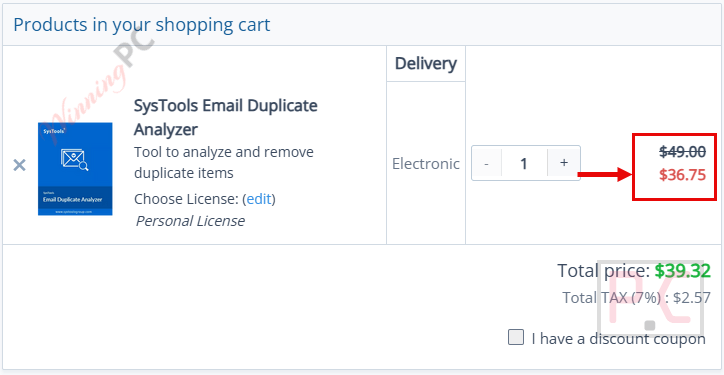
SysTools Email Duplicate Analyzer - Personal License
25% discount: regular price $49, discounted price $36.75
SysTools Email Duplicate Analyzer - Business License
25% off coupon code: regular price $199, discounted price $149.25
SysTools Email Duplicate Analyzer - Enterprise License
25% discount: regular price $599, discounted price $449.25
📄 Licensing & Support Details
- License Type: Available in Personal/Business/Enterprise License
- 100% Safe and Secure
- Instant Delivery by Email
- 24*7 Free Technical Support
- 1 Year Free Product Updates
- 30-Day Money Back Guarantee
📝 How to apply
- Getting the discount is easy – just click the “Copy Code” button above.
- The coupon will be applied automatically before redirecting you to the order page.
- Get the software at the best price.
SysTools Email Duplicate Analyzer: Review & Features
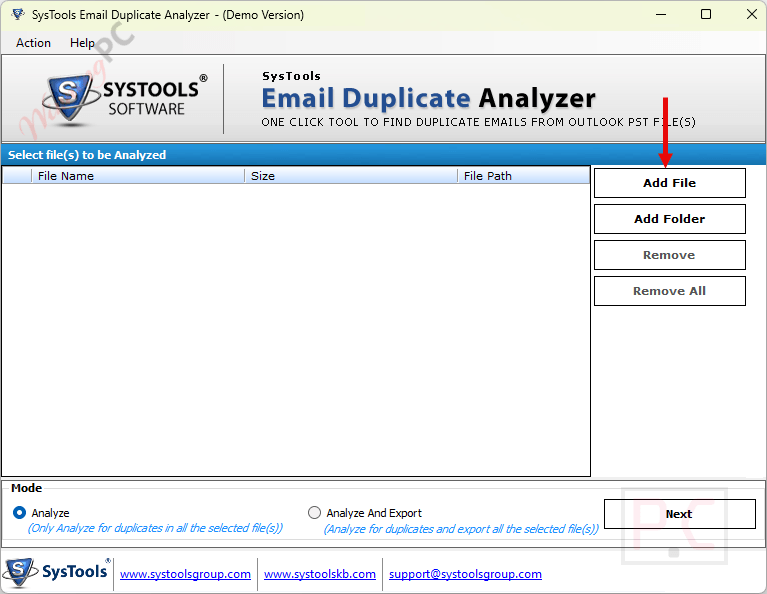
Key Features
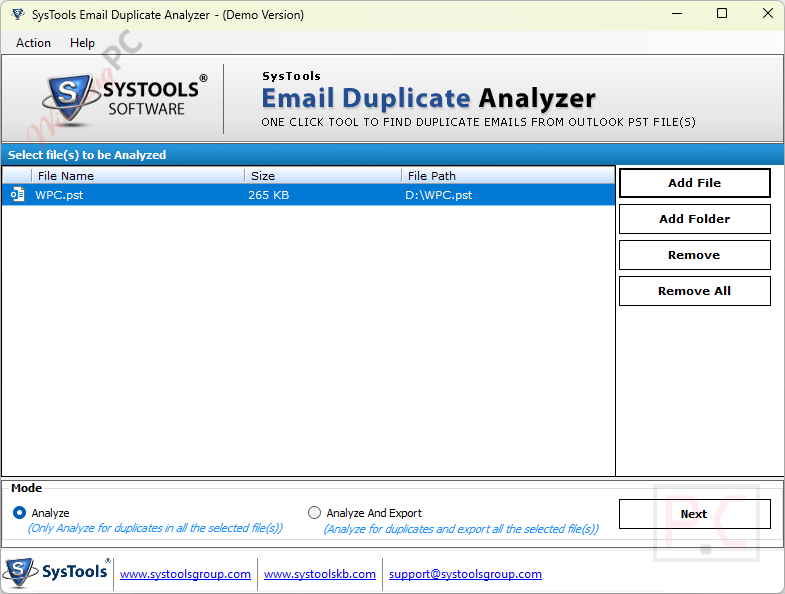
- Batch Processing: Scan and analyze a single PST file or load a complete folder to check for duplicates across multiple files at once.
- Dual File Analysis Mode: Choose to either just analyze the files for duplicates or analyze and immediately export the cleaned PSTs.
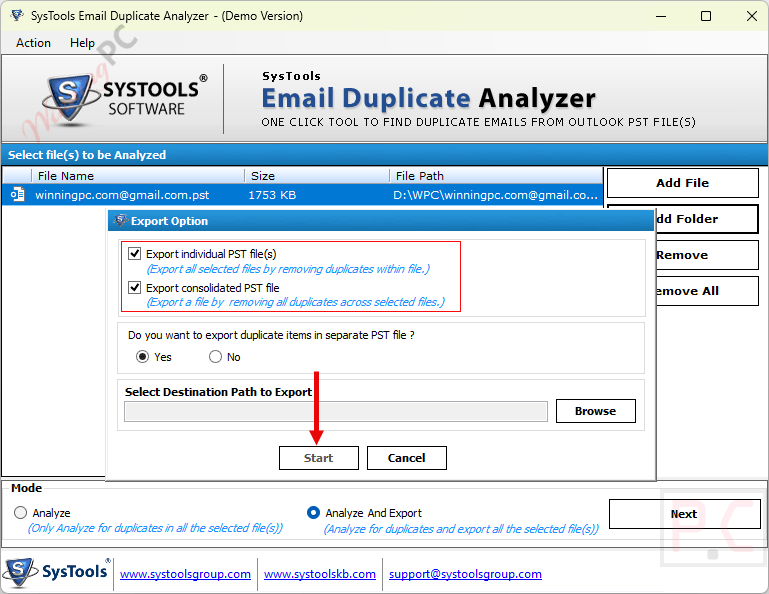
- Flexible Export Options: Export your cleaned data as individual PST files or merge everything into one single, consolidated PST file.
- Separate Duplicate Folder: Safely isolate duplicate items by instructing the software to create a completely new PST file specifically for the duplicates.
- Deep Scanning: Easily process both ANSI and UNICODE file types, as well as corrupt or password-protected PST archives.
- Automated CSV Reports: Generate and save an automatic export report that details file names, creation dates, scanning status, and the number of duplicates found.
Pros & Cons
More SysTools Email Duplicate Analyzer screenshots
Frequently Asked Questions
Where can I find a SysTools Email Duplicate Analyzer coupon code?
The latest and best deals can be found on WinningPC, alongside the official software website or the developer’s social media channels.
What is the best discount currently available for the software?
The best current discount is 25% OFF, available directly on WinningPC.
Do I need Microsoft Outlook installed to use this tool?
Yes, MS Outlook must be installed on your computer. It supports Outlook versions from 2000 up to 2016 (both 32-bit and 64-bit).
Will Email Duplicate Analyzer work if my PST file is corrupted or locked?
Yes, this SysTools software is designed to read, analyze, and remove duplicates from both corrupt and password-protected PST files.
Can I scan multiple files at the same time?
Absolutely. You can select an entire folder containing numerous PST files, and the tool will run a batch search across all of them.
Are my duplicate emails permanently deleted?
They are eliminated from your new, clean PST export, but the software gives you the option to create a separate PST file that securely holds all your found duplicates.
Does SysTools Email Duplicate Analyzer support both older and newer PST formats?
Yes, it is fully capable of reading and processing both ANSI (older) and UNICODE (newer) Outlook Data Files.
Can I combine my emails into one file after cleaning?
Yes. If you select the “Export Consolidated PST File” option, the tool will merge all your analyzed files into a single, duplicate-free PST.
System Requirements & Details
| Feature | Specifications |
|---|---|
| Language Support | English |
| Operating System | Win 7 / 8 / 8.1 / 10 (32-Bit & 64-Bit) and 2000 / 2003 / 2008 / 2012 |
| RAM | 512 MB of RAM (1 GB is recommended) |
| Processor | 1 GHz processor (2.4 GHz is recommended) |
| Hard Disk Space | 5 MB of free hard disk space |
| Supported Editions | MS Outlooks Outlook 2000, 2003, 2007, 2010, 2013, 2016 (32/64 bit) |
| Supported Input | PST files (ANSI, UNICODE, corrupt, password-protected) |
| Supported Output | PST (Individual, Consolidated, Duplicates-only) & CSV Reports |