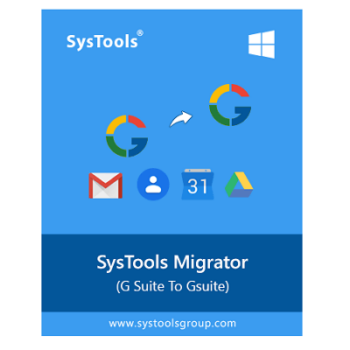
Cloud technology is being at the forefront of business operations in today’s fast-paced digital world. A critical task at this time is searching for a reliable and efficient tool to migrate cloud data, and SysTools Migrator is a game-changer in the realm of cloud migration solutions. Designed with both simplicity and power in mind, this tool can solve the complexities of transferring vast amounts of data between cloud platforms with remarkable ease and precision. With the help of robust migration functionality, this tool can help professionals, or even those with minimal technical expertise, migrate thousands of emails, contacts, calendars, and documents from G Suite to Office 365.
Another notable aspect of SysTools Migrator is its ability to handle multi-user migrations, which allows administrators to batch process up to 40 mailboxes simultaneously to save precious time and ensure smooth and efficient migration. Furthermore, SysTools Migrator takes security seriously when dealing with sensitive data. It secures authorization with Office 365 via OAuth 2, ensuring that your data is protected from unauthorized access throughout the migration process. With advanced customization, you are allowed to tailor the migration to your specific needs, also.
SysTools Migrator Coupon Code Oct 2026
SysTools Migrator
Get the best price on SysTools Migrator, regular price $25
You may also like

Bundle Offer - SysTools Migrator + Backup & Restore
Get the best price on Bundle Offer - SysTools Migrator + Backup & Restore, regular price $45
Bundle Offer - SysTools Migrator + Backup & Restore + Google Vault Downloader
Get the best price on Bundle Offer - SysTools Migrator + Backup & Restore + Google Vault Downloader, regular price $65
Key Features and Screenshots

- All Data Migration: SysTools Migrator is a flexible cloud migration tool that can help you transfer multiple data types, including emails, address books, calendars, documents (Drive Data), attachments, etc. During the migration process, this all-in-one solution makes sure that no important data is missing.

- Domain Migration: This tool provides a cloud-to-cloud and domain-to-domain migration function to transfer data between different cloud platforms or domains. Whether staying within the same platform or moving to a different one, simply select the desired source and destination, and the tool will handle the rest, ensuring a smooth and efficient migration process.

- Multi-user Migration: Additionally, it supports multi-user migration, enabling IT administrators to efficiently transfer multiple user accounts concurrently. Users can prioritize accounts and manage large-scale migrations efficiently.

- Monitor Migration Process: Furthermore, this tool offers real-time migration monitoring and detailed reporting. It provides you with up-to-the-minute updates on the status of your migration and the visibility needed to track progress and troubleshoot any issues promptly, so you’re never left in the dark.

- Concurrent Migration: SysTools Migrator excels at managing migrations involving multiple users. It facilitates the simultaneous movement of up to 40 mailboxes at once, streamlining the process and cutting down on downtime to guarantee a seamless and effective migration.
- Easy-to-use Interface: SysTools Migrator is easy to install, setup, and use with little technical knowledge because to its user-friendly design. The migration procedure can be initiated swiftly and effectively by users.
Frequently asked questions
Does this tool migrate new data from an old account to a new account?
Yes, this cloud migration tool has a unique feature called Delta Migration; which will transfer new data from the old platform account to the new cloud account
Can I migrate accounts without Admin Credentials?
No, SysTools Migrator is a safe tool that allows migration using Admin Credentials only
What happens to the migration if Internet Connection is lost during the migration process?
This Software provides Error Handling functionality; it will resume the migration process after reconnecting
How much time does the software take to Migrate accounts?
The time taken to migrate accounts totally depends upon the internet speed and account data size. The Software provides a migration speed of up to 40 GB* per hour across the users.
What are the security features of SysTools Migrator?
It uses OAuth 2.0 authorization and provides end-to-end encryption for secure data transfers.
How can I purchase SysTools Migrator at a discounted price?
You can use the WinningPC coupon code to get the best price on SysTools Migrator.
Technical Details
| Language Support | English, Français, Italian, Spanish, Swedish, and more… |
| Money Back Guarantee | 30-Day |
| Operating System | Windows 2012 / 2016 Server, Windows 10 / 11 (64-bit) Ubuntu 18.04 LTS, Architecture: x86-64 |
| Shipping | Register code will be sent to your email in minutes |
| Subscription | Lifetime |
| Support Services | Email, Live Chat, Tickets, Training |