
Tipard All Music Converter allows you to extract audio from videos and convert music files into popular formats like MP3, WAV, and WMA. This audio converter software also provides basic editing functions to adjust volume, trim length, and merge multiple tracks together.
Tipard All Music Converter for Windows
2 plans · best save 50%
Tipard All Music Converter for Mac
2 plans · best save 50%
📄 Licensing & Support Details
- License type: 1 year, lifetime license
- 30-day money-back guarantee
- The registration code will be sent to your email in minutes
- Free update
- 24/7 customer support
- The payment process is SSL-secured.
📝 How to apply
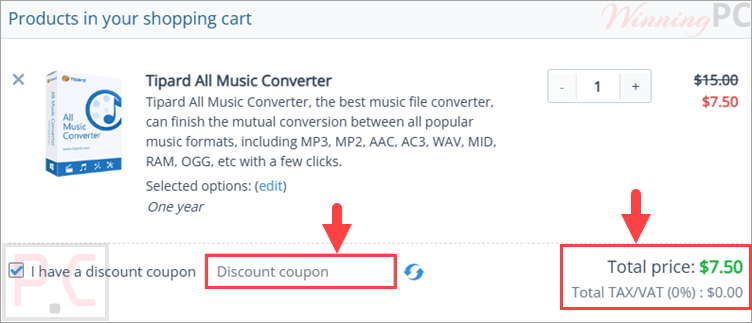
After clicking the ‘Copy Code’ button in the coupon box to copy the string, advance to the checkout to benefit from the reduced rate.
Tipard All Music Converter License Key Free Download
- Product name: Tipard All Music Converter v9.2.26
- Website: https://www.tipard.com/
- License type: 1-year
- Platform: Windows
- Giveaway: Tipard All Music Converter giveaway link
- Download: musik-converter.exe
How to get the license key?
On the giveaway page, fill out the available form with your name and your mail address to receive your free 1-year license key:

You will receive a confirmation link via email; click on that link to get another email that contains the Tipard All Music Converter free license key

Download the software for free using the giveaway download link above. Install and paste your email address and your free license key to register with Tipard All Music Converter for 1-year free.

The interface language is German; to change the language to English, you need to close the software and then go to the Language folder in the software installation location. Just rename the file name “de.rcc” to the file name “en.rcc”. Open Tipard All Music Converter again and use it in the English language.

Tipard All Music Converter: In-Depth Review & Features

Key Features
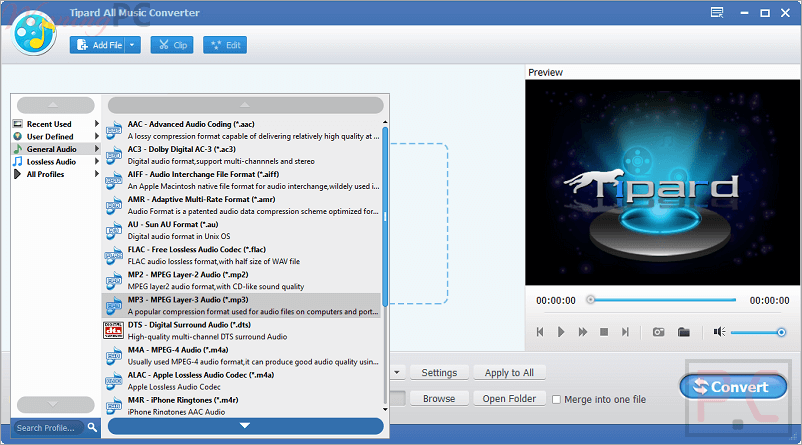
- Converts audio to MP3, WAV, WMA, M4A, FLAC, ALAC, AAC, OGG, AIFF, AMR, and more.
- Extracts sound from MP4, AVI, FLV, MKV, VOB, TS, WMV, M4V, ASF, and other video files.
- Supports HD video input, including 1080p files.
- Works with downloaded videos from sites such as Soundcloud, Bandcamp, Vimeo, and Audiomack.
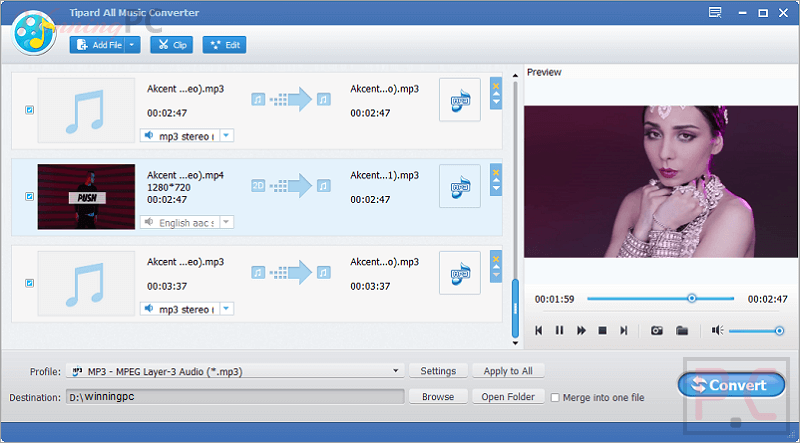
- Lets you trim audio to keep only the part you want.
- Allows volume adjustment before conversion.
- Merges several songs or videos into one audio file.
- Supports bulk audio conversion with no listed file size limit.
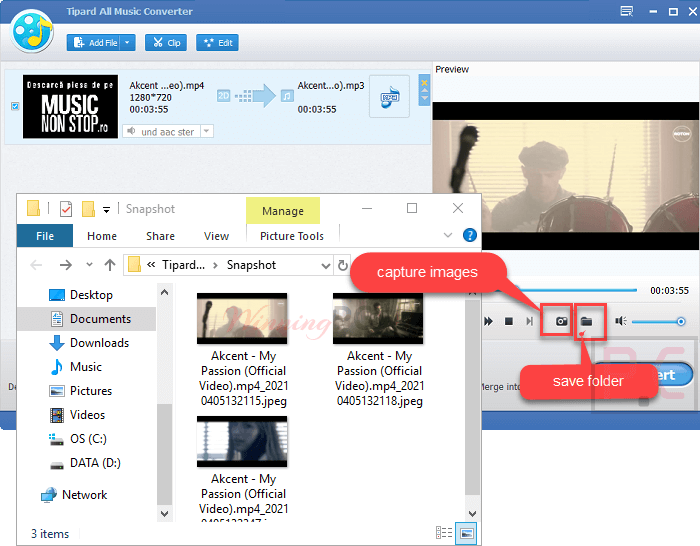
- Includes a preview before conversion.
- Offers snapshot saving as JPEG, PNG, or BMP.
- Includes auto-update support.
Pros & Cons:
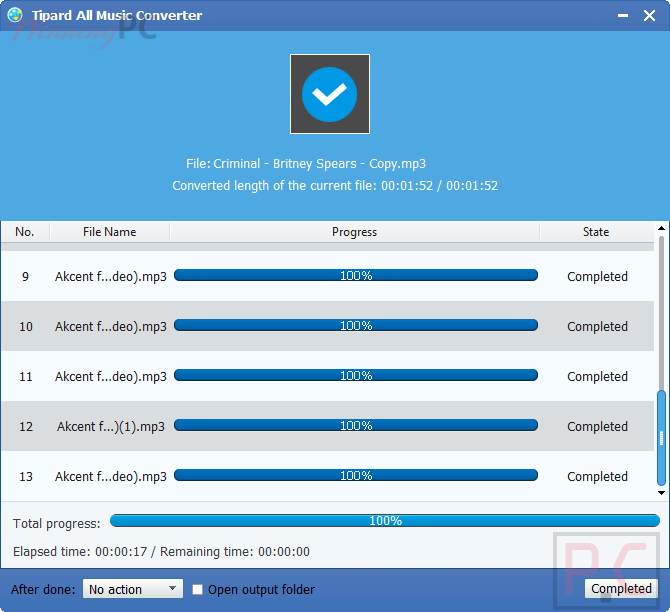
More screenshots:
Frequently Asked Questions
Where can I find active promo codes for Tipard All Music Converter?
You can always find the latest deals, promo codes, and software discounts for this program right here on WinningPC, alongside official offers from Tipard.
What is the lowest price currently available for this audio converter?
Right now, you can lock in a 50% OFF discount through the WinningPC deal, bringing the 1-Year license down to just $7.50 and the Lifetime license to $12.50.
Can I use this program to get audio from MP4 videos?
Yes, it easily extracts audio tracks from downloaded MP4, FLV, AVI, and many other video formats.
Does it support converting FLAC files to MP3?
Absolutely. You can convert between almost all popular formats, including FLAC, MP3, WAV, WMA, and ALAC.
Is it possible to merge multiple songs into one file?
Yes, the software includes a merge function that lets you combine several audio or video files into a single, continuous music track.
Can I create a ringtone for my phone using this tool?
Yes, you can use the trim function to cut out a specific part of a song to use as a custom ringtone or a short music clip.
Will I lose audio quality if I reduce the file size?
The software is designed to decrease the file size without sacrificing the original acoustic quality.
Does it work on Mac computers?
No, based on the system requirements, this software is strictly supported on Windows 11, 10, 8, and 7.
Can I convert a large folder of music files at once?
Yes, it has no limits on the number of conversions and fully supports bulk processing.
Does the software let me adjust the volume of the output file?
Yes, it includes an effect function that gives you the ability to manually adjust the volume of your converted music.
System Requirements & Details
| Language Support | English, French, German, Japanese |
| Operating System | Mac OS, Windows |
| Processor | 1.2GHz Intel or AMD CPU, or above |
| RAM & Storage | 1G RAM or more |
| Supported Input | Video: TS, MP4, MKV, AVI, FLV, Webm, etc. Audio: MP3, AAC, WAV, FLAC, WMA, etc. |
| Supported Output | Audio: AAC, FLAC, MP3, WAV, WMA, MKA, etc. Image: JPEG, PNG, BMP |




thanks laura 🙂
Here :
rpatel85@aliasvault.net
richardpatel85
68b7a4d6403b44490053c016ffcf2108c0b7a8f0e4c666ce8a600804868468ea
Valid : as of 14.01.2025 (day/month/year)