Laura Marano
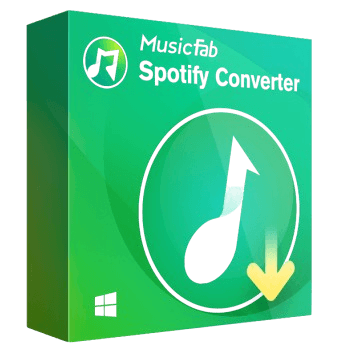
MusicFab Spotify Converter downloads and converts Spotify playlists, songs, albums, and podcasts to M4A, MP3, WAV, FLAC, or OPUS formats. It includes a built-in Spotify player, allowing you to download and convert tracks or entire playlists in batches. Not to mention, this music downloader software supports audio quality from 128 kbps to 320 kbps at 44.1 kHz. It also detects and saves ID3 tags such as title, artist, album, artwork, and track number, helping you organize your music files for playback on different devices.
MusicFab Spotify Converter Plans & Coupon Codes
MusicFab Autumn Sale: Up to 50%
Commemorate MusicFab's Autumn sale and get up to 50% discount, the Autumn Sale runs through October 13, 2026.
MusicFab Spotify Converter (1 Year)
15% off coupon code: regular price $65.99, discounted price $55.99
MusicFab Spotify Converter (Lifetime)
11% off coupon code: regular price $89.99, discounted price $79.99
MusicFab Spotify Converter for Mac (1 Year)
15% off coupon code: regular price $65.99, discounted price $55.99
MusicFab Spotify Converter for Mac (Lifetime)
11% off coupon code: regular price $89.99, discounted price $79.99
Key Features and Screenshots

- Wide Range of Supported Formats: converts Spotify music to MP3, M4A, WAV, or FLAC using a built-in Spotify web browser.
- High-Quality Audio Conversion: preserves Spotify’s original streaming quality with selectable output bitrates from 128 kbps to 320 kbps.
- Fast Conversion Speed: downloads and converts Spotify tracks in about 10 seconds without reducing audio quality.
- Batch Conversion: processes entire Spotify playlists, albums, or podcasts at once to save time on large libraries.
- Preservation of ID3 Tags and Metadata: keeps song title, artist, album, genre, and other ID3 information intact after conversion.
- Ad Removal: removes ads from downloaded tracks for Spotify free accounts to allow uninterrupted offline listening.
- Inbuilt Web Player: includes a built-in Spotify web player to search and download content without installing the Spotify app.
More Screenshots:


Frequently asked questions
Is MusicFab Spotify Converter compatible with both free and premium Spotify accounts?
Yes, MusicFab Spotify Converter works with both free and premium Spotify accounts, allowing all users to download and convert their favorite music.
What audio formats does MusicFab Spotify Converter support?
The software supports multiple audio formats, including MP3, M4A, WAV, and FLAC, ensuring compatibility with various devices and media players.
Can I convert multiple Spotify tracks at once?
Yes, MusicFab Spotify Converter supports batch conversion, allowing you to convert multiple tracks, albums, or playlists simultaneously.
Does MusicFab Spotify Converter preserve the original audio quality?
Yes, the software ensures high-quality audio conversion, preserving the original sound quality of Spotify tracks.
Will the converted files retain their ID3 tags and metadata?
Yes, MusicFab Spotify Converter preserves all ID3 tags and metadata, such as song title, artist, album, and genre, during the conversion process.
Are there any discounts available for the MusicFab Spotify Converter?
Yes, you can use the coupon code SP**25 provided by WinningPC to get a 15% discount on your purchase of MusicFab Spotify Converter.
Why Choose WinningPC
- Why Trust? We are committed to providing 100% valid and verified coupon codes, so you can always shop with confidence.
- Found an Invalid Coupon or a Better Deal? If you encounter an invalid code or a better offer, please let us know. Our team updates all discount information regularly to ensure accuracy.
- Official Authorization: We only share authentic discounts from trusted software developers.
- No Fake Discounts: Unlike some sites, we never use misleading deals. The final price you see is the true discounted price.
- Secure Purchases: All transactions are processed on the official vendor’s website, ensuring authenticity and data protection.
- Extra Support: If you face order or vendor issues, contact us. We’ll liaise with the vendor to help resolve your problem quickly.
Technical Details
| Language Support | English, Français, Italian, Spanish, Swedish, and more… |
| Money Back Guarantee | 14-Day |
| Operating System | Windows 11/10/8.1/8/7 macOS 10.10 – 14 |
| Shipping | Register code will be sent to your email in minutes |
| Subscription | 1-Year, Lifetime |
| Support Services | Forums, Tickets |