Laura Marano
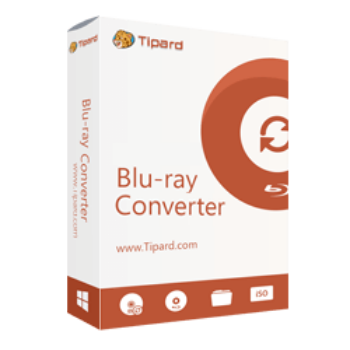
Tipard Blu-ray Converter allows users to convert discs, ISO files, and folders into 500+ digital video and audio formats. It also includes video editing, compression, 4K enhancement, GIF creation, and fast GPU-accelerated conversion for Windows and Mac users.
Tipard Blu-ray Converter for Windows
2 plans · best save 50%
Tipard Blu-ray Converter for Mac
2 plans · best save 50%
📄 Licensing & Support Details
- License type: 1 year, lifetime license
- 30-day money-back guarantee
- Register code will be sent to your email in minutes
- Free update
- 24/7 customer support
- The payment process is SSL-secured.
📝 How to apply
Once you select the ‘Copy Code’ button, the code is stored, and you are instantly taken to the checkout page to apply your savings.

Tipard Blu-ray Converter: In-Depth Review & Features

Key Features:
- Rip Blu-ray discs, Blu-ray ISO files, and Blu-ray folders
- Convert Blu-ray to MP4, MKV, MOV, AVI, WebM, ProRes, and 500+ formats
- Rip Blu-ray to lossless MKV while keeping subtitles, chapters, and audio tracks
- Convert DVD to ISO, DVD folder, MKV Lossless, MPG, and digital formats
- Extract audio from Blu-ray into MP3, AAC, FLAC, WAV, WMA, and OGG
- Support H.265, H.264, AV1, VP8, and VP9 codecs
- Compress large Blu-ray movies without major quality loss
- Convert SD videos to HD or upscale 1080p videos to 4K
- Hardware acceleration with NVIDIA, AMD, and Intel GPUs
- Batch convert Blu-ray titles and chapters
- Merge movie files, extras, interviews, trailers, and deleted scenes
- Add subtitles and external audio tracks
- Crop, trim, rotate, flip, and merge videos
- Create animated GIFs from photos and video clips
- Add filters and adjust contrast, brightness, hue, and saturation
- Add image or text watermarks
- Edit media metadata and ID3 tags
- Create 3D videos from 2D content
- Convert videos and audio files at up to 120× speed.
Pros & Cons:
More screenshots:


Frequently Asked Questions
Where can I find Tipard Blu-ray Converter coupon codes or deals?
You can usually find the latest Tipard Blu-ray Converter discounts on WinningPC, along with official seasonal promotions from the developer’s website.
What’s the biggest discount currently available?
Right now, WinningPC offers a 50% OFF deal for both the 1-Year and Lifetime licenses of Tipard Blu-ray Converter.
Can Tipard Blu-ray Converter rip copy-protected Blu-rays?
Yes, the software supports ripping many copy-protected Blu-ray discs, Blu-ray folders, and ISO files.
Does it really convert 30× faster?
Yes, with GPU acceleration enabled (NVIDIA, Intel, or AMD), Tipard Blu-ray Converter offers up to 30× faster conversion speed compared to standard software. Batch processing is also available for multiple files.
Does Tipard Blu-ray Converter support 4K output?
Yes. It can convert Blu-ray movies into 4K MP4 and other high-resolution formats.
Which format is best for Blu-ray ripping?
MKV is usually the best option because it preserves subtitles, chapters, audio tracks, and original video quality.
Can I convert DVDs with Tipard Blu-ray Converter?
Yes. Besides Blu-ray ripping, it also converts DVDs into digital video files, ISO files, and DVD folders.
Is Tipard Blu-ray Converter safe to use?
Yes. According to the developer, the software does not damage your discs or collect private data from your computer.
Does the software support hardware acceleration?
Yes. It supports NVIDIA, Intel, and AMD GPU acceleration for faster ripping and conversion speeds.
Can I edit videos before exporting them?
Yes. You can trim, crop, rotate, merge, add subtitles, apply filters, and adjust video effects directly inside the program.
System Requirements & Details
| Operating System | Windows 11/10/8.1/8/7 (32-bit & 64-bit) macOS 10.12 or above |
| Processor | 1GHz Intel/AMD CPU or above |
| RAM & Storage | 2GB RAM or above |
| Supported Input | Blu-ray disc, Blu-ray ISO, Blu-ray folder, DVD, video, HD video, audio, 4K UHD. |
| Supported Output | MP4, MKV, MOV, AVI, WebM, MPG, MP3, AAC, FLAC, WAV, GIF, 4K UHD, and more. |