
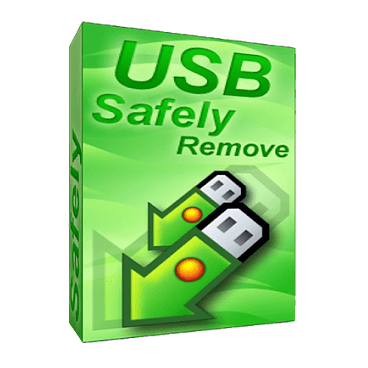
Safely remove a device via the convenient menu or a hotkey, remove unneeded devices from the menu, setup icons or names for the devices. Besides even if you stop a device accidentally you can return it with a click.
How to get a free key for USB Safely Remove
If you need assistance obtaining the giveaway license, please leave a comment.
00
Days
00
Hours
00
Minutes
00
Seconds
- Product name: USB Safely Remove 7.1.2
- Website: https://safelyremove.com
- License type: lifetime
- Platform: Windows
- Giveaway link: USB Safely Remove Giveaway
- Download: usbsafelyremovesetup_7-1-2.exe
Open the USB Safely Remove giveaway page and fill in your name/ email to get the license key for free.
Check your inbox and copy the USB Safely Remove key:

Open USB Safely Remove and choose “Enter License Key”

Paste the above code, press “OK” button to register the program:

USB Safely Remove full free license key:

USB Safely Remove screenshot:

Main Features
- A handy menu to stop devices
- Disconnect the external devices and the computer.
- Rename and assign a thumbnail to external devices.
- Processing a variety of information from multiple connected devices at the same time.
- Set up shortcuts for tasks.
- Warning in case the external device is suddenly disconnected.
Technical Details
| Language Support | English, Français, Italian, Spanish, Swedish, German, Japanese, Chinese, and more… |
| Money Back Guarantee | 30-Days |
| Operating System | Windows |
| Shipping | Instantly receive the latest Full Version download link and license code |
| Subscription | 1-Year, 2-Years, Lifetime |
| Support Services | Tickets |


![[Contest] Rain Cleaner Pro Giveaway: Win 1 of 50 Free 1-Year Licenses](https://winningpc.com/wp-content/uploads/thumbs_dir/rain-cleaner-pro-icon-rvgfasckg52j3lij4bwy4u6m7ssu2xjet6jhagm17c.png)



just download version 6.1 https://safelyremove.com/startdownload.htm?v=6.1
and use code which is provided in a comment above or below
A new giveaway for this software is available; get it now – you have 24 hours!
i am deeply regretting missing this giveaway please inform me somebody if it comes again thank you.
A new giveaway for this software is available; get it now – you have 24 hours!
Hey, try my license code. I hope that you can activate it:
Q1IHAQsAenVkaWxranNkaGYAAGQAsaoAAAAABQB2PTYuMX1ghL bgL8C4AIWSp+CpzGnyH8lafGFkUsgK8vSZYaAc99KdIXI9iIo= !@
LEGENDARY!
i am deeply regretting missing this giveaway please inform me somebody if it comes again thank you.
02/july/2021; The giveaway site: https://safelyremove.com/giveaway2021g.htm shows that the offer has ended, and it’s not available anymore
A new giveaway for this software is available; get it now – you have 24 hours!
Hi,
the giveaway ended on June 17, 2021.
I would like your serial code shown in the photo.
A new giveaway for this software is available; get it now – you have 24 hours!