
On this page
Vovsoft Hide Files Giveaway
Vovsoft Hide Files
Secures your files and folders
- Product
- Vovsoft Hide Files v10.0
- Website
- vovsoft.com
- License
- Lifetime
- Platform
- Windows 11, 10, 8/8.1, 7, Vista
- Installer
- hide-files.exe
- Usage
- Non-commercial only
- Updates
- No future upgrades
- Support
- No support
- Updated
- October 1, 2026
Get your unique code by email
License key delivered free to your inbox within minutes.
This giveaway ended on .
Protected by Cloudflare Turnstile · Email quality checked by Reoon
This giveaway has ended, but you can still get a limited-time discount from the official offer page.
Vovsoft Hide Files Pricing & Coupon Nov 2026

Vovsoft Universal License
115+ programs | Lifetime license | All future updates
Is this Vovsoft Hide Files giveaway safe and legit?
Yes. The free code comes straight from Vovsoft, and you install the publisher’s own unmodified build.
No crack or keygen
You activate the official installer with a genuine license code. Nothing is patched or repackaged.
Straight from the publisher
The giveaway is run with Vovsoft, not a reseller or a grey-market key site.
Paid checkout stays with Vovsoft
If you buy, payment runs through Vovsoft’s official store and its checkout partners. Your card details never touch WinningPC.
Know the refund rule before you pay
Vovsoft’s policy is not to refund by default, because every product has a free trial and keys are delivered instantly. Refunds happen only at their discretion, such as an accidental order. The giveaway key is the risk-free way to try it.
How to Get the Vovsoft Hide Files License Key for Free
- Type your email address into the giveaway form above and submit it.
- Check your inbox (and the spam folder, just in case) for the email carrying your free license code.
- Download Vovsoft Hide Files from the official Vovsoft site and install it.
- On first launch, set a master password. You’ll need it every time you open the app, so pick one you won’t forget.
- Enter the license code to register Vovsoft Hide Files. That’s it: the copy is yours for life.

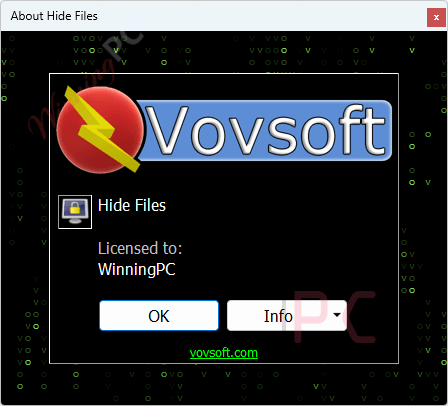
Vovsoft Hide Files Review & Features
Vovsoft Hide Files appeals to users who value speed and simplicity. You drag a folder in from Windows Explorer, hit Lock, and it’s gone from view until you hit Unlock. There’s no wizard and no volume to mount. Vovsoft says it can lock and unlock gigabytes of data within seconds, which makes sense for a tool that hides and locks items in place instead of copying them into an encrypted container.

The trade-off is that Vovsoft doesn’t publish which encryption method it uses. That’s fine for keeping a sibling or roommate out of your photos, but it isn’t the same as the audited encryption you’d want for tax records or client files. The safety catch is a nice touch: if a disk error occurs mid-lock, the app stops the process instead of plowing ahead. Vovsoft itself still recommends a backup first, and so do we.
Key features
- Hide and password-lock files, folders and entire USB drives with one click, or unlock them just as fast.
- Stealth Mode (Ctrl + Alt + Shift + Z) makes the app vanish from the screen, taskbar and system tray.
- Works on NTFS, exFAT, ReFS, FAT32 and FAT16 drives, from internal SSDs and HDDs to SD cards and flash disks.
- Batch locking plus drag and drop, so protecting a whole photo archive takes seconds.
- Lost password recovery, in case the master password slips your mind.
What we think
Frequently Asked Questions
Is the giveaway license really lifetime?
Yes. The free code activates a lifetime license. It won’t receive free updates, though, so you keep the version you claim.
Can I use the free copy for work?
No. The giveaway license is for non-commercial use only. If you want to protect business files, buy the full license and confirm the commercial terms with Vovsoft first.
What happens if I forget my master password?
Vovsoft Hide Files includes lost password recovery. Vovsoft doesn’t explain on the product page how recovery works, so set it up and check the steps right after installing, before you lock anything important.
Can it lock a USB flash drive or SD card?
Yes. It works with USB flash disks, SD/MMC cards and external hard drives formatted as NTFS, exFAT, ReFS, FAT32 or FAT16.
Is hiding files the same as encrypting them?
Not quite. Vovsoft Hide Files locks and hides items so they can’t be opened from Windows without your password, but Vovsoft doesn’t name the encryption algorithm it uses. For truly sensitive data, a dedicated encryption tool like VeraCrypt is the safer choice.
How do I hide the program itself?
Press Ctrl + Alt + Shift + Z to turn on Stealth Mode. The app disappears from the screen, taskbar and system tray.
Does it work on Windows 11?
Yes. It runs on Windows 11, 10, 8/8.1, 7 and Vista, in both 32-bit and 64-bit versions.
System Requirements & Details
| Operating system | Windows 11, 10, 8/8.1, 7, Vista (32-bit & 64-bit) |
| Supported file systems | NTFS, exFAT, ReFS, FAT32, FAT16 |
| Supported storage | Local and external hard drives, SSD, HDD, SD/MMC cards, USB flash disks |
| Languages | 32, including English and Vietnamese |
| Other requirements | Master password set on first launch |




Where can i find the serial number
Hi Shan,
This is the pre-registered installer, you don’t need the serial number.