Cathryn Lee
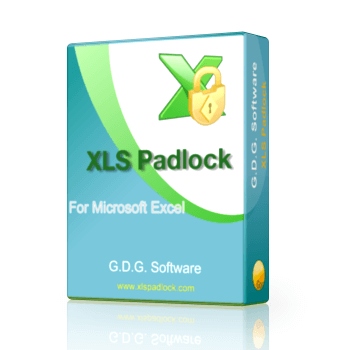
XLS Padlock is an Excel compiler that transforms your Microsoft Excel spreadsheets, VBA code, macros, and formulas into secure, standalone Windows executable files. It helps you safeguard your intellectual property, prevent unauthorized sharing, and monetize your workbooks through licensing options like hardware-locked keys, dongle protection, and WooCommerce or FastSpring integrations.
XLS Padlock (Lifetime + Bonus)
Perpetual license on up to 2 computers | Free upgrades for 1 year
📄 Licensing & Support Details
- License Type: Perpetual license (one-time fee) with 1 year of free upgrades.
- Activations: One license can be activated on up to 2 computers simultaneously for the registered user.
- Support & Guarantee: Support via community forum and direct contact. A refund policy is available.
📝 How to apply
- To grab this deal, click the “Copy Code” button in the coupon box above.
- The code will be copied, and you will be redirected to the checkout page where you can apply it to secure your discounted price.
XLS Padlock: In-Depth Review & Features

Key Features
- Converts standard Excel formats (XLS, XLSX, XLSM, XLSB) into distributable Windows .EXE applications.
- Replaces sensitive formulas with cryptic functions to prevent end users from viewing or copying them.
- Compiles VBA macros into binary bytecode, blocking access to the Visual Basic Editor and locking the VBA project.
- Enforces user access through hardware-locked activation keys, USB dongles, or online validation checks.
- Connects directly to WooCommerce and FastSpring to automate license generation, manage refunds, and handle monthly software subscriptions.
- Customizes application startups by displaying trial reminder nag screens and End User License Agreements (EULA).
- Restricts default Excel actions to prevent users from printing, exporting to PDF, copying to the clipboard, or loading other spreadsheets.
- Generates custom installation setup programs using Paquet Builder and signs the final files with SHA-256 digital certificates.
Pros & Cons
More XLS Padlock screenshots
Security

Distribute EXE

Formulas And Passwords

Frequently asked questions
Where can I find a code or deal for XLS Padlock?
The latest and best deals can be found on WinningPC, alongside the official software website or the developer’s social media channels.
Is Microsoft Excel required to run the compiled workbooks?
Yes, end users still need a local copy of Microsoft Excel installed on their computers to run the compiled application.
Can I transfer my software license to another computer?
Yes, you can use the built-in deactivation facility in the XLS Padlock Manager to move your license from one machine to another.
Does the developer have access to my workbooks or data?
Absolutely not. The compilation process runs entirely locally on your computer, ensuring your source files are never transmitted or uploaded to a cloud server.
How can I distribute my protected workbook to users?
You simply provide the generated .EXE file to your users. It is recommended to use a file hosting service or web server for distribution, as email filters often block executable files.
Will end users be able to save their changes in the application?
You have the choice to configure the settings to either allow secure saving (which creates an encrypted .XLSC file) or disallow saving entirely.
Why is the generated EXE file so large?
The 3-4 MB file size is due to the inclusion of full Unicode support, anti-piracy protections, and the built-in VBA interpreter needed for standalone execution.
System Requirements & Details
| Specification | Details |
|---|---|
| Language Support | English, Italian, Simplified Chinese, Traditional Chinese, France, etc. |
| Operating System | Microsoft Windows 11, 10, 8.1, 8, Windows 7, Vista, XP SP3, Server 2008, Server 2003, or higher. Microsoft Excel 2024, 2021, 2019, 2016, 2013, 2010, 2007 SP3, 2003, 2002 or Microsoft 365 with Excel (or Office 365). Ensure you have the latest SPs (Service Pack), updates, hotfixes installed. |
| Subscription | Lifetime |
| RAM | 256 MB RAM (Recommended: 512 MB RAM or greater). |
| Hard Disk | About 100 MB free space. More will be required for protecting workbooks. |
| Supported Input | XLS, XLSX, XLSM, XLSB |
| Supported Output | .EXE, .XLSC (secure save file) |