Chris Bruner
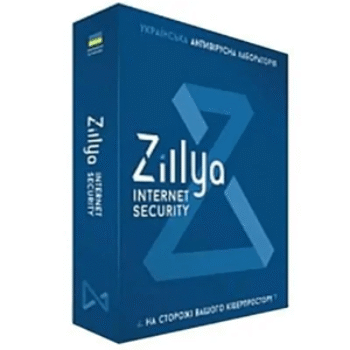
Zillya! Internet Security is a complete security suite made for people who spend a lot of time online. It helps protect your PC from viruses, spyware, ransomware, Trojans, spam, and phishing risks. The software blocks fake websites that try to steal personal data and stops spam messages from reaching your computer. Its firewall lets you control incoming and outgoing connections for installed programs. Zillya! Internet Security also includes a PC optimizer, virtual keyboard, and secure file shredder to clean junk files, protect passwords, and permanently delete sensitive data.
Zillya! Internet Security Pricing Plan & Discount Oct 2026
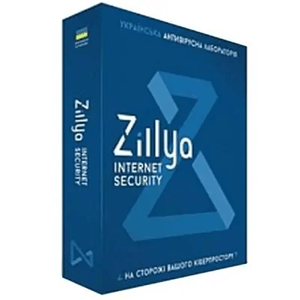
Zillya! Internet Security 1PC/1year
40% Off coupon code: regular price $35, discounted price $21
Key Features and Screenshots
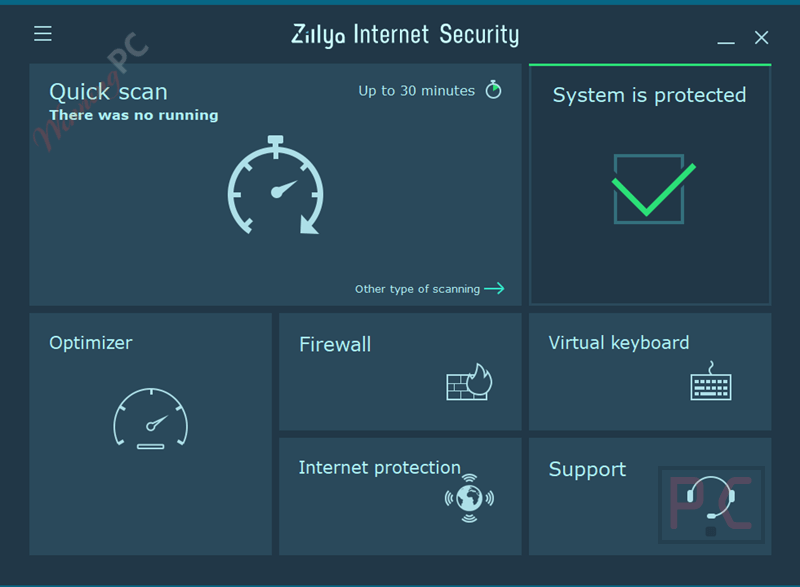
- All-around malware protection: protects computers and other devices from viruses, spyware, adware, Trojans, ransomware, and similar threats developed by Zillya! Ltd..
- Core antivirus engine: includes the full set of antivirus functions needed for everyday system protection.
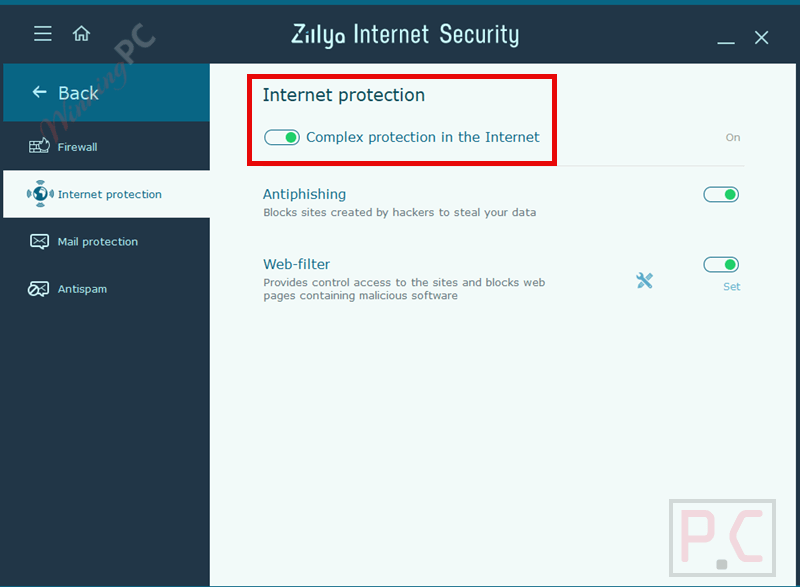
- Anti-phishing protection: blocks fake websites created to steal personal and account information.
- Anti-spam filtering: prevents spam messages from reaching and affecting your PC.
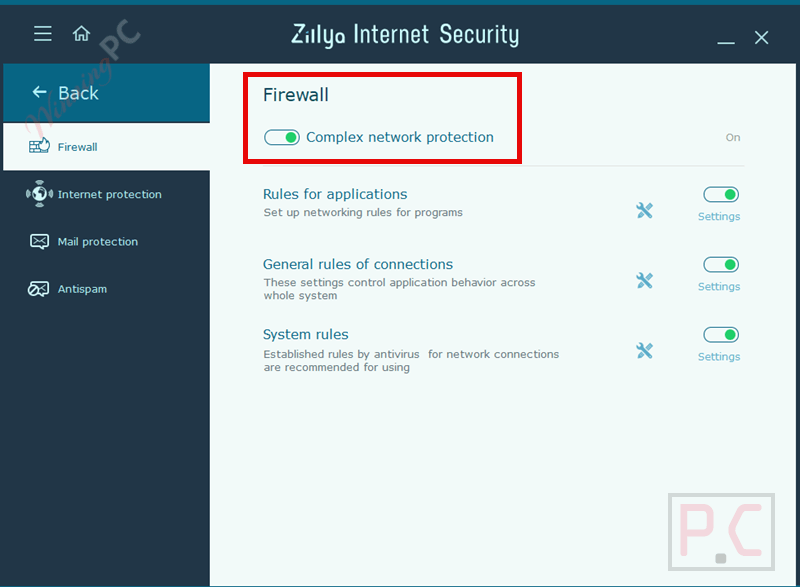
- Firewall control: manages incoming and outgoing network connections for installed applications.
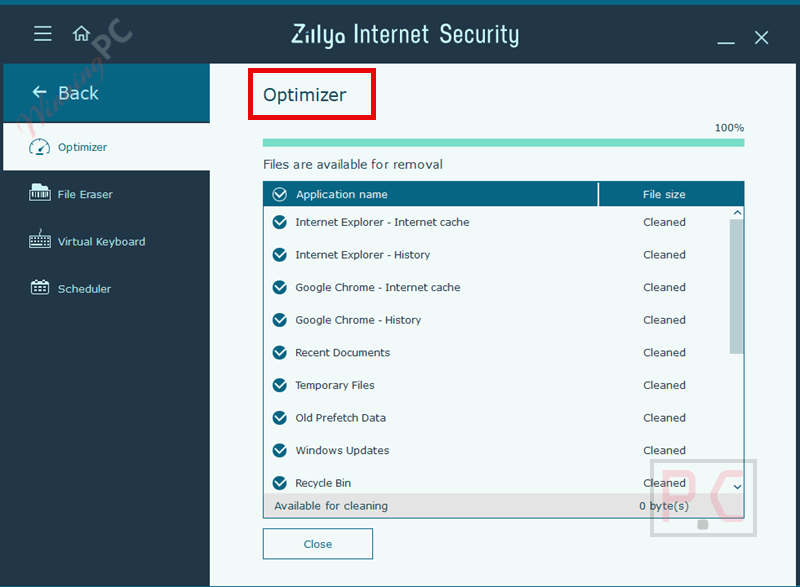
- PC optimizer tool: finds junk system files and frees up disk space to keep the system cleaner.
- Virtual keyboard: helps protect passwords from being captured by hackers.
- Low system resource usage: runs efficiently without placing heavy load on the system.
- Real-time system file checker: monitors files continuously to catch malware trying to enter the PC.
- Email protection filter: scans incoming and outgoing emails to block malicious attachments and content.
- Heuristic threat detection: identifies new and unknown viruses that are not yet in the database.
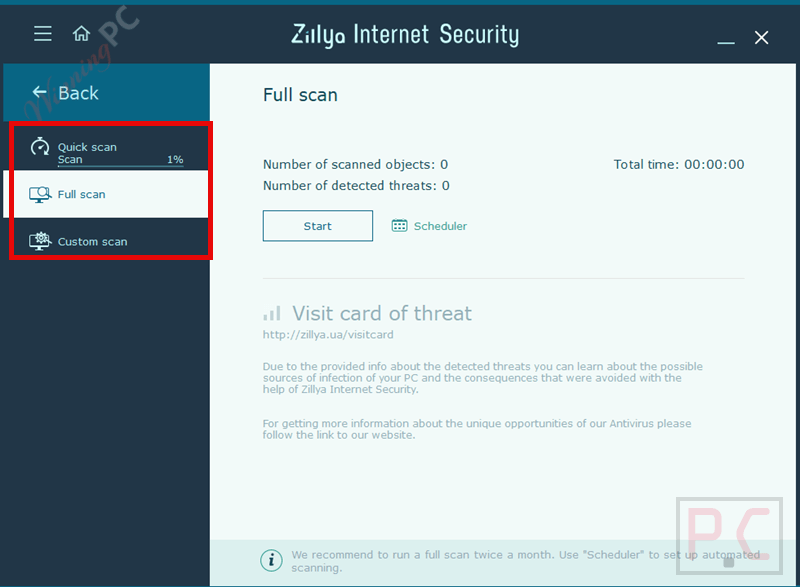
- Fast scan mode: checks critical system areas to quickly find common threats.
- Full scan mode: scans all files on the computer for complete system inspection.
- Selective scan mode: allows users to scan only specific files or folders they choose.
- Daily virus database updates: keeps protection current with frequent signature updates.
- Automatic firewall mode: creates outgoing-only network rules automatically for users with no firewall experience.
- Interactive firewall mode: gives advanced users manual control with block, allow, outgoing-only, or custom rules.
- Custom firewall rule creation: lets users define IP addresses, ports, traffic direction, and protocols per application.
- Application network monitoring: tracks all programs that attempt to access the network in any direction.
- External attack protection: blocks incoming connection attempts by default to prevent outside access.
- Built-in protocol rule database: includes predefined rules for common services like DNS, DHCP, and NetBIOS.
- Global application network rules: allows one rule to apply to all apps instead of configuring each one separately.
- Behavioral analyzer (HIPS): analyzes program behavior and blocks suspicious actions before programs start.
- Self-defense protection: prevents malware from disabling security components through Task Manager.
- Dangerous website blocking: stops known harmful websites from loading in the browser and shows a warning.
- Suspicious content download blocking: allows site viewing but blocks file downloads from flagged sources.
- Custom blocked website list: lets users add their own unwanted sites with the same rules as built-in blocks.
- USB drive security scanning: checks flash drives on connection to stop automatic virus execution.
- USB threat alerts and cleanup: notifies users of detected threats on drives and prompts removal.
- Proactive spam and phishing blacklist: uses known bad email addresses and sites to reduce risks early.
- Flexible anti-spam rules: filters messages by sender, recipient, title, or subject for better inbox control.
- Anti-phishing site avoidance: blocks websites used to steal data and conduct online fraud.
- System cleanup optimizer: removes temporary files, caches, history data, and unused system items.
- Scan result memory overview: shows removable file sizes and total space that can be recovered.
- User-controlled cleanup decisions: allows users to choose what files are deleted after scanning.
- Secure file shredder: permanently deletes sensitive files so they cannot be recovered.
- Multi-pass file wiping: overwrites files with random data before removal to fully destroy contents.
How to Use (Step-by-Step Guide)
Step 1. Install and update
Install the software and let it update the virus database right away.
Step 2. Run a scan
Choose Fast, Full, or Selective Scan based on your needs.
Step 3. Keep protection on
Make sure real-time protection and the firewall are enabled.
Step 4. Browse and email safely
Leave web and email protection turned on to block threats.
Step 5. Maintain your PC
Scan USB drives, clean junk files, and review alerts regularly.
Frequently Asked Questions
Will this software slow down my computer?
No, it’s designed to use low system resources and runs smoothly in the background during daily use.
Does Zillya! Internet Security include a firewall?
Yes, it has a built-in firewall that controls incoming and outgoing network connections for installed applications.
Does it scan emails for threats?
Yes, all incoming and outgoing emails are checked for malicious attachments and harmful content.
How often are virus definitions updated?
The antivirus database is updated daily to ensure protection against newly discovered threats.
Can it detect new or unknown malware?
Yes, it uses heuristic and behavioral analysis to block suspicious programs even if they aren’t in the database yet.
How can I get Zillya! Internet Security at a discount?
You can use the WINN***C40 coupon code from WinningPC to get 40% off your purchase.
Why Choose WinningPC
- Why Trust? We are committed to providing 100% valid and verified coupon codes, so you can always shop with confidence.
- Found an Invalid Coupon or a Better Deal? If you encounter an invalid code or a better offer, please let us know. Our team updates all discount information regularly to ensure accuracy.
- Official Authorization: We only share authentic discounts from trusted software developers.
- No Fake Discounts: Unlike some sites, we never use misleading deals. The final price you see is the true discounted price.
- Secure Purchases: All transactions are processed on the official vendor’s website, ensuring authenticity and data protection.
- Extra Support: If you face order or vendor issues, contact us. We’ll liaise with the vendor to help resolve your problem quickly.
Technical Details
| Language Support | English, Français, Italian, Spanish, Swedish, and more… |
| Money Back Guarantee | 30-Day |
| Operating System | Windows XP (SP3), Windows 7 (х32, х64) (+SP1), Windows 8, 8.1 (x32, x64), Windows 10 (x32, x64), Windows 11 (x32, x64); |
| Shipping | Register code will be sent to your email in minutes |
| Subscription | 1-Year |
| Support Services | Email, Tickets, Phone |