Chris Bruner
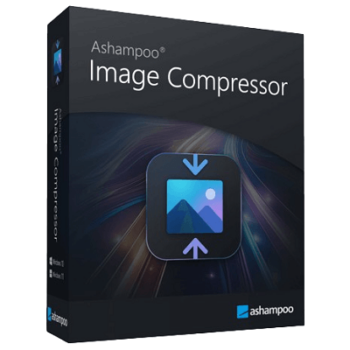
In today’s digital age, optimizing image size will help you enhance the ease of sharing and uploading. Ashampoo Image Compressor was born to help you manage large image files effectively. As known as a state-of-the-art image compressor software, Ashampoo Image Compressor can reduce image file sizes while preserving their original quality. The tool’s ability to reduce file sizes by up to 80% without noticeable quality loss is a significant advantage for those looking to optimize their digital storage.
One of the key strengths of Ashampoo Image Compressor is that it supports a wide array of image formats, including JPG, PNG, and WebP, making it versatile for various applications. With the intuitive drag-and-drop interface and batch processing capabilities, you can compress multiple images in one go, saving time and effort. Furthermore, you are allowed to adjust compression levels to suit your specific needs, ensuring that they do not have to compromise on quality.
The Best Image Compressor Discount Code

4K Image Compressor - Pro License
25% off coupon code: regular price $15, discounted price $11.25

HitPaw Compressor - Lifetime License
74% off promo code: regular price $79.99, discounted price $20.99

ApowerCompress Personal License (Lifetime)
50% special offer: regular price $37.14, discounted price $18.57

Wondershare AniSmall for Windows/ Mac - Perpetual Plan
40% discount coupon code: regular price $49.99, discounted price $29.99
Ashampoo Image Compressor License Key Free
- Product name: Ashampoo Image Compressor v1.0.0
- Website: https://www.ashampoo.com/en-us/image-compressor
- License type: lifetime
- Platform: Windows
- Giveaway link: n/a
- Download – last updated: Jul 04, 2023
Full version: ashampoo_image_compressor_sm.exe
How to get the license key?
Click on the download link to download and install the software on your computer. The installation of the Ashampoo Image Compressor via Ashampoo Connect services will be prepared for you.

Please log in with your existing Ashampoo account or create a new account if you don’t have an Ashampoo account.

The app will launch after you log in to your Ashampoo account with your email address and password.

Ashampoo Image Compressor main screenshot

Settings

Select Folder

Overview

Main Features
- Efficient Compression: Ashampoo Image Compressor can reduce image file sizes by up to 80% without a noticeable loss in quality, making it perfect for storage and sharing.
- Format Support: It is compatible with multiple formats, including JPG, JPEG, PNG, and WebP, ensuring versatility in handling different image types.
- Batch Processing: It has an easy to understand user-interface where you can upload files to batch, saving time and streamlining workflows.
- Drag and Drop Functionality: With this function, you can simplify the compression process by allowing users to drag images directly into the application.
- Quality Adjustment: This tool offers control over the compression level, letting users balance between reducing file size and maintaining image quality.
- Output Location: You are allowed to specify the destination folder for compressed images, aiding in better file organization.
- One-Click Optimization: This feature allows you to compress images with a single click, making the software accessible to both novices and experts.
- Optimal Storage: It provides a straightforward solution to help free up disk space by reducing the size of large image files without compromising their quality.
- Easier Sharing: Smaller file sizes mean faster and more efficient sharing via email, social media, and other platforms.
Frequently asked questions
What formats does Ashampoo Image Compressor support?
The software supports JPG, JPEG, PNG, and WebP file formats.
Can I compress multiple images at once?
Yes, Ashampoo Image Compressor allows batch processing to compress multiple images simultaneously.
Will compressing images reduce their quality?
The software is designed to reduce file sizes by up to 80% while maintaining high visual quality.
Can I choose the output location for my compressed images?
Yes, you can select a preferred output folder for better file management.
How can I get into the Ashampoo Image Compressor giveaway?
Visit the WinningPC website and follow the instructions to join the giveaway and receive your free lifetime license key.
Technical Details
| Language Support | English, Français, Italian, Spanish, Swedish, and more… |
| Money Back Guarantee | 30-Day |
| Operating System | Windows Vista, Windows 7, Windows 8/8.1, Windows 10/11 |
| Shipping | Register code will be sent to your email in minutes |
| Subscription | Lifetime |
| Support Services | Tickets |