
On this page
Steganos Privacy Suite Giveaway
Steganos Privacy Suite 22
Combines Data Safe and Password Manager: encrypt sensitive files and generate strong passwords on PC, smartphone or tablet.
- Product
- Steganos Privacy Suite
- Product website
- steganos.com
- License
- 1-Year
- Platform
- Windows
- Usage
- Non-commercial only
- Updates
- No future upgrades
- Support
- No support
- Updated
- 2026-09-26
Continue on my.steganos.com
The publisher handles registration and license delivery on its official website.
The free license is no longer available.
Top Privacy Suite Software Coupon Code Nov 2026


Is this Steganos Privacy Suite 22 giveaway safe and legit?
Yes. Steganos has been developing privacy and encryption software in Germany since 1998, and this key is delivered through their own registration system, not through a third party.
No crack or keygen
You receive a genuine, publisher-issued activation key by email; the installer downloads directly from steganos.com without any repackaging or modification.
Official authorized giveaway
Registration goes straight to Steganos’s own system. Your email address goes to the developer, not to a grey-market reseller or key shop.
Secure installation
The Steganos installer is served over HTTPS from the official domain. Nothing in this process touches WinningPC’s servers.
30-day money-back on paid plans
The paid subscription includes a 30-day refund guarantee.
How to Get the Steganos Privacy Suite License Key for Free
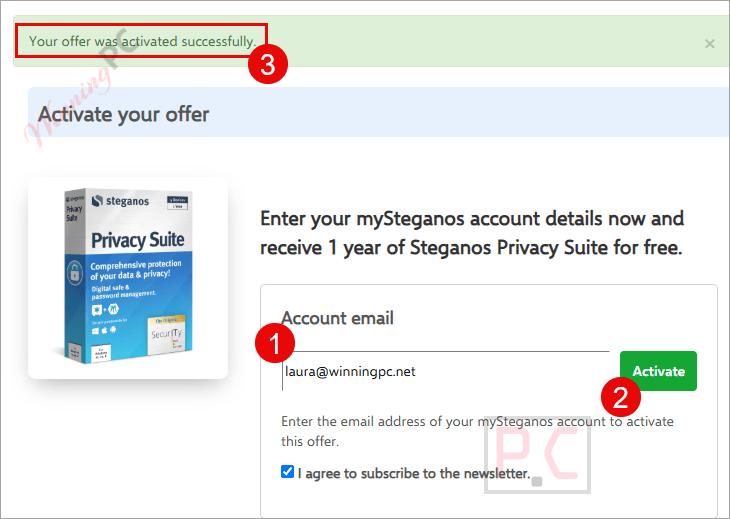
- Please login with your existing account or sign up if you don’t have one.
- Click the Steganos Privacy Suite giveaway link on this page then enter your email address in the registration field and submit the form to activate your acccount.
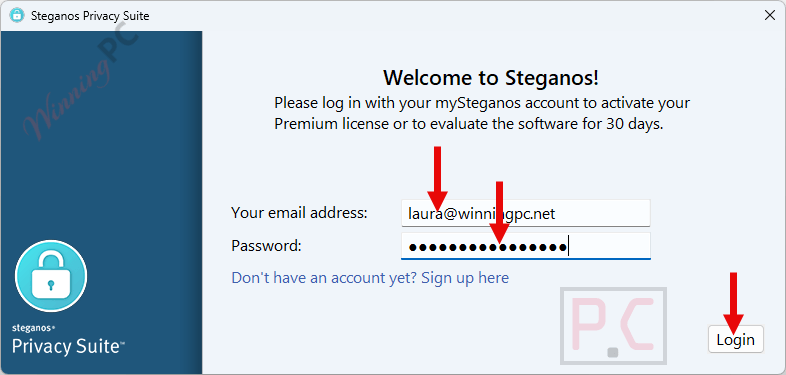
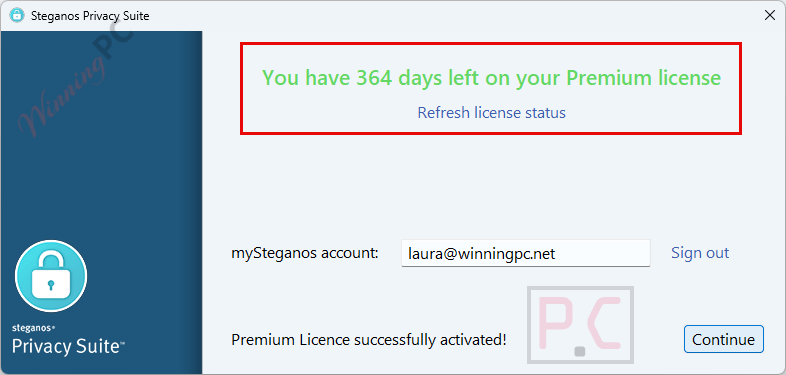
- Download and install the software on your computer. Click on the “I already have a Steganos account” button. Enter your email and password to activate the software.
- Got it for 1-year free!
Steganos Privacy Suite Review & Features
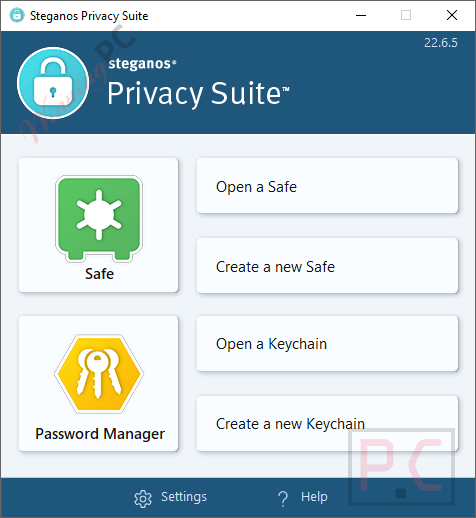
Steganos Privacy Suite 22 encrypts files in AES-256 Data Safe vaults and manages passwords. Vaults grow dynamically and can sync through Dropbox, OneDrive, Google Drive, and MagentaCLOUD. Its password manager includes Chrome, Firefox, and Edge extensions for autofill and password generation, plus a password strength meter. It can import data from 1Password, LastPass, KeePass CSV files, Chrome, and Edge. Two-factor authentication is supported through Authy, Microsoft Authenticator, and Google Authenticator.
Key features
- AES-256 encrypted data safe (PBKDF2 key derivation): self-expanding vaults that mount as a standard Windows drive, including ARM devices.
- Cloud vault sync: works with Dropbox, OneDrive, Google Drive, and MagentaCLOUD for encrypted cross-device access without pre-allocating disk space.
- Network safe sharing: multiple users can access and write to the same vault simultaneously over a local network.
- Full password manager with browser plugins: autofill in Chrome, Firefox, and Edge; extends to iOS and Android; TOTP 2FA support for the vault itself.
- Steganos Shredder included: securely deletes files and overwrites free disk space to prevent data recovery.
What we think
Frequently Asked Questions
Does the giveaway license include future updates?
No. The free key locks you to the version available at giveaway time. When Steganos Privacy Suite releases patches or a new major version, the giveaway license does not receive them. For ongoing security updates, the paid subscription is what you need.
Can I use the giveaway key for work or a business?
No – the license is for personal, non-commercial use only. Freelancers, contractors, and business users need the standard paid plan at $59.95/year to stay within the license terms.
Is technical support included with the free key?
No. Support is not part of the giveaway. If activation fails or you hit a compatibility issue, you rely on Steganos’s public documentation. Paid subscribers get direct support from Steganos.
Can I import passwords from LastPass, 1Password, or my browser?
Yes. Steganos Privacy Suite 22 supports direct import from 1Password, LastPass, KeePass (via CSV export), Chrome, and Edge. You do not have to rebuild your vault from scratch when switching.
Requirements for running Steganos Privacy Suite 22
| Field | Value |
|---|---|
| Operating system | Windows (ARM supported) |
| Mobile (autofill only) | iOS and Android |
| Cloud sync services | Dropbox, OneDrive, Google Drive, MagentaCLOUD |
| Internet connection | Required for cloud sync and initial activation |
| Supported input formats | N/A – security suite, not a file converter |
| Supported output formats | N/A – security suite, not a file converter |



If you have system protection/System Restore enabled on a drive this and any other file eraser simply cannot successfully erase files or folders as the data will be shadow-copied into the VSS database and can be recovered by system restore or other programs that let you browse the VSS database as well as deep scan data-recovery software as they will pickup the shadow-copies in the VSS database. To have chance of securely deleting data you MUST disable system protection/System Restore on the NTFS volume and erase free space and then and only then can files be successfully overwrite erased. BTW you can do most of the essentials this does using 7zip it supports creating AES256 bit encrypted and compressed “vaults” just they are not cloud synced. You’d have to do that externally
Great overall performance – very easy to handle, and not least good value for the money
You can use this license code for the latest version (Steganos Privacy Suite 22)
Let’s try it :)))
OH!!! it works like a charm!