Laura Marano
Kingshiper Screen Recorder is designed for educators, content creators, professionals, and even casual users, providing all the tools needed to capture live webinars, record gameplay, or create tutorial videos. With this user-friendly screen recording software, you can capture your screen, audio, webcam, or any combination of the three. It’s a flexible solution for making online lessons, presentations, saving video calls, or showcasing a high-score run. One of its key strengths is the ability to record in HD with low CPU usage, allowing you to run other applications smoothly while capturing high-quality content.
You can choose from six recording modes: Full Screen Recording, Custom Recording, Window Recording, Webcam Recording, Split Screen Recording, and high-quality Audio Recording. This ensures you get crystal-clear audio and video every time. Kingshiper Screen Recorder supports a wide range of output formats, including videos in MP4, AVI, MKV, WMV, FLV, GIF, MOV, WTV, and audio in MP3, WAV, OGG, FLAC, and M4A.
Additional features like Scheduled Recording, Real-time Paintbrush Annotations, Multiple Mouse Click Effects, Real-time Key Press Display, and Custom Watermarks help you create professional, polished, and shareable videos with ease.
Kingshiper Screen Recorder Discount & Coupons

Kingshiper Screen Recorder for Mac - 1 Month
Unlimited recording time | 30-day money back guarantee
Kingshiper Screen Recorder for Mac - 1 Year
Unlimited recording time | 30-day money back guarantee
Kingshiper Screen Recorder for Mac - Lifetime
Unlimited recording time | 30-day money back guarantee
You may also like:

EaseUS RecExperts (Lifetime Upgrades)
50% Off coupon code: regular price $69.95, discounted price $34.97

iTop Screen Recorder - Lifetime
70% off coupon code, regular price $119.99, discounted price $35.99.

PassFab Screen Recorder - Lifetime License
61% off promo code: regular price $89.99, discounted price $34.99

Edimakor Screen Recorder - Lifetime License
61% off promo code: regular price $89.99, discounted price $34.99
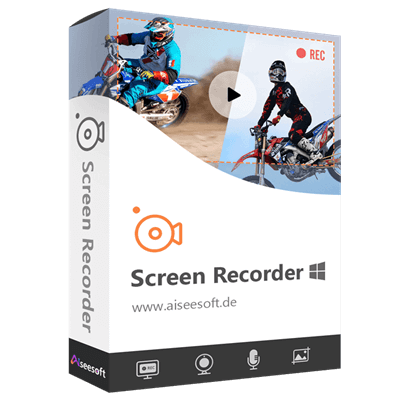
Aiseesoft Screen Recorder – Lifetime/1 PC
50% discount code: regular price $62.45, discounted price $31.22
Kingshiper Screen Recorder License Key Free
- Product name: Kingshiper Screen Recorder
- Website: https://www.kingshiper.com/
- License type: 6-month
- Platform: Windows
- Giveaway download link – last updated: June 16, 2025
The giveaway has ended!
How to get the license key?
Please insert your email address in the giveaway form above to get your giveaway installation for free
Download and install the software on your computer.

Kindly click “Login” after the installation is finished. You can create a new account or sign in with your current one by just entering your email address and password.

After logging in successfully, you will be given a free 6-month license for Kingshiper Screen Recorder.

Kingshiper Screen Recorder main screenshot


Main Features
- Flexible Recording Modes: Record your full desktop, a specific application window, or a custom area on your screen. You can even capture multiple monitors at once, ideal for multitasking or professional setups.
- Webcam Recording: This tool allows you to record high-quality video directly from your webcam with ease. You can freely adjust the recording area to zoom in on specific parts of the frame, ideal for focusing attention on your face, a product, or any detail that matters.
- System Sound & Microphone Recording: Choose to record system sounds, microphone input, or both at the same time with high-quality sound. It’s perfect for voiceovers, online lectures, video calls, or gameplay commentary.
- Scheduled Recording: You can use Kingshiper Screen Recorder to set up a timer to start and stop screen recording automatically. It is a handy tool for capturing live events, webinars, or meetings, even when you’re away.
- Split Screen Recording: It also automatically splits long recordings into smaller clips based on size or time to manage large files more easily and keeps your videos organized.
- Real-Time Drawing Tools: During recording, you can draw on your screen with arrows, highlights, and shapes or add annotations to emphasize key points or explain ideas clearly, perfect for educational videos or tutorials.
- Watermark Customization: This tool helps you protect your content or add a personal touch by including a custom watermark in your screen recordings.
- Multiple Mouse Click Effects: Highlight mouse clicks and pointer movements to make on-screen actions more visible and easier to follow.
- Hotkey Control: Kingshiper Screen Recorder allows you to use keyboard shortcuts to start, pause, resume, or stop recordings instantly, no needing to interrupt your workflow.
- Multiple Output Formats: Export your recordings in popular formats like MP4, AVI, MOV, or WMV, giving you flexibility for sharing and editing.
- Recording History Management: Easily access, preview, rename, and delete your past recordings within the built-in library.
Frequently asked questions
Does Kingshiper Screen Recorder support audio recording?
Yes, it supports recording system sound, microphone input, or both simultaneously, making it ideal for voiceovers, commentary, and online calls.
Is there a scheduled recording feature?
Yes, Kingshiper Screen Recorder allows you to schedule your recordings by setting the start and end times in advance, perfect for capturing content while you’re away.
Can I annotate or draw on the screen while recording?
Yes, real-time annotation tools let you highlight, draw, or add arrows and notes during the recording process, ideal for educational content.
Can I add a custom watermark to my recordings?
Definitely. You can upload your own watermark or logo to brand your videos or protect your content from unauthorized use.
Technical Details
| Language Support | English, Français, Italian, Spanish, Swedish, and more… |
| Money Back Guarantee | 30-Day |
| Operating System | Win7/Win8/Win10/Win11 |
| Shipping | Register code will be sent to your email in minutes |
| Subscription | 1-Month, 1-Year, Lifetime |
| Support Services | Email, Tickets |