
 Chris Bruner
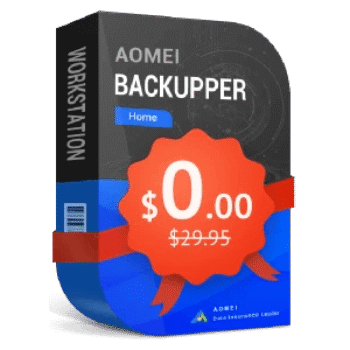
AOMEI Backupper Home is a new version of AOMEI Backupper. This backup tool is designed to protect everything that matters on your PC. It helps you secure your system, disks, and files automatically, so you never have to worry about data loss due to crashes, hardware failure, or accidental deletion.
With its simple interface and smart scheduling options, you can set up backups once and let AOMEI handle the rest. It also includes real-time file synchronization, fast restoration options, and flexible cloning tools to keep your PC running smoothly and your data always safe.
AOMEI Backupper Coupon Code 80% Off

AOMEI Summer Sale 2026: Up to 80% OFF & New Family Bundle
Join AOMEI's Summer Sale 2026 and save up to 80% on popular software and the new Family Bundle. Protect, manage, and recover your valuable data for less. The event ends on Aug 31st, 2026!

AOMEI Backupper Pro (Lifetime Upgrades / 1 PC)
50% discount coupon code: regular price $69.95, discounted price $34.97
AOMEI Backupper Workstation (Lifetime Upgrades / 1 PC)
76% Off coupon code: regular price: $79.95, discounted price: $18.95

AOMEI Backupper Server + Lifetime Upgrades
75% Off coupon code: regular price: $299, discounted price: $74.95
AOMEI Backupper Technician (Lifetime Upgrades / Unlimited PCs)
80% Off coupon code: regular price: $799, discounted price: $160
Giveaway: AOMEI Backupper Home License Key Free
- Product name: AOMEI Backupper Home 8.0
- Website: https://www.aomeitech.com/
- License type: 1-year
- Platform: Windows
- Download: AOMEIBackupperHome.zip
- Giveaway page: click here
- License code – last updated: Oct 09, 2025
License code
AMAB-MME2L-Z4I4I-YK40U
How to get AOMEI Backupper Home license for free?
Download and install this software on your PC. Click on the menu icon -> Register and enter the AOMEI Backupper Home license code above to activate it for the Home version:

AOMEI Backupper Home screenshot:

Backup

Sync

Main Features
- Full System, Disk, and File Backup: Back up your entire Windows system, individual disks, partitions, or just the files and folders you care about most.
- Schedule Backup Tasks: Set automatic backups to run daily, weekly, or monthly so you never forget to protect your data.
- Real-Time File Sync: Keep selected folders always in sync between drives or devices — changes are mirrored instantly.
- Incremental & Differential Backup: Save time and storage by backing up only the changed parts of your data after the first full backup.
- Backup Scheme & Auto Cleanup: Automatically delete older backup versions to save disk space while keeping the most recent ones safe.
- Restore to Dissimilar Hardware: Restore backups to a different computer or new hardware setup with Universal Restore.
- Create Bootable Rescue Media: Build a bootable USB or CD/DVD to restore your system in case of crash or failure.
- Encrypt & Compress Backups: Protect sensitive backups with a password and reduce their size to save space.
- Backup Notifications via Email: Get email alerts about backup results so you’re always informed.
- Backup to External Drive, NAS, Network, or Cloud: Store backups wherever you want — local, remote, or cloud-connected storage.
Technical Details
| Language Support | English |
| Money Back Guarantee | 30-Day |
| Operating System | Windows 11/10/8.1/8/7 |
| Shipping | Register code will be sent to your email in minutes |
| Subscription | 1-Year |
| Support Services | Email, Tickets |




This is a pre-release unannounced public beta test, the software has not been formally released yet we are the unpaid testers only offered a 1 year trial for our service.
Other giveaway of this states it supports backup to cloud folders implying you need the services local clients providing local folders synced to the could storage space… IF that is the case and this software does not include it’s own webAPI for the various cloud providers then it will not protect your data backed up data from ransomware discovery and encryption.
Thanks for your comment and detailed insights!
You’re right — this looks like a new edition with a redesigned interface. If you’ve been following our site, you may have seen we previously offered the PRO version 8.0, which had a similar UI.
This current Home edition sits between the Standard (Free) and PRO versions — meaning it includes more features than the free version but some advanced options have been removed, likely for testing or positioning reasons.
It does feel a bit like a beta phase, with the core features staying the same and the focus mostly on UI improvements. We’re also looking forward to the official changelog for more clarity!
Appreciate your feedback!