
 Chris Bruner

Star Watermark for Windows is a new professional batch watermark software. This tool helps us place text or images over photographs to protect our digital works from unauthorized use, assert copyright ownership, or brand our content professionally. It supports batch watermarking, allowing you to process hundreds of photos at once to save time rather than doing them one by one.
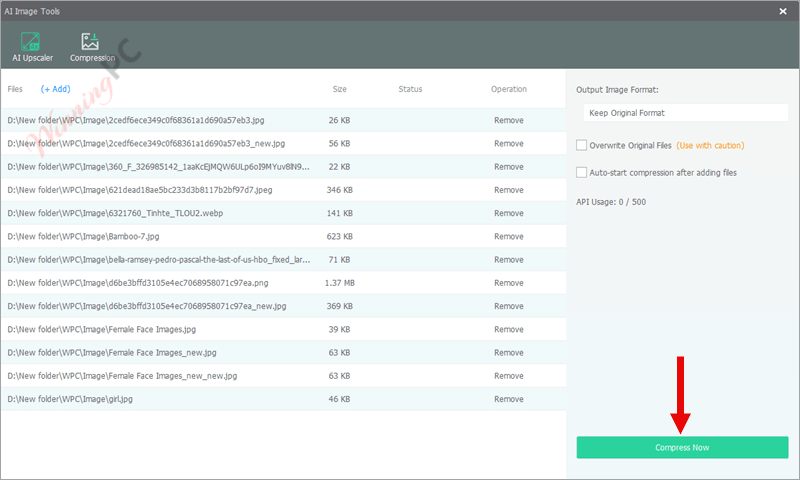
Star Watermark for Windows is also perfect for photographers, businesses, and creators, as it includes an AI upscaler that enhances image quality by up to 4x securely without uploading. Besides, the compression function can help you reduce image file sizes without significantly compromising visual quality.
Top Watermark Software Coupon Code (100% Working)

iMyFone MarkGo - Lifetime License
65% off coupon code: regular price $59.99, discounted price $20.99

Watermark Software for Personal
70% off coupon code: regular price $39.90, discounted price $12.97

Batch Picture Protector (Lifetime)
53% off coupon code: regular price $89.99, discounted price $41.99

CamRio Watermark Expert - Lifetime License
50% off coupon code: regular price $119, discounted price $59

Vovsoft Watermark Image
30% Off coupon code, regular price $19, discounted price $13.30
Star Watermark for Windows License Code for Free
WinningPC has partnered with Star-Watermark to give away a 1-year license for Star Watermark for Windows. Please enter your email address on the giveaway page to get your free license code.
- Product name: Star Watermark for Windows
- Website: https://star-watermark.com
- License type: 1-year
- Platform: Windows
- Giveaway – last updated: Nov 12, 2025
Star Watermark for Windows giveaway link - Download: Star-Watermark-Ultimate-Setup.zip
On the giveaway page, enter your email address and then click on the “GET FREE LICENSE” button to get your free license code.
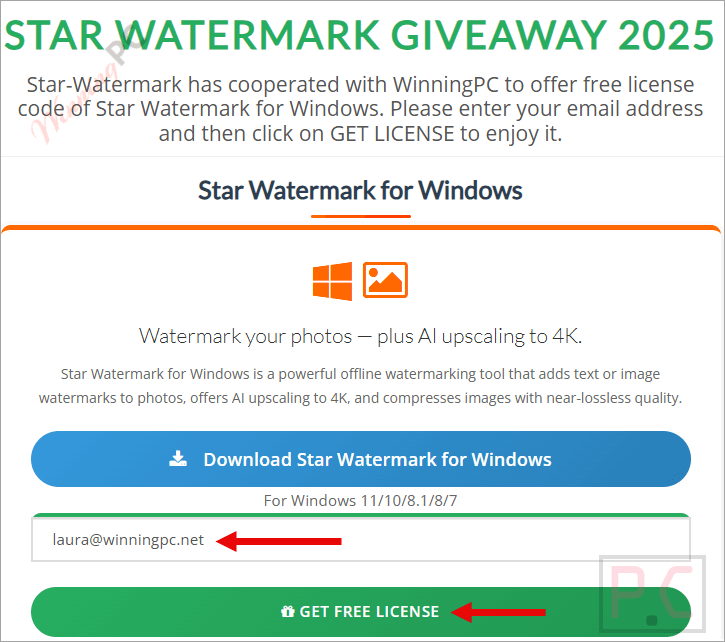
The license code will be sent to your email; please check your inbox or spam folder.

Click the download link above to install the software on your computer. Launch the software, then use your license key to activate it with full functionality.

Got it for 1-year free!
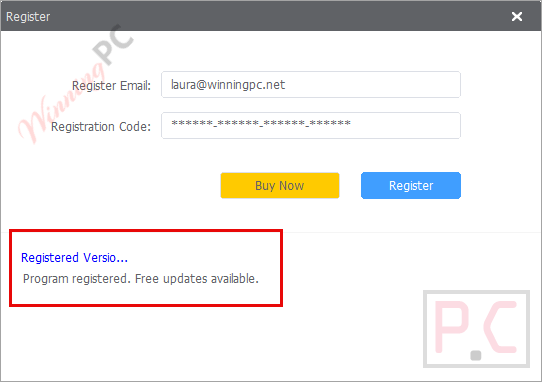
Star Watermark for Windows main screenshot
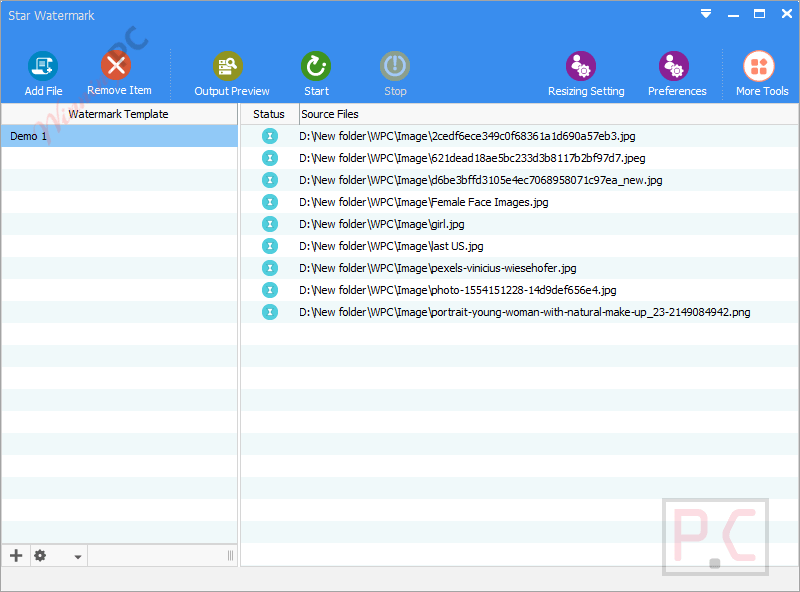
Edit Watermark Template

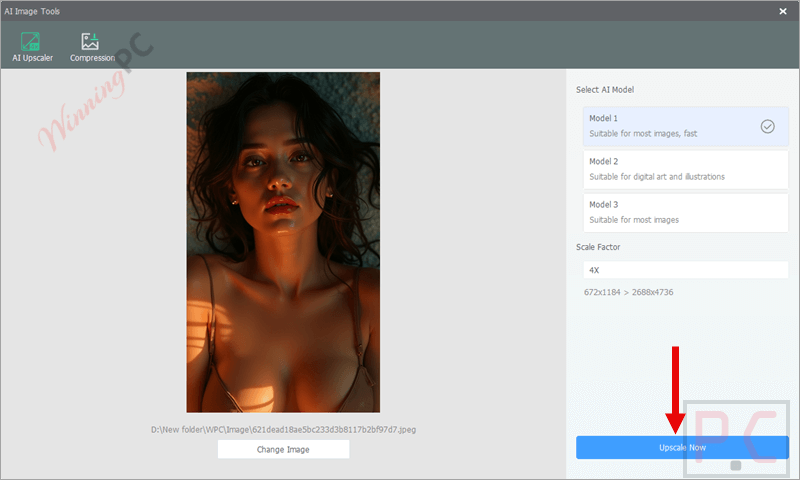
AI Upscaler
Compression
Main Features
- Support for Popular Image Formats: Add text or image watermarks to JPEG, PNG, BMP, TIFF, and even HEIC/HEIF files.
- Text & Image Watermarks: Supports both types, including logos and custom text.
- Multi-layer Watermarks: Combine several watermarks (like logo + text + copyright info) on one image.
- Full Customization: Adjust font, size, color, transparency, rotation, opacity, position, effects, and more.
- AI Image Upscaling: Enhance image resolution up to 4x without uploading files.
- Image Compression: Compress images to the best quality and compression ratio; reduce your image file sizes at once with near‑lossless quality.
- Batch Watermarking: Add watermarks to hundreds of photos at once, saving time and effort.
- EXIF Support: Optionally keep or remove EXIF metadata from images.
- Preview Function: Instantly preview watermark effects before applying changes.
- Fast Processing: Optimized for bulk image processing without losing quality.
Why Choose WinningPC
- Why Trust? We are committed to providing 100% valid and verified coupon codes, so you can always shop with confidence.
- Found an Invalid Coupon or a Better Deal? If you encounter an invalid code or a better offer, please let us know. Our team updates all discount information regularly to ensure accuracy.
- Official Authorization: We only share authentic discounts from trusted software developers.
- No Fake Discounts: Unlike some sites, we never use misleading deals. The final price you see is the true discounted price.
- Secure Purchases: All transactions are processed on the official vendor’s website, ensuring authenticity and data protection.
- Extra Support: If you face order or vendor issues, contact us. We’ll liaise with the vendor to help resolve your problem quickly.
Technical Details
| Language Support | English, Français, Italian, Spanish, Swedish, and more… |
| Money Back Guarantee | 7-Day |
| Operating System | Windows 11/10/8.1/8/7 |
| Shipping | Register code will be sent to your email in minutes |
| Subscription | 1-Month, 1-Year, Lifetime |
| Support Services | Email, Tickets |






Filled out the giveaway page as instructed but all I get in email is the winningpc newsletter. No registration code from Star Watermarker