Cathryn Lee
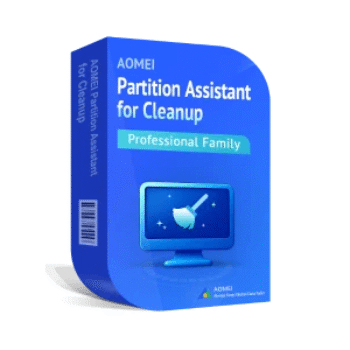
AOMEI Partition Assistant for Cleanup is a simple, effective, and safe tool for anyone who wants a faster and more organized Windows PC. It combines junk cleanup, large file management, and duplicate detection into one easy dashboard, so you don’t have to install multiple apps.
Top PC Cleaning Tools Coupon Codes (100% Working)

Advanced SystemCare 19 PRO (1 YEAR, 3 PCs)
80% discount code: regular price $89.97, discounted price $17.99

Auslogics BoostSpeed Pro
56% Off coupon code: regular price $69.95, discounted price $30.57

Wise Care 365 Pro (Lifetime/ 3 PCs)
60% Off promo code: regular price $89.95, discounted price $35.98

Kerish PC Doctor - 1 Years License
49% off coupon code: regular price $24.95, discounted price $12.71

Glary Utilities PRO 6 - 1 Year
70% Off coupon code: regular price $39.95, discounted price $11.98

CCleaner Professional Plus - 1 Year for 3 devices
53% discount coupon code: regular price $59.95, discounted price $28.47
AOMEI Partition Assistant for Cleanup License Key for Free
- Product name: AOMEI Partition Assistant for Cleanup PRO
- Website: https://www.diskpart.com
- License type: 1-year
- Platform: Windows
- Download: AOMEI_PACleanup_Free.exe
- License code – last updated: Nov 29, 2025
Click here
1-Year Activation code: AMPC-PPGK4-90C4F-R8CYP
Download and install the free version on your computer, enter the AOMEI Partition Assistant for Cleanup license code above to activate:

Main screenshot:

Check and choose what you want to clean:

Scan for the larger files

Find the duplicate files

Main Features
- Smart Junk File Cleanup: AOMEI Partition Assistant for Cleanup removes temporary files, caches, logs, and other leftover clutter safely.
- One-Click Fast Cleaning: Quick cleanup with smart suggestions so beginners won’t delete important data.
- Large File Removal: Detects big unused items like videos, installers, archives, and lets you delete them instantly.
- Sort & Filter Tools: View files by size, date, or type to understand what’s taking up space.
- Duplicate File Cleaner: Uses an intelligent matching algorithm to find and remove duplicate photos, documents, and media.
- Preview Before Deleting: Review items before cleaning to avoid mistakes.
- Supports 1000+ File Formats: Works with nearly all file types when scanning duplicates.
- Unlimited Cleanup: No limits on junk cleanup, large file removal, or duplicate scanning.
- Full Windows Compatibility: Works smoothly on Windows 11/10/8/7 and Server editions.
- Fast Scanning Engine: Lightweight software that scans quickly without slowing down your system.
Frequently Asked Questions
Will deleting files harm my system?
No. The software uses smart suggestions and previews, helping you avoid accidental removal of important files.
Is the duplicate scan accurate?
Yes. It uses a matching algorithm designed to avoid false duplicates.
How fast is the scan?
Most scans complete in seconds or a few minutes, depending on your storage size.
Can I choose specific folders to scan?
Yes. You can customize file locations for large files and duplicate scans.
Will it make my PC faster?
Cleaning junk and removing large or duplicate files can noticeably improve storage performance.
How much space can I free up?
It depends on your system. Many users recover gigabytes in their first scan.
Why Choose WinningPC
- Why Trust? We are committed to providing 100% valid and verified coupon codes, so you can always shop with confidence.
- Found an Invalid Coupon or a Better Deal? If you encounter an invalid code or a better offer, please let us know. Our team updates all discount information regularly to ensure accuracy.
- Official Authorization: We only share authentic discounts from trusted software developers.
- No Fake Discounts: Unlike some sites, we never use misleading deals. The final price you see is the true discounted price.
- Secure Purchases: All transactions are processed on the official vendor’s website, ensuring authenticity and data protection.
- Extra Support: If you face order or vendor issues, contact us. We’ll liaise with the vendor to help resolve your problem quickly.
Technical Details
| Language Support | English |
| Money Back Guarantee | 90-Day |
| Operating System | Windows 11/10/8/7 and Windows Server |
| Shipping | Register code will be sent to your email in minutes |
| Subscription | 1-Year, 3-Year |
| Support Services | Email, Tickets |