

XenArmor Windows Defender Manager Pro 2026 Giveaway
XenArmor Windows Defender Manager Pro 2026
Instantly Disable Windows Defender – Stop File Blocking & Background Scans to Boost Your PC Speed
- Product
- XenArmor Windows Defender Manager Pro 2026
- Product website
- xenarmor.com
- License
- 1-Year
- Platform
- Windows 10/11
- Usage
- Non-commercial only
- Updates
- No future upgrades
- Support
- No support
- Updated
- 2026-07-28
Continue on xenarmor.com
Share to reveal the official giveaway page, then register there to receive your license.
The limited-time giveaway!
The free license is no longer available.
How to get the XenArmor Windows Defender Manager Pro license key?
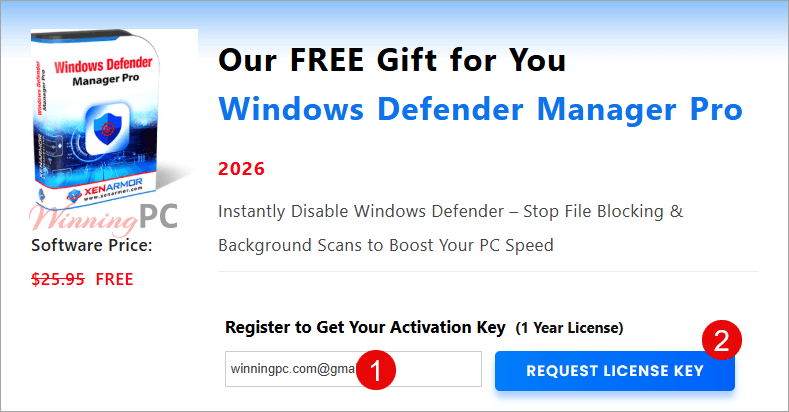
- Go to the official XenArmor Windows Defender Manager giveaway page.
- Enter a valid email address to receive your personal license details.
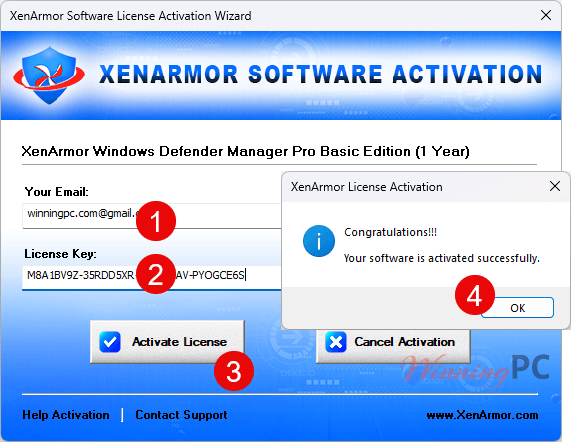
- Download the software via the link provided in your email, install it, and use the provided key to activate the Pro version.
Top Antivirus Software Coupon Codes Sep 2026




Hands-on with XenArmor Windows Defender Manager Pro
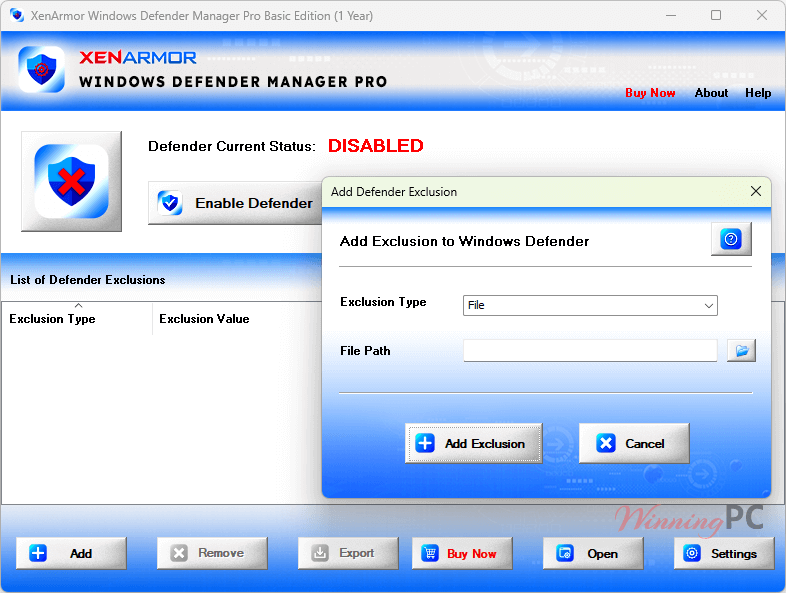
XenArmor Windows Defender Manager Pro is a specialized security management tool that gives you total control over the built-in Windows Defender antivirus. Instead of digging through complex system settings or registry keys, this software provides a centralized interface to instantly enable or disable protections, manage exclusions, and monitor the real-time status of your system’s security.
Key features
- One-Click Control: enable or disable Windows Defender instantly, no digging through Windows Security settings
- Real-Time Monitor: continuously tracks Defender status and enforces your chosen state, including after reboots and Windows updates
- Defender Guard Protection: blocks unauthorized status changes, including malware-driven attempts to quietly disable your protection
- Exclusion Manager: view, add, remove, and clean up all Defender exclusions (folders, files, processes, IP addresses) with right-click context menu support
- Command-Line Automation: control Defender and manage exclusions via scripts or task scheduler (Premium and Unlimited editions)
Frequently Asked Questions
How can I get the XenArmor Windows Defender Manager Pro license key for free legally?
The safest way is to participate in the official giveaway hosted by WinningPC in partnership with XenArmor. This ensures you receive a genuine key that won’t be blacklisted.
Where can I find the best coupon code?
WinningPC offers exclusive discount codes like WINN***C25 that provide higher savings than standard public offers.
Is it safe to disable Windows Defender?
Disabling Defender is safe only if you are doing it temporarily for specific tasks (like gaming) or if you have a third-party antivirus installed. XenArmor helps you manage this state safely.
Does this software support Windows 11?
Yes, it is fully compatible with Windows 11, Windows 10, and various Windows Server editions (2016 through 2025).
Will the giveaway version expire?
Yes, the giveaway license is valid for 365 days from the date of activation.
What happens if I lose my license key?
Since the key is sent to your email during the registration process, you can find it by searching your inbox for “XenArmor.”
System Requirements & Details
| Operating System | Windows 10/11 |
| Processor | 1 GHz or faster |
| RAM | 4 GB minimum recommended |
| Disk Space | 16 MB for installation |
| Note: This software does not support ARM-based tablets, mobile devices, or macOS/Linux. |




Odd program… I’ve NEVER had a problem with Windows defender … the settings it has out of the box were adequate for me to customise it to suit my needs. How odd to have a commercial rented program to manage a free program that should not need managing if set up correctly! And this is only the BASIC edition…