
 Chris Bruner
- Product: AutoClose MP3 Hammer (Official giveaway)
- Current Price:
$29.95(Free) - License Type: Lifetime
- OS: Windows
- Status: 🔥 Active (24hrs)
ℹ️ Details on how to get the license key are explained below.
What Is AutoClose MP3 Hammer?
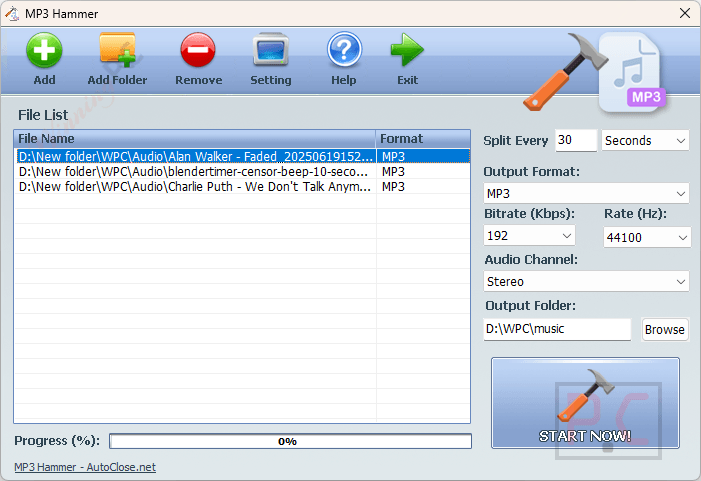
AutoClose MP3 Hammer is a specialized batch audio segmenting utility designed to split lengthy audio files into smaller, equal-duration segments. Unlike standard audio editors that require manual cutting for every track, this software automates the process based on a specific time interval you set. It is a solution for dividing massive audiobooks, marathon podcasts, and continuous music mixes into highly portable and easy-to-organize files.
AutoClose MP3 Hammer License Key for Free
- Product name: AutoClose MP3 Hammer v1.0
- Website: https://autoclose.net/mp3hammer.html
- License type: lifetime
- Platform: Windows
- License code – last updated: Mar 21, 2026
Click here
The giveaway version of AutoClose MP3 Hammer provides excellent core functionality, but it does not include technical support or upgrades to future versions. To ensure your software remains compatible with future Windows updates and to access priority developer assistance, we highly recommend upgrading to the paid version.
AutoClose MP3 Hammer - 1 License
33% off coupon code: regular price $29.95, discounted price $19.95
AutoClose MP3 Hammer - 10 Licenses
44% off coupon code: regular price $229.5, discounted price $129.50
Please follow the instructions below to get your license key or activate the software successfully. If you have any questions or need help, feel free to leave a comment at the bottom of this post.
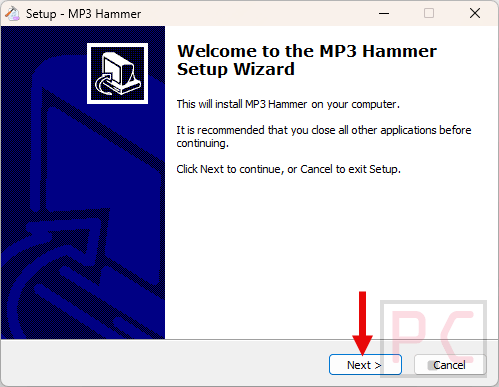
1. Download the giveaway installer for AutoClose MP3 Hammer from the download link above. Run the installer and follow the standard on-screen instructions to install the software on your Windows PC.
2. Launch the program and enter the license key provided above to unlock the full version.
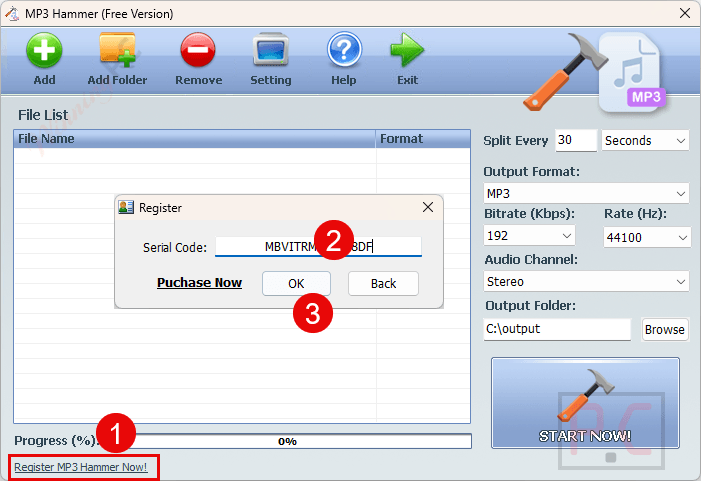
3. Enjoy the full features.
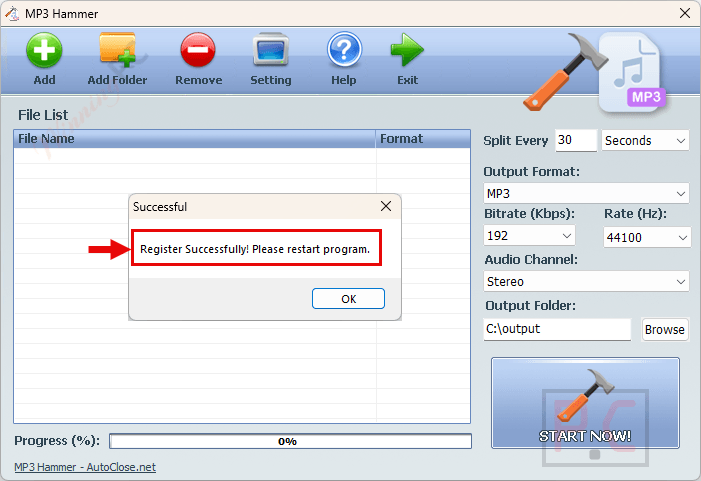
More AutoClose MP3 Hammer screenshot!
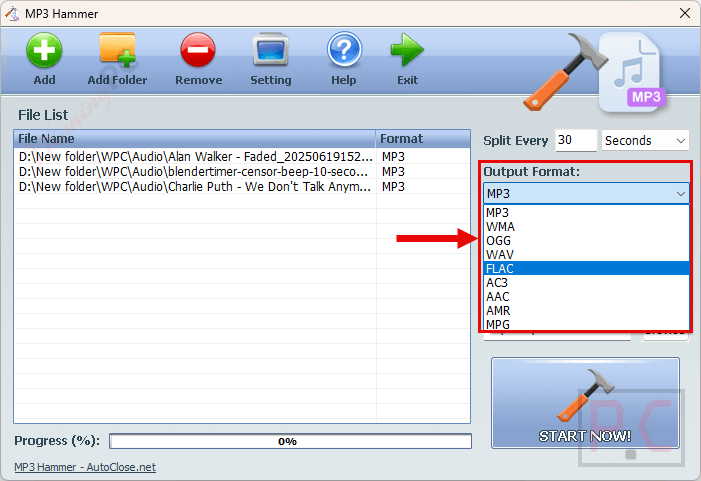
Key Features & Screenshots
- Duration-Based Batch Splitting: Automatically cut single or multiple large audio files into precise, equal-length pieces (e.g., splitting a 5-hour file into 30-minute segments).
- Lossless Quality Preservation: Splits the audio stream directly without re-encoding, ensuring the output files retain the exact original bitrate, sample rate, and fidelity of the source file.
- Broad Format Support: Works flawlessly with a variety of popular audio formats, including MP3, WMA, OGG, WAV, FLAC, AC3, AAC, AMR, and MPG.
- Batch Processing Efficiency: Load dozens of large files simultaneously and apply the same splitting rule to all of them in a single operation, saving significant time.
Frequently Asked Questions
How can I legally get an AutoClose MP3 Hammer license key for free?
You can legally obtain a free license key through official giveaway promotions. WinningPC is the safest partner for finding active, legitimate giveaways directly from software developers without risking your PC’s security.
Where can I find the best coupon code?
WinningPC has exclusive deals and partnerships with developers like AutoClose. Checking our site ensures you get the most substantial and verified discounts available.
Will MP3 Hammer reduce the audio quality of my files?
No. The software cuts the audio stream directly without re-encoding it. This means your output files will have the exact same audio quality as the original source.
Does MP3 Hammer only support MP3 files?
Despite the name, it supports multiple audio formats, including WMA, OGG, WAV, FLAC, AC3, AAC, AMR, and MPG.
Can I manually cut out a specific middle section of a song?
No, this software is specifically designed for batch segmenting based on a fixed duration (e.g., splitting a file every 15 minutes). It is not designed for manual, point-to-point audio editing.
Are there any file size limits?
The software is built to handle massive audio files such as 10-hour audiobooks or marathon podcasts without crashing.
Technical Specifications
| Supported OS | Windows 7 / 8 / 10 / 11 or later & Windows Server (32-bit and 64-bit) |
| Processor | 1 GHz Intel/AMD processor or above |
| RAM | 512 MB or more |
| Disk Space | 15.6 MB of free hard disk space for installation |




As usual this is an ILLEGAL closed source GUI on top of a PIRATED distribution of GPLv3 FFMPEG.EXE renamed to conv.exe they are also dropping a 701 byte mhsound.dll in the user\[username]\appdata\roaming folder for some obscure probably invalid reason… they should not be dropping files there but using app-specific subfolder and then putting DATA files there not executables except that DLL is NOT an executable it contains seemingly random lowercase alphanumerical strings on seperate lines.
This would be far more useful if it were content aware and split on silences not on fixed timing points which could be mid word or mid musical phrase. This is just using FFMPEG.EXE/conv.exe to do blind splitting it is not fit for sale regardless of the fact it is illegal to distribute in law abiding jurisdictions. They *could* have made it a legal product by building FFMPEG.EXE/conv.exe as LGPLv3 compatible AND gave attribution to the FFMPEG.ORG project and included a copy of the LGPLv3 license but the developers are AMORAL in ignoring the IP rights of those FFMPEG.ORG contributors and wanting to enforce their own IP rights!
You can make this Vista or even XP compatible by replacing the FFMPEG.EXE that is renamed to conv.exe in the data folder of the installation for an XP or Vista build, there are current versions of FFMPEG.EXE out there on the internet that are built to support XP and Vista still with most features still enabled, maybe GPU accelerated codecs that rely on certain features of more modern windows removed. Why would the developer put conv.exe and executables into a folder called “data”?
But why would you want to mutilate your media files in such an indiscriminate way even if it *could* be done without re-encoding the content. I’d rather lose a little quality re-encoding but have my split points in good places in a silence at the end of a sentence using something like audacity mark silences in an edit track and then choosing my cut points manually. CRAFTING my output files not just indiscriminately cutting and thinking pah that’ll do, screw the listing experience!
Another program design ERROR that emphasises the amateurish nature of these developers they install into Program Files (x86) by default which is WRITE PROTECTED against un-elevated writes by default, yet places the settings.ini file in the install folder and relying upon an ancient Vista system to virtualise unauthorised writes to a VirtualStore hierarchy designed for badly designed XP and windows 98/ME programs that could write to Program Files hierarchy. The settings.ini and setup.ini should both have been placed into a uniquely named subfolder of the logged in users AppData\Roaming folder so it can be both read and written and not conflict with other similarly named files.
Personally I DO NOT BELIEVE THIS SPLITS WITHOUT RE-ENCODING there is NO option to not re-encode! the output format is specified as if it is going to be re-encoded there is NO COPY option without re-encoding. It is hypothetically possible to do that but not with this GUI as the GUI only includes parameters to re-encode. I strongly suspect this current build is a SCAM,
I just tested this on an 8 hour mp3 recording and the command-line passed to conv.exe includes instructions to re-encode the segments NOT copy them. This giveaway is an illegal IP stealing program which does NOT do what it claims. IT IS A SCAM!
It is foolishness to trust an IP thief to tell you the truth about the product they are producing.
We also cannot cancel the conversion once it’s started… guess i’ll have to use task manager and end the conv.exe process.
It did not detect the forced end task on conv.exe as a failure and assumed the conversion completed successfully so it’s not even checking the code returned by the spawned conv.exe process for success or failure! amateurs.