
 Chris Bruner

StoreSizer is a Windows-based bulk image optimizer built for e-commerce sellers who need to resize, compress, and convert large batches of product images quickly. It includes Shopify-ready presets, multi-threaded processing, and fully offline operation for faster image workflows.
StoreSizer
Bulk resizes, compresses, and converts product images JPG, PNG, WEBP with Shopify‑optimized presets- saving hours while speeding up your store.
- ProductStoreSizer
- Websitegogrowtools.com
- LicenseLifetime
- PlatformWindows 10/11
- UsagePersonel license( 2PCs )
- UpdatesFree updates and upgrades
- SupportFree customer support (email & chat)
- Updated2026-06-18
StoreSizer Coupon Codes & Deals (100% Working)
StoreSizer - Bulk Image Optimizer
Lifetime License(2 PCs) - Windows app
You may also like
WP Compress
3 plans · best save 80%
Solo - 1 Website (Unlimited Access)
All-Access Membership for 1 Website
Studio - 5 Website License ★ Best Deal
All-Access Performance Suite + Unlimited Optimization for 5 websites
Whitelabel Unlimited Access
Whitelabel Performance Suite + Unlimited Optimization for Unlimited Websites
Activation Guide: How to get the StoreSizer for free?
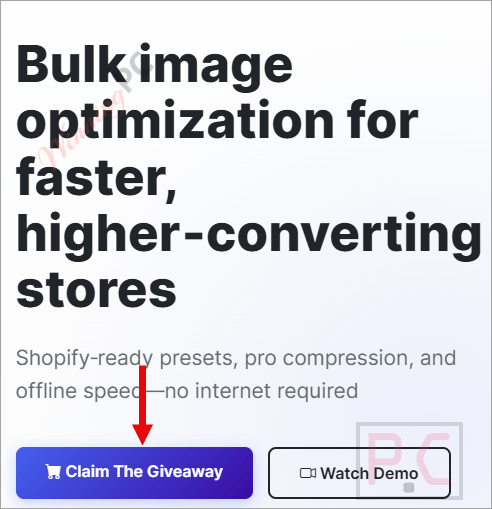
1. Click on the “Claim The Giveaway” button on the giveaway page
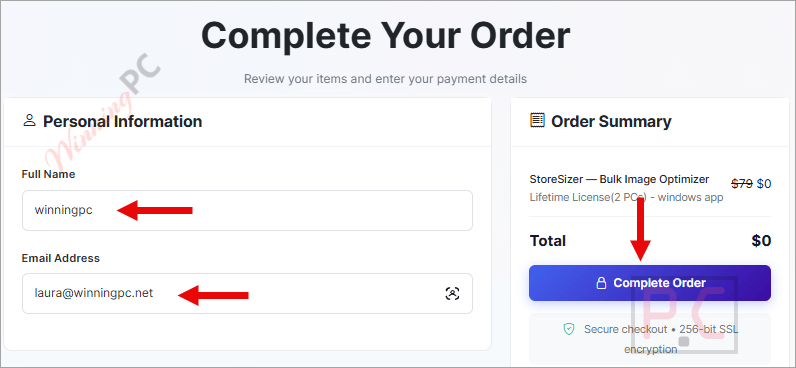
2. Complete the personal information on the available form then click on the “Complete Order” button.
3. Your account with a free lifetime license will be created and activated. Log in using your registered email address and get your license key.
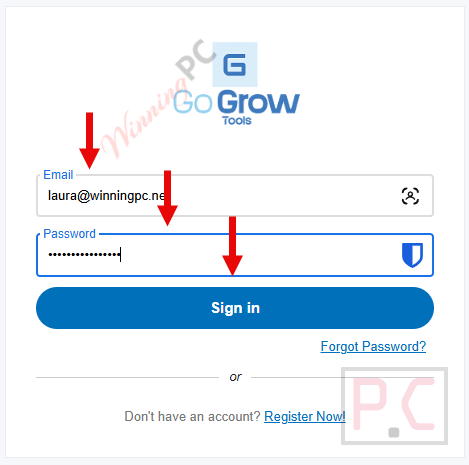
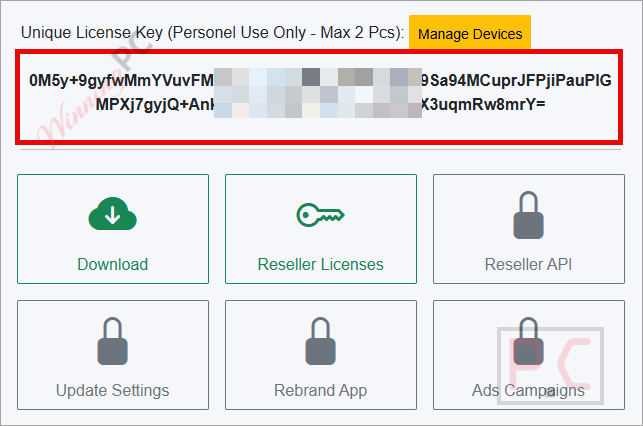
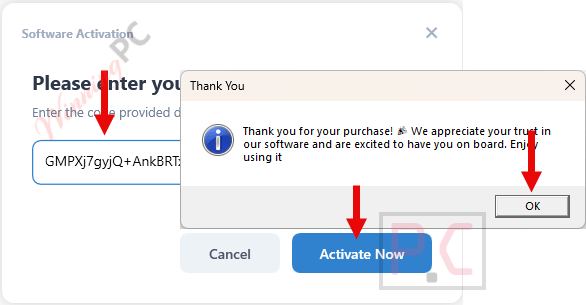
4. Download, install and activate the software with your licsene:
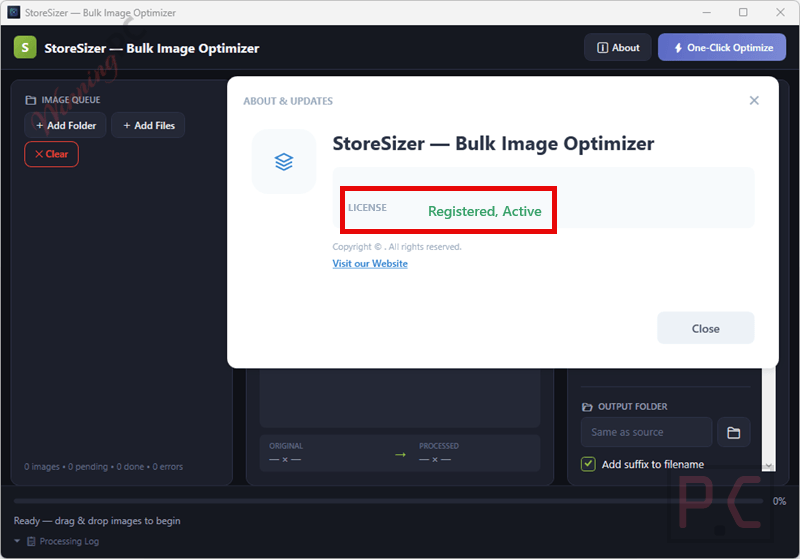
5. Got it for a lifetime free!
In-Depth Review & Features
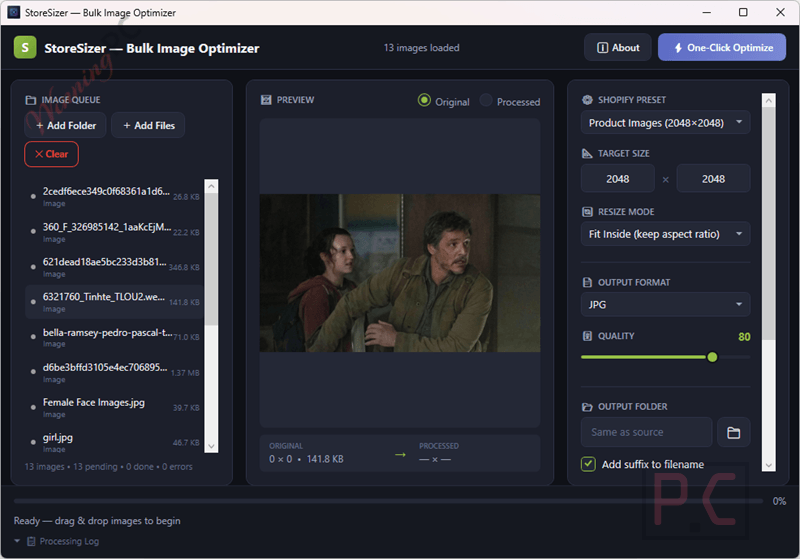
Main Features
- Bulk Processing: Resize and optimize over 1000 images at once.
- Format Conversion: Switch files between JPG, PNG, and WEBP formats natively.
- Shopify Presets: Apply standard 2048×2048 dimensions with a one-click mode.
- Smart Framing: Choose to maintain perfect aspect ratios or apply a smart crop for clean grids.
- Adjustable Compression: Dial in exact compression levels to balance file size and visual clarity.
- Drag & Drop: Drop entire folders into the interface to start processing immediately.
- Offline Functionality: Process everything locally on your Windows machine with zero uploads or APIs.
- Multi-Threaded Engine: Utilize parallel processing to run through massive catalogs quickly.
Pros & Cons
Frequently Asked Questions
Where can I find valid promo codes and special offers for StoreSizer?
You can always track down the most recent StoreSizer discounts and active giveaways right here on WinningPC, as well as checking their official website for seasonal events.
What does this bulk image optimizer actually do?
It resizes, compresses, and converts large batches of product images for e-commerce stores, using fast multi-threaded processing directly on your Windows desktop.
How many photos can I process in a single batch?
You can bulk process over 1000 images at once, which drastically cuts down on the hours spent on manual editing.
Do I need to be connected to the internet to use it?
No. It is a completely offline tool, meaning your files stay on your machine with no web uploads or APIs required.
Which file formats does the software support?
It supports JPG, PNG, and WEBP for both your starting input files and your final converted output.
Are there built-in sizes for Shopify?
Yes, it includes specific Shopify-optimized presets, like 2048×2048, and a dedicated one-click Shopify mode to standardize your whole catalog.
Will compressing my photos ruin their quality?
You have full control over the compression levels, so you can easily balance smaller file sizes with keeping your product photos looking sharp.
Can I retain my original image proportions while resizing?
Yes, the app gives you the choice to maintain perfect aspect ratios or use a smart crop feature to keep your store grids clean and uniform.
System Requirements & Details
| Feature | Specifications |
|---|---|
| Language Support | English |
| Operating System | Windows 10 / Windows 11 |
| Supported Input | JPG, PNG, WEBP |
| Supported Output | JPG, PNG, WEBP |





You can pretty much do everything this does with the always free Irfanview
Hello:
I’m writing to let the developers know that my antivirus is flagging the URLs of both the main domain and the other domains, as well as the giveaway URL, as malicious.
My antivirus is Avast.
Hello,
Thank you for bringing this to our attention. This appears to be a false positive. We scan all files and URLs thoroughly, and they are completely clean on our end (tested with Sophos and Malwarebytes).