
 Laura Marano
AnyMP4 Video Converter supports 4K, 1080p, and SD formats with fast processing speeds and broad device compatibility. It also includes video editing, movie maker tools, batch video conversion, and audio extraction features for everyday media tasks.
AnyMP4 Video Converter for Windows
2 plans · best save 50%
AnyMP4 Video Converter for Mac
2 plans · best save 50%
📄 Licensing & Support Details
- 30-Day Money Back Guarantee
- License Instant Delivery by Email
- 100% Clean & Secure Purchase
- Free Customer Support
- Free Technical Support
- Free Upgrades.
📝 How to apply
Clicking the ‘Copy Code’ button above duplicates the coupon and redirects you straight to checkout to secure your discount.
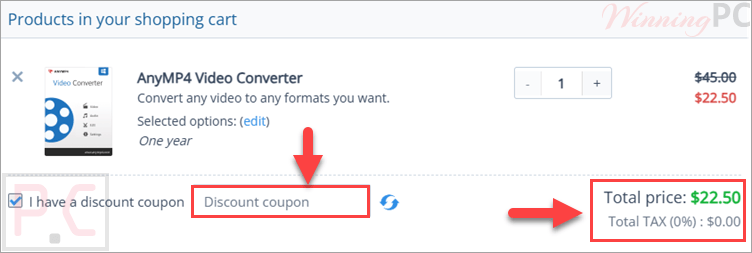
AnyMP4 Video Converter Full License Key Free Download
- Product name: AnyMP4 Video Converter
- Website: https://www.anymp4.com/video-converter/
- License type: 1-year
- Platform: Windows
- Giveaway:
AnyMP4 Video Converter giveaway link - Download: video-converter.exe
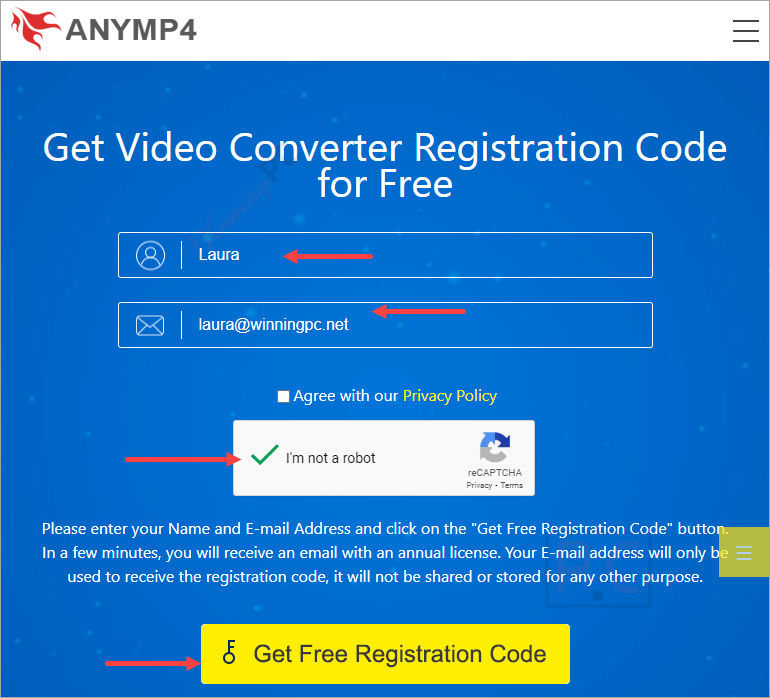
Open the AnyMP4 giveaway page and fill in your information; click the “Get Free Registration Code.”
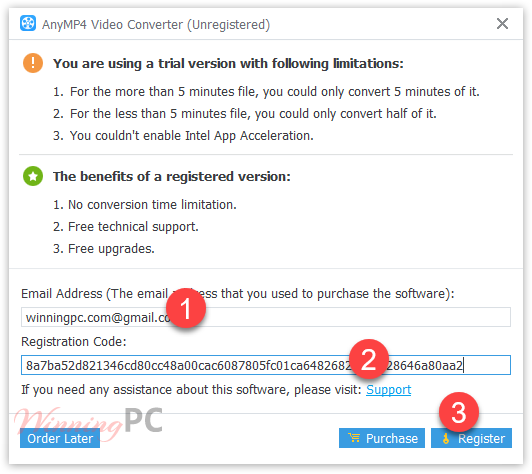
Check your mailbox for a free registration code for AnyMP4 Video Converter:

Open and register the program to the full version:
AnyMP4 Video Converter: In-Depth Review & Features
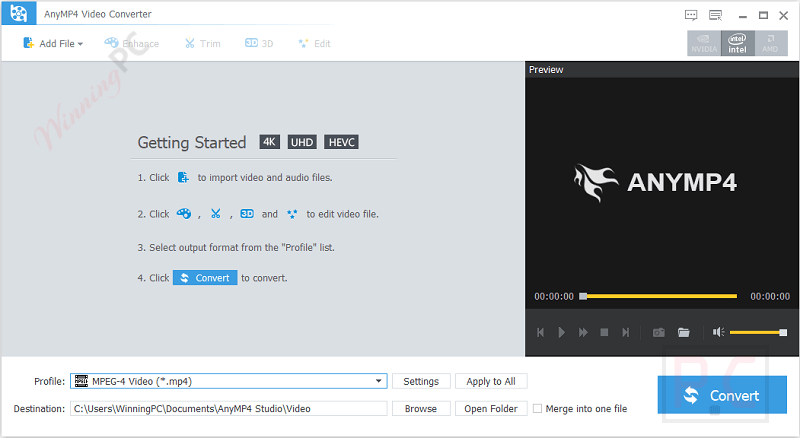
Key Features
- Convert 4K, 1080p, 720p, and SD videos
- Supports MP4, AVI, MOV, WMV, FLV, MKV, WebM, and many more
- Convert video files to audio formats like MP3, AAC, FLAC, WAV, and M4A
- Extract audio tracks from video files
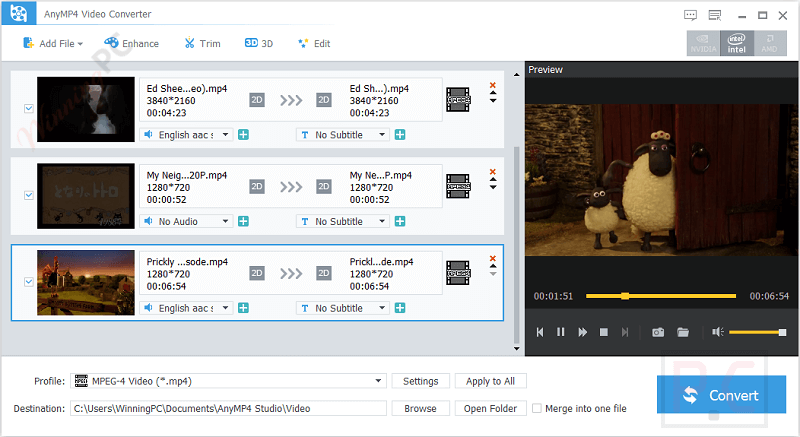
- Batch convert multiple files simultaneously
- Built-in video player with snapshot capture
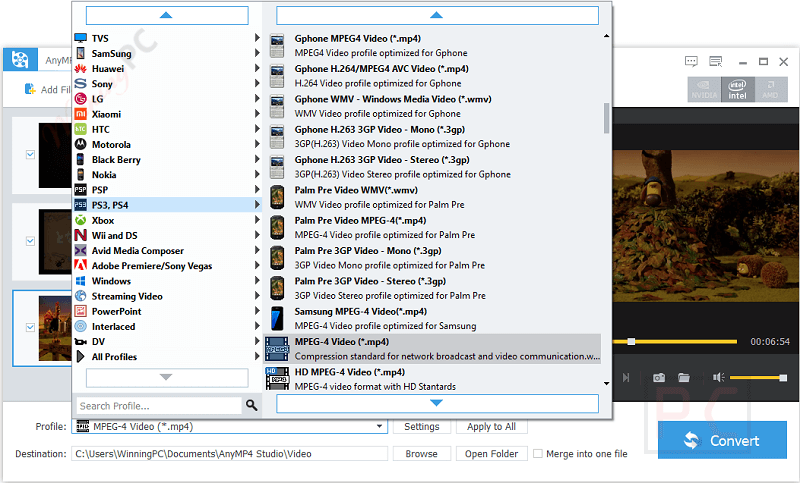
- Device presets for iPhone, iPad, Samsung, Huawei, LG, Xbox, PS4, and more
- Create movies using templates for travel, wedding, sports, business, and holidays
- Trim, clip, merge, and rearrange video clips
- Add watermarks and adjust brightness, contrast, hue, saturation, and volume
- Supports 3D video conversion
- Fast conversion speed with quality preservation
- Supports both Windows and macOS systems.
Pros & Cons
More screenshots:
Frequently Asked Questions
Where can I find the latest AnyMP4 Video Converter coupon codes?
You can usually find updated AnyMP4 Video Converter deals on WinningPC, along with promotions from the official AnyMP4 website during seasonal sales and special campaigns.
What’s the best current discount?
Right now, WinningPC offers a 50% OFF deal for both the 1-Year License and Lifetime License plans.
Does AnyMP4 Video Converter support 4K videos?
Yes. The software supports converting and processing multiple 4K video formats including H.265/HEVC, H.264, WebM, and 4K AVI files.
Can I convert video files to MP3?
Yes. You can extract audio from videos and convert files to MP3, AAC, FLAC, WAV, M4A, and several other audio formats.
Is batch conversion available?
Yes. The software allows you to convert multiple video and audio files at the same time.
Can I edit videos before converting them?
Yes. The built-in editor lets you trim, merge, clip, add watermarks, and adjust video effects like brightness and contrast.
Does the software support iPhone and Android devices?
Yes. It includes optimized presets for iPhone, iPad, Samsung Galaxy, Huawei, LG, OnePlus, and many other devices.
How quickly do I receive the registration code?
In most cases, the registration code is sent immediately after payment confirmation by email.
Can I cancel auto-renewal subscriptions?
Yes. Subscription cancellation is possible through the payment provider or by contacting the support team.
System Requirements & Details
| Operating System | Windows 11/10/8.1/8/7 macOS 10.7 or above |
| Processor | 1GHz Intel/AMD CPU or above (Windows), Intel Processor or Apple M-series chips for Mac |
| RAM & Storage | Windows: 1GB RAM or more, Mac: 2GB RAM recommended |
| Supported Input | MP4, MOV, AVI, MKV, FLV, WebM, MP3, AAC, FLAC, WAV, MTS, MXF, WMV, and more. |
| Supported Output | MP4, AVI, MOV, MKV, WebM, MP3, AAC, FLAC, WAV, 3D Video formats, HD Video formats. |




Just another Chinese illegal closed source user interface pirating a GPLv3 or undistributeable build of FFMPEG to do the actual capture and conversion. I prefer to give my patronage to LEGAL user interfaces that correctly attribute the FFMPEG project and abide by their license terms like xmedia recode or handbrake. I certainly would NEVER PAY Chinese software pirates for their illegal GUIs.
This Giveaway has the same Interface as 3 others, looks like it´s all the same company and all 4 don´t deliver good quality.
Please name the 4 companies. No need for functionally duplicate apps on my computer.