
 Laura Marano
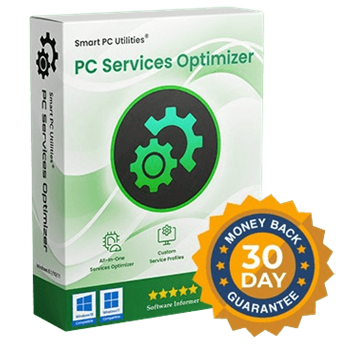
PC Services Optimizer Pro manages and optimizes your Windows background services. It frees up system resources, improving your computer’s speed, stability, and boot times.

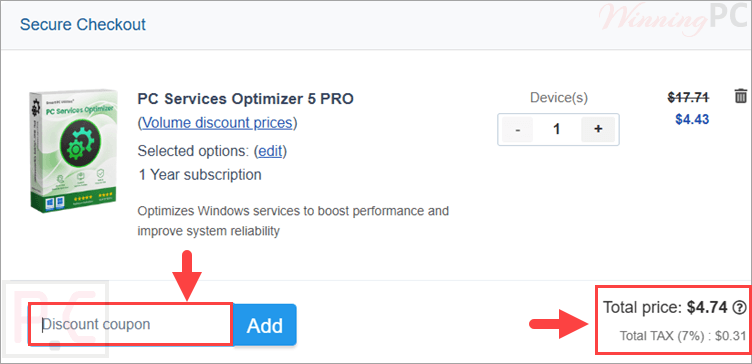
Special Offer: PC Services Optimizer 5 PRO
85% off coupon code: regular price $31.58, discounted price $4.74

PC Services Optimizer 5 PRO - 1 Year/1PC
67% off coupon code: regular price $31.58, discounted price $10.42
PC Services Optimizer 5 PRO - 1 Year/3PCs
46% off coupon code: regular price $56.85, discounted price $30.46
PC Services Optimizer 5 PRO - 2 Year/ 1 PC
88% off coupon code: regular price $63.16, discounted price $7.81
PC Services Optimizer 5 PRO - 2 Year/ 3 PCs
56% off coupon code: regular price $113.7, discounted price $50.28
PC Services Optimizer 5 PRO - Lifetime/1PC
61% off promo code: regular price $68.25, discounted price $26.62
PC Services Optimizer 5 PRO - Lifetime/ 3 PCs
33% off promo code: regular price $122.85, discounted price $82.03
📄 Licensing & Support Details
- License Type: 1-Year, 2-Year, and Lifetime licenses available (for 1 or 3 PCs).
- Support: 7×24 Premium Support (email responses within 24 hours).
- Automatic Updates.
- 30-Day Money-Back Guarantee.
- Secure Payment.
📝 How to apply
Simply click ‘Copy Code’ above. We’ll copy it to your clipboard and take you straight to checkout to secure your deal.
PC Services Optimizer Pro License Key Free Download
- Product name: PC Services Optimizer Pro 5
- Website: https://www.smartpcutilities.com
- License type: 1-year
- Platform: Windows
- Giveaway: PC Services Optimizer Pro giveaway link
- Download: servicesoptimizer.exe
Follow the instructions on the giveaway page to get the PC Services Optimizer Pro free license key.
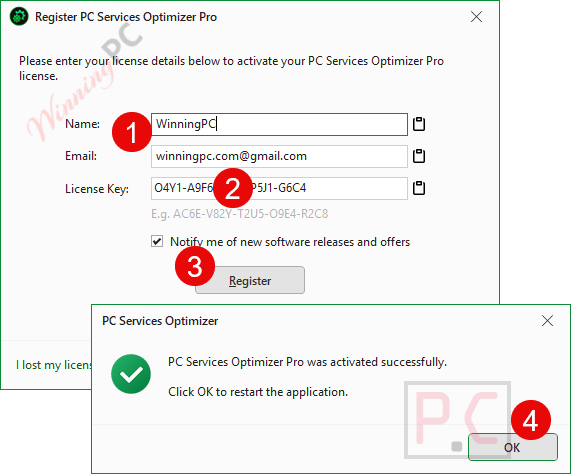
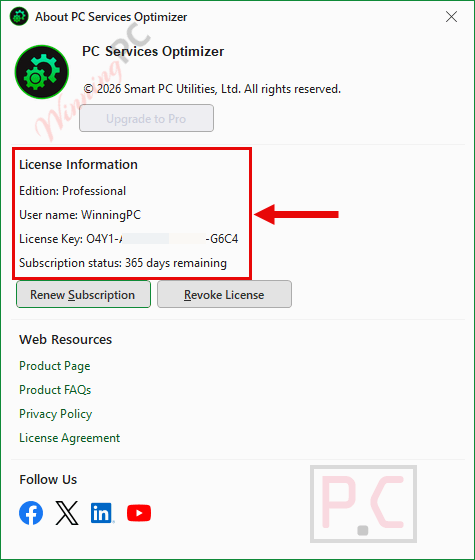
Download the software from the homepage and run the .exe file to install it on your computer. Launch the software and click the “Register” button in the right corner of the window. To register the software, fill in the User Info fields: Name, Email, and License Key, then click the “Register” button.
Get it for 1 year free!
PC Services Optimizer Pro: In-Depth Review & Features
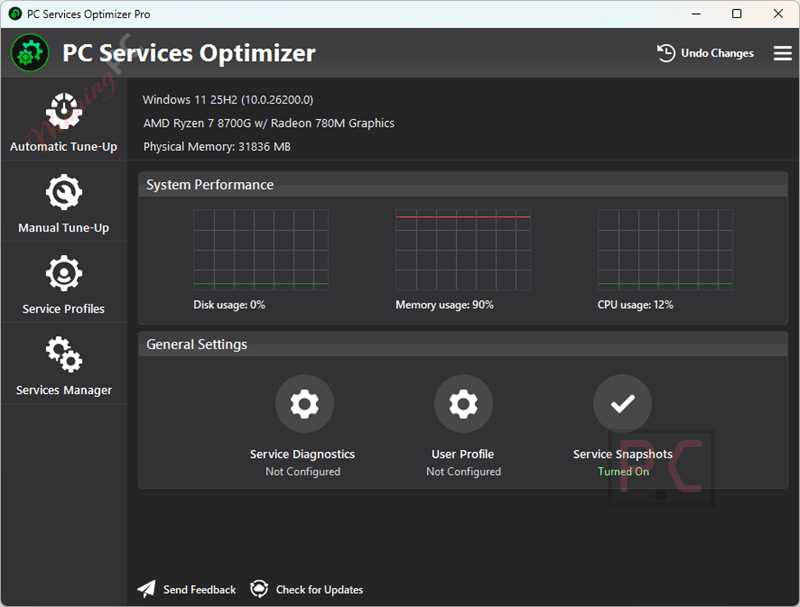
Key Features:
- Automatically adjusts background service settings based on user needs.
- Provides manual tune-up options to tweak third-party application services.
- Saves customized tune-up settings into specific Service Profiles.
- Includes a Rescue Center to back up and restore previous service configurations.
- Downloads automatic updates for bug fixes and new improvements.
Pros & Cons
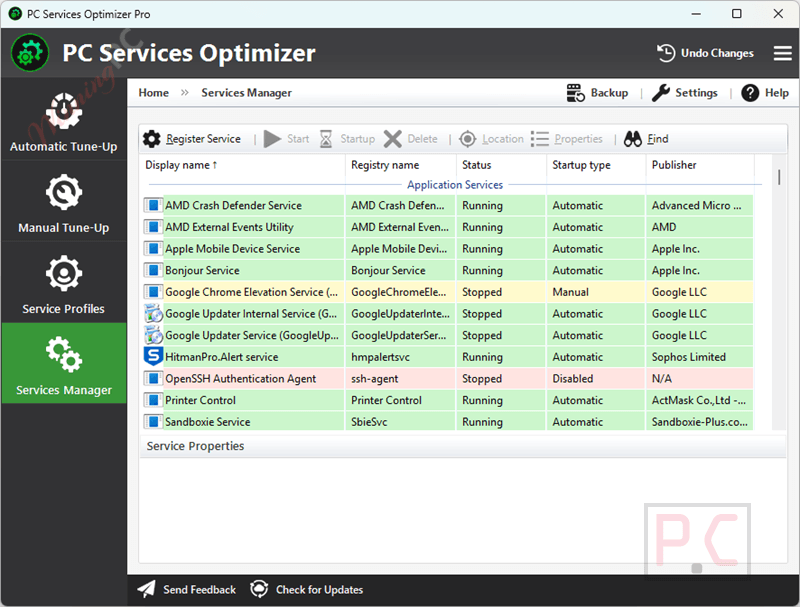
More screenshots:
Frequently Asked Questions
Where can I find a coupon code for PC Services Optimizer?
The latest and best deals can be found on WinningPC, alongside the official software website or the developer’s social media channels.
What is the best discount currently available?
The best current PC Services Optimizer Pro discount is 88% OFF, available directly on WinningPC.
Is it safe to modify my system services with this tool?
Yes. It includes a built-in Rescue Center that allows you to easily revert any changes made to your configuration if something goes wrong.
Do I need to know which services to disable?
No, you don’t need extensive technical knowledge. The software has an automatic optimization feature that handles the adjustments for you safely.
Can I use it on multiple computers?
Yes, there are specific license tiers available that cover up to 3 PCs for 1-Year, 2-Year, or Lifetime durations.
Will this utility work on older Windows versions?
It supports Microsoft Windows 8.1, Windows 10, and Windows 11 (both 32-bit and 64-bit architectures).
Does it only manage default Microsoft services?
No, it also allows you to manage and tweak the background services of third-party applications you have installed.
System Requirements & Details
| Language Support | English, Français, Italian, Spanish, Swedish, and more… |
| Operating System | Windows 11, Windows 10 (32-Bit/64-Bit), Windows 8.1 (32-Bit/64-Bit) |
| Additional | Microsoft .NET Framework 4.8 |
| Shipping | Instantly receive the latest Full Version download link and license code |
| Support Services | Tickets |


PC Services Optimizer Pro offers excellent features for checking active and inactive services, allowing for a proper assessment to better define the necessary and/or appropriate adjustments to improve system performance. In addition, it has a feature to revert to a previous state using the backup tool. The program is constantly evolving/updating, and the developing company has effective support.
I recommend using the Rescue Center before making changes; it’s a lifesaver if you want to undo tweaks.
Installed it today and already noticing faster boot times. Didn’t expect much from a freebie, but this one’s a keeper.
Giveaway link is right where download link is. It works i just activated mine.
no key found