
 Cathryn Lee
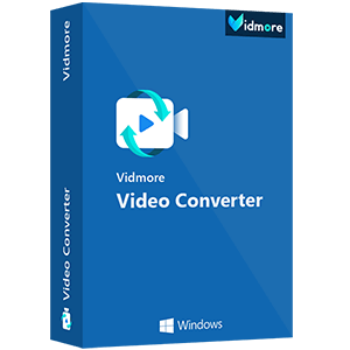
Vidmore Video Converter is the most comprehensive and powerful multi-format video converter for Windows users. It can convert video files to 200+ formats and devices fast without quality loss. It is also equipped with a built-in lightweight video editor and allows you to create and edit your personalized videos with ease.
- Product name: Vidmore Video Converter
- Publisher: Vidmore
- Homepage: https://www.vidmore.com/
- License type: 1-year
- Price:
$29.95$0.0 - Platform: Windows 11, 10, 8.1/8, 7
- Giveaway & download – last updated: Apr 15, 2026
Click here...
Unlocking content...
The giveaway version usually comes with no free updates. If you want to use the video converter software forever with priority support, we highly recommend the lifetime deal below.

HD Video Converter Factory Pro Lifetime
63% Off coupon code, regular price $39.95, discounted price $14.95
UniFab Video Converter Pro - Lifetime
30% Off coupon code: regular price $142.99, discounted price $99.99

HitPaw Univd - Perpetual License
65% off promo code: regular price $159.90, discounted price $55.96

EaseUS VideoKit (Lifetime Upgrades)
50% discount code: regular price $79.95, discounted price $<ins>39.97</ins>

Aiseesoft Video Converter Ultimate - Lifetime
50% off coupon code: regular price $62.45, discounted price $31.22

AnyMP4 Video Converter Ultimate - Lifetime
50% Off coupon code, regular price $74.95, discounted price $37.47
Please follow the instructions below to get your license key or activate the software successfully. If you have any questions or need help, feel free to leave a comment at the bottom of this post.
Open the giveaway page, enter your information, and submit the form to get the license for Vidmore Video Converter:

Install and open the software, and register it by using your email address and registration code above:

Enjoy it for 1-year free!

Vidmore Video Converter Screenshot:

Rotate & Crop:

Effect & Filter:

Watermark:

Audio:

Subtitle:

Cut Video:

Main Features
- It allows you to convert video to over 200+ formats, including AVI, MKV, MOV, MP4, WMV, WebM, M4V, and FLV.
- You can use it to convert video for all popular devices and gadgets, including the latest models of iPhone, iPad, Samsung Galaxy, Sony PlayStation, TV, and more.
- This software can preserve the original quality of your videos, including those in 1080p HD and 4K Ultra HD.
- It helps you create awesome video & photo collages with videos, images, music, and GIFs in a few minutes.
- This video converter tool is recognized as the fastest video converter for Windows and Mac. It can help you convert your videos at a 50x faster speed.
- Vidmore Video Converter also comes with simple and powerful video editing. You can trim & split video, rotate video, crop video, adjust video effects, merge video clips, and add text and image (logo) into video.
Technical Details
| Language Support | English, Français, Italian, Spanish, Swedish, German, Japanese, Chinese, and more… |
| Money Back Guarantee | 30-Day |
| Operating System | Windows |
| Shipping | Instant Delivery by Email |
| Subscription | 1-Month, 1-Year, Lifetime |
| Support Services |


Just another Chinese illegal closed source user interface pirating a GPLv3 or undistributeable build of FFMPEG to do the actual conversion. I prefer to give my patronage to LEGAL user interfaces that correctly attribute the FFMPEG project and abide by their license terms like xmedia recode or handbrake. I certainly would NEVER PAY Chinese software pirates for their illegal GUIs. If you MUST still install this illegal software don’t forget to click custom install and deselect join the customer experience improvement program which gives the Chinese company permision to spy on your activity and system details. Note the provided executable is NOT the installer but is a downloader that may leave junk lying around even after uninstallation of the main program.
SZOPD KI A KÍGYÓMAT !!
FILIBERTO DUNKLE SZOPD KI A FASZOM !!!!
HAZUG GECILÁDÁK !!!
Think back for a most successful part of content. Now consider all the other approaches you might deliver this message. Would it not work well as being a movie? For an infographic? Just as a more white paper or manual? Just as a more thorough series of shorter posts?