
 Cathryn Lee
Your computer is experiencing several problems, but it is raining heavily, so you need to address them now to meet your work deadline. AnyViewer is a remote desktop software for Windows that helps IT technicians resolve computer issues remotely, without needing to visit your location.
The first designed mission for AnyViewer is to help users access and take control of a remote computer located anywhere at any time via a security code. In addition, it can also be used for sending files between local & remote devices. With its help, you can easily transfer files from a local folder to any remote folder, and vice versa, with high quality. The standout feature of AnyViewer software is its intuitive user interface, which makes it easy to access a computer remotely.
AnyViewer Coupon Codes September 2026

AOMEI Summer Sale 2026: Up to 80% OFF & New Family Bundle
Join AOMEI's Summer Sale 2026 and save up to 80% on popular software and the new Family Bundle. Protect, manage, and recover your valuable data for less. The event ends on Aug 31st, 2026!


You may also like

AnyViewer Professional (1 Year)
35% Off coupon code: regular price $42.96, discounted price $32.47

AOMEI Flash Sale (80% OFF)
80% off to get AOMEI bundle to protect, manage, and optimize Windows and iOS or single product.
AnyViewer Solo License Key Free Download
- Product name: AnyViewer Solo
- Website: https://www.anyviewer.com/
- License type: 6-month
- Platform: Windows
- Download: https://www.anyviewer.com/download.html
- Giveaway:
AnyViewer giveaway link - License code – last updated: Apr 07, 2026
Click here...
- License code: B620-4D1A-833A-D564
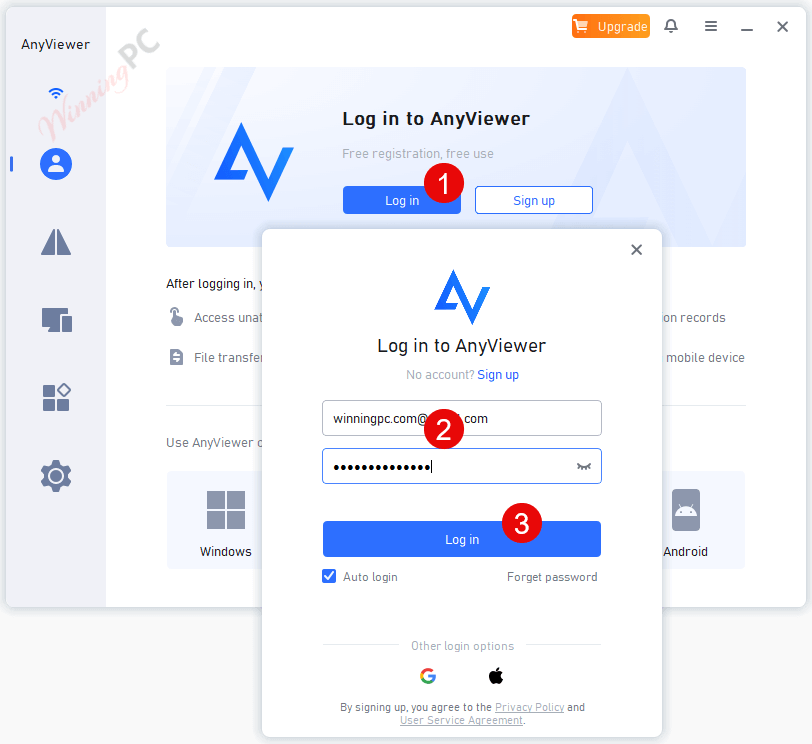
Download and install the software using the link provided above. Log in with your AnyViewer account:
Now click “Enter License Code” from the account information section and enter the above license code, then confirm registration:
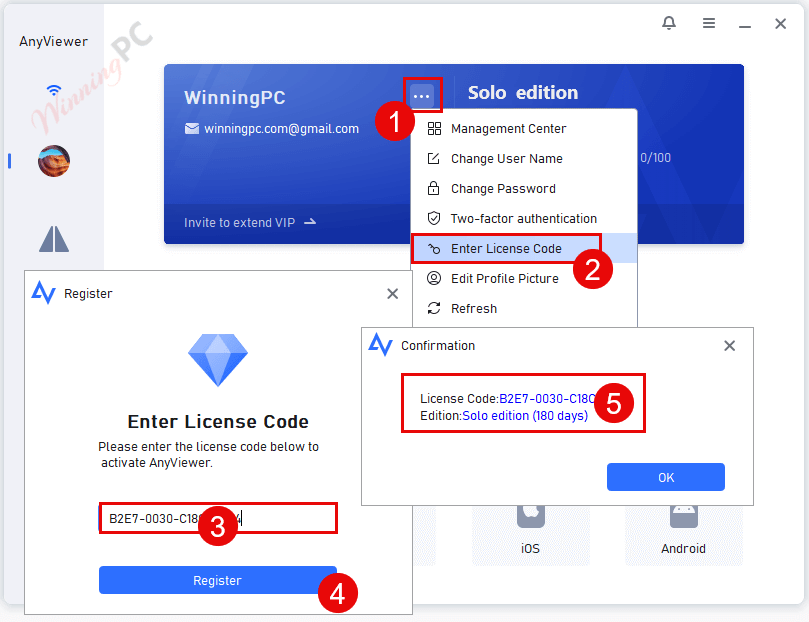
You can enjoy AnyViewer for free:
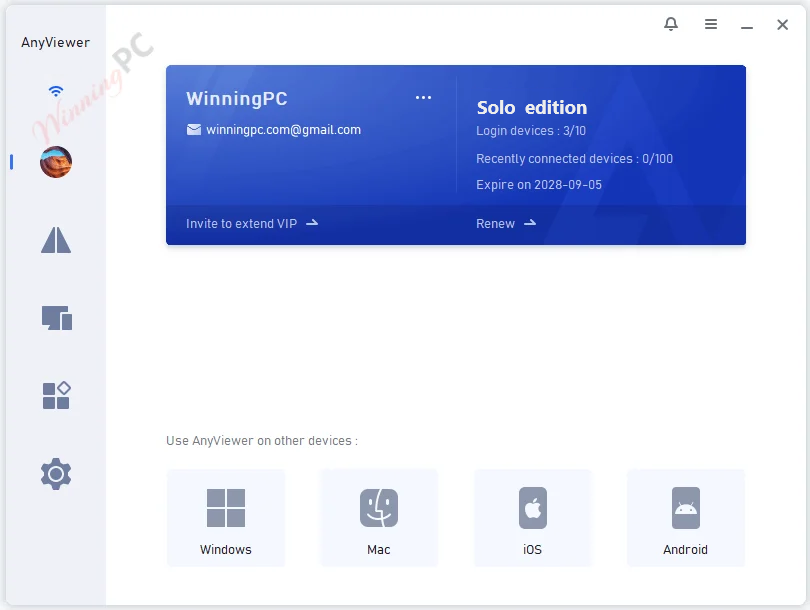
AnyViewer Screenshot!
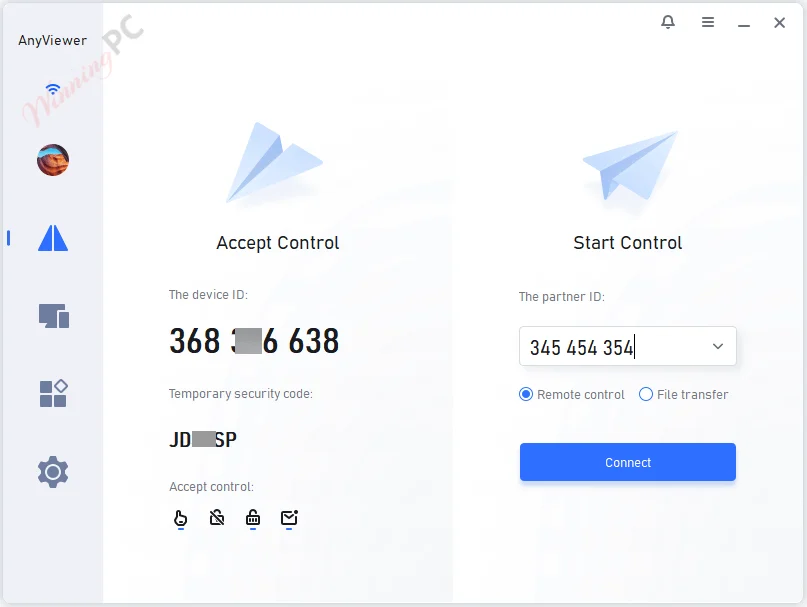
File Transfer

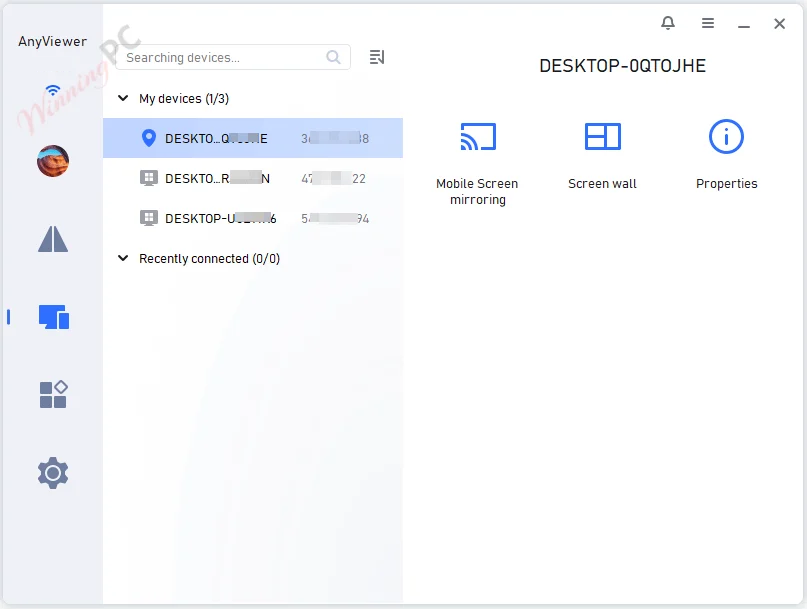
Device Control

Device
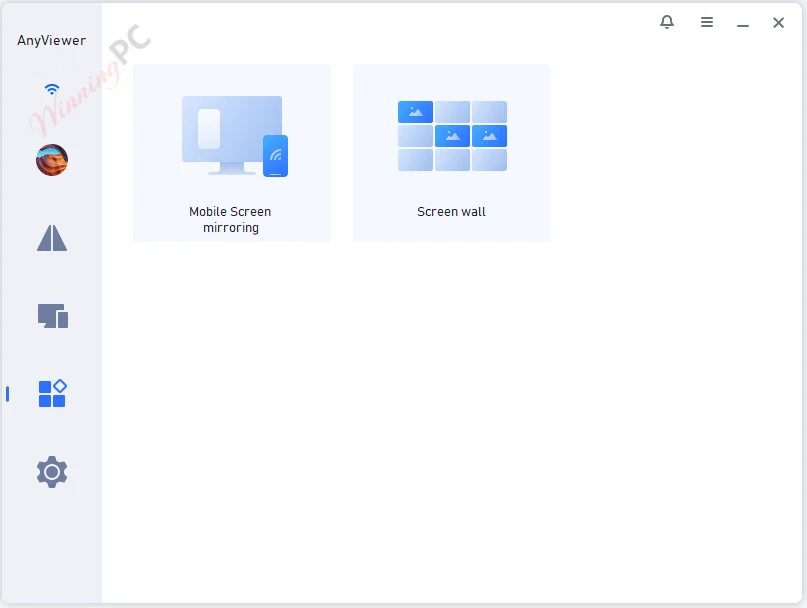
Tools
Main Features
- AnyViewer is a powerful remote desktop connection software for Windows PCs and Windows Server that helps you remotely access work computers from home or during the trip without complicated settings.
- You have just received a sudden overtime notice at home and need the necessary files on your office computer, AnyViewer allows you to access your office computer and transfer files remotely to your computer with ease.
- With the help of AnyViewer, you can fix technical issues without being on-site. You are allowed to access and control the desktops, laptops, or servers without physical presence.
- It is very useful to remotely support your customers, families, or friends to help them solve any IT problem instantly.
- With the help of AnyViewer, you can connect to your home computer for remote games whenever you want and where you are.
- AnyViewer has a simple and intuitive interface, ensuring you an easy remote access process.
Technical Details
| Language Support | English, Français, Italian, Spanish, Swedish, and more… |
| Money Back Guarantee | 15-Day |
| Operating System | Windows Vista, Windows 7, Windows 8/8.1, Windows 10/11 |
| Shipping | Register code will be sent to your email in minutes |
| Subscription | 1-Month, 1-Year |
| Support Services |





I’ve used both TeamViewer and AnyDesk previously, both are excellent products and worked fine…until they decided I must be using their “free” service commercially. I had upward of 20 remote connections, particularly during the pandemic, to elderly individuals who constantly needed help, especially to connect to Zoom meetings. Even though I responded to these providers’ requests for explanation of how I was using their service, I was constantly being disconnected. I discovered AnyViewer with their more liberal usage requirements, and have had no issues since switching. The software is constantly being updated and improving in speed and efficiency. I like that I can see both monitors of remote computers having dual monitors.
Also noch mal zum Pro / Kontra….
+ schnell bis zu 6000MB/sec Dateiübertragung (bei mir mit einem 250MBit/sec Download, 50Mbit/sec Upload via Kabel)
+ nimmt abgebrochene Uploads wieder auf
+ überträgt Dateien weit aus schneller als in der Freeuser-Teamviewer-Version.
– Anyviewer macht Probleme bei Übertragungen mit Dateinamen „ä“, „ü“, „ö“, „ß“
– Bei Desktopanzeige nicht immer alle Funktionen verfügbar (von 10 Verbindungen etwa 1-2x vorgekommen), z.B. bei einem Desktop-Icon die Beschreibung ändern) oder ein Icon in den Papierkorb verschieben.
Anyviewer benutze ich seit langem. Habe schon etliche Programme ausprobiert. Teamviewer ist sehr eingeschränkt und kappt die Verbindung irgendwann und wirft vor, man nutze das Programm Kommerziell. Das hab ich schon seit weit über ein Jahr. AnyDesk macht auch Probleme, Anyviewer finde ich am besten. Mit 6000 MB/Sec überträgt er Daten, manchmal auch nur 2000MB/sec, wobei das meistens an der Verbindung liegt. Anyviewer macht nur Probleme bei Übertragungen mit Dateinamen “ä”, “ü”, “ö”, “ß”….. Leider schon seit Anfang an…. Eine Mail an Anyviewer ergab, das man sich bemühe das Problem in Griff zu bekommen. Leider bis dato heute noch nichts. Was das Giveway anbetrifft: Mein Anyviewer läuft -nach jeder neuen weitere gültige Codeeingabe- 1 Jahr LÄNGER. Somit hab ich bis heute bis ins Jahr 2036 eine Vollversion 😉 Also 12 Jahre ohne weitere Codeeingabe möglich. Da es aber im Jahr immer wieder neue Free-Codes gibt, erweitert sich Lizenz um ein weiteres Jahr 😉 Das ist schon ne geile Sache. Hoffe das Anyviewer entlich die Probleme behebt, und vielleicht noch “schneller” wird.
This is not a lifetime giveaway. Thanks but no thanks! I will stick with Teamviewer.
After new update everything is in chinese.
There is no option to change the language.