Chris Bruner

Photoshop Elements 2026 is a photo editing program built to make everything from quick fixes to more creative edits easier with AI tools, Guided Edits, templates, and automation. This deal gives you the option to get a 3-year license for $99.99, or try the software free for 7 days.
Status: ✅ Active & Verified
Last Checked: September 2026
Offer: License deal / free trial
You may also like

Adobe Special Offers
Shop and save with the latest deals and promotions on Adobe creativity and design products.
What is Photoshop Elements?

Photoshop Elements 2026 is designed for people who want an easier way to edit photos without needing advanced experience. It covers everyday touch-ups, AI-assisted edits, creative projects, animated photo effects, collages, and organizer tools for managing media. The 3-year term license may be a practical pick for anyone who wants a one-time purchase instead of ongoing fees during that period, especially if they mainly need photo editing rather than full video tools.
Key Features and Screenshots
- AI-powered editing: helps simplify photo editing with automated tools, quick fixes, and creative generation features.
- Generative AI image creation: lets you type a description to create backgrounds or detailed images.
- Generative AI object addition: allows you to brush over an area and describe an object to add it into the image.
- Background person removal: automatically detects people in the background for easier cleanup with the Remove tool.
- Photo restoration with AI: helps erase scratches, creases, and signs of wear in older photos.
- Guided Edits: includes 59 step-by-step edits for adjustments, creative projects, and effects.
- Object editing tools: lets you move, scale, duplicate, and reposition selected objects.
- Color change tools: makes it possible to select an object automatically and change its color.
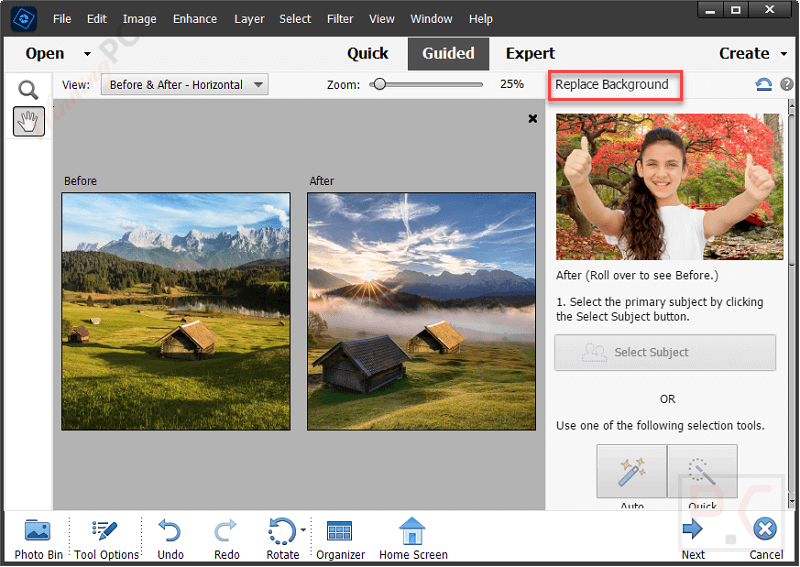
- Compositing tools: lets you combine subjects, backgrounds, and elements from multiple photos.
- Stylized text tools: supports text on paths and shapes with gradients, textures, and patterns.
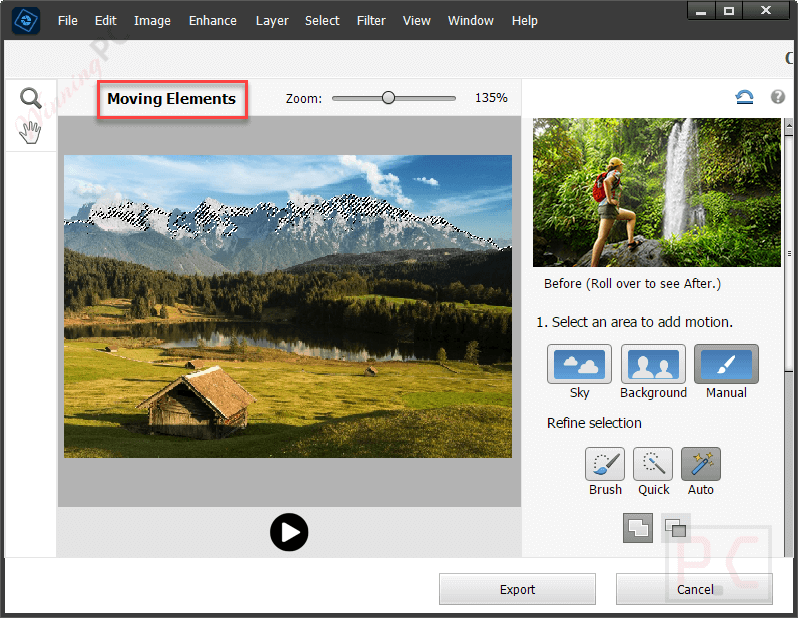
- Motion photo effects: adds selective motion, overlays, and 2D or 3D camera movement, with export to MP4 or GIF.
- Facial touch-up tools: includes options for opening closed eyes, adjusting smiles, smoothing skin, and refining face tilt.
- Quick Actions: puts one-click edits such as background removal, blur, smooth skin, dehaze, and colorize in one place.
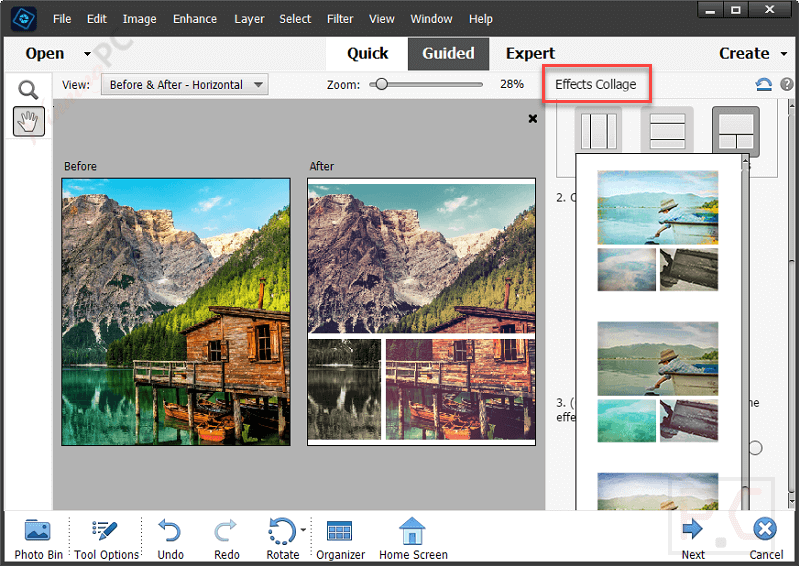
- Collage and slideshow templates: helps create photo collages and animated slideshows with ready-made templates.
- Adobe Express templates access: includes access to thousands of free templates for posts, videos, posters, and more.
- Adobe Stock access: gives access to thousands of stock photos from inside the app.
- Mobile photo import by QR code: makes it easier to bring mobile pictures into Photoshop Elements.
- Organizer tools: helps import, auto-tag, sort, back up, and find photos and videos more easily.
- Smart search and curation: uses Smart Tags, people recognition, and Auto Curate to surface standout photos faster.
More screenshots

Pros & Cons of Photoshop Elements
Frequently Asked Questions
What is Photoshop Elements?
It is smart, easy-to-use photo editing software made for people who want to edit photos, try creative effects, and organize their media without needing prior experience.
Who is Photoshop Elements for?
It is for anyone who wants to have fun with their photos, whether that means touching up snapshots, learning through step-by-step edits, or creating new designs and effects.
Is there a free trial?
Yes. Photoshop Elements 2026 offers a free, full-featured 7-day trial.
Do I need to download the software again after the trial?
No. Once the trial ends, you can purchase directly from the trial software.
Technical Details
| Supported languages | Brazilian Portuguese, Czech, Dutch, English, French, German, Italian, Japanese, Polish, Spanish, Swedish |
| Operating system | Windows 11 version 23H2 or later, 64-bit only macOS 14 (14.4 or later), macOS 15 (15.5 or later) |
| Processor | Intel 8th Generation or newer, or AMD equivalent with AVX2 and SSE4.2 support Apple silicon M1 or newer |
| RAM | 8GB minimum, 16GB recommended |
| Storage | 9GB available hard-disk space, plus extra space for online content and temporary files |
| Internet | required for activation and downloading features and online content |