
On this page
ASCOMP BackUp Maker Professional Giveaway
ASCOMP BackUp Maker Professional
Automatically back up data - compressed and encrypted
- Product
- BackUp Maker Professional
- Product website
- ascompsoftware.com
- License
- Lifetime
- Platform
- Windows 11, 10, 8.1, 8, 7
- Updates
- Free tech support for one month
- Support
- Free updates for one month
- Giveaway ends
- October 19, 2026
- Updated
- 2026-09-04
Continue on ascompsoftware.com
Share to reveal your license code and the official claim page.
The limited-time giveaway!
The free license is no longer available.
ASCOMP BackUp Maker Professional Coupon Code Nov 2026

ASCOMP BackUp Maker Pro
Lifetime license (lifelong use; including updates, download & support for two years)

ASCOMP All-in-One Pack
Free update & Free technical customer for 24 months

Is the ASCOMP BackUp Maker Professional giveaway safe and legit?
Yes. The giveaway runs entirely through ASCOMP’s own publisher system, not a third-party key marketplace or reseller.
No crack or keygen
You download the official installer directly from ASCOMP’s reseller area after registering with your email. Nothing is repackaged or patched.
Official publisher source
ASCOMP runs the giveaway registration themselves. The license key you receive is tied to a real account in their system.
Secure checkout for the paid route
If you use the coupon instead, payment processes on ASCOMP’s own store. WinningPC never handles your payment details.
14-day money-back on the paid plan
If you buy through the coupon and change your mind, ASCOMP will refund the full amount within 14 days, no questions asked. The giveaway key is free, so there is no financial risk either way.
How to Get ASCOMP BackUp Maker Professional Key Free
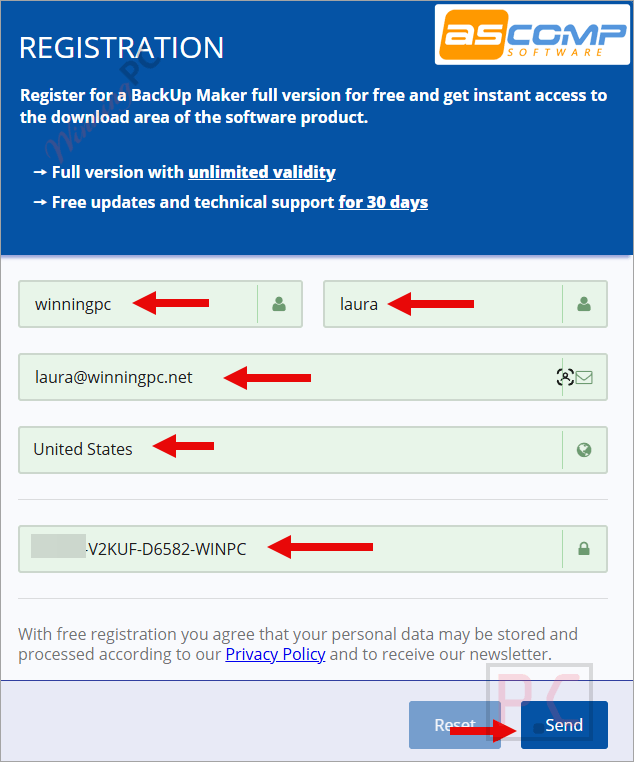
- Open the registration link above, copy and paste the ASCOMP BackUp Maker Professional license key in the “Giveaway details” section to finish the form as below.
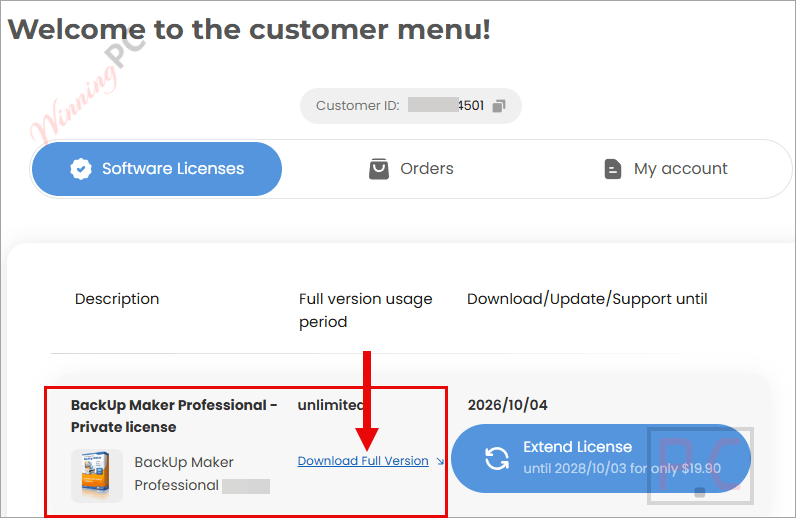
- Check your mailbox for the login link OR login to your ASCOMP customer page, just download and install the ASCOMP BackUp Maker Professional full version.
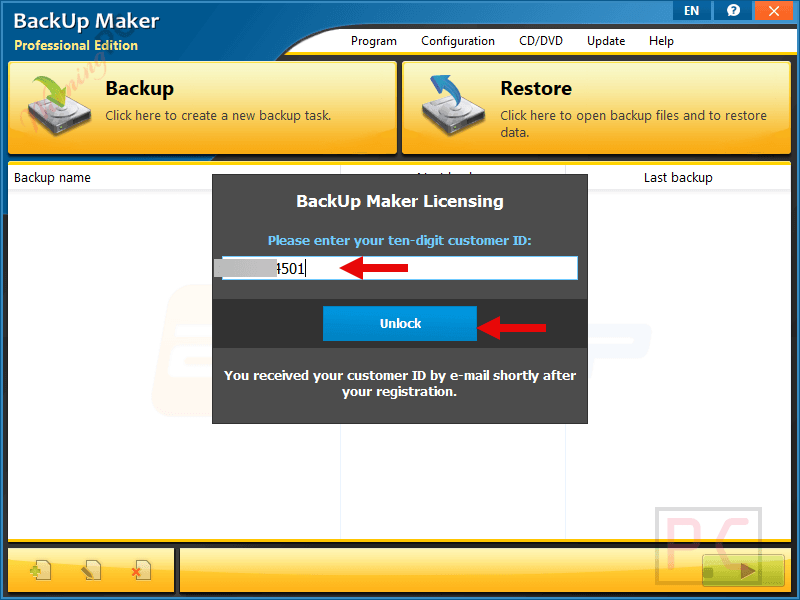
- Launch it then paste the custom ID to unlock the software and enjoy it for free!
Hands-on with ASCOMP BackUp Maker Professional
ASCOMP BackUp Maker Professional‘s real differentiator is how flexible it gets about when to run. Most backup tools let you set a schedule; BackUp Maker also lets you trigger a backup when you plug in a specific USB drive. That is the kind of set-and-forget integration that actually changes behavior rather than sitting in a menu unused. The AES-256 encryption applies before the archive leaves your machine, so what ends up in Google Drive or your NAS is an opaque ZIP the cloud provider cannot read. That is meaningfully different from simple cloud sync, where your files sit readable in the provider’s interface.
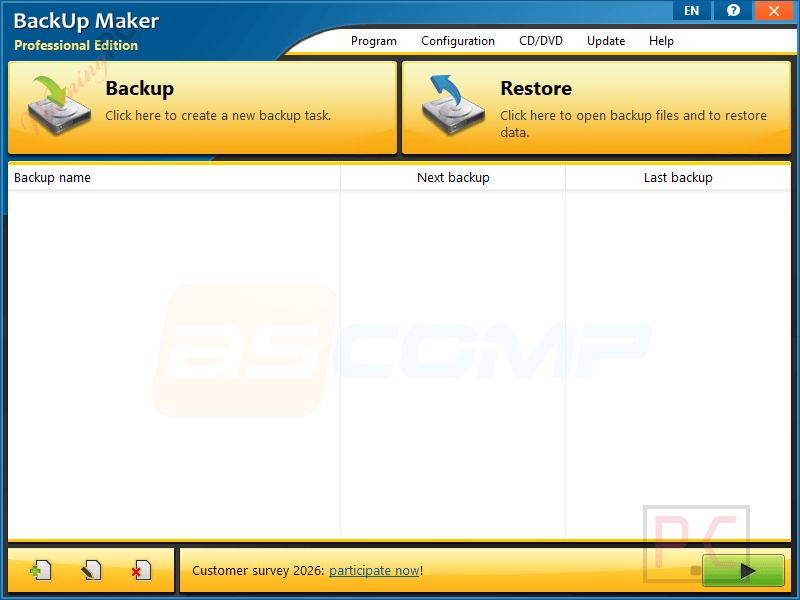
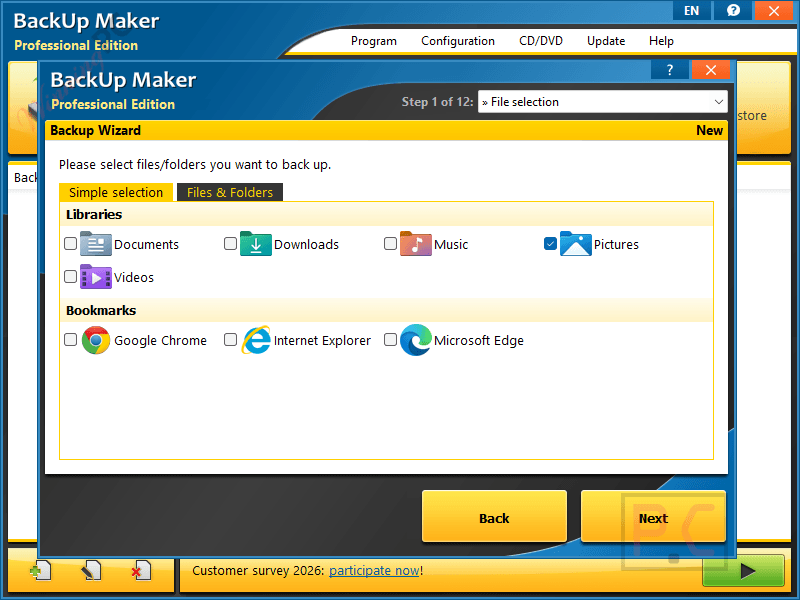
The wizard-based interface walks you through the setup step by step, which is good for beginners. More advanced features, like running BackUp Maker as a Windows service (so backups happen without anyone logged in) or configuring WebDAV destinations, require some technical comfort. The UI itself is functional but dated; anyone coming from EaseUS or Macrium Reflect will notice the older look immediately.
Key features
- Scheduled and event-triggered backups (by time, at startup, or on USB drive connect).
- AES-256 encryption and ZIP compression built in to every backup archive.
- Destination support: local drives, USB, NAS via SMB/WebDAV, cloud (Google Drive, OneDrive, Dropbox, and more), web servers via SFTP/FTP/FTPS.
- Incremental and differential backup modes to reduce transfer time and storage use.
- Multi-generation backup retention to recover older file versions.
- Smartphone data backup via Windows 11 Smartphone Link app integration.
- Can run as a Windows scheduled service without requiring a logged-in user.
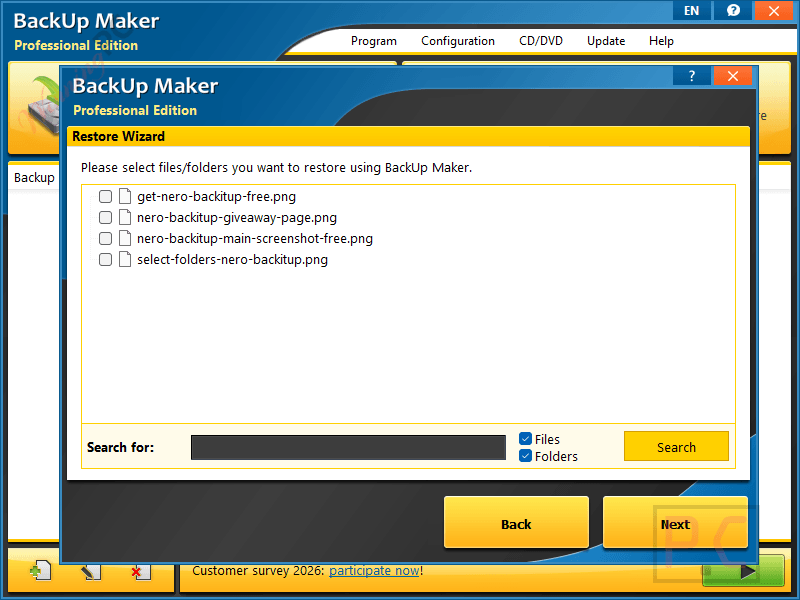
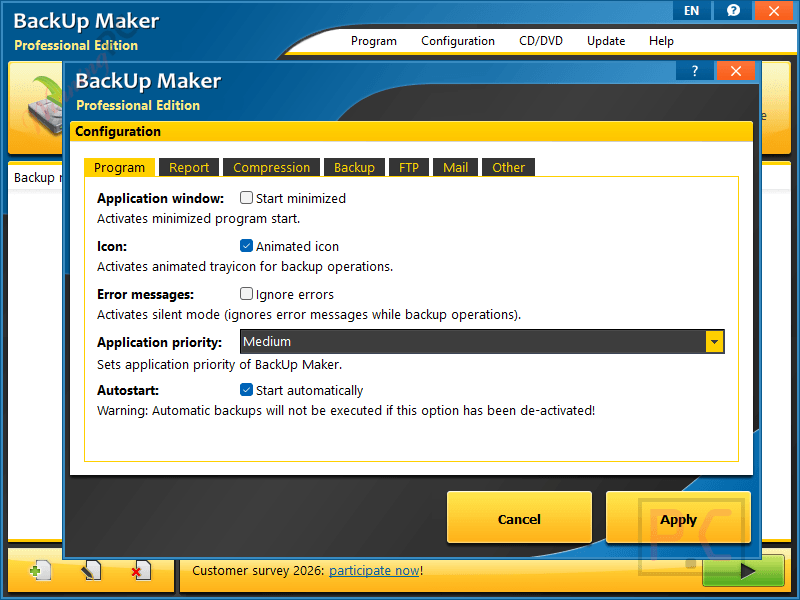
more screenshots!
What we think
Frequently Asked Questions
Is ASCOMP BackUp Maker Professional worth it?
For Windows home users and small businesses, yes. The feature set – scheduled backups, AES-256 encryption, NAS and cloud support, incremental backups, service mode – matches tools priced at $40–$50 a year. At $13.96 lifetime (or free via the giveaway), the value is strong. The main limitation is Windows-only; if you also use a Mac, you will need something else.
Does BackUp Maker support Google Drive and OneDrive?
Yes. Both integrate into Windows Explorer as virtual folders once you install their desktop apps. You point BackUp Maker at that local sync folder, and the cloud app handles the upload from there. WebDAV-based cloud services (like Nextcloud or Strato HiDrive) connect directly without a desktop app.
Does the giveaway license include future updates?
Only for 30 days. After that, you keep the version you received permanently and your backup jobs keep running – you just will not receive new features or security patches released after that window closes.
What happens to my existing backup jobs after the 30-day support window ends?
Nothing changes for your jobs. BackUp Maker keeps running, your schedules stay active, and your backups continue. The 30-day window only covers receiving support from ASCOMP and downloading new software versions – not the software continuing to work.
Is there a free version I can try before the giveaway?
Yes. BackUp Maker Standard is free for personal use permanently, with no trial period or time limit. The main differences are that the Standard Edition displays informational windows during use and does not cover commercial/business use – both of which the Professional Edition removes.
What is the difference between the giveaway Lifetime and the paid Lifetime?
Both give you the software for life. The paid Lifetime ($13.96 with code) includes two years of updates and technical support; the giveaway Lifetime includes 30 days of the same. After those windows close, both versions continue to work – you just stop receiving updates.
System Requirements & Details
| Field | Value |
|---|---|
| Operating system | Windows 11, 10, 8.1, 8, 7; Windows Server 2022/2025, 2016/2019, 2012 |
| Processor | Intel-compatible; Windows on ARM supported |
| RAM | 2 GB minimum (4 GB recommended) |
| Disk space | 50 MB |
| Supported input | Files, folders, and entire drives/partitions (any file format) |
| Supported output | ZIP archives (compressed; optionally AES-256 encrypted) |
| Other requirements | Internet or LAN access required for cloud/NAS/SFTP destinations; ASCOMP reseller account required for giveaway activation |




License key is expired!