Laura Marano
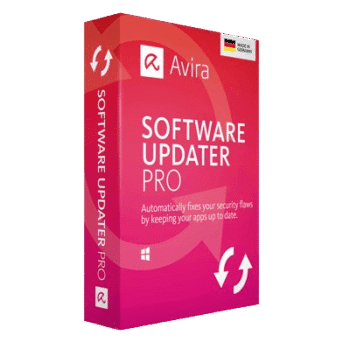
Avira Software Updater Pro helps keep your Windows software and drivers updated automatically. It scans outdated apps, fixes security flaws, updates drivers, and removes annoying update reminders from programs like Adobe, Skype, Google apps, and Zoom.
Avira Software Updater Pro
2 plans · best save 62%
📄 Licensing & Support Details
- License type: 1-month, 1-year license
- Cancel anytime and get a full refund within 14 days for monthly plans or 60 days for annual plans.
- Unlimited access via a toll-free number and email
- Automatic updates
- No ads
- Automatically renews, unless the renewal is cancelled.
- Secure payment.
📝 How to apply
By pressing the ‘Copy Code’ button, the data is stored, and you are sent straight to the checkout page to apply your savings.
Avira Software Updater Pro: In-Depth Review & Features

Key Features:
- Updates over 150 popular programs automatically
- Scans your PC for outdated software
- One-click software updating
- Automatic silent updates in Pro version
- Updates both Windows and third-party applications
- Driver update support for better hardware performance
- Helps reduce software-related security risks
- Blocks vulnerabilities linked to outdated software
- Removes update popups and reminders
- Improves system stability and graphics performance
- Lets users choose which apps to update
- Supports Windows 7, 8, 8.1, 10, and later.
Pros & Cons:
More screenshots:


Frequently Asked Questions
Where can I find working Avira Software Updater coupon codes?
You can usually find updated Avira Software Updater Pro deals on WinningPC, along with official Avira promotions and seasonal discounts available through the vendor’s website.
What is the best current discount?
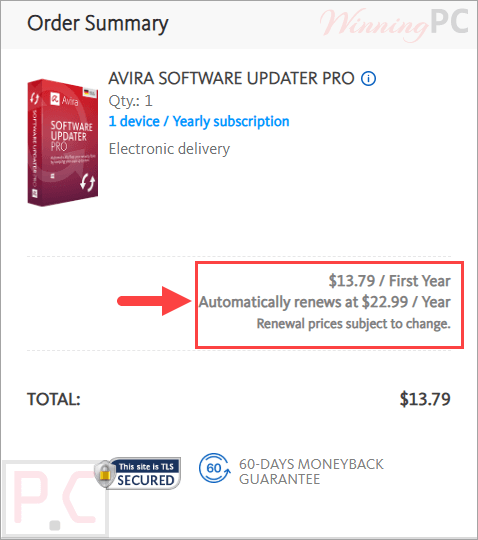
Right now, the best listed deal is the 1-Year plan with 62% OFF, reducing the price from $35.88 to $13.79 through WinningPC.
What does Avira Software Updater do?
It scans your Windows PC for outdated applications and drivers, then helps update them automatically to improve security and stability.
Can this Software Updater update drivers?
Yes. It can update outdated drivers to help improve connectivity, graphics performance, and overall hardware stability.
Does the Pro version support automatic updates?
Yes. The Pro edition allows silent and automatic updates for selected programs.
Does it work with third-party applications?
Yes. It updates both Windows software and many third-party applications.
Why is updating software important?
Outdated software may contain security vulnerabilities and bugs that can affect performance and system safety.
Which operating systems are supported?
It supports Windows 7, Windows 8, Windows 8.1, Windows 10, and later versions.
System Requirements & Details
| Language Support | English, Français, Italian, Spanish, Swedish, and more… |
| Operating System | Windows 7/8/8.1/10 and later |
| Supported Input | Software and driver update management |
| Supported Output | Updated applications and drivers |