Laura Marano
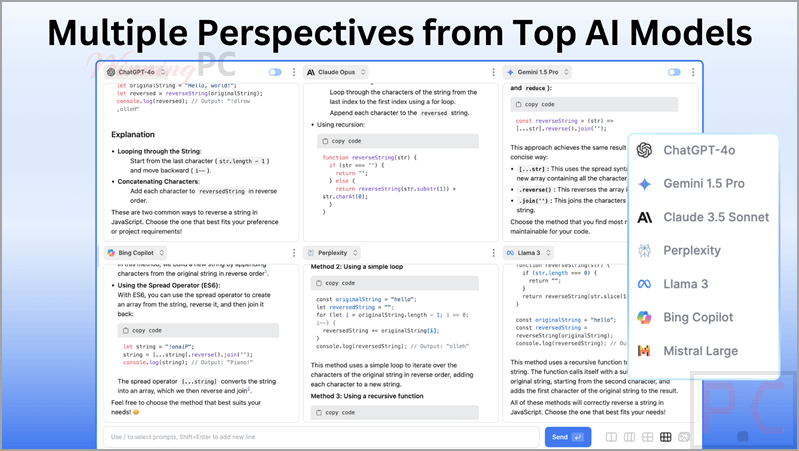
ChatPlayground AI is a unified platform that lets you enter a single prompt and instantly view responses from over 20 top AI models, including ChatGPT, Claude, and DeepSeek, side by side. It combines chat, coding, and image generation capabilities into one interface, making it easy to compare outputs and find the most accurate results for your workflow.
- Status: ✅ Active & Verified
- Last checked: October 2026
- Offer: 90% Off Lifetime Licenses
- Code: ta**20

30% Off StackSocial Sitewide Coupon Code
Unlock 30% savings on apps and software with this StackSocial coupon code. Copy, apply, and enjoy a better deal at checkout.
ChatPlayground AI: Lifetime Subscription
3 plans · best save 90%
Unlimited Plan ★ Best Deal
Unlimited messages/month | Lifetime access
📄 Licensing & Support Details
- License Type: Lifetime Access
- Support: Priority customer support included
- Guarantee: Unredeemed licenses can be returned for store credit within 30 days of purchase.
📝 How to apply
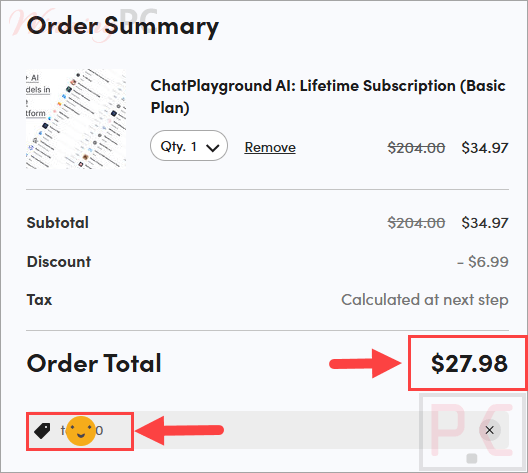
Click ‘Copy Code’ above to copy the discount. You’ll be redirected to the checkout page to apply it and save.
ChatPlayground: In-Depth Review & Features
Key Features
- Upload documents and visuals to get context-aware answers using the integrated Image and PDF chat functions.
- Create high-quality visuals directly within the interface using dedicated AI image creation models.
- Refine and optimize your instructions with built-in prompt engineering tools.
- Keep track of ongoing projects and past interactions through the saved conversation history.
- Access your account across an unlimited number of desktop devices using standard web browsers.
Pros & Cons
Frequently Asked Questions
Where can I find a coupon code or deal for ChatPlayground AI?
The latest and best deals can be found on WinningPC, alongside the official software website or the developer’s social media channels.
What is the best discount currently available for ChatPlayground AI?
The best current discount is 90% OFF, available directly on WinningPC.
Do I need to install a specific operating system to use this platform?
No, it does not require a specific desktop operating system. You only need the latest version of a modern web browser like Chrome, Edge, or Firefox.
Are there limits on how many devices I can use it on?
No, the platform allows you to log in and use your account on an unlimited number of desktop devices.
Can I use this tool for tasks other than text generation?
Yes, the multi-function interface allows you to generate code, chat with uploaded images and PDFs, and create AI-generated images.
System Requirements & Details
| Feature | Specifications |
|---|---|
| Operating System | No specific desktop OS required (Web-based via Chrome, Edge, Firefox) |
| Supported Input | Text prompts, Images, PDFs |
| Supported Output | Text, Code, Images |