Chris Bruner
Desktop-Reminder PRO is a schedule and task manager for creating reminders, appointments, and to-do lists. It supports recurring reminders for daily, weekly, monthly, or yearly tasks and lets you set custom alarm sounds in MP3 or WAV format. The program includes daily, weekly, and monthly calendar views. Tasks can be grouped into categories with color labels. You can attach documents or web links to tasks and export or print schedules in formats such as PDF, HTML, MHT, RTF, XLS, and XLSX.
Desktop-Reminder PRO Discount Code (100% Working)

Key Features and Screenshots
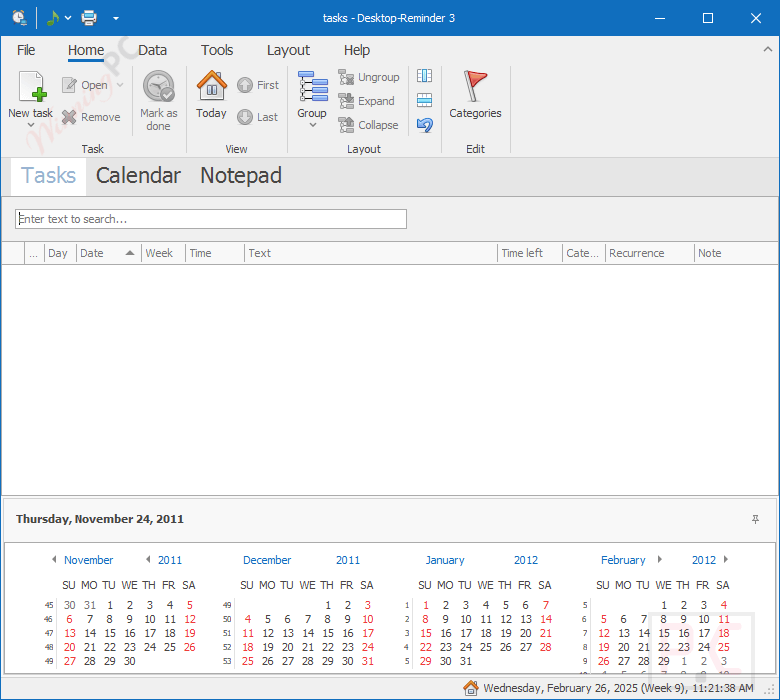
- Task Scheduling: Desktop-Reminder PRO easily schedules tasks and sets reminders for important events, deadlines, and appointments. Its intuitive interface allows you to add and manage tasks quickly.
- Calendar Scheduler: A calendar scheduler is an effective tool for task visualization. Date Navigator (right) and Calendar View (left) make up its two sections. Every Calendar View has a unique design and printing options.
- Day Planner: This function helps you organize daily activities with a detailed planner, ensuring all tasks are accounted for and prioritized effectively.
- Week and Month Calendars: Visualize tasks over weekly and monthly views, facilitating long-term planning and time management.
- Recurring Reminders: You can set up recurring reminders for tasks that need to be repeated daily, weekly, monthly, or yearly. This feature ensures you never miss regular commitments.
- Customizable Alarms: Choose from a variety of alarm sounds in the format WAV or MP3 and customize the frequency and duration of reminders to suit your preferences.
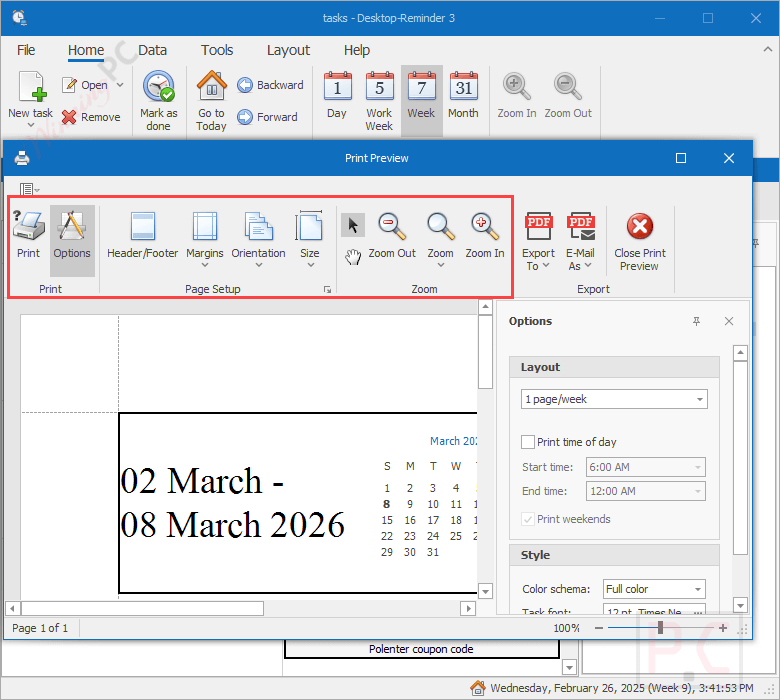
- Task Printing and Exporting: You are allowed to print the task list and each of the calendar views, which is useful for offline reference or sharing with team members. It also helps you export tasks in various formats, including PDF, HTML, MHT, RTF, etc.
- Calendar Views: This function will show your tasks and reminders in daily, weekly, or monthly calendar formats to help you get a clear overview of your schedule and plan accordingly.
- Task Categories: You are allowed to organize your tasks by categorizing them with different colours or labels (e.g. Business, Birthday, Anniversary). This makes it easier to manage and locate specific tasks.
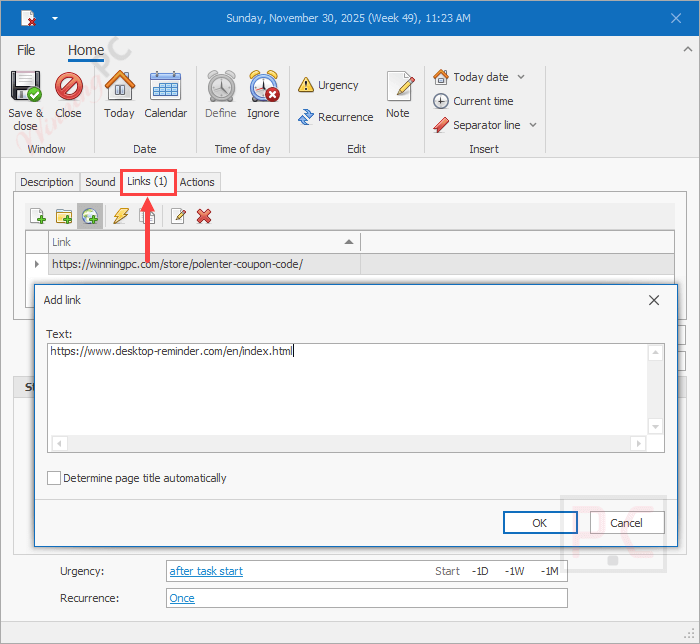
- Link Attachments: You can associate external documents, web pages, or other resources, ensuring all relevant information is readily accessible.
- Notification Options: To ensure you are always informed about upcoming tasks and deadlines, you are allowed to set an alert tailored to each task’s nature or urgency.
More Screenshots:



Frequently asked questions
Does Desktop-Reminder PRO support recurring tasks?
Absolutely, it supports tasks that recur daily, weekly, monthly, or yearly, with flexible scheduling options.
Is it possible to link documents or web pages to tasks?
Yes, you can associate external documents or URLs with specific tasks for quick access.
Can I set custom alarm sounds for different tasks?
Desktop-Reminder PRO allows users to assign unique alarm sounds, including WAV or MP3 files, to individual tasks.
Is there a feature to print or export my task list?
Users can print their task lists and export them in various formats, including PDF, HTML, Excel, and more.
Does Desktop-Reminder PRO integrate with other applications?
While primarily a standalone application, it supports importing tasks from iCalendar (.ics) files.
Are there any discounts available for Desktop-Reminder PRO?
Yes, using the coupon code DR-**-4980e55b from WinningPC at checkout provides a 30% discount on the purchase.
Technical Details
| Language Support | English, Français, Italian, Spanish, Swedish, and more… |
| Money Back Guarantee | 30-Day |
| Operating System | Windows Vista, Windows 7, Windows 8/8.1, Windows 10/11 |
| Shipping | Register code will be sent to your email in minutes |
| Subscription | Lifetime |
| Support Services | Tickets |