WinningPC
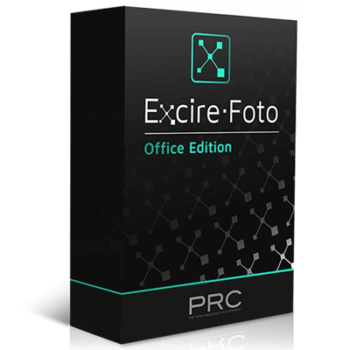
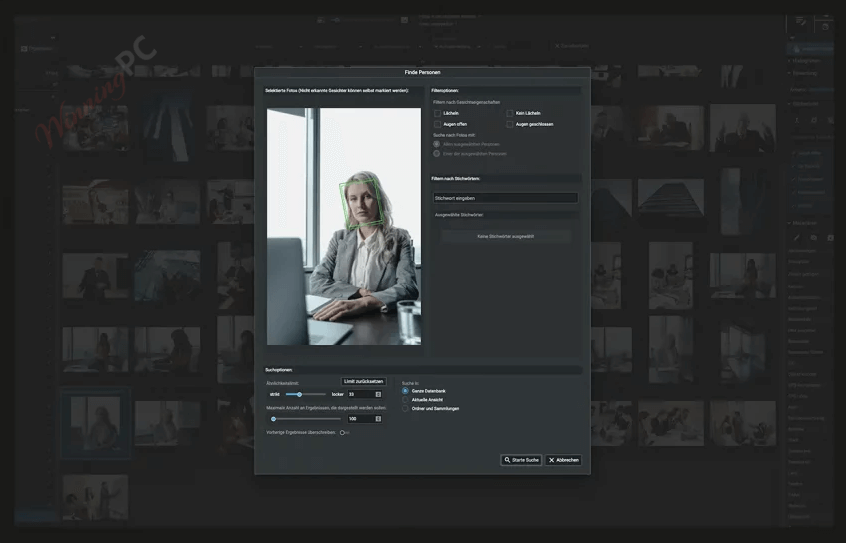
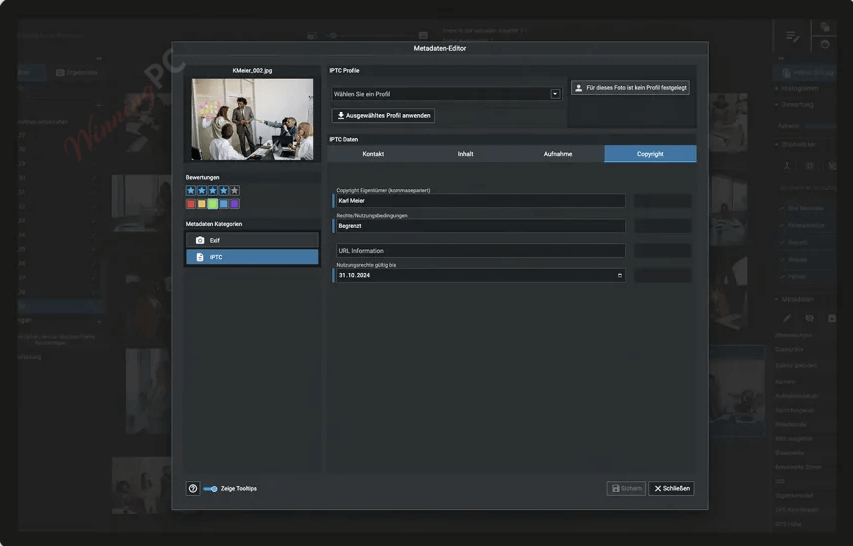
Excire Foto Office Edition is an advanced photo management solution that provides powerful functions to streamline and enhance how organizations handle image databases for business. This tool leverages cutting-edge artificial intelligence to automate and simplify the process of organizing, searching, and evaluating photos. This application lets you add and edit metadata fields, including license usage duration, to make all relevant information accessible and searchable with ease. One of the most impressive aspects of Excire Foto Office Edition is its cutting-edge face and people search. This feature allows you to categorize photos based on facial features (e.g., gender, smiling/not smiling, business attire) from a specific person or a group photo.
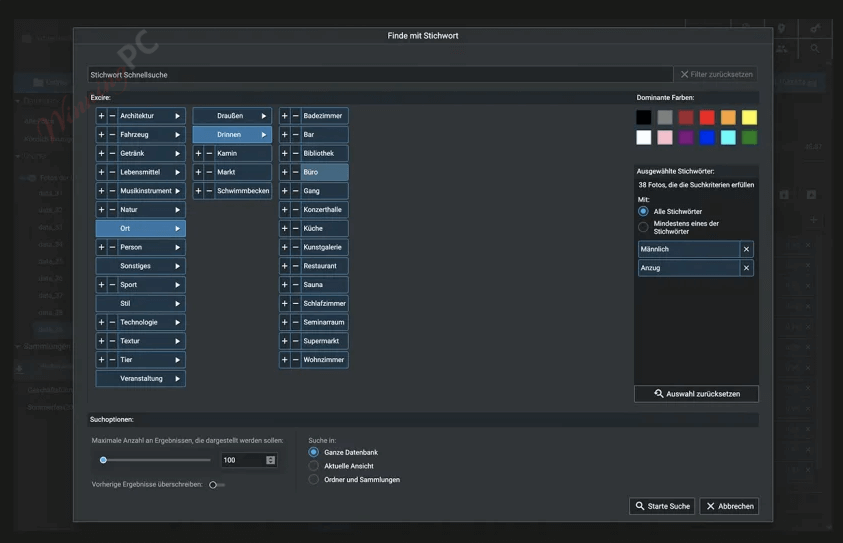
Excire Foto Office Edition also boasts a powerful prompt-search AI to help you search images with similar content by starting with a comparable example. Using it, you can accelerate the search process and improve accuracy in locating related images. Another important feature of this software is the ability to AI image tagging. In order to save time and guarantee consistency throughout the database, this application uses sophisticated AI algorithms to evaluate photos and automatically assign pertinent keywords, doing away with the need for manual tagging.

Excire Foto Office Edition - Monthly Subscription
All updates and upgrades included
Excire Foto Office Edition - Yearly Subscription
Starting with the third user license, only 99,00€ per year and per user
Key Features and Screenshots
- Metadata editing and search: Excire Foto Office Edition enables you to add and change metadata for every photo, including an extra field for the length of license usage. This helps you filter image databases using business-relevant criteria and make them easily accessible and searchable.
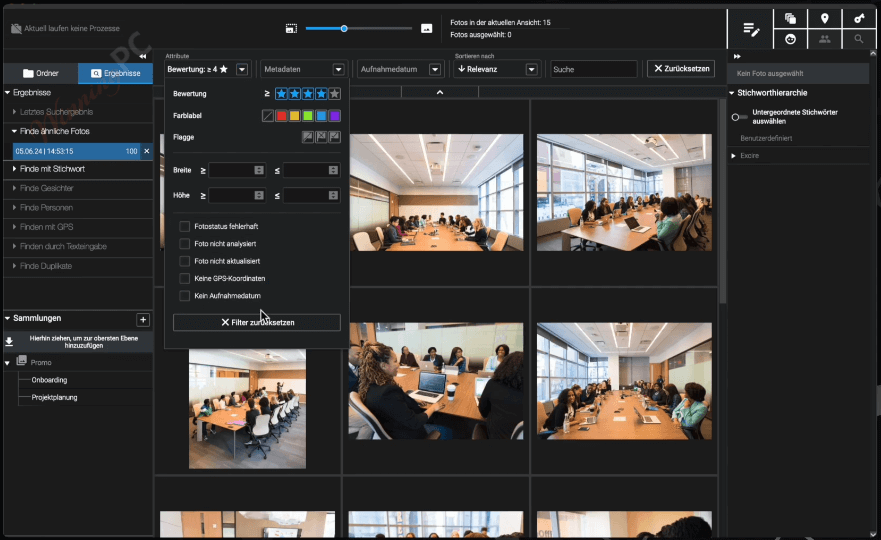
- Centralized Database with Collaborative Tools: It supports the creation of a centralized image database to help all team members access images while working together. You are allowed to modify your image database to suit your company’s needs by adding color labels, star ratings, and personalized collections.
- Role-Based Access Control: This software supports a two-tier role-based access system to maintain database integrity and security. This feature helps administrators assign roles with specific access levels, ensuring maintaining data integrity and preventing unauthorized access.
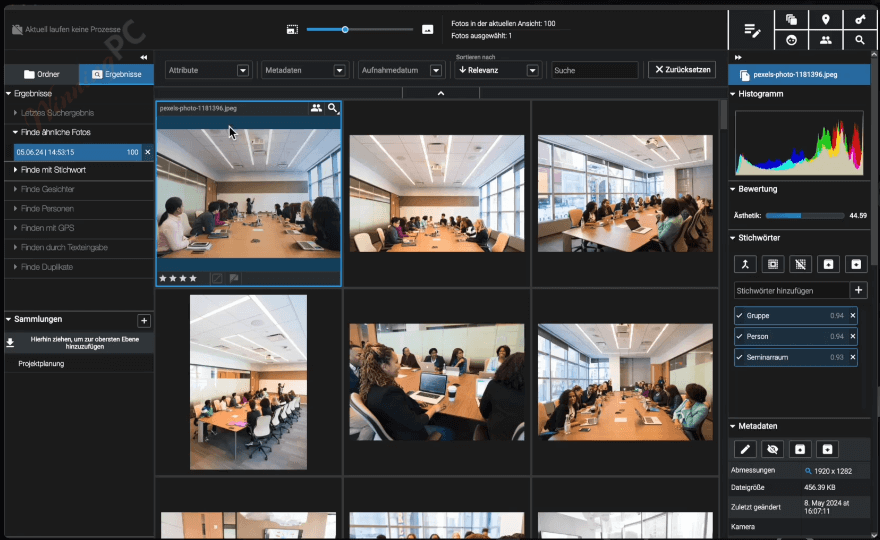
- Similarity Search: You can search for images with similar content quickly with the help of the enhanced similarity search function. It can find visually similar photos based on the reference image to improve accuracy in locating related images.
- Advanced Face and People Recognition: Excire Foto Office Edition includes sophisticated face and people search capabilities to help you find the right images in an instant. Thanks to state-of-the-art AI technology, users can find photos of specific individuals or groups based on criteria such as gender, smiling/not smiling, and business attire.
- Prompt-Search AI: The software’s prompt-search AI allows you to search for images using a natural-language text prompt in English or German. For instance, when you search for “a friendly female executive at a desk with a laptop,” the AI retrieves the most relevant images from your database.
- AI-Based Keyword Assignment: Using cutting-edge AI, Excire Foto Office Edition automatically adds pertinent keywords to every picture. This feature eliminates the need for manual tagging, ensuring consistency throughout your photo database while also saving time.
- AI Aesthetic Evaluations: The X-tetics AI model is introduced to automatically evaluate the aesthetic quality of each image. Every image in your database is automatically given an aesthetic score to help you sort and search for photos for presentations or publications.
- Duplicate Finder: The software includes a robust duplicate finder with an AI-powered duplicate finder. With its help, you can identify and remove unnecessary files and manage duplicate images efficiently, optimizing storage and reducing clutter.
- GPS Search and Metadata Editor: You can quickly locate photos based on GPS coordinates using location information from a sample image or Google Maps. The GPS metadata editor, which lets you add or modify position information to photographs even after they’ve been uploaded, is particularly useful.
Frequently asked questions
Can Excire Foto Office Edition be used across different operating systems simultaneously?
No, a shared database can only be accessed from the same operating system. Simultaneous use across Windows and macOS is not supported.
Can I use Excire Foto Office Edition for team collaboration?
Yes, it includes a two-tier role-based concept that allows for secure team collaboration with user-defined access rights.
What are the benefits of the similarity search feature?
The similarity search uses optimized AI to find images with similar content quickly and accurately, starting from a comparable image.
Does Excire Foto Office Edition upload photos to the cloud for analysis?
No, all photo analyses are performed locally on your computer; no images are uploaded to the cloud.
Can I edit metadata in Excire Foto Office Edition?
Yes, you can add and edit metadata for each photo, including an additional field for license usage duration.
What file formats does Excire Foto Office Edition support?
It supports various formats, including JPG, PNG, BMP, RAW, PSD, and web files.
Are there any discounts available for purchasing the Excire Foto Office Edition?
Yes, WinningPC provides the coupon code EXCIREFO***, which offers a 28% discount on the software.
Technical Details
| Language Support | German & English |
| Money Back Guarantee | 30-Day |
| Operating System | Windows 10 and Windows 11, macOS (version 11 and above) |
| Shipping | Register code will be sent to your email in minutes |
| Subscription | 1-Month, 1-Year |
| Support Services | Forums |