

On this page
FitLifeBud Giveaway
FitLifeBud
AI Meal Planner
- Product
- FitLifeBud
- Product website
- fitlifebud.com
- Platform
- iOS 15.6+, Android 7.0+, macOS 12.5+ (M1+)
- Commercial use
- Personal use only
- App updates
- Standard app updates during the license year
- Redemptions available
- 1,000 total (first-come, first-served)
- Updated
- 2026-09-23
Continue on fitlifebud.com
The publisher handles registration and license delivery on its official website.
This giveaway ended on .
The free license is no longer available.
How to Get the FitLifeBud License Key for Free
- Install FitLifeBud – download from the App Store (iPhone, iPad, Mac M1) or Google Play (Android). The base app is free.
- Create your account – sign up inside FitLifeBud. The gift code needs an active account to activate against.
- Copy the gift code – the exclusive WinningPC code is displayed above (or visit fitlifebud.com/gift/winningpc for the full claim page).
- Redeem in the app – open FitLifeBud, go to Settings, tap Redeem gift code, and paste the code. Premium activates straight away.
- Set up your first plan – enter your goal, body stats, and food preferences. FitLifeBud generates your first weekly meal plan; you’ll get a notification when it’s ready.
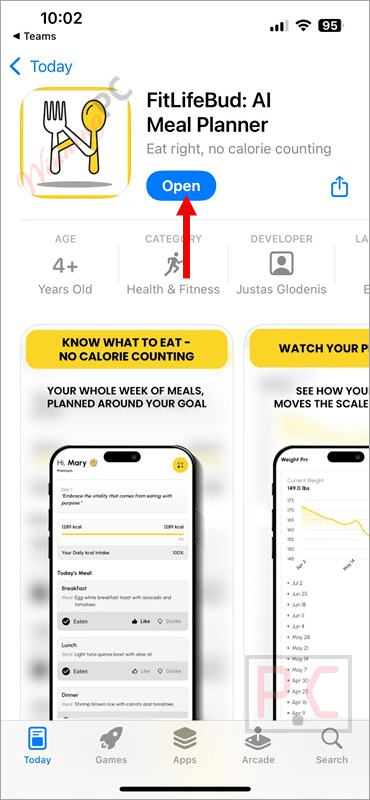
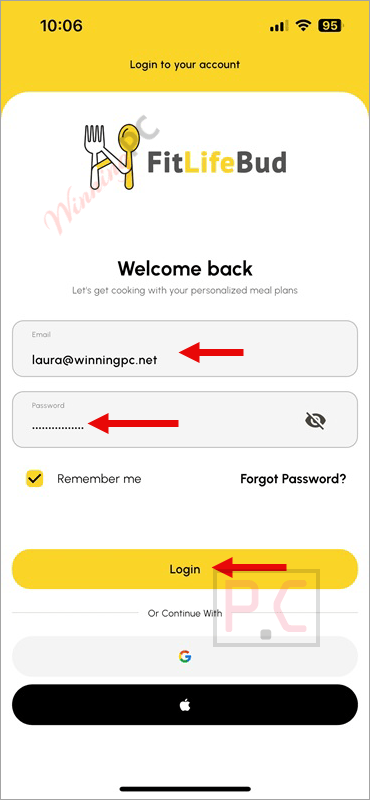
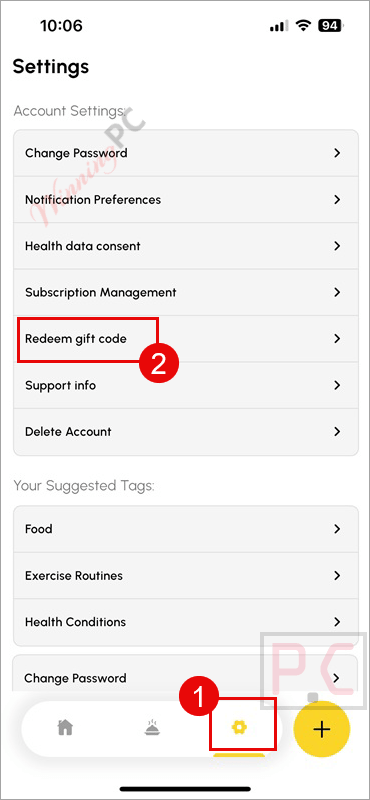
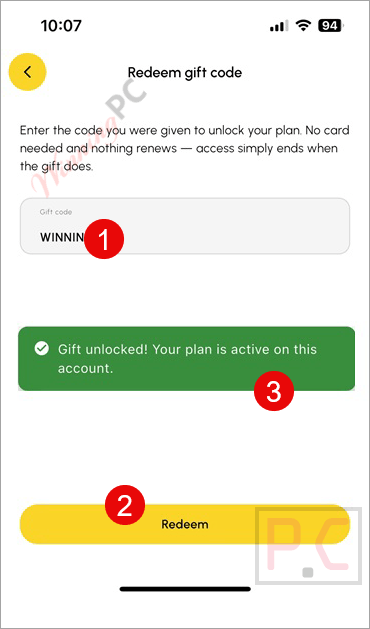
No card is taken at any step and nothing renews at the end of the year. When the gift period expires, the account reverts to the free tier.
Is this FitLifeBud giveaway safe and legit?
Yes. Here’s what backs that up.
No crack or keygen
You’re redeeming a genuine gift code through FitLifeBud’s own in-app redemption system. The app is installed from the official App Store or Google Play; nothing is patched, repackaged, or sourced from a third party.
Official publisher giveaway
This code was issued directly by the FitLifeBud team for WinningPC readers. It is not a reseller key or a grey-market code.
No card, no auto-renewal
The gift activates Premium without taking any payment details. When the year is up, the account quietly reverts to the free tier. There is nothing to cancel and no risk of a surprise charge.
App Store and Google Play distribution
FitLifeBud has passed Apple’s and Google’s review processes on both platforms, which includes checks for security and data handling.
Hands-on with FitLifeBud: what it actually does
FitLifeBud is designed for health & fitness, and its core insight is a real one: most people don’t fail at eating well because they lack information, they fail because planning each meal from scratch every day is exhausting. It removes that friction by pre-building the whole week in one go. You set your goal and preferences once, the AI does the structuring, and you get a list of meals and a grocery list – not a food diary you have to maintain forever.
The shopping list is the detail that earns the app its keep. It deduplicates ingredients across all meals and groups them by store aisle, so you can do one shop on Sunday and be set for the week. That’s a practical step most similar apps skip. The optional AI coach and weight log work as solid accountability tools without pushing you to log every bite.
The ceiling is worth knowing upfront. FitLifeBud builds plans and tracks your weight trend over time; it does not give you granular macro targets (protein, carbs, fat) or let you log individual ingredients against a database. If that level of detail is what you need, a different app is a better fit.
Key features
- AI-generated weekly meal plans for weight loss, gain, or maintenance.
- Food preference engine: specify foods you love, avoid, or are allergic to.
- Per-meal calorie display with no manual logging required.
- Deduplicated shopping list grouped by supermarket aisle.
- Edit or regenerate any meal within an active plan.
- Optional AI coach for progress check-ins.
- Weight log with visual trend over time.
- Streak tracking to build a consistent habit.
What we think
Screenshots
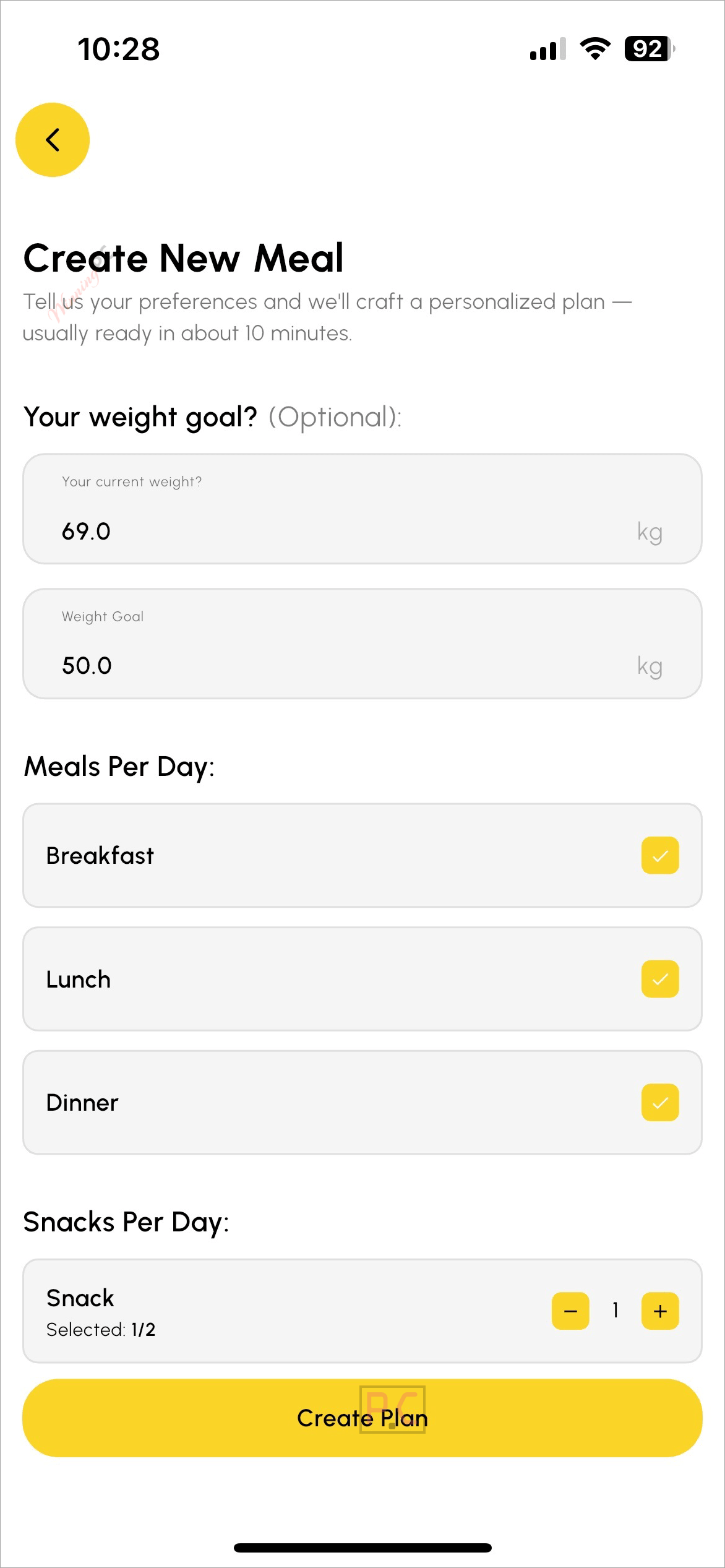
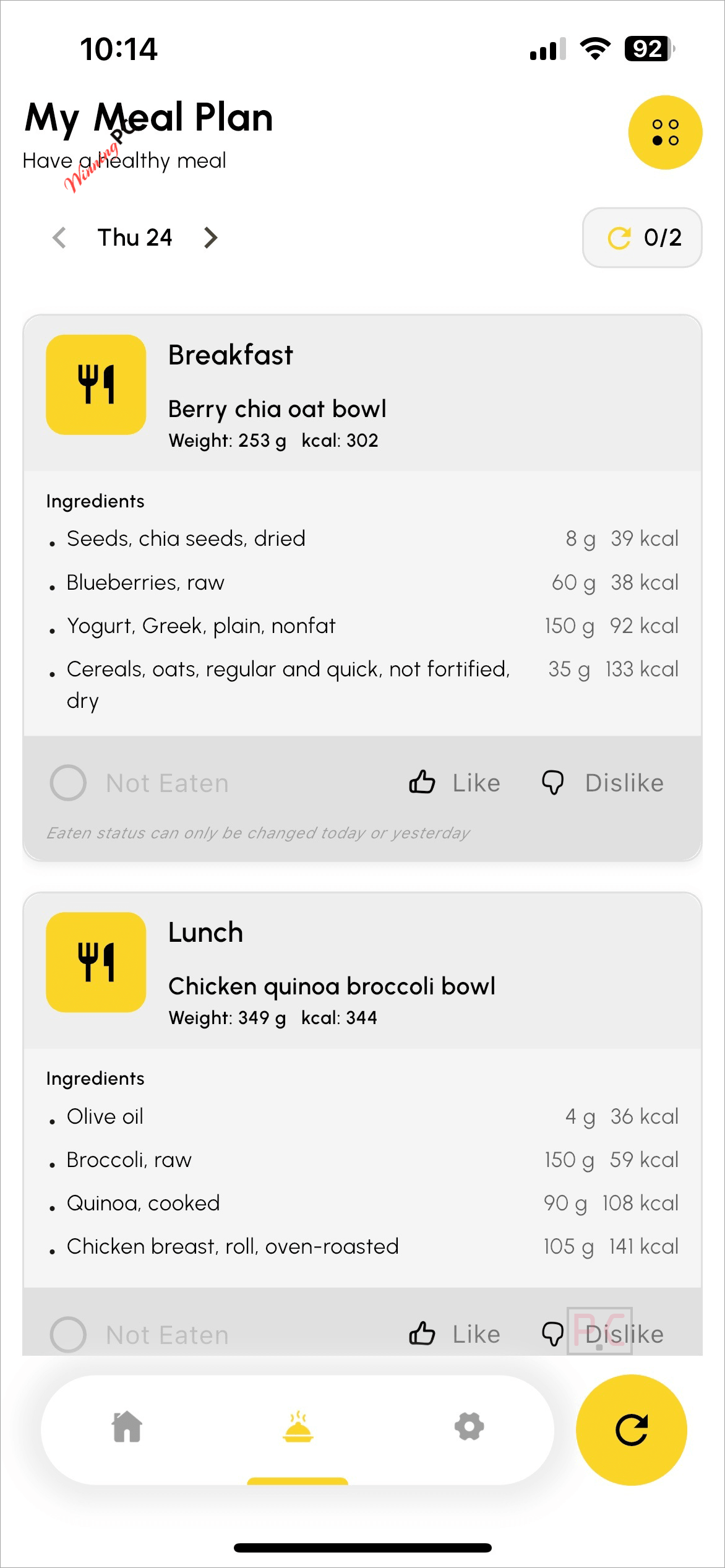
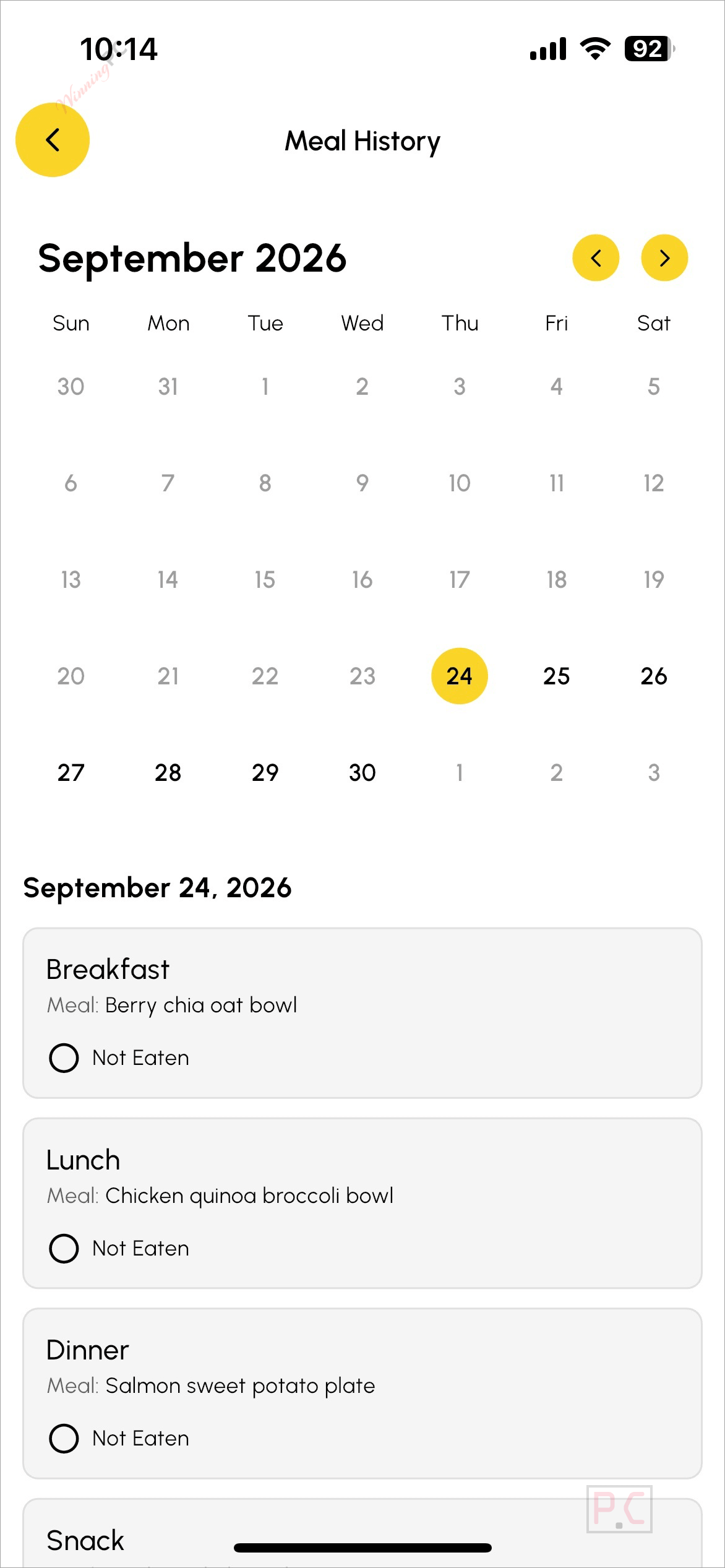
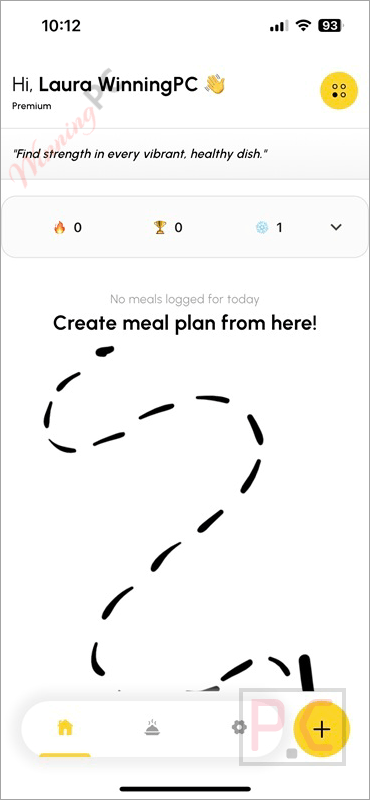
Frequently Asked Questions
Do I have to count calories?
No. The app pre-balances calories when it builds the plan. Each meal shows its calorie count, but you’re reading a number, not tracking, weighing, or adding anything up yourself.
What happens when the free year ends?
The account reverts to FitLifeBud’s free tier. No charge is applied – no card was stored during the giveaway redemption – so there’s nothing to cancel.
Can I use the gift code on both iPhone and Android?
The code works on either platform. One code activates one year of Premium on one account, regardless of which device you use first.
Will the app respect my food allergies and dietary restrictions?
Yes. During setup you list foods to avoid, whether from allergies, ethical choices, or personal dislike. The weekly plan is built on that exclusion list from the start.
Is this the full Premium plan or a stripped-down version?
It’s the same full Premium plan as paying $79.99 per year. After the year ends, the account drops to the free tier.
How many codes are still available?
1,000 codes in total, valid until 30 June 2027. They’re distributed first-come, first-served – the counter on the claim page shows what’s left.
Is there a desktop version?
FitLifeBud runs on iPhone, iPad, iPod touch, Android, and Macs with an Apple M1 chip or later (macOS 12.5+). There is no browser-based web app.
Does the app work if I want to gain weight rather than lose it?
Yes. Weight gain is handled as a separate planning mode – the plan distributes extra calories across the day into meals you’ll actually finish, rather than forcing one big meal.
System Requirements & Details
| Feature | Specifications |
|---|---|
| iPhone | iOS 15.6 or later |
| iPad | iPadOS 15.6 or later |
| iPod touch | iOS 15.6 or later |
| Mac | macOS 12.5 or later, Apple M1 chip or later |
| Apple Vision | visionOS 1.0 or later |
| Android | 7.0 or higher |
| Supported input formats | Not applicable (meal planner, not a file converter) |
| Supported output formats | Weekly meal plan (in-app) · Ingredient shopping list (in-app) |
| Internet connection | Required for plan generation |
| Account | Required (free to create) |




Thanks for taking the time to write this, TK. I agree you should not trust a language model to guess your calorie needs, and FitLifeBud does not ask it to. Your calorie target is calculated, not guessed by the AI, and the nutrition information for every food and ingredient comes from factual nutrition data. The AI’s job is the part people told me they actually find hard: turning that into a week of meals they want to eat.
If you try it, I would like to hear what you think of the plan it gives you.
Justas, the developer
Thanks for taking the time to write this, TK. I agree you should not trust a language model to guess your calorie needs, and FitLifeBud does not ask it to. Your calorie target is calculated, not guessed by the AI, and the nutrition information for every food and ingredient comes from factual nutrition data database. The AI’s job is the part people told me they actually find hard: turning that into a week of meals they want to eat.
If you try it, I would like to hear what you think of the plan it gives you.
Justas, the developer
please don’t offload your thinking to an app just because it has some AI component… AI makes mistakes when it has ALL the information and is not capable of calculating your baseline metabolic requirements so cannot with any reliability determine the approximate or accurate calorific intake of each meal and what would be the suitable carbohydrate/fat/protein balance to avoid blood glucose spikes that will cause the consumed calories to have to be soaked up by fat stores because of a corresponding peak in insulin production to try and bring the blood glucose to within the design limits.