
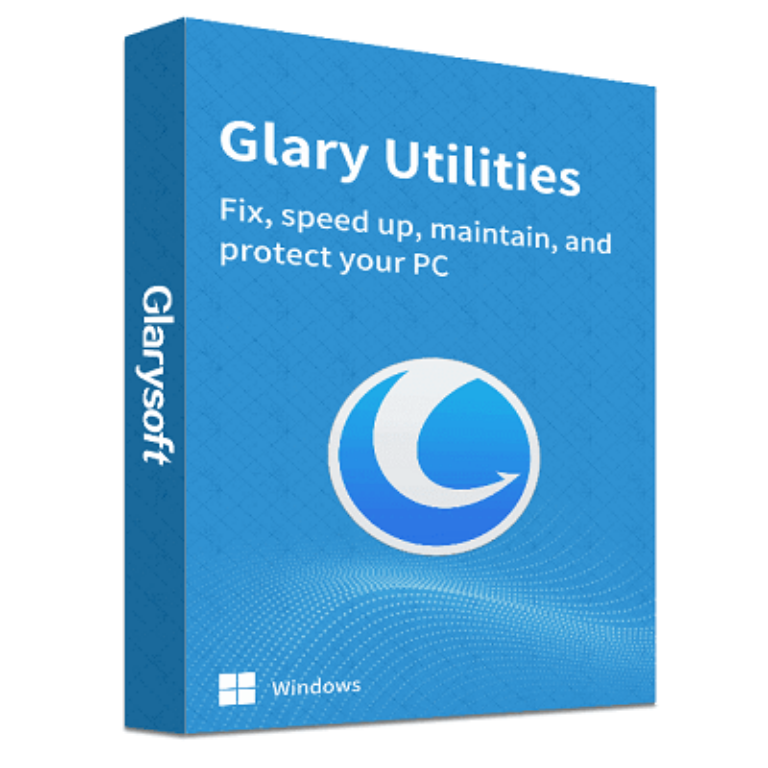

Claim your free 1-year Pro license
| Field | Value |
|---|---|
| Product | Glary Utilities Pro 6 (build 6.46) |
| Publisher | Glarysoft Ltd. |
| Original price | $39.95 for a 1-year subscription |
| License | 1-Year Pro, non-commercial use only |
| PCs covered | Not specified for the giveaway key (a paid license covers up to 3) |
| Platform | Windows 11, 10, 8.1, 8, 7, Vista, XP (32-bit and 64-bit) |
| Updates | No free version updates |
| Support | No technical support |
| Giveaway window | September 1 to September 3, 2026 (UTC) |
| How to claim | Email registration on Glarysoft’s giveaway page |
Glary Utilities Plans & Coupon Codes (100% Working)

Glary Utilities PRO Technician
Optimization tool for service providers | 1-Year License
Claiming the key, step by step
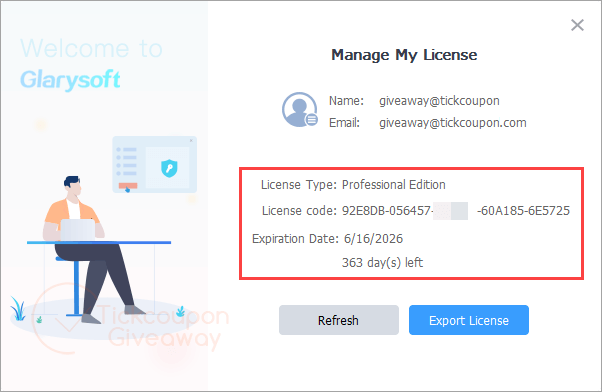
On the Glarysoft giveaway page, please enter your valid Email and check before “I’m not a robot”, click on “Get My Key Now”, and then you can get the license in your mailbox.

Install Glary Utilities Pro and launch it; click on the “Upgrade Now” button, then enter the above license name and code, and choose “Activate Now”:


Got it for 1 year free!
Is this Glary Utilities giveaway safe and legit?
Yes. It’s Glarysoft’s own promotion for WinningPC users, not a key found on a forum.
No crack or keygen
You install the standard build from glarysoft.com and unlock it with a genuine license code. Nothing is patched, repackaged or downloaded from a mirror.
Publisher-run, not a reseller
Both the free key and the discounted licenses go through Glarysoft’s own checkout, so there’s no grey-market key that gets revoked three months later.
What you actually hand over is an email address
That’s the price of the free key. Expect Glarysoft newsletters afterwards; there’s an unsubscribe link, but go in knowing that’s the trade.
90 days to change your mind if you buy
Glarysoft applies a 90-day money-back guarantee to paid licenses. The giveaway key costs nothing, so there’s no risk on that side either.
How well does Glary Utilities Pro work?
Here’s the thing most giveaway pages skip: the free edition already carries most of that toolbox. Pro isn’t a second, bigger app. It adds four things. A Deep Scan that digs further into the registry and system folders, Auto-Care that runs maintenance in the background on a schedule, automatic version updates, and access to Glarysoft’s support desk. So the Pro upgrade is really about automation rather than firepower, and that matters more than it sounds, because these tools only help if they actually get run and most people never run them. The interface is dense but logical once you learn where things live. Restore Center is the underrated part, letting you roll back a cleanup that took something you needed.

Key features
- 1-Click Maintenance. Tick the checks you care about (junk files, registry errors, broken shortcuts, browsing traces) and clear them in one pass, or put the whole thing on a schedule.
- Deep Scan, Pro only. Goes further into the registry and system folders than the standard clean. This is the main technical gap between free and Pro.
- Tracks Eraser, File Shredder and File Encrypter. Wipe browser and app history, destroy files so recovery tools can’t rebuild them, and lock individual files behind encryption.
- File Undelete and Disk Space Analyzer. Recover something you emptied from the Recycle Bin, and see which folders are actually eating the drive.
- Restore Center. Undo a cleanup after the fact. It’s the safety net that makes the registry tools far less nerve-racking.
What we liked, what we didn’t
Screenshots


What the free key doesn’t include
| Paid Pro license | Giveaway key | |
|---|---|---|
| Price | $39.95/year, or $11.98 with [CODE_70] | Free |
| Term | 1 year, renewable | 1 year, no renewal |
| Version updates | Automatic updates to the newest build | None. You stay on the version you install |
| Technical support | Included | None |
| Commercial use | Permitted | Non-commercial only |
| PCs covered | Up to 3 | Not specified |
| Money-back | 90 days | Not applicable |
Free, Pro or Technician: which one do you need?
| Edition | Price with code | PCs covered | Best for |
|---|---|---|---|
| Glary Utilities Free | $0 | 1, non-commercial | Anyone happy to run maintenance by hand |
| Glary Utilities Pro | $11.98/year with [CODE_70] (reg. $39.95) | Up to 3 | A household with two or three PCs |
| Glary Utilities Pro Technician | $84.50/year with [CODE_50] (reg. $169) | Sources disagree: 3 PCs or unlimited | Repair shops and IT service providers |
Is there a cheaper or free option?
| Tool | Regular price | Covers | Strongest at | Best for |
|---|---|---|---|---|
| Glary Utilities Free | $0 | 1 PC, non-commercial | Nearly the same toolset, run manually | Anyone who’ll actually click “scan” |
| Glary Utilities Pro | $39.95/year | 3 PCs | Automation and depth of cleanup | Multi-PC households |
| Wise Care 365 Pro | $39.95/year | 3 PCs | A lighter, clearer interface | People who want fewer options to wade through |
| CCleaner Professional Plus | $64.95/year | 3 devices | Name recognition and a driver updater | People who want the best-known name |
Questions people ask about Glary Utilities Pro
Is the free version of Glary Utilities good enough?
For most people, yes. The free edition carries the large majority of the toolset. Pro adds Deep Scan, scheduled Auto-Care, automatic version updates and support access. If you’re willing to open the app once a month and press scan yourself, the free download does the same cleaning work.
What happens when the 1-year license expires?
The Pro features switch off and the app reverts to the free edition. Nothing you cleaned gets undone and the program keeps working, you just lose Deep Scan, Auto-Care and automatic updates. At that point you can buy a license or carry on for free.
Do I need to uninstall the free version first?
No. Glary Utilities is a single program. Install the standard build, then enter the license code and the email you registered with inside the app to unlock Pro. Glarysoft account holders can sign in at User Center and press “I have verified” once the activation email arrives.
Is registry cleaning actually worth doing?
Less than the marketing implies. On Windows 10 and 11, a tidier registry rarely produces a speed change you can measure. The parts of Glary Utilities that do move the needle are the startup manager, the disk cleaner and the duplicate finder, which free real space and cut boot time you can feel.
What you need to run it
| Field | Value |
|---|---|
| Operating system | Windows 11, 10, 8.1, 8, 7, Vista, XP (32-bit and 64-bit) |
| Processor | Intel Pentium or AMD K5 at 133 MHz minimum; Pentium 3/4 or Athlon at 500 MHz recommended |
| RAM | 32 MB minimum, 128 MB or more recommended |
| Disk space | 20 MB free minimum, 30 MB or more recommended |
| Display | 800×600 at 16-bit minimum, 1024×768 at 32-bit recommended |
| Other requirements | Internet access recommended; a valid email address is required to claim the giveaway key |



Yes, they found two viruses in an earlier version. But Version 5.40 Pro is all clean and good. Just delete the update executable.
With regards to Glary Utilities Pro, version 5 was a giveaway and has a perpetual license. No matter how you configure it not to update and even if you only use it offline, it will still update to version 6 whenever you are online. That’s not fair!
Version 6 is subscription based! Greedy people!
But I have figured out how you can use version 5 forever. Just delete any update or upgrade executables in the program folder.
It is that simple. Why didn’t I think of that before?!
Oh, I understand now. Glary Utilities 5 is an older version with some bugs, so they’re encouraging us to upgrade to the latest version (6.x) to ensure the best user experience and keep our PCs running at optimal performance.
I had to change my system utilities as Glary Utilities Pro forces users to update to version 6.
Any software disregarding settings and forcing an update should be classified as spyware or malware.
I am seriously considering running CCleaner Pro 5 portable from my Pen drive.
Thanks for sharing.
I’m also using Glary Utilities 6, and I appreciate that it allows me to choose whether or not to update to the new version. The PRO version supports automatic updates (enabling you to download and install updates with one click instead of manually downloading the installer from the developer’s website).
By the way, CCleaner had a scandal in the past.
My offer is only good for one week. I will not re-visit this thread after that.
If you would like to have the build that gives you a perpetual license, let me know.
Its cool