
On this page
Smart Game Booster VIP Giveaway
iTop Voicy PRO
A real-time voice changer for PC; transform your voice into any character for gaming, live streaming, online meeting and so on.
- Product
- iTop Voicy Pro
- Product website
- itopvpn.com
- License
- 3-Month Pro subscription
- Platform
- Windows 11/10
- Eligible version
- iTop Voicy v1 only
- Entry limit
- One entry per IP, first come, first served
- Updated
- 2026-10-06
Continue on itopvpn.com
The publisher handles registration and license delivery on its official website.
This giveaway ended on .
The event ends on October 30th, 2026.
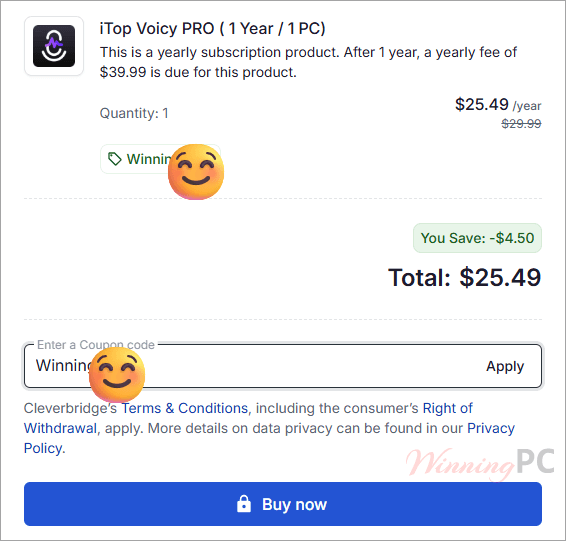
Claim your exclusive 72% discount for iTop Voicy PRO (code WinningPC15)
iTop Voicy PRO Coupon Codes & Deals November 2026

iTop VPN Halloween 2026: Up to 83% Off + 12 Months Free
Take advantage of special offer up to 83% off iTop VPN software!
iTop Voicy PRO for Windows
2 plans · best save 72%
📝 How to apply
- Click the “Copy Code” button above (the coupon is baked into the link).
- On the checkout page, verify that the price has dropped from the original.
- Enter your payment details and complete the purchase.
- Check your email for the license key and download the installer from the official site.
Is the iTop Voicy giveaway safe to claim?
Yes. The giveaway runs through iTop itself, and Pro activates on your own iTop account, so there’s no shared or third-party key involved.
No crack or keygen
You install iTop’s official build and Pro switches on when you log in. Nothing is patched or repackaged.
Official source
Both the free subscription and the CLG15 discount come from iTop’s own pages, not a reseller.
Secure checkout
If you buy a plan, payment goes through iTop’s official store. Your card details never pass through WinningPC.
30-day money-back
Paid plans can be refunded within 30 days. The giveaway costs nothing, so there’s no risk on that side.
How to get the iTop Voicy PRO License Key for free?
- Claim with your email. Type your email address carefully into the claim form on iTop’s giveaway page. This is the address your Pro subscription gets attached to, so a typo means no Pro.
- Download and install iTop Voicy. Grab the free installer from the same page and install it on your Windows 11 or 10 PC.
- Log in with the same email. Open iTop Voicy, then sign up or log in using the exact email you claimed with. Pro activates on your account. There’s no key to paste.
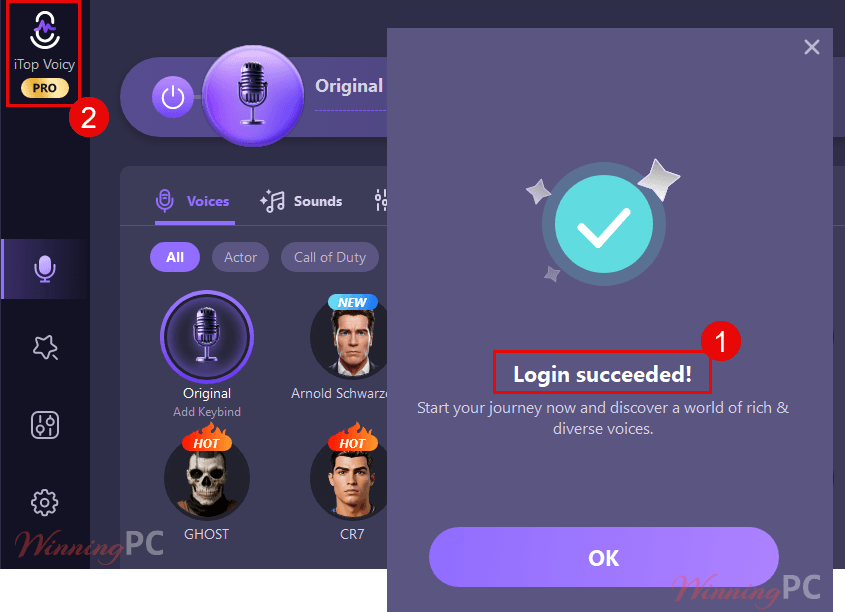
- Check that Pro is active. Open the voice library. If you see more than the 5 free voices, you’re set.
Note: entries are limited to one per IP address and handed out first come, first served, so claim early.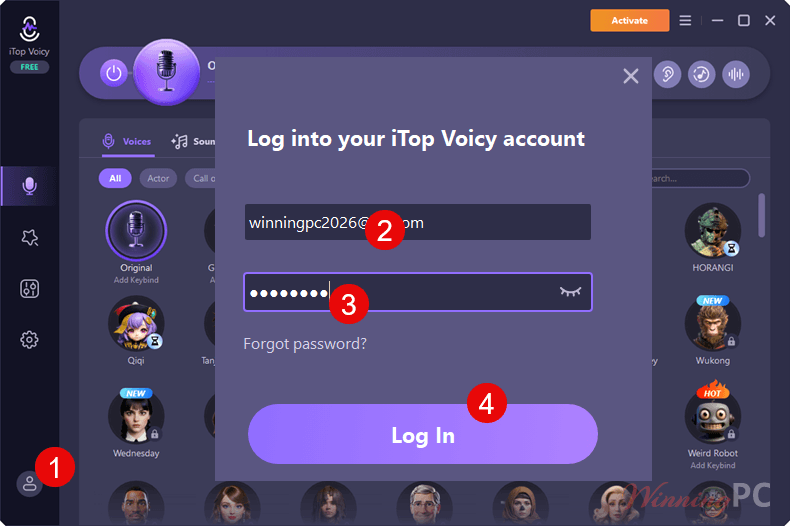
iTop Voicy PRO: In-Depth Review & Features
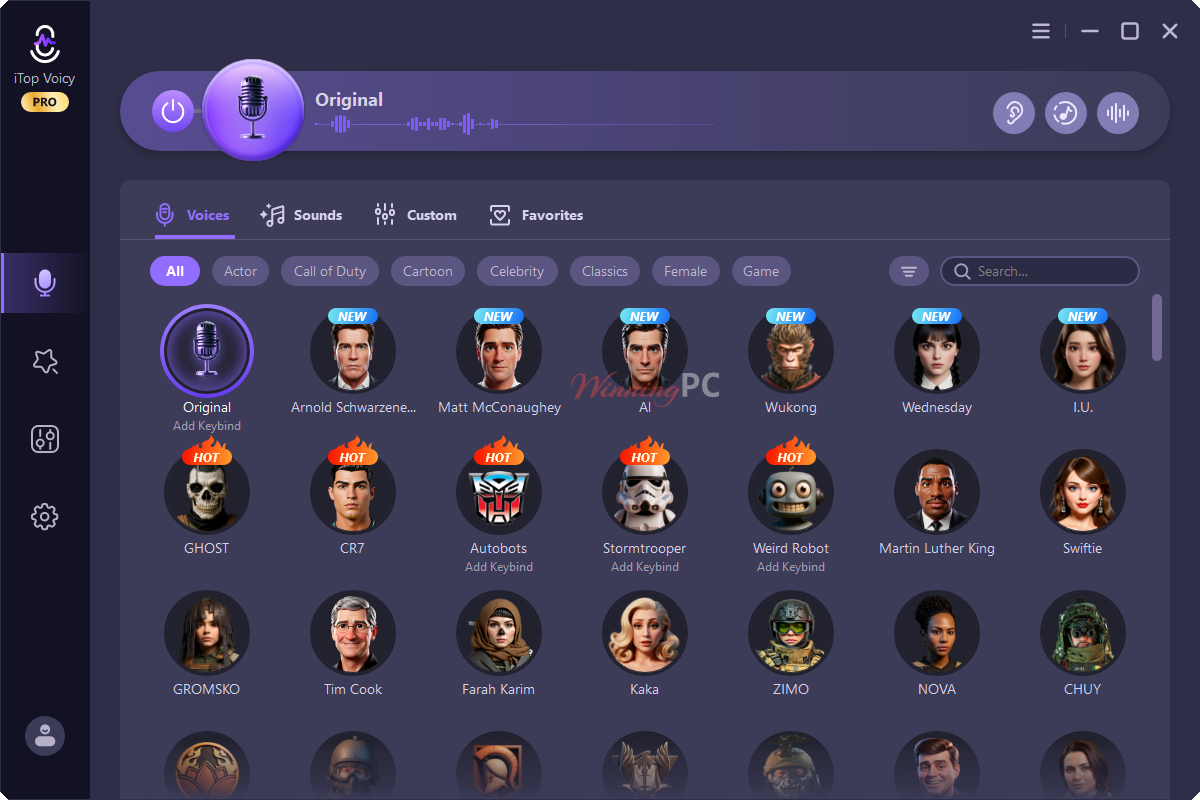
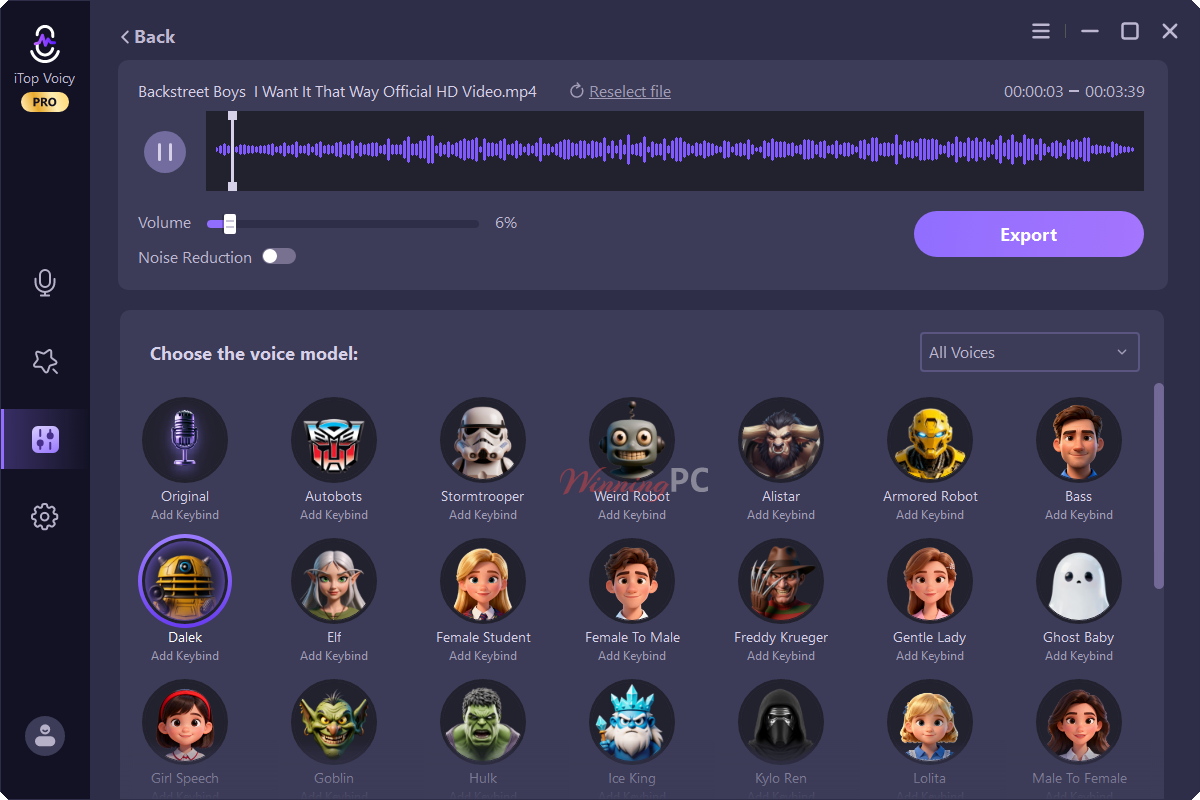
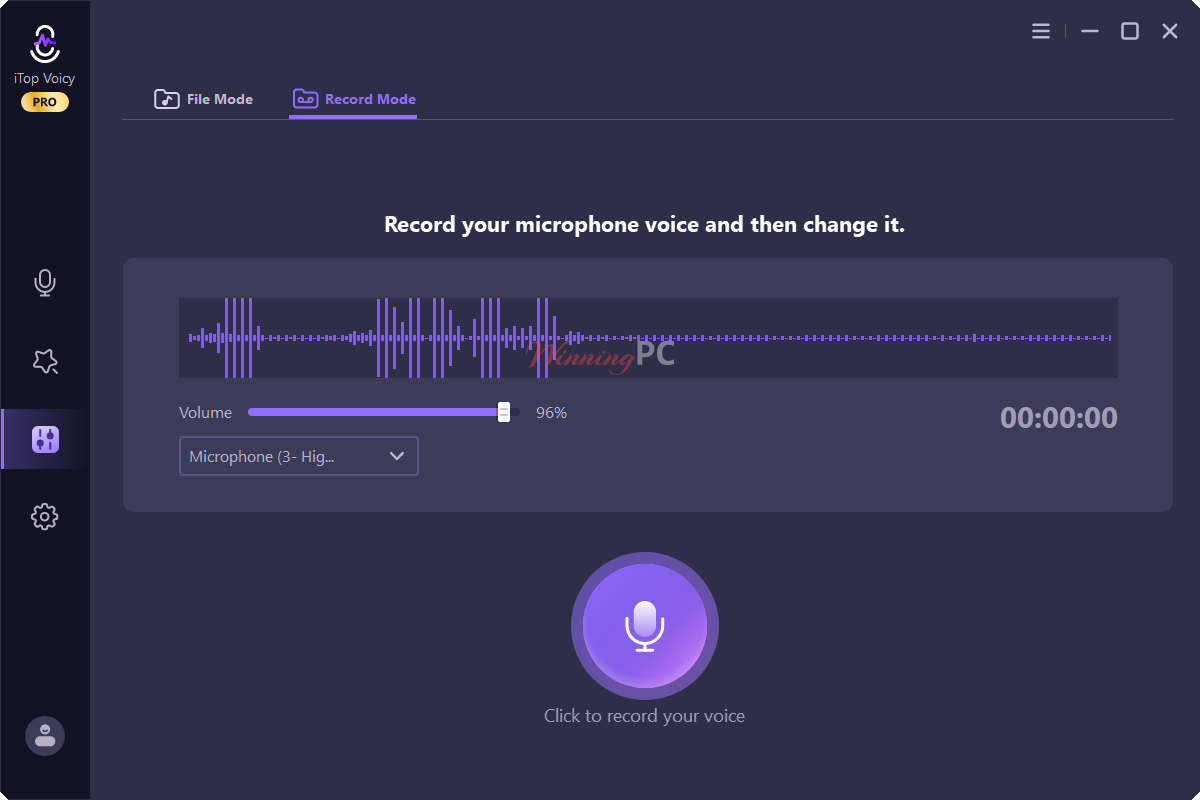
What sets iTop Voicy PRO apart from a basic pitch-shifter is that it covers all three jobs in one app: live voice changing, re-voicing recorded files, and building your own voices. The live mode is the headline, but file conversion is the quietly useful part. If you make voice-overs or podcast segments, you can re-voice a finished take instead of recording it again in character.
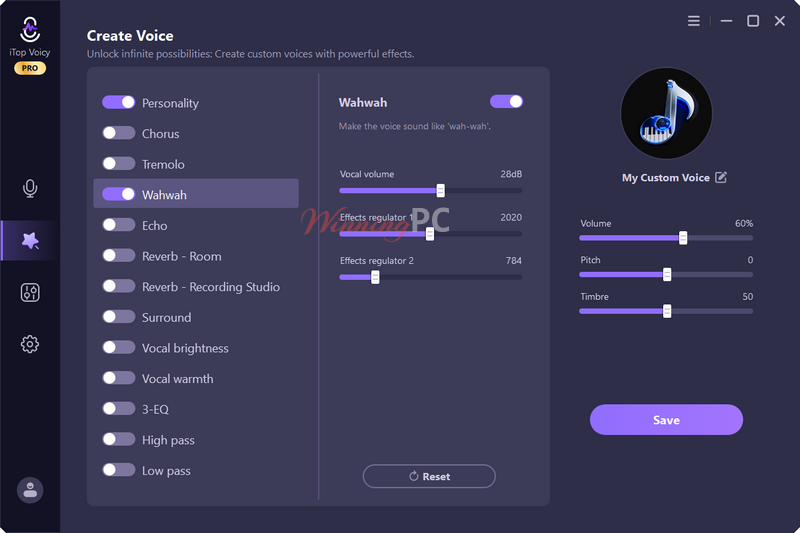
The Voice Lab goes further than presets, letting you tune pitch, timbre and emotion and then save the result as your own voice. Built-in noise and echo removal saves an extra step for anyone recording on a cheap mic. The limits are real, though. It’s Windows-only, and how “no lag” the live mode feels will depend on your PC and microphone.
Key features
- 200+ AI voices: cute, robotic, monster and fantasy styles, switchable in one click while you’re live.
- One-click file conversion: change the voice in existing audio or video files, with sound effects layered on.
- Voice Lab: create custom voices from scratch, adjust every parameter, then save and share them.
- Automatic noise reduction: removes background hum, clicks and mic echo from your voice.
- Cloud backup and sync: keep favorites, custom voices and recordings synced across your devices.
- Custom Voice Generation: Use the Voice Lab to adjust pitch, timbre, formant, and emotion. Apply professional sound effects like Personality, Chorus, Tremolo, Echo, and Reverb to build a signature voice library.
- Cross-Platform Integration: works seamlessly with Steam, Roblox, Discord, Zoom, Google Meet, YouTube, and TikTok. Cloud sync ensures your custom voices and settings follow you across devices.
What we think
More iTop Voicy PRO Screenshots
Free, giveaway or paid: what’s the real difference?
| Feature | Free version | Giveaway Pro | Paid Pro |
|---|---|---|---|
| Real-time voice changing | Yes | Yes | Yes |
| AI voices | 5 | 200+ | 200+ |
| Sound effects | 140+ | 140+ | 140+ |
| Voice Lab (custom voices) | Not listed | Yes | Yes |
| Voice changing in audio/video files | Not listed | Yes | Yes |
| Sync across devices | Not listed | Yes | Yes |
| Version | Latest | v1 only | Latest, with automatic updates |
| Duration | Unlimited | Not specified | 1 month or 1 year (billed) |
| Support | Not specified | Not specified | 24/7 priority support |
| Money-back guarantee | N/A | N/A | 30 days |
iTop Voicy vs other voice changers
| Tool | Platforms | Free option | Best for |
|---|---|---|---|
| iTop Voicy PRO | Windows 11/10 | Yes (5 voices) | All-in-one: live, file conversion, custom voices |
| HitPaw VoicePea | Windows, Mac | Limited free trial | Mac and Windows users who want live plus file changing |
| iMyFone MagicMic | Windows, Mac | Limited free trial | Gamers who want a big soundboard |
| EaseUS VoiceWave | Windows | Limited free trial | Simple live voice changing |
| iMobie Vozard | Windows, Mac | Limited free trial | AI voice effects for content creators |
| FliFlik Voice Changer | Windows, Mac | Limited free trial | Casual real-time voice effects |
| Clownfish Voice Changer | Windows | Free | Basic real-time effects with zero cost |
If you only need a robot or chipmunk voice for the odd game night, free Clownfish will do the job. Voicy earns its place once you want AI-quality voices, custom voices, or file conversion.
Frequently Asked Questions
Is there a refund policy?
Yes. iTop provides a 30-day Money Back Guarantee for all subscription plans. If the AI sounds don’t meet your standards, you can request a full refund within the first month.
How can I get a valid free license key?
ou can get a 100% legal free license key from WinningPC during our limited-time giveaway campaigns.
Where can I find the best coupons and deals?
WinningPC is the best place. We constantly update and provide the latest, highest-value coupons for this software.
What is the highest discount available right now?
WinningPC offers an exclusive 72% discount, which is currently the highest discount available for this software.
Is iTop Voicy really free to use?
Yes. iTop Voicy is 100% free and provides access to all features and AI voices.
Is using a voice changer legal?
Yes, for personal use like gaming, pranks with friends or content creation. Using a changed voice to commit fraud or impersonate someone to mislead people can break the law, though.
Does iTop Voicy work in games, streams and video calls?
Yes, that’s what it’s built for. It changes your voice live in games, live streams and online meetings. In most apps you just pick iTop Voicy as your microphone in the audio settings.
Can I claim the giveaway on more than one PC?
No, you can’t enter more than once. Entries are limited to one per IP address. Pro is attached to your iTop account, though, and paid plans can sync your data across multiple devices.
System Requirements & Details
| Feature | Specifications |
|---|---|
| Operating System | 64-bit Windows 10 (build 17763) or Windows 11 |
| Processor | Intel or AMD (Modern multi-core recommended) |
| Memory | Minimum 4 GB RAM (8 GB recommended for gaming + streaming simultaneously) |
| Storage | 5 GB available disk space for the voice library |
| Supported Formats | MP3, WAV, FLAC, MP4, and more for file-based conversion |



Even after entering the email address and password from the license I received, I get the message “Email address or password is incorrect.” How can I resolve this?
Even after entering the email address and password from the license I received, I get the message “Email address or password is incorrect.” How can I resolve this?
I’m having the same login problem here.
Hi, we’ve checked the giveaway account and it’s working properly. Please make sure to copy and paste the email and password exactly (no extra spaces). If the issue still persists, feel free to let us know. Thank you!
Hi, we’ve checked the giveaway account and it’s working properly. Please make sure to copy and paste the email and password exactly (no extra spaces). If the issue still persists, feel free to let us know. Thank you!
This was a success; it’s possible the other party was behind in their preparations.
TWO MONTH license! Is that worth creating a giveaway page for? I note that this is also stealing the GPLv3 compiled FFMPEG DLLs and distributing them illegally in their closed source product.
We understand that a 2-month license may not feel very exciting to everyone, but it can still be a useful way for some users to try the software longer than a standard trial.
If a better giveaway or longer license becomes available in the future, we’ll be sure to update the page.
NOTE you cannot disable automatic update checks and being offered updates even if your giveaway license never supported updates from within the programs user interface! You need to go into scheduled task manger and disable the task called “iTop Voicy Update” by right clicking on its entry in “Task Scheduler Library” and selecting “Disable”… correction that does NOT work as next time you execute iTop Voicy it re-enables the tasks state… One has to get a little heavy handed you cannot just rename the autoupdate.exe or create a folder called autoupdate.exe after renaming the original file as the program when next run will detect the file does not exist and demand you re-download and re-install… VERY AGGRESSIVE BEHAVIOR BY THE DEVELOPERS! But you can create a 0 byte length file and rename it to AutoUpdate.exe and copy it over the real exe and the program does NOT detect this so you can use it normally without the fear of it auto updating and losing the short 2 month giveaway license
You can now receive a 6-month giveaway license for this software.
Thanks but are they still illegally distributing GPLv3 FFMPEG DLLs in a closed source program and stealing intellectual property to make their software work? If so I’d rather stick with LEGAL software that was legally made.