
 Cathryn Lee
Let’s face it: dealing with bloated, sluggish Outlook data files is a massive headache, but paying full retail for a fix shouldn’t be. We know you just want to get your inbox running smoothly again, so we tracked down a massive discount on Kernel for PST Split.
- Status: ✅ Active & Verified
- Last Checked: October 2026
- Offer: Up to 57% Off
- Code: VW***30
Kernel for PST Split - Home User License
57% off: regular price $79, discounted price $34.3
Kernel for PST Split – Corporate License
53% off: regular price $149, discounted price $69.3
Kernel for PST Split – Technician License
48% off: regular price $399, discounted price $209.3
Price Comparison Table
| License Type | Official Price | WinningPC Price | You Save |
| Home License | $79 | $34.3 | 57% OFF |
| Corporate License | $149 | $69.3 | 53% OFF |
| Technician License | $399 | $209.3 | 48% OFF |
Redemption Guide
- Click one of the coupon code links above corresponding to your needed license.
- You will be securely redirected to the official checkout page.
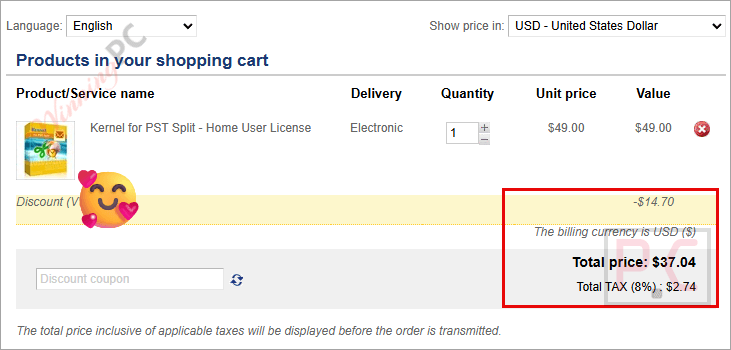
- Because you used our proprietary link, the coupon code is triggered automatically in your cart.
- Check the screenshot below to ensure the discount is applied correctly before you enter your payment details.
What is Kernel for PST Split?
Kernel for PST Split is a dedicated utility built to break down oversized Outlook PST files. When your PST files get too large, Outlook slows to a crawl, or files become corrupted. This tool cuts them down to size, letting you split files by specific MB/GB/TB sizes, sender’s email ID, date ranges, or folder types.
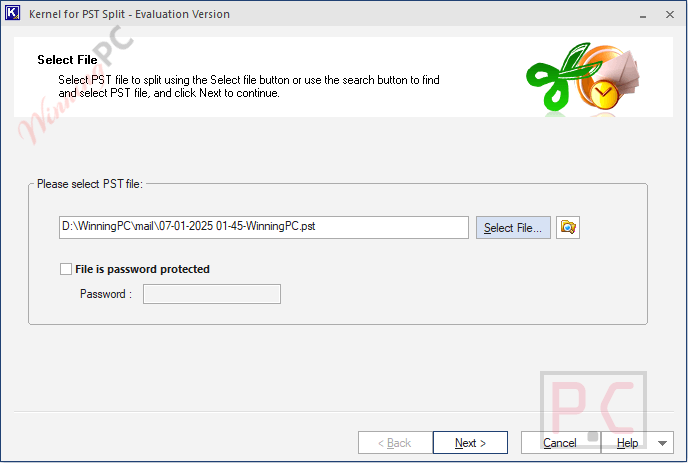
Kernel for PST Split handles heavily loaded files (100K+ emails) and can even slice up encrypted, orphaned, or corrupted PSTs while preserving the original formatting and metadata. Whether you are an IT tech trying to rescue a massive corporate backup or a home user trying to speed up your personal Outlook, it safely generates manageable, lighter data files.
In-Depth Review & Features
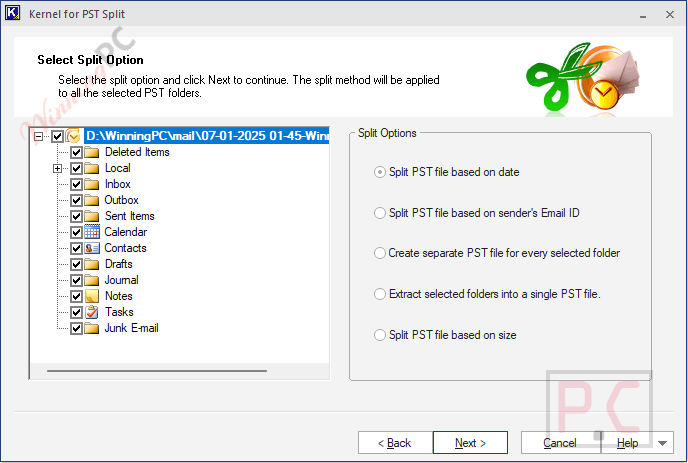
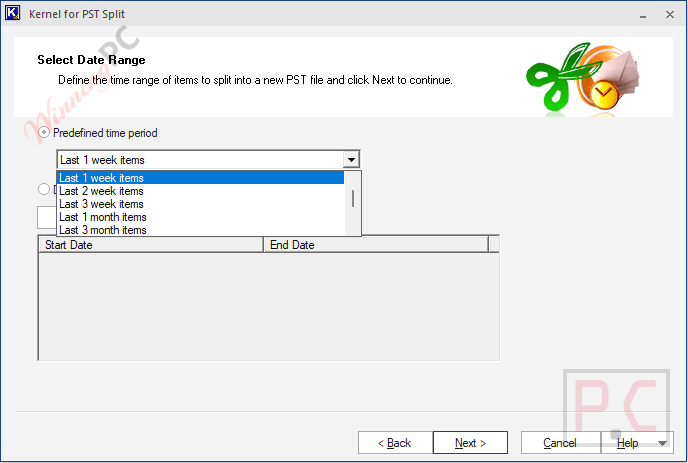
- Custom Size & Date Splitting: You dictate the rules. Slice your massive archive into specific chunks (MB, GB, or TB) or chop it up by time (weekly, monthly, yearly, or custom date ranges).
- Granular Email & Folder Filters: Need to isolate specific clients? You can separate data based on a single sender’s email ID. You can also extract individual folders (like isolating just your Calendar or Contacts) into their own standalone PST files.
- Bypasses Passwords: If you have an encrypted PST file but remember the password, the tool can unlock it and split it down without throwing errors.
- Broad Compatibility: It doesn’t matter if you have a modern Unicode PST from Office 365 or a legacy ANSI format from Outlook 97. The software handles both seamlessly.
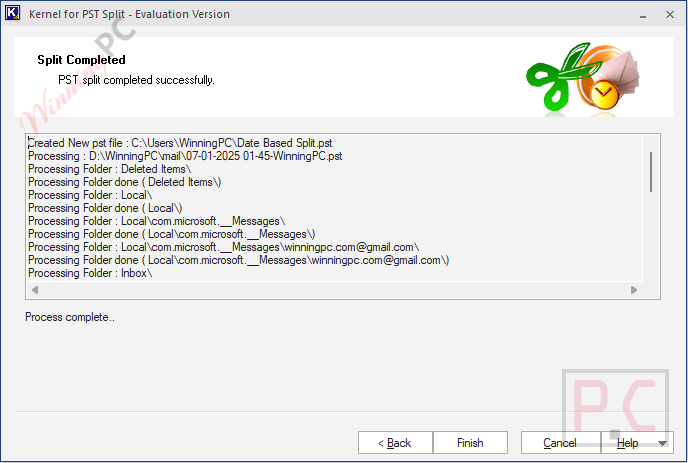
- Preserves Data Integrity: Splitting a file doesn’t mean ruining its structure. The output files retain the exact same folder hierarchy and formatting as your original source file.
- Handles the Bad Stuff: You can throw corrupt, orphaned, archive, network, or backup PST files at it.
Pros & Cons
More Kernel for PST Split screenshots
Frequently Asked Questions
Is this the best coupon for Kernel for PST Split?
Yes. WinningPC currently offers the highest discount rate available on the market for this software. Our 57% off deal for the Home license is verified and active as of March 2026.
Will splitting my PST file damage the original?
No. The PST splitter tool does not modify your original source file. All your emails, attachments, calendars, and contacts remain untouched in the original file while the new, smaller files are generated separately.
I have a massive file with over 100,000 emails. Can it handle this?
Absolutely. The tool is specifically engineered to handle massive PST files without crashing, making bulky files accessible again.
Can it split password-protected files?
Yes. If you check the “File is password protected” box and provide the correct password, the software will successfully break down encrypted PSTs.
Can I extract old emails without selecting them one by one?
Yes. You can use the smart date range function to automatically extract data up to the last 3 years, saving you from manually hunting down old messages.
Does it split calendars and contacts too?
Yes. Kernel for PST Split scans all internal data items evenly. You can easily create separate, standalone PST files for just your Contacts, Calendars, Journals, or specific Email Folders (Inbox, Sent, etc.).
Can I split files exactly at the 2GB limit?
Yes. You can define exact file size limits (in MB, GB, or TB) to ensure your legacy Outlook clients don’t hit the dreaded 2GB corruption wall.
What happens if my PST file is already corrupted?
The tool can split damaged or inaccessible PST files. However, keep in mind that splitting a corrupt file doesn’t magically fix the data inside it. To actually access the broken data in the newly split files, you will need a dedicated PST repair tool afterward.
Technical Specifications
| Operating System | Windows 365, 11, 10, 8.1, 8, 7, Vista, XP, 2000, 98, NT, 95. Windows Server 2022, 2019, 2012, 2008 (and R2), 2003 (and R2). |
| RAM | 512 MB Minimum. |
| Hard Disk Space | 50 MB of free space. |
| Processor | Intel Pentium compatible (x86, x64) or equivalent. |
| Supported MS Outlook Versions | Office 365, 2021, 2019, 2016, 2013 (32/64 bit), 2010, 2007, 2003, 2002, 2000, 98, 97. |





