Chris Bruner
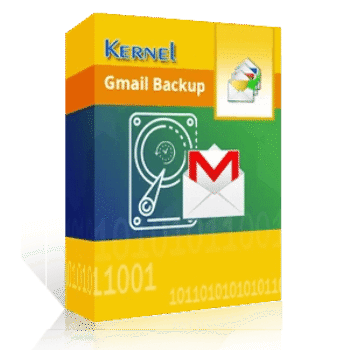
Kernel Gmail Backup is a Gmail mailbox backup tool built to save emails, contacts, calendars, and related data to local or network-attached storage.
Kernel Gmail Backup
3 plans · best save 65%
Corporate License
Multiple Machines at Single Location | 1000 Mailboxes
Technician License
Multiple Machines at Multiple Location | Unlimited Mailboxes
📄 Licensing & Support Details
- 30-day money-back guarantee
- 24×7 free support
- Free feature updates
- No file size limitation
- Delivery key via email in 15 minutes
- Secure checkout
📝 How to apply
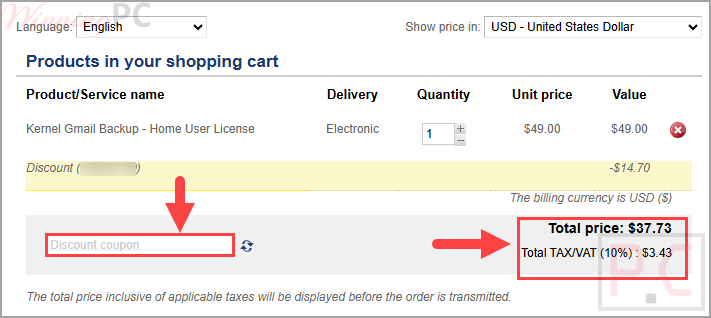
Press “Copy code” to proceed to checkout. Please review your order details and the total before completing the transaction.
What is Kernel Gmail Backup?
Kernel Gmail Backup is made for users who want to back up Gmail mailboxes and save their data in accessible file formats. It supports emails, contacts, calendars, attachments, and mailbox data, while also giving users control over folder selection, date-based filtering, and output format. If you regularly need to preserve Gmail data or handle multiple accounts, using the coupon can make the purchase more practical.
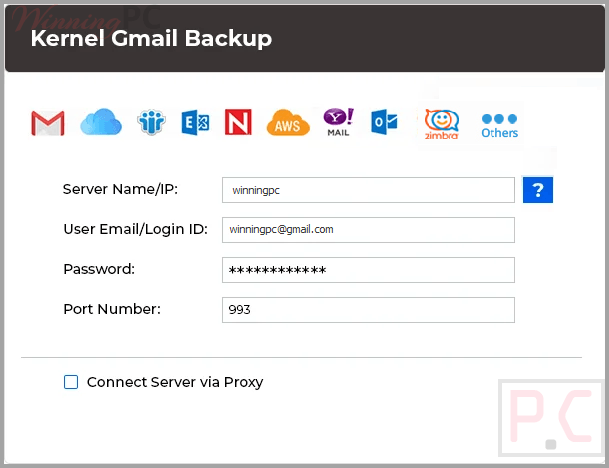
In-Depth Review & Features
- Backup Gmail mailboxes: saves Gmail mailbox data from folders such as Inbox, Sent, Trash, and others.
- Multiple output formats: supports PST, MSG, EML, PDF, DOC, HTML, MHT, and DOCX formats.
- Attachment and metadata backup: preserves associated attachments and email metadata during backup.
- Bulk mailbox backup with CSV: allows backup of multiple Gmail or G Suite mailboxes using a CSV file.
- Incremental backup: helps avoid duplicate data by skipping already backed-up emails.
- Advanced filters: supports date filters and options such as excluding deleted or empty folders.
- Folder selection: lets users include or exclude specific mailbox folders and labels.
- Split PST option: helps manage large PST backup files by splitting them into smaller parts.
- Local or NAS storage support: saves backup files to local drives or network-attached storage.
- Backup report: generates a detailed status report and allows saving it as a CSV file.
- Retain folder hierarchy: keeps the original mailbox structure for easier access later.
- Read/unread status retention: preserves the email status during the backup process.
- Multiple iterations: supports running multiple instances for bulk backup tasks.
- User-created folder backup: scans and backs up custom folders and labels created by the user.
- Support for multiple IMAP clients: can work with more than 15 IMAP-based email clients, including Gmail, Outlook, G Suite, Amazon WorkMail, Yahoo, AOL, and Zimbra.
Pros & Cons
More screenshots


Frequently Asked Questions
How much can I save with the Kernel Gmail Backup coupon?
You can save 65% on the Home User License, 58% on the Corporate License, and 48% on the Technician License.
What does Kernel Gmail Backup do?
It is used to back up Gmail mailbox data, including emails, contacts, calendars, attachments, and metadata, and save that data to local or NAS storage.
Which file formats does Kernel Gmail Backup support?
The tool supports backup in PST, MSG, EML, PDF, DOC, DOCX, HTML, and MHT formats.
Can I back up multiple Gmail accounts at once?
Yes. The software supports backup of multiple Gmail or G Suite mailboxes using a CSV file.
Does the tool back up attachments and metadata?
Yes. It backs up emails along with attachments and metadata.
Can I choose specific folders or labels for backup?
Yes. The tool scans mailbox folders and labels, and you can select or deselect them during the backup process.
Does Kernel Gmail Backup support custom folders I created in Gmail?
Yes. The software scans and lists user-created folders or labels, and those can be included in the backup.
How do I use a CSV file for multiple Gmail account backup?
You need to enter details such as Source IMAP Mailbox, Source Login Account, Source Password, and Source Server Name in the CSV file, then import it into the software.
What is the latest Kernel Gmail Backup coupon code?
The current coupon code on WinningPC provided here is VW**T30, which can be used for discounted pricing on the available license options.
System Requirements & Details
| Feature | Specifications |
|---|---|
| Hard Disk Space | 50 MB |
| Memory | 128 MB minimum |
| Processor | Intel® Pentium Processor compatible (x86, x64) or equivalent |
| Operating Systems | Windows 11, 10, 8.1, 8, 7, Vista, XP |
| Windows Server Support | Windows Server 2022, 2019, 2016, 2012, 2008 R2, 2008, 2003 R2, 2003 |
| Supported output formats | PST, MSG, EML, PDF, DOC, DOCX, HTML, MHT |