WinningPC
As a professional PST file migration tool, Kernel Import PST to Office 365 can securely transfer Outlook PST data to Microsoft 365 environments. This powerful tool is suitable for both individual users and large organizations to migrate multiple PST files simultaneously. With its help, you can migrate large volumes of email data to save time and effort. This tool also has the function to seamlessly migrate OST files to Mi 365 mailboxes and Groups, providing a comprehensive solution for all Outlook data migration needs.
The advanced filtering options are supported to help you selectively migrate specific data based on criteria such as date range and item type to ensure only relevant data is transferred. Kernel Import PST to Office 365 preserves folder hierarchy, which means preserving the folder hierarchy of the mailboxes within the PST file and making it easier for users to navigate their emails post-migration. You are allowed to save the report in CSV format after import to analyze the whole process.
Kernel Import PST to Office 365 Coupon Code Oct 2026

Kernel Import PST to Office 365 - Home User License
53% off coupon code: regular price $149, discounted price $69.3
Kernel Import PST to Office 365 - Corporate License
44% off coupon code: regular price $499, discounted price $279.3
Kernel Import PST to Office 365 - Technician License
50% off coupon code: regular price $699, discounted price $349.3
Key Features and Screenshots
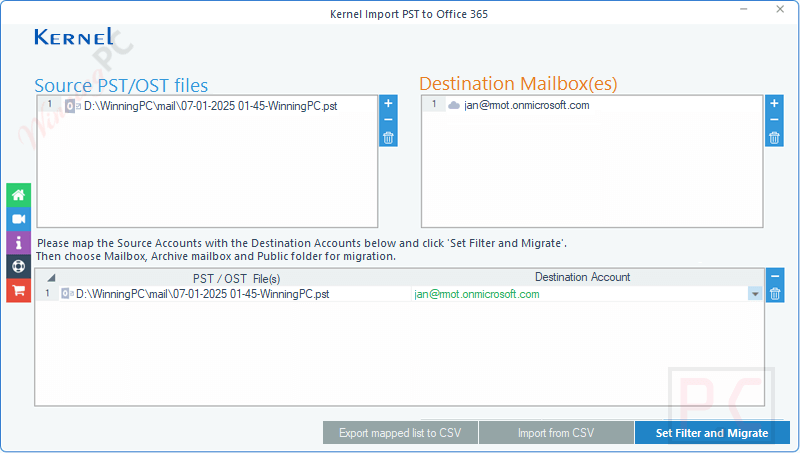
- Comprehensive Data Import: You are allowed to import PST files into Primary, Archive, and Shared mailboxes, among other Office 365 mailboxes, to ensure all user data, such as emails, contacts, calendars, and tasks, can be migrated without any loss.
- Batch Migration: This tool supports the import of multiple PST files to Office 365 mailboxes in a single operation, ensuring efficiency, time savings, and effort for large-scale migrations.
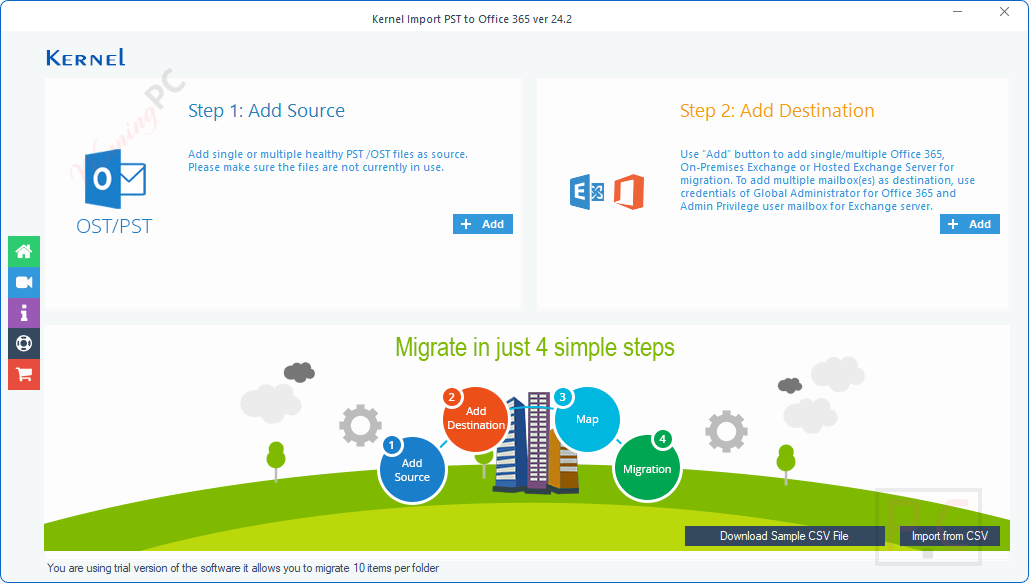
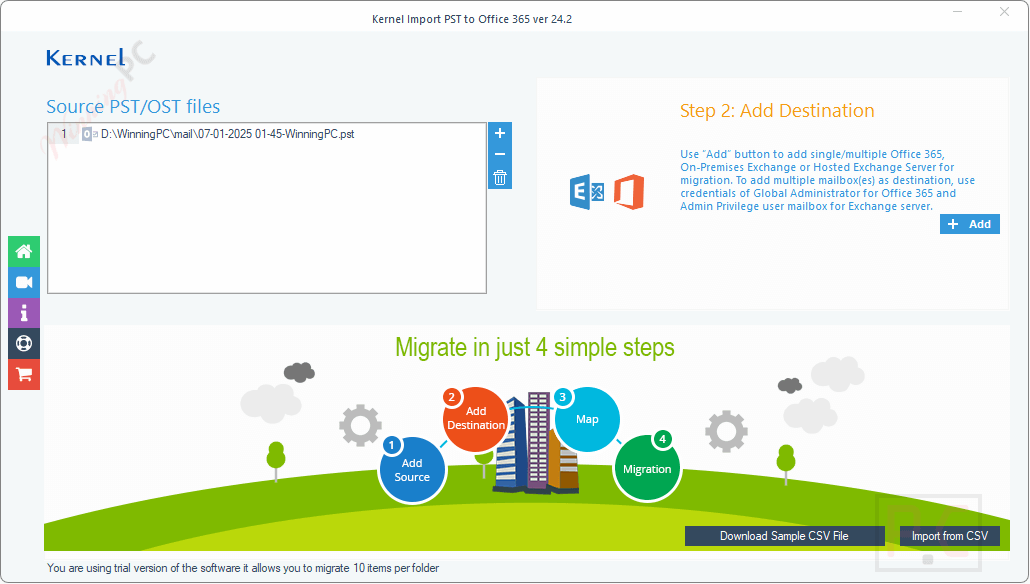
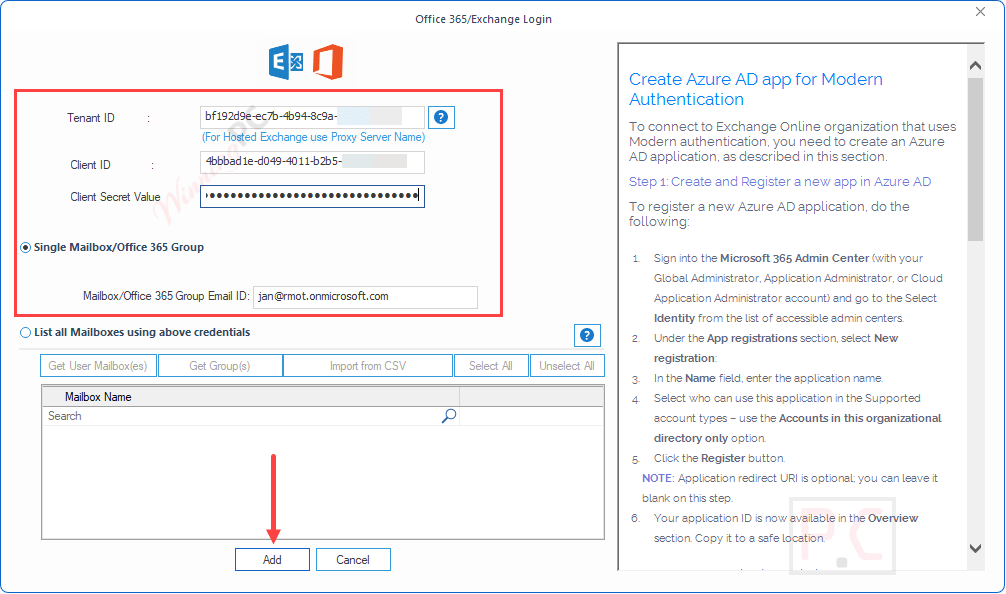
- Import OST to Office 365: This software effortlessly imports OST files to Office 365 mailboxes and Groups. You just simply select the OST files and provide valid Office 365 credentials, and the tool will map them for a smooth migration process.
- Import PST to Exchange Server: Kernel Import PST to Office 365 seamlessly migrates single or multiple PST files to any Exchange Server version, ensuring smooth imports to On-premises, Hosted, or Online Exchange.
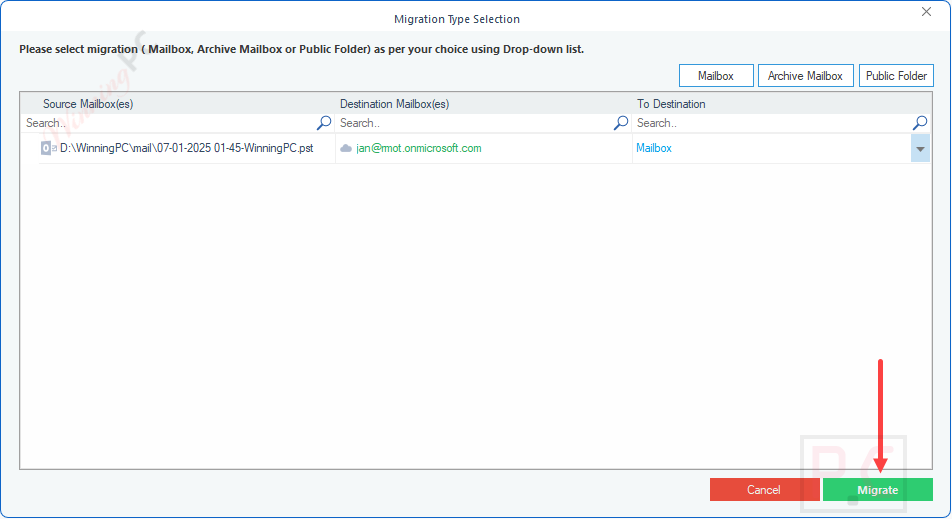
- Import PST files to Office 365 Archive mailboxes: Users and admins can transfer PST files to Office 365 Archive, Primary mailboxes, and Public folders. Choose the destination in the Migration Type Selection window, and it will create a new folder to import data.
- Separate Item Import: Using the PST to Office 365 tool, you can easily transfer calendars, contacts, and mailbox folders if needed, without transferring all email content. Just add the PST file and follow the simple steps to efficiently import Outlook PST contacts to Office 365.
- Advanced Filtering Options: You can apply advanced filters based on date ranges, item types, and more to migrate specific data from PST files to Office 365 selectively.
- No Outlook Requirement: You can import PST files to Office 365 without installing Outlook. It can transfer PST data while preserving folder structure and data integrity, making the process seamless and efficient.
- Duplicate and Empty Folder Management: Kernel Import PST to Office 365 intelligently identifies and skips duplicate items, empty folders, and deleted folders during the migration process to ensure faster migration.
- Modern and Basic Authentication Support: Kernel Import PST to Office 365 supports both Modern and Basic Authentication methods for Office 365 to enhance security in just three easy steps. This flexibility allows organizations to add an additional layer of security to the data, preventing data loss.
- CSV-Based Mailbox Mapping: Office 365 Administrators can use a CSV file to map source PST files to their corresponding Office 365 mailboxes, saving time by avoiding manual selection during PST file imports. Just download, fill, and upload.
- No File Size Limitations: This software supports the migration of PST files up to 50GB in size, allowing for the migration of large files without any performance issues.
- Detailed Migration Reports: After the migration process, the tool can generate comprehensive migration logs in CSV format for audit and verification purposes.
Frequently asked questions
What Office 365 plans are supported by this tool?
The tool supports all Microsoft 365 plans that include Exchange Online, including Business Basic, Business Standard, Business Premium, Enterprise plans, and others.
Does the tool support OST file migration?
Yes, Kernel Import PST to Office 365 also supports the migration of OST files to Office 365.
How does the software handle duplicate items during migration?
The tool includes options to skip duplicate items, ensuring that only unique data is imported into the Office 365 mailbox.
Can I migrate selective content rather than entire PST files?
Yes, the software includes advanced filtering options that allow you to transfer specific data based on date ranges, item types, and folder selection. You can also choose to skip deleted items, empty folders, and duplicate content
Is there a file size limitation for PST imports?
The tool supports PST files up to 50GB in size, which accommodates most organizational needs.
Are there any discounts available for purchasing Kernel Import PST to Office 365?
Yes, WinningPC offers a coupon code VW***30 that provides up to a 53% discount on this tool.
Technical Details
| Language Support | English, Français, Italian, Spanish, Swedish, and more… |
| Money Back Guarantee | 30-Day |
| Operating System | Windows 365, 11, 10, 8.1, and older versions Windows Server 2022, 2019, 2016, 2012, 2008 R2, 2008, 2003 R2, 2003 OS |
| Shipping | Register code instantly delivery via email |
| Subscription | Lifetime |
| Support Services | Live Chat, Tickets |