WinningPC

Unexpected data loss due to accidental deletion or cyber threats can put your Microsoft 365 data at serious risk. To address this, Kernel Office 365 Backup and Restore offers a secure and reliable solution for backing up your entire Microsoft 365 data. This powerful tool enables you to create complete backups of your Office 365 mailboxes, including emails, attachments, calendars, contacts, notes, tasks, and more. It also supports bulk mailbox backup to manage multiple accounts efficiently while ensuring all essential data is preserved.
One of the standout features of Kernel Office 365 Backup and Restore is its flexibility in output formats. You can choose to export data in various file types, such as PST, MSG, PDF, DOC, DOCX, EML, and HTML. This software supports incremental backups to optimise storage space and performance, meaning it only saves newly added or modified content since the last backup. This not only saves time but also reduces redundant data. In addition, this tool offers advanced filtering capabilities, allowing you to customize backups based on specific parameters such as date range, item type, or folder. This ensures that only relevant and necessary information is backed up, helping streamline the process and enhance efficiency.
Kernel Office 365 Backup and Restore Coupon Code Oct 2026
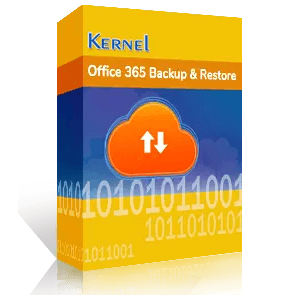
Kernel Office 365 Backup and Restore - Corporate License
56% off coupon code: regular price $799, discounted price $349.3
Kernel Office 365 Backup and Restore - Technician License
53% off coupon code: regular price $1199, discounted price $559.3
Key Features and Screenshots
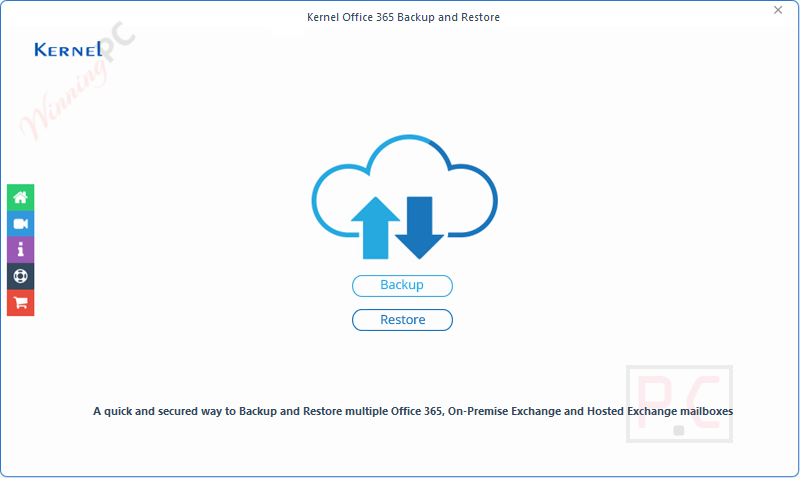
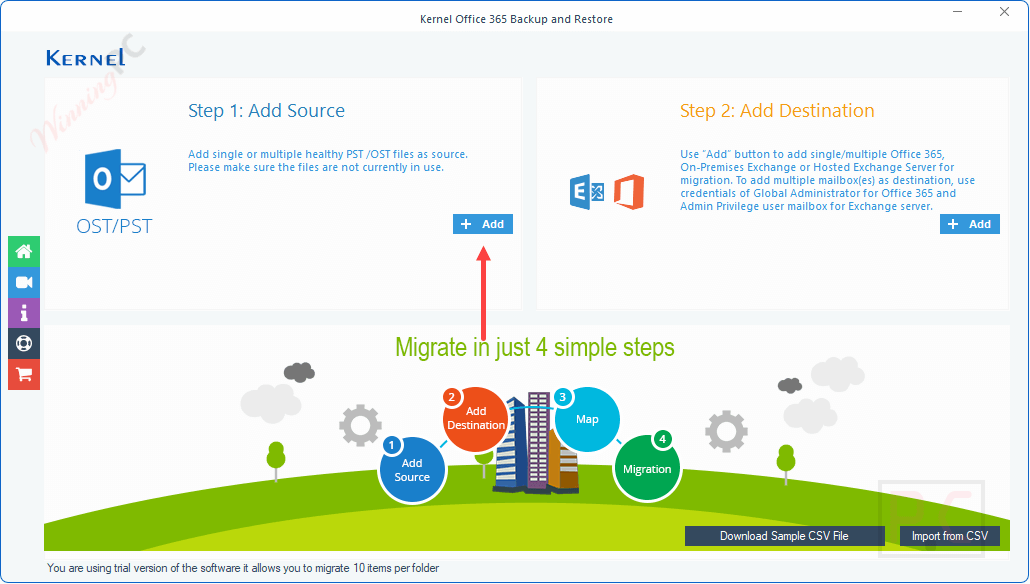
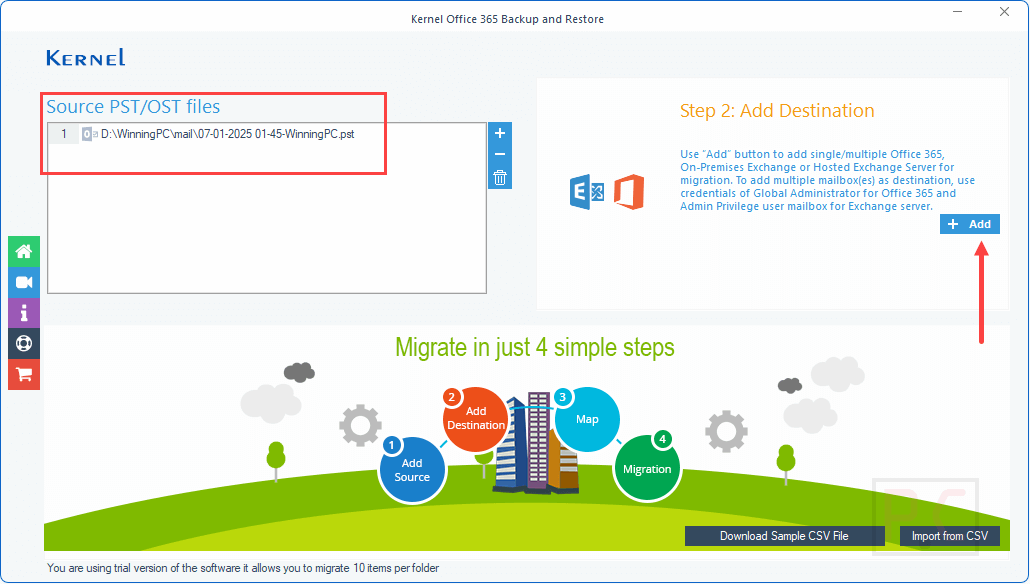
- Microsoft 365 backup: Kernel Office 365 Backup and Restore allows you to backup all types of Office 365 data, including emails, attachments, contacts, calendars, notes, and more or selective items in your preferred format to ensure that no critical information is left unprotected.
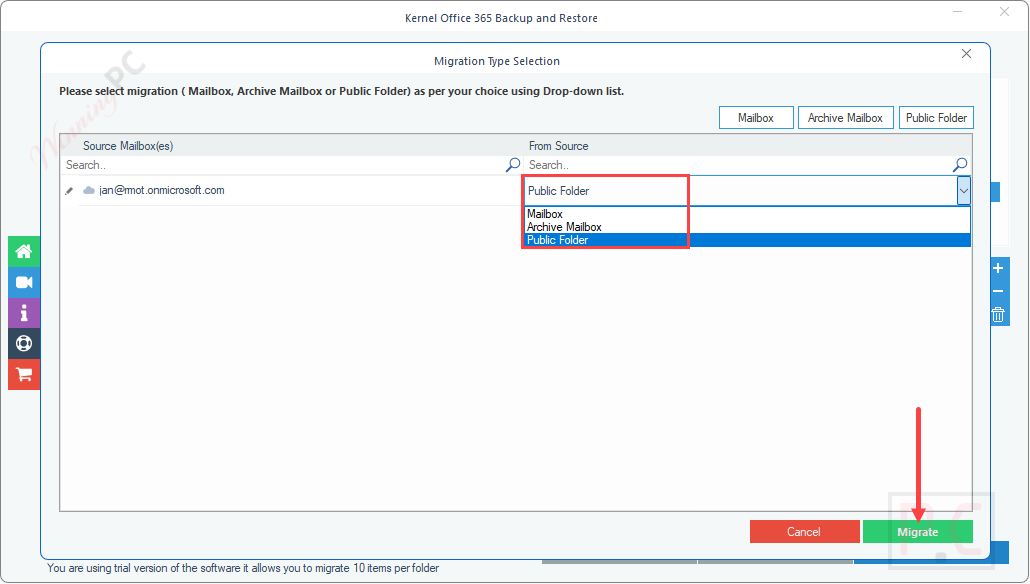
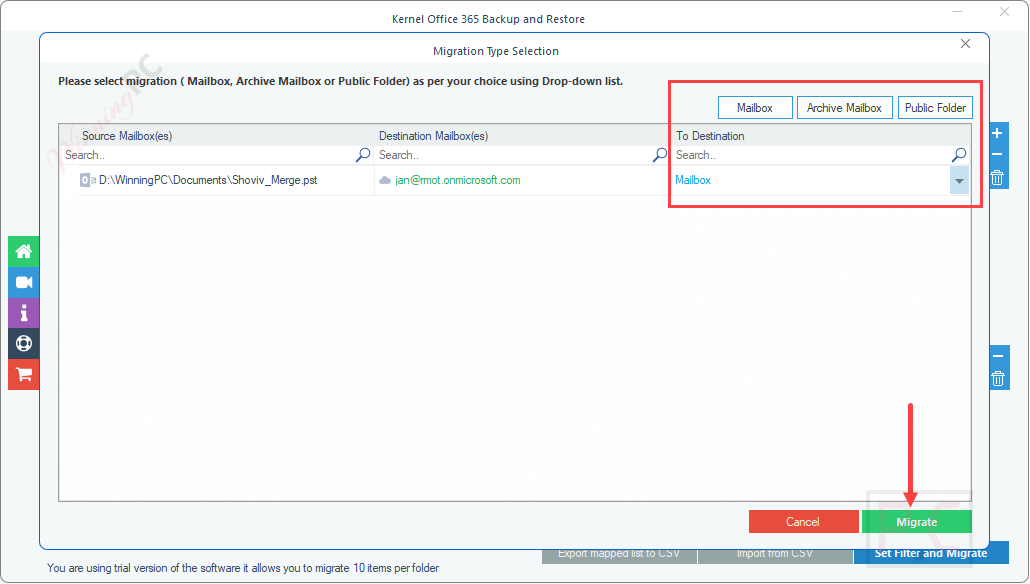
- Multiple Mailbox Support: This tool supports backing up multiple mailboxes simultaneously, including primary mailboxes, archive mailboxes, shared mailboxes, public folders and Office 365 Groups, with complete integrity. This feature is particularly useful for organizations with a large number of users.
- Intelligent Server Error Prevention: This tool uses advanced algorithms to optimize Office 365 backup and restore, allowing you to set a minimum item fetch limit, preventing server errors and ensuring smooth, uninterrupted backups.
- Flexible Output Formats: You are allowed to save backup data in various formats, such as PST, MSG, EML, DOC, DOCX, HTML, PDF, and more, for maximum compatibility. This flexibility allows for easy access, sharing, and archiving of data.
- Office 365 incremental backup: Avoid confusion and save time when you take the Office 365 mailbox backup for the second time. Kernel Office 365 Backup and Restore supports incremental backups, which means it only backs up newly added or modified data, reducing storage space and backup time.
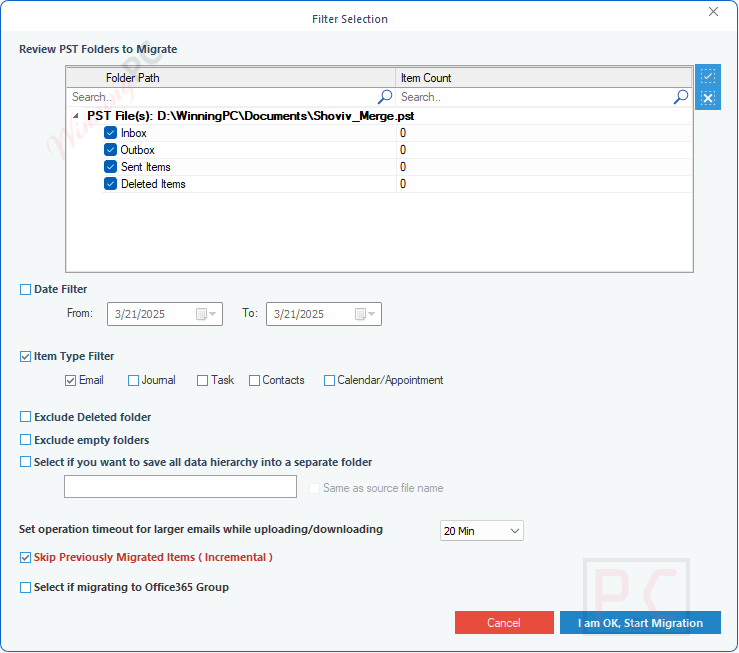
- Advanced Filtering Options: This software provides advanced filtering options, allowing you to perform selective backups using advanced filters like date filter and item type filter and exclusion of deleted items. These filters help users perform selective backups based on specific criteria.
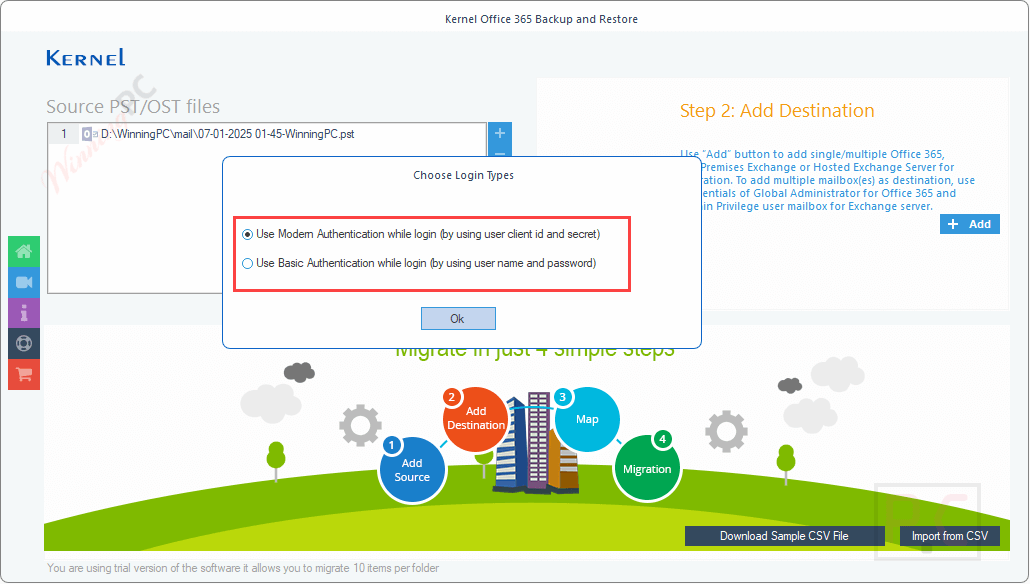
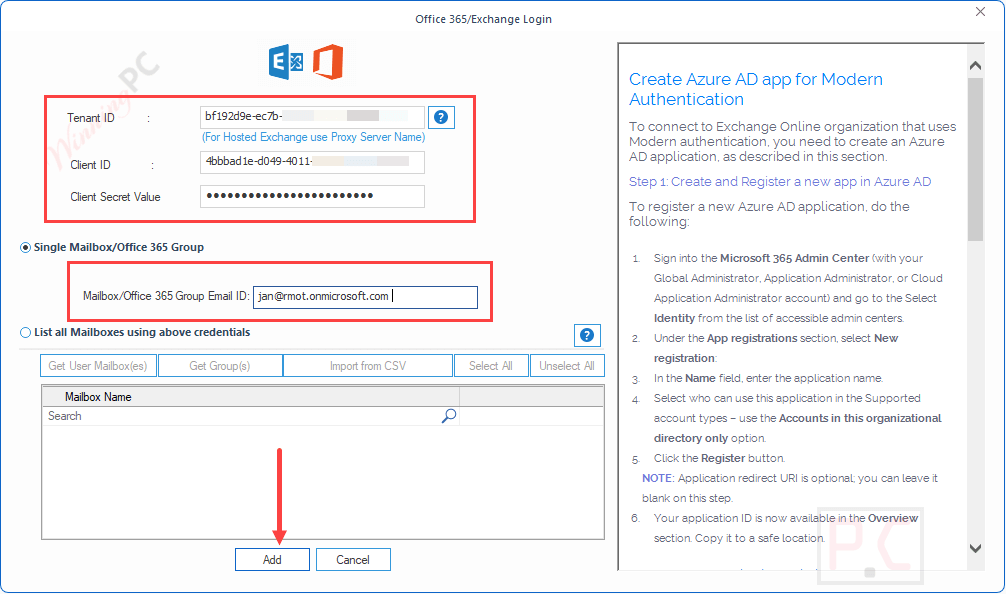
- Secure Authentication: Kernel Office 365 Backup and Restore uses modern authentication methods for a secure Office 365 Groups backup to ensure secure access to Office 365 accounts. This function enhances the security of the backup process and protects against unauthorized access.
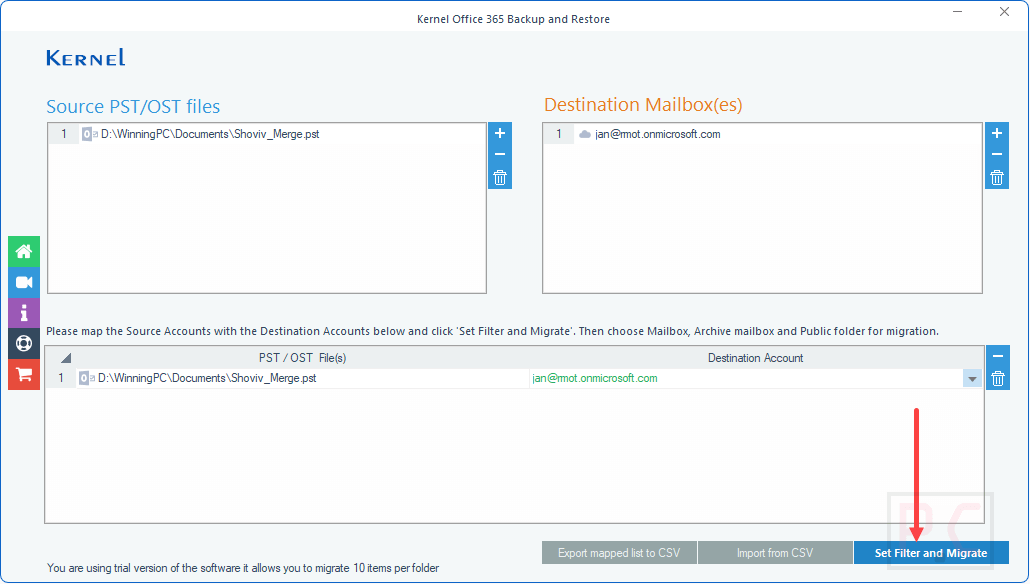
- Restore Capabilities: Not only back up data, but Kernel Office 365 Backup and Restore also allow you to restore it. You can use it to restore single or multiple PST files to Office 365 accounts, ensuring data in case of accidental deletion or data loss can be restored.
- Support for Large Mailboxes: This software uses the advanced Split Output PST File After option to efficiently handle large-sized mailboxes by providing options to split large output PST files into smaller ones according to your needs, manageable ones (1GB, 2GB, 3GB, etc.). This feature is useful for organizations with extensive data.
- Backup/Restore Office 365 Groups: You are allowed to back up and restore complete Office 365 groups, including shared Outlook inbox, calendar, document library, OneNote notebook, and more, along with your settings, permissions, files, and metadata. This ensures that all group-related data is securely backed up and restored.
- Automated Backup: This software supports automated backups via an inbuilt CSV file to simplify the Microsoft 365 backup process; just enter the mailbox details and upload it directly.
- No Outlook installation required: Without installing MS Outlook, you also have the flexibility to backup and restore Microsoft 365 mailboxes in PST format. You just have to have your own Outlook to access PST files post-backup.
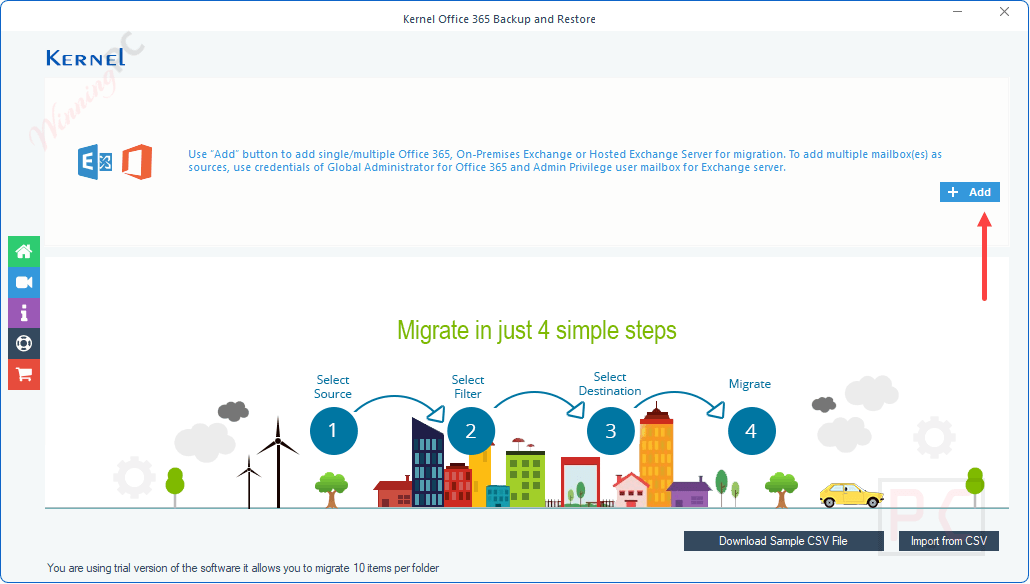
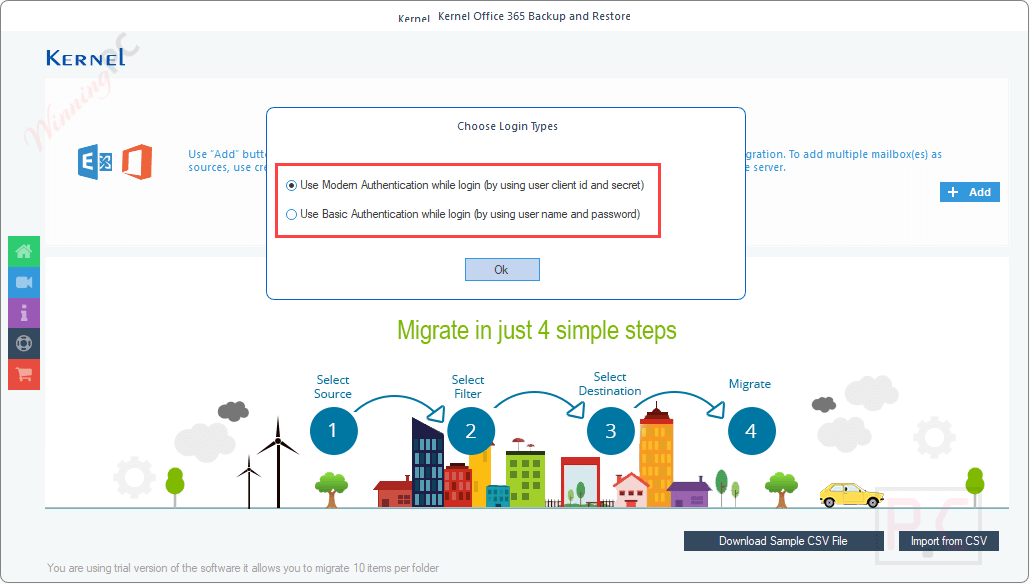
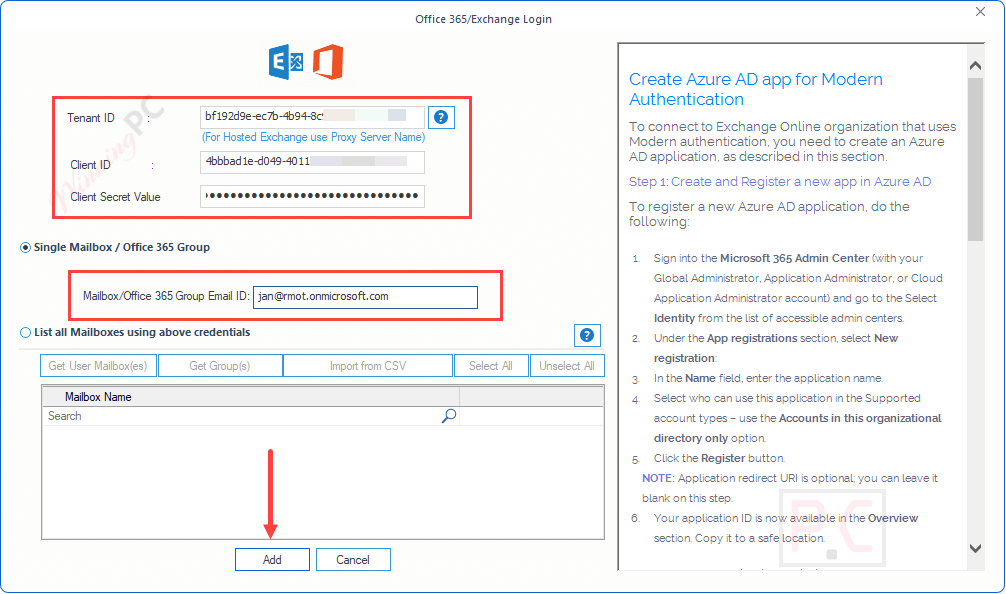
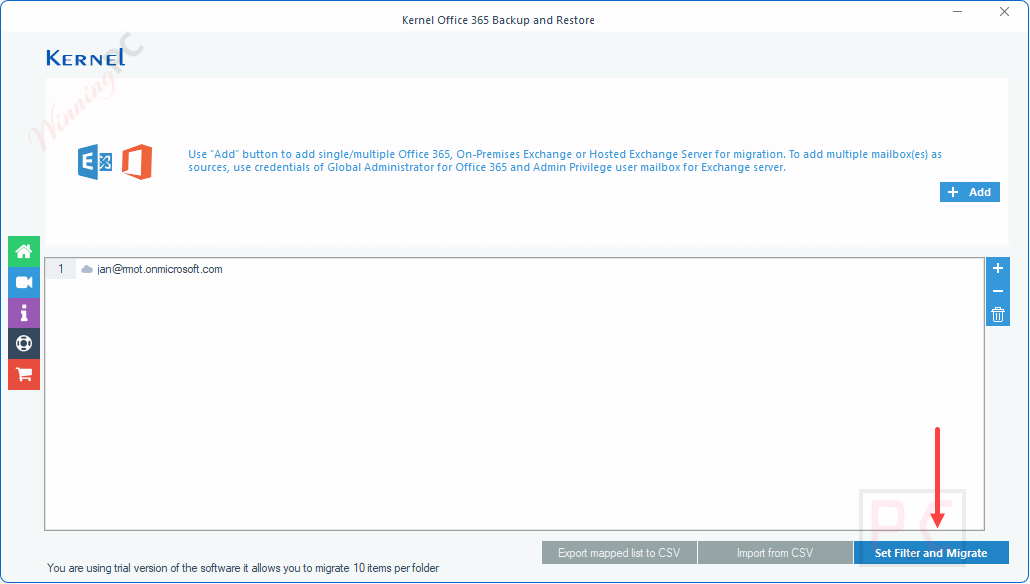
Frequently asked questions
Which data formats can Kernel Office 365 Backup and Restore save backups in?
The tool can save backups in various formats such as PST, MSG, PDF, DOC, DOCX, EML, and HTML.
Can Kernel Office 365 Backup and Restore backup data from On-premises Exchange and Hosted Exchange?
Yes, it supports backup from both On-premises Exchange and Hosted Exchange environments.
Can the tool restore data to Office 365 from backup files?
Yes, the software allows restoring data from backup files, such as PST or OST, back to Office 365 mailboxes.
How does Kernel Office 365 Backup and Restore ensure data security during backup?
The tool uses modern authentication methods to ensure secure backup processes.
Is it possible to back up shared mailboxes and public folders using Kernel Office 365 Backup and Restore?
Yes, the tool supports backup of shared mailboxes, public folders, and Office 365 Groups.
Are there any discounts available for purchasing Kernel Office 365 Backup and Restore?
Yes, WinningPC offers a coupon code that provides a discount code VW***30 to help you get 56% off on this tool.
Technical Details
| Language Support | English, Français, Italian, Spanish, Swedish, and more… |
| Money Back Guarantee | 30-Day |
| Operating System | Outlook 365, 2019, 2016, 2013, 2010, 2007, 2003, 2002, 2000, 98 & 97 Window 365, 11, 10, 8.1, 8, 7, Vista, XP, 2000, 98, NT & 95 Windows Server 2022, 2019, 2016, 2012, 2008 R2, 2008, 2003 R2, 2003 OS |
| Shipping | Register code will be sent to your email in minutes |
| Subscription | Lifetime |
| Support Services | Live Chat, Tickets, Phone |