


LastPass Pricing & Coupon Oct 2026

LastPass Premium
Individual plan that ensures secure password management across all your devices
LastPass Families
Keep your household’s logins secure and always within reach at home or on-the-go
LastPass Teams
Simple credential management for small teams and startups
LastPass Business
Effortless password and access management for small and medium-size businesses
LastPass Business Max
Advanced protection and secure access for any business with more admin control
LastPass Giveaway
LastPass
Save a password once and it’s instantly available across all devices.
- Product
- LastPass
- Product website
- lastpass.com
- License
- 6-Month
- Platform
- Windows, macOS, Android, Linux, iOS
- Updates
- No future upgrades
- Support
- No support
- Updated
- 2021-09-27
Continue on lastpass.com
The publisher handles registration and license delivery on its official website.
This giveaway ended on .
35% Off LastPass Families Coupon Code
How to get the license key?
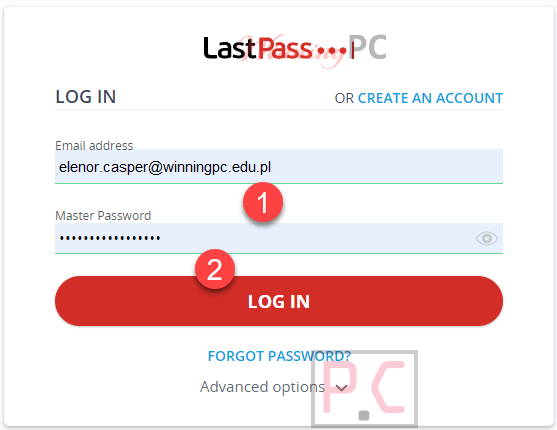
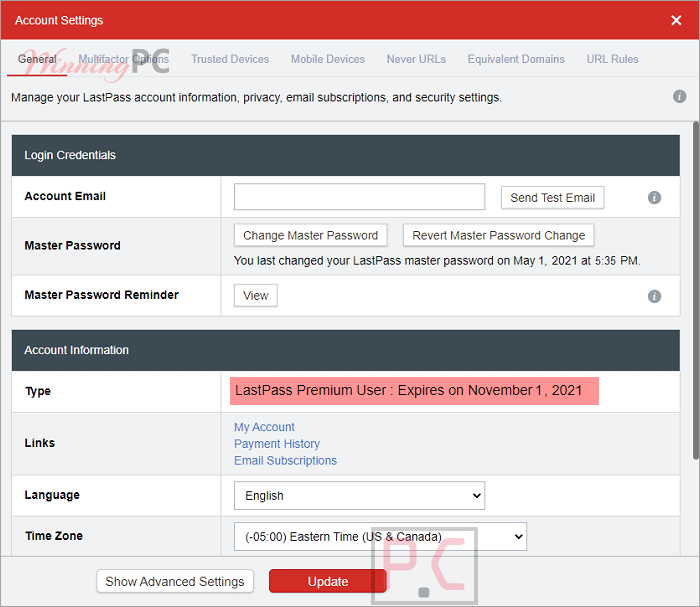
- On the LastPass Premium giveaway page, enter a valid email address in the email address field provided (.edu email) then click on the “Send Email” button. Check your mailbox to confirm your subscription (check the spam folder as well). Click on the link to redeem your 6 months of LastPass Premium.
- You’ll be asked to provide the email address for your LastPass account. Login with your existing LastPass account or create a new account if you don’t have one.
- Get LastPass Premium for 6 months free!


Main Features
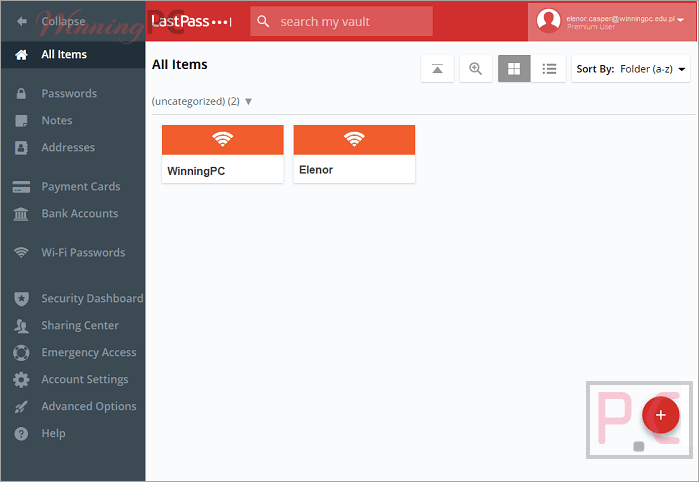
LastPass is at its best on the boring, daily stuff, and that’s a compliment. Autofill is the feature you’ll touch dozens of times a day, and it handles more than logins: cards, shipping addresses and personal details fill in with one click. The security dashboard is worth opening on day one. It scores your whole vault from 0 to 100 and lists every weak or reused password, so cleanup becomes a to-do list instead of a vague worry. Passkey sync is another quiet strength.
Unlike Apple’s or Google’s built-in managers, LastPass syncs passkeys across browsers and operating systems, so switching from an iPhone to a Windows laptop doesn’t lock you out. The limit worth knowing: “dark web monitoring” checks your email addresses against a breach database run by its partner Enzoic. It doesn’t crawl the whole dark web, and it won’t tell you about data tied to anything other than your email.
Key features
- Zero-knowledge vault: Everything is encrypted on your device with AES-256 and 600,000 rounds of PBKDF2-SHA256, and only your master password can unlock it.
- Save, autofill and generate: Strong passwords and random usernames are created for you, then filled in automatically on desktop, Android, iPhone and iPad.
- Security dashboard + breach alerts: A 0–100 security score, weak and reused password warnings, and email alerts when your address turns up in a known breach.
- Passkeys everywhere: Create and store passkeys from the extension or mobile app and use them across all your devices.
- Sharing and emergency access: Share logins, Wi-Fi details or secure notes without revealing the password, and name a trusted contact who can reach your vault in an emergency.
What we think
Which LastPass plan should you buy?
| Plan | Price with code | Users | Devices | Sharing | Support | Best for |
|---|---|---|---|---|---|---|
| Free | $0 | 1 | Desktop or mobile | One item, one person at a time | Self-service only | Trying it out |
| Premium | $23.40/year | 1 | Unlimited, all types | Multiple people at once + emergency access | Personal customer care | Individuals |
| Families | $31.20/year | 6 Premium accounts | Unlimited, all types | Shared folders + family manager dashboard | Personal customer care | Households, couples sharing logins |
Is there a cheaper or free option?
| Tool | Price | Platforms | Standout trait | Best for |
|---|---|---|---|---|
| LastPass Premium | $23.40/yr with code | Browser extensions, Android, iOS | Cross-platform passkey sync, breach alerts | People who want polish and convenience |
| DualSafe Password Manager | $17.99/yr with code | Windows, Chrome/Edge/Opera/Brave/Firefox | Unlimited passwords on the free tier | Windows users on a zero budget |
| Sticky Password Premium | $24/lifetime | Windows, Mac, iOS, Android | Optional local or Wi-Fi sync instead of cloud | Users who don’t want their vault in the cloud |
| Enpass | $9.59/yr with code | Windows, macOS, Linux, iOS, Android | Vault stays on your own device or cloud | Privacy-minded users, Linux users |
| Password Agent | $17.52/lifetime | Windows | Offline desktop database | Single-PC, offline-only users |
| TweakPass | $9.99/yr with code | Chrome/Firefox/Opera/Edge, iOS | Simple vault with autofill | Basic needs on a budget |
| Bitwarden Free | $0 | All major platforms | Open source, unlimited devices free | Anyone who just needs the basics, free |
Honest take: if you only need passwords synced across devices and nothing else, Bitwarden’s free plan covers that at no cost. LastPass makes more sense when you want family sharing, breach alerts and smooth passkey sync in one place.
System Requirements & Details
| Language Support | English, Français, Italian, Spanish, Swedish, and more… |
| Money Back Guarantee | 30-Day |
| Operating System | Windows, Mac, Linux, Android, iOS |
| Shipping | Register code will be sent to your email in minutes |
| Subscription | 1-Year |
| Support Services | Live Chat |




403 Forbidden?
error
They blocked this giveaway page.
Working thanks, also, will the account expire if the temp email is deleted?
I don’t think so. This is a 6-month license, after 6-month your account will return to the free license.