WinningPC
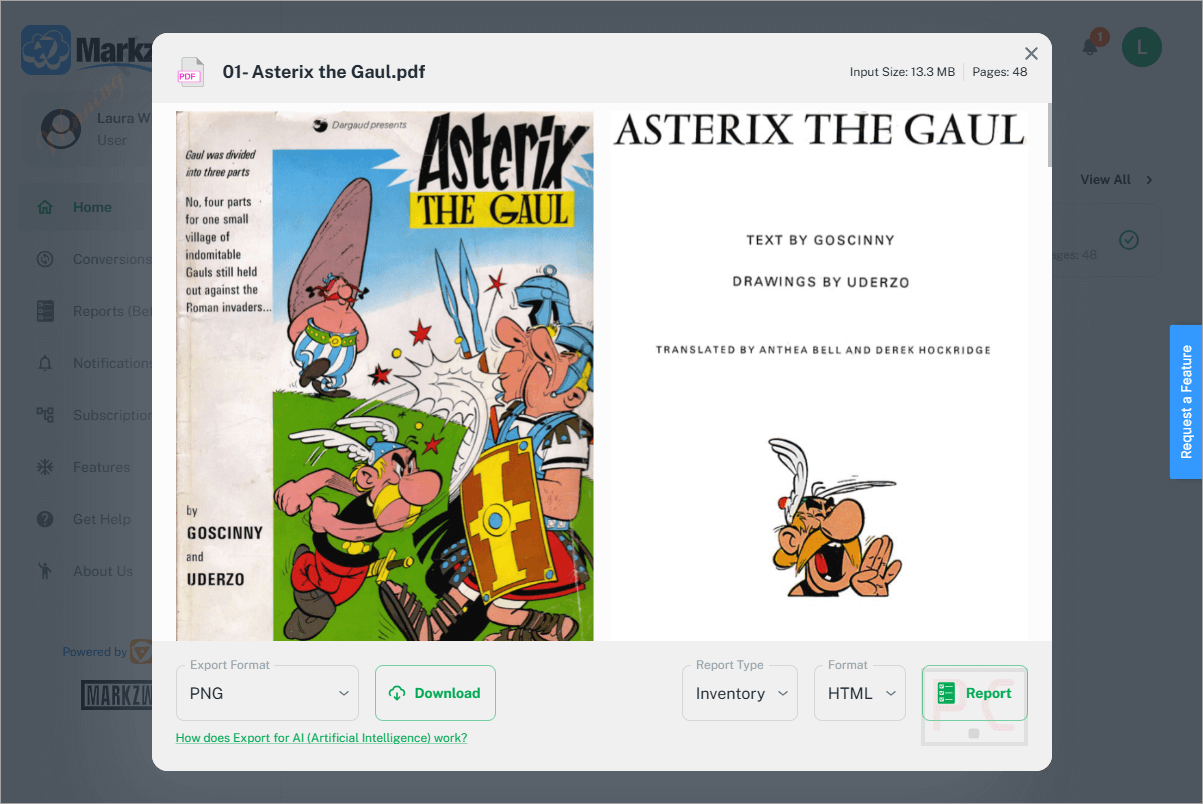
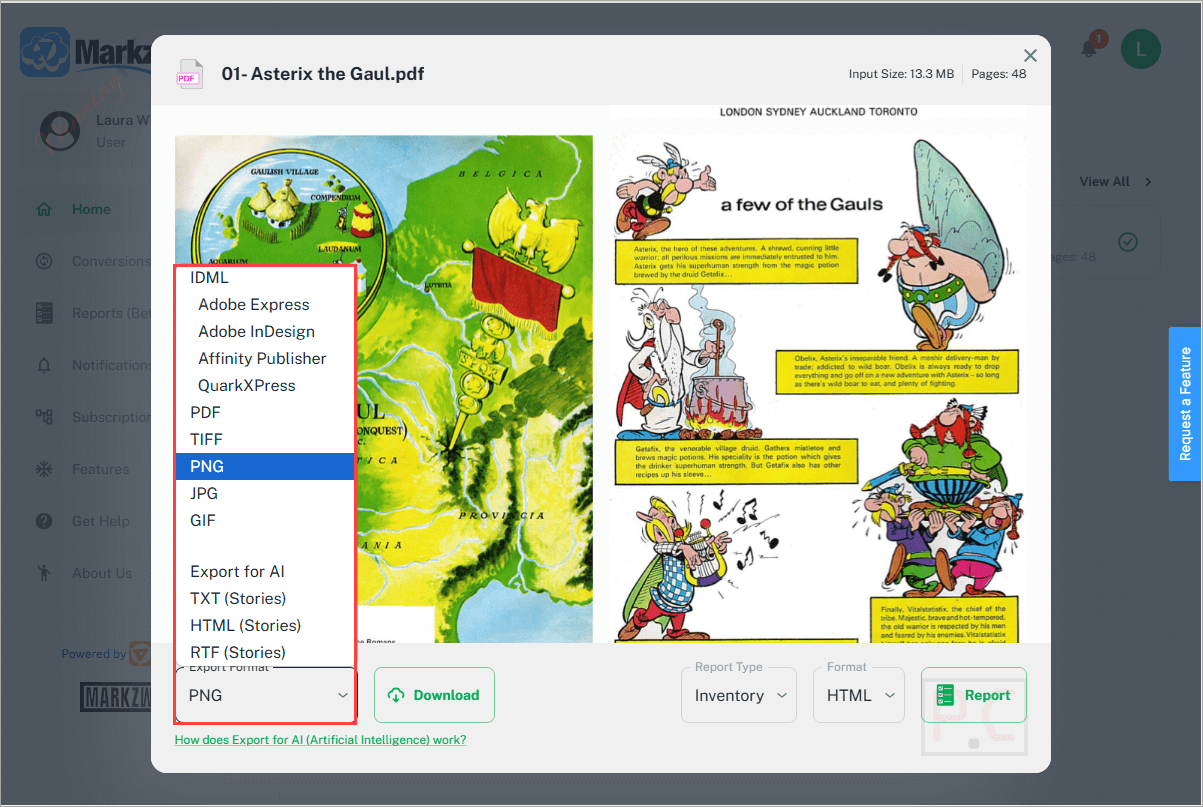
Markzware MarkzPortal is a state-of-the-art online solution designed to streamline file conversion, pre-flighting, and reporting for the graphic arts, printing, and publishing industries. It supports a wide range of file formats, including PDFs, Adobe InDesign, Illustrator, Photoshop, Microsoft Publisher, and QuarkXPress. You can preview, convert, and open these files with ease, ensuring seamless integration into their workflows. This professional-grade software allows the export of styled text stories to RTF, TXT, or HTML formats, preserving all text formatting, styles, and colours. It also enables the conversion of complex documents into multiple output formats such as IDML, PDF, PNG, TIFF, and GIF, ensuring compatibility across various platforms and applications.
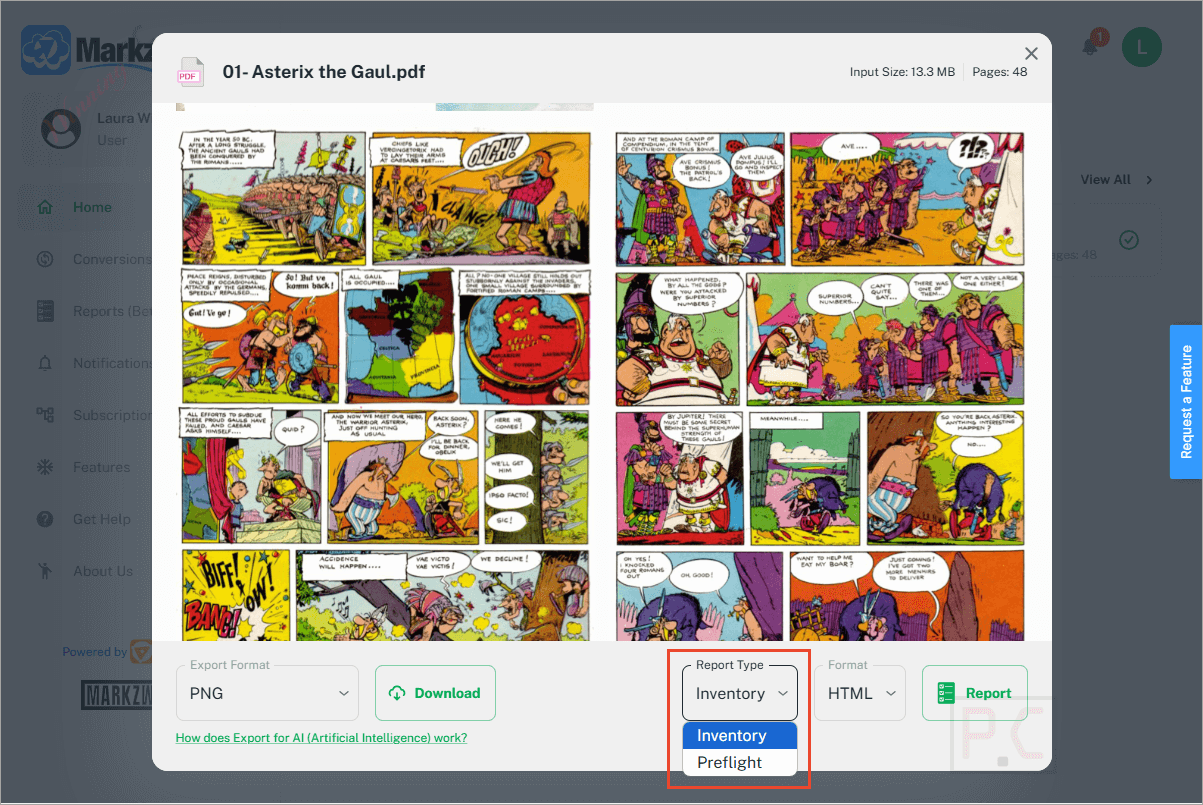
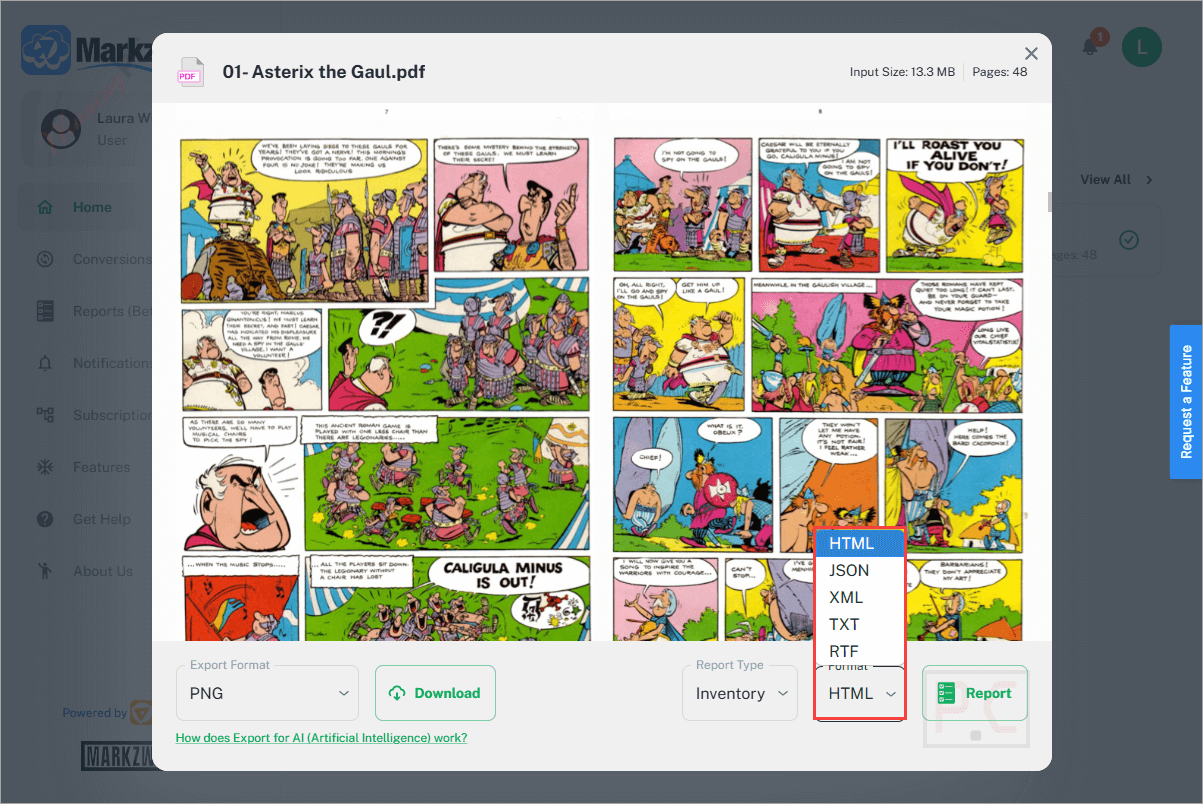
In addition to its powerful conversion capabilities, MarkzPortal features a comprehensive document reporting tool, helping users generate detailed lists of all elements within their files. It also includes an AI detection feature that can identify generative AI in artwork, layouts, or documents, an essential asset for designers who prioritize originality and print quality. Furthermore, this tool provides a dependable solution for maintaining the integrity of design assets, making it an invaluable resource for professionals who demand accuracy, efficiency, and control in their creative workflows.
Markzware MarkzPortal Plans & Coupon Code
MarkzPortal Pro Monthly Subscription
1,000 pages per month included | Cancel anytime
Key Features and Screenshots
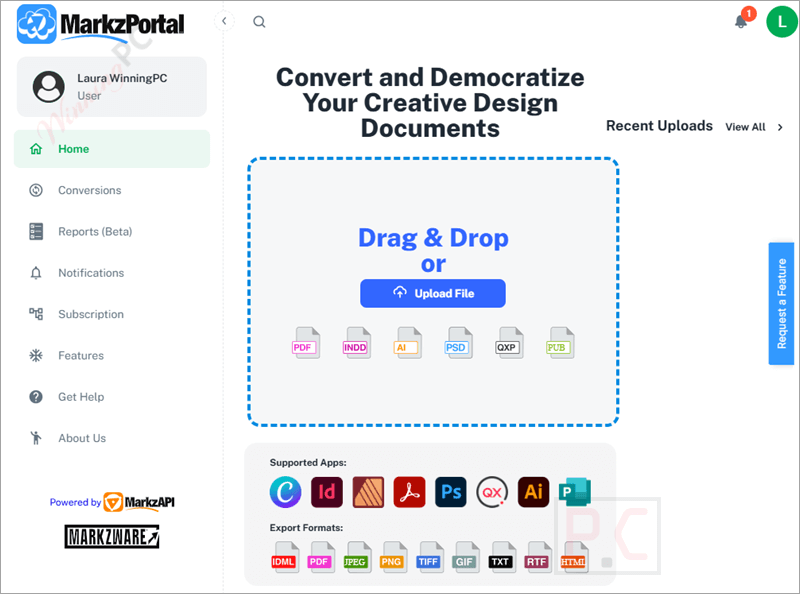
- Wide File Format Support: This tool supports numerous file formats, including PDFs, Adobe InDesign, Illustrator, Photoshop, Microsoft Publisher, and QuarkXPress, to ensure you can work with almost any design document you encounter.
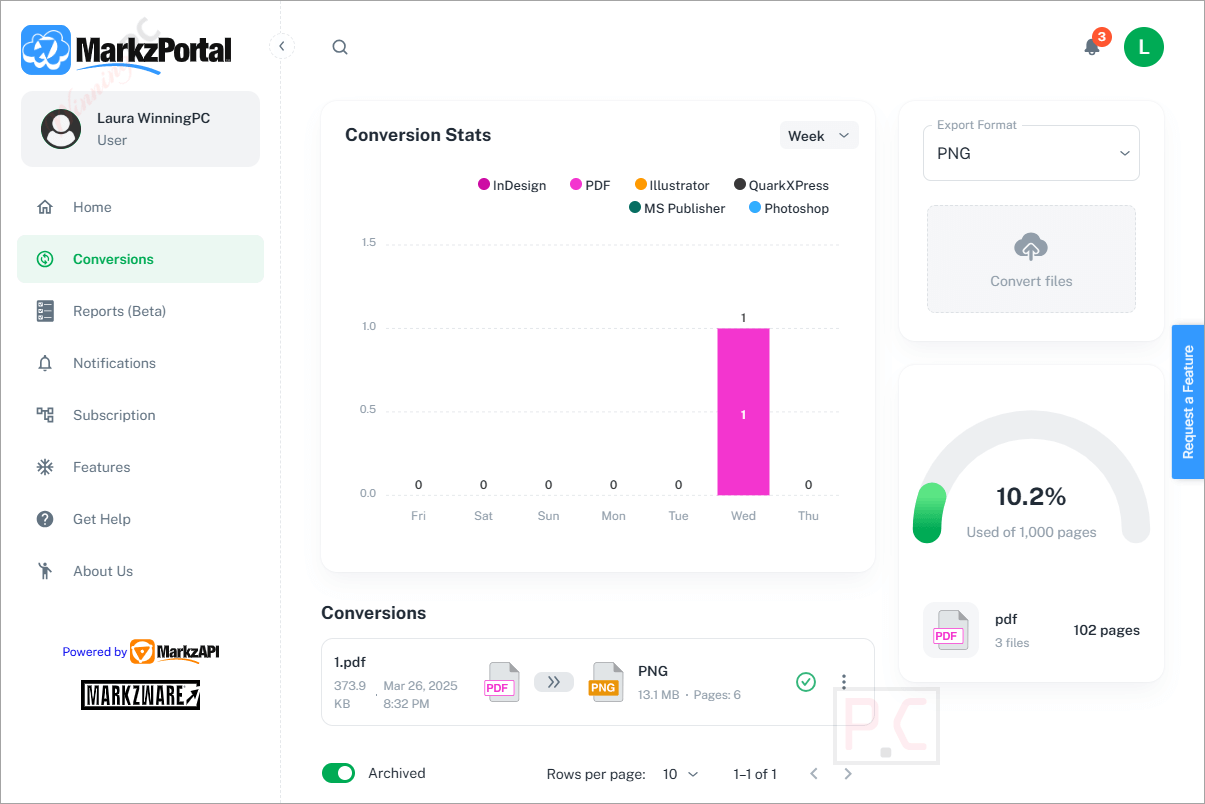
- Advanced Conversion Capabilities: You have the ability to preview and convert files seamlessly. It allows for converting documents to multiple formats such as IDML, PDF, TIFF, PNG, JPEG, and GIF. This function benefits designers who need to share their work across different platforms and software.
- Styled Text Stories: You are allowed to export styled text stories to RTF, TXT, or HTML, preserving the text formatting, styles, colours, sizes, etc, during conversion.
- Comprehensive Reporting: It offers detailed document reports based on preflight data, providing valuable insights into the file’s structure and potential issues and aiding in workflow management and decision-making.
- File Sharing and Social Media Integration: You can share your reports and file conversions via social media, including Facebook, LinkedIn, Instagram, or Twitter, facilitating collaboration and feedback.
- Advanced File Info and Statistics: This software provides a complete overview of the file inventory and insightful statistics on file conversions to help you keep track of your work and make informed decisions.
- Canva integration: You can direct conversion from Canva to InDesign and other formats via the ConvertMarkz app in the Canva marketplace.
- AI Detection: The platform includes AI detection capabilities to identify the use of generative AI in art files, layouts, or documents. This feature ensures that you are aware of any AI-generated content in your designs.
More Screenshots:

Frequently asked questions
What file formats can I convert with this conversion tool?
This tool supports the conversion of PDF, Adobe InDesign, Illustrator, Photoshop, QuarkXPress, Microsoft Publisher, and Affinity Publisher files, among others.
Can I export styled text from a file?
Yes. It lets you export styled text frames and stories into formats like TXT, RTF, or HTML, retaining formatting such as font size, colour, and style.
Is there Canva integration available?
Yes, this software offers ConvertMarkz, an app in the Canva marketplace that connects to MarkzPortal for converting Canva designs to InDesign and other formats.
Does this tool offer preflight checks?
Absolutely. It includes rules-based pre-flighting to scan for issues before printing or publishing, helping ensure file accuracy and readiness.
What is the “Export for AI” feature?
This unique feature allows users to prepare and export text content for AI tools like ChatGPT or Perplexity.ai for further analysis, summarization, or creative generation.
How do I get a discount on MarkzPortal?
You can use the WinningPC coupon code WIN***GPC10 at checkout to enjoy up to 10% off on your subscription or purchase.
Technical Details
| Language Support | English, Français, Italian, Spanish, Swedish, and more… |
| Money Back Guarantee | 30-Day |
| Operating System | Windows Vista, Windows 7, Windows 8/8.1, Windows 10/11 |
| Shipping | Register code will be sent to your email in minutes |
| Subscription | 1-Month, 1-Year |
| Support Services | Email, Phone |